
1. Muhimman Bayanan Tsaro
Please read this entire manual before assembling or operating the Zipro Holo 2 Exercise Bike. Keep this manual for future reference. Failure to follow these instructions can result in serious injury or damage to the equipment.
- Matsakaicin Nauyin Mai Amfani: This exercise bike is designed for users weighing up to 130 kg (approximately 286 lbs). Do not exceed this weight limit.
- La'akarin Lafiya: Consult your physician before starting any new exercise program, especially if you have pre-existing health conditions. Stop exercising immediately if you feel faint, dizzy, or experience pain.
- Wuri Mai Kyau: Place the exercise bike on a stable, level surface. Ensure adequate clearance (at least 0.6 meters or 2 feet) around the equipment for safe operation and movement.
- Yara da Dabbobi: Keep children and pets away from the equipment during operation. This equipment is not a toy.
- Dubawa: Before each use, inspect the bike for loose parts, wear, or damage. Do not use the equipment if it is damaged.
- Tufafi: Wear appropriate athletic clothing and footwear. Avoid loose clothing that could get caught in moving parts.
- Gyarawa: Ensure all adjustment knobs and levers are securely tightened before use.
2. Samfurin Ya Ƙareview
The Zipro Holo 2 is a robust indoor exercise bike designed for effective home training. It features a sturdy steel frame, adjustable components, and a mechanical resistance system to simulate real cycling conditions.

Image 2.1: The Zipro Holo 2 Exercise Bike, showcasing tsarinsa gabaɗaya da abubuwan da aka haɗa shi.
Mabuɗin fasali:
- Multifunction LCD Computer: Displays essential training data including time, distance, calories burned, and heart rate.
- Robust Steel Frame: Ensures stability and durability during intense workouts.
- Adjustable Saddle and Handlebars: Allows for vertical and horizontal adjustments to achieve an ergonomic and comfortable riding position for various user heights.
- Heavy Steel Flywheel with Chain Drive: Provides a smooth and realistic cycling motion.
- Non-slip Pedals with Adjustable Straps: Securely holds footwear, ensuring stability even during dynamic riding.
- Fixed Wheel Drive: Engages muscles continuously for maximum training effectiveness.
3. Majalisa da Saita
Before assembly, ensure all parts are present and undamaged. Refer to the included hardware pack and assembly diagram for detailed steps. It is recommended to have two people for assembly.
3.1. Buɗewa da Gane Abun Abu
Carefully remove all components from the packaging. Lay them out on a clean, flat surface. Verify all parts against the parts list provided in the separate assembly guide.
3.2. Stabilizer Installation
Attach the front and rear stabilizers to the main frame using the provided bolts and washers. Ensure they are securely tightened to provide a stable base for the bike.

Image 3.1: Close-up of the bike's base, showing the transport wheels and adjustable feet for leveling.
3.3. Saddle and Handlebar Adjustment
The saddle and handlebars can be adjusted vertically and horizontally to fit your body. Loosen the adjustment knobs, position the saddle/handlebars to your desired height and distance, and then securely tighten the knobs.

Image 3.2: Detail of the adjustable saddle post, allowing for vertical and horizontal positioning.

Image 3.3: Diagram illustrating the dimensions of the Zipro Holo 2 Exercise Bike (125 cm L x 64 cm W x 126 cm H).
4. Umarnin Aiki
4.1. Farawa
- Ensure the bike is on a stable surface and all adjustments are secure.
- Step onto the bike, placing your feet firmly in the pedal cages. Adjust the straps for a snug fit.
- Begin pedaling at a comfortable pace.

Image 4.1: Close-up of the non-slip pedals with adjustable straps, designed to secure your feet during exercise.
4.2. Daidaita Juriya
The Zipro Holo 2 features a mechanical resistance system. To adjust the resistance level:
- Locate the resistance knob, typically positioned on the frame below the handlebars.
- Turn the knob clockwise to increase resistance, making pedaling harder.
- Turn the knob counter-clockwise to decrease resistance, making pedaling easier.
- For emergency stops, press down firmly on the resistance knob.
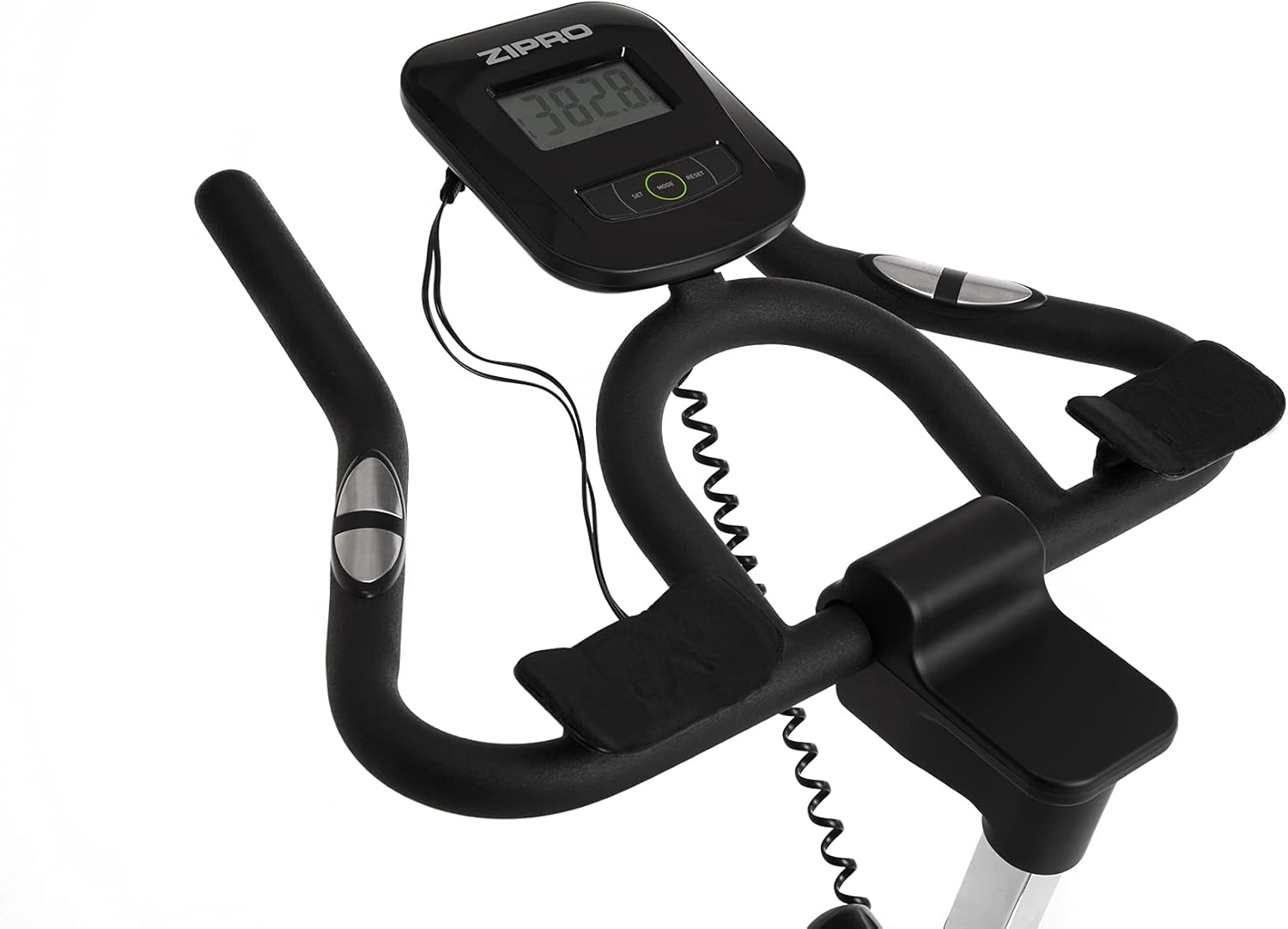
Image 4.2: Detail of the resistance adjustment knob, allowing for precise control over workout intensity.
4.3. Using the Multifunction Computer
The integrated LCD computer displays your workout data. Connect the pulse sensors (if applicable) for heart rate monitoring.
- Hanyoyin Nuni: The computer cycles through various metrics such as Time, Distance, Calories, Speed, and Pulse.
- Fara/Dakata: The computer automatically starts when you begin pedaling and pauses when you stop.
- Sake saitin: Press and hold the 'MODE' or 'RESET' button (refer to the computer's specific buttons) to clear all data.
- Ma'aunin bugun jini: Grip the pulse sensors on the handlebars to display your heart rate. Ensure both hands are firmly on the sensors for an accurate reading.

Image 4.3: Close-up of the multifunction LCD computer and handlebars with integrated pulse sensors.
4.4. Water Bottle Holder
A convenient water bottle holder is integrated into the frame to keep you hydrated during your workout.

Image 4.4: Detail of the water bottle holder mounted on the bike frame.
5. Kulawa
Regular maintenance ensures the longevity and safe operation of your Zipro Holo 2 Exercise Bike.
- Tsaftacewa: Shafe babur tare da tallaamp zane bayan kowane amfani don cire gumi da ƙura. A guji wanke-wanke ko abubuwan da ke rage zafi.
- Lubrication: Periodically check the chain drive for proper lubrication. Apply a suitable lubricant if necessary, following the manufacturer's recommendations for bicycle chains.
- Duba Bolt da Nut: Regularly inspect all bolts, nuts, and connections to ensure they are tight. Tighten any loose fasteners.
- Sawa da Yage: Check for signs of wear on moving parts, such as pedals, straps, and the saddle. Replace worn components as needed.
- Ajiya: Ajiye babur ɗin a wuri mai bushe da sanyi, nesa da hasken rana kai tsaye da kuma yanayin zafi mai tsanani.
6. Shirya matsala
If you encounter issues with your Zipro Holo 2 Exercise Bike, refer to the following common troubleshooting steps:
| Matsala | Dalili mai yiwuwa | Magani |
|---|---|---|
| Computer display is blank or erratic. | Low or dead batteries; loose connection. | Replace batteries (AA or AAA, typically). Check all cable connections to the computer. |
| Juriya tana jin rashin daidaituwa ko kuma ta yi laushi/matsewa sosai. | Resistance mechanism issue; knob not properly adjusted. | Ensure the resistance knob is fully functional and not stripped. Inspect the mechanical resistance pads for wear. |
| Unusual noises (squeaking, grinding). | Loose parts; lack of lubrication; worn components. | Check all bolts and nuts for tightness. Lubricate the chain drive if dry. Inspect pedals and flywheel for any obstructions or wear. |
| Saddle or handlebars slip during use. | Adjustment knobs not tightened sufficiently. | Ensure all adjustment knobs for the saddle and handlebars are tightened firmly. |
7. Ƙayyadaddun bayanai
| Siffar | Ƙayyadaddun bayanai |
|---|---|
| Samfura | Holo 2 |
| Alamar | ZIPRO |
| Lambar Samfura | 5944594 |
| Girma (L x W x H) | 125 cm x 64 cm x 126 cm |
| Nauyin Abu | 42.5 kg (42500 grams) |
| Matsakaicin Nauyin Mai Amfani | 130 kg (130000 grams) |
| Tsarin tuƙi | Sarka |
| Tsarin Juriya | Makanikai |
| Tushen wutar lantarki | Baturi Mai Aiki (don kwamfuta) |
| Babban Material | Plastic (components), Steel (frame) |
| Launi | Baki / Kore |
8. Garanti da Tallafawa
For specific warranty details, please refer to the documentation included with your purchase or contact the retailer. General return policy for this product is typically 30 days from the date of purchase.
For technical support, spare parts, or further assistance, please contact ZIPRO customer service through their official website ko dillalin da aka siyo samfurin.