
Bayanan W06
Baseus Encok True Wireless Earbuds W06 User Manual
Model: W06 | Brand: Baseus
Gabatarwa
Thank you for choosing the Baseus Encok True Wireless Earbuds W06. This manual provides detailed instructions on how to set up, operate, and maintain your earbuds to ensure optimal performance and longevity. Please read this manual thoroughly before using the product.
Abubuwan Kunshin
Da fatan za a duba abin da ke cikin kunshin lokacin da aka buɗe akwatin. Idan wani abu ya ɓace ko ya lalace, tuntuɓi dillalin ku.
- Baseus Encok True Wireless Earbuds (L/R)
- Cajin Cajin
- USB-C Cajin Cable
- Silicone Eartips (various sizes)
- Manual mai amfani
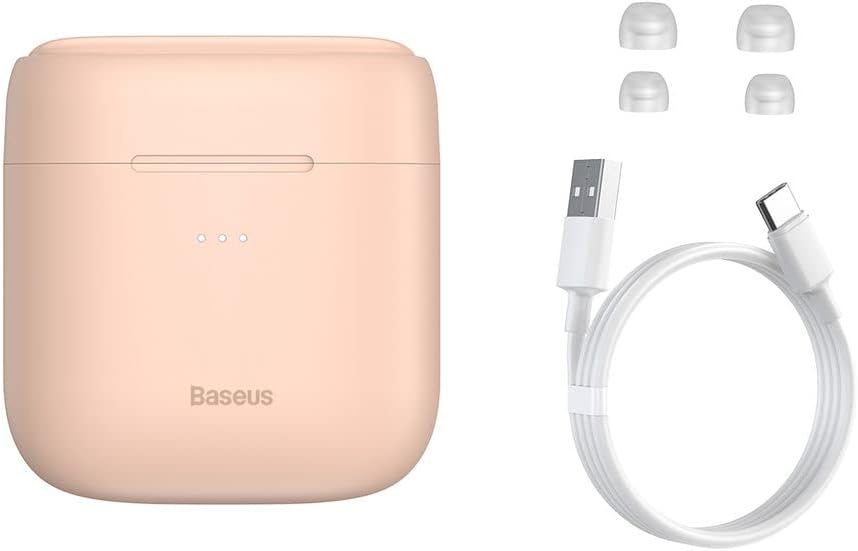
Image: The package contents, showing the charging case, two earbuds, a USB-C charging cable, and several pairs of silicone eartips.
Saita
1. Cajin Kayan kunne da Case
Before first use, fully charge the earbuds and the charging case. Place the earbuds into the charging case. Connect the USB-C cable to the charging case and a power source, or place the charging case on a compatible wireless charging pad.
- Fitilun nuni da ke kan akwati za su nuna yanayin caji.
- Cikakken caji yawanci yana ɗaukar kusan awa 1.5.
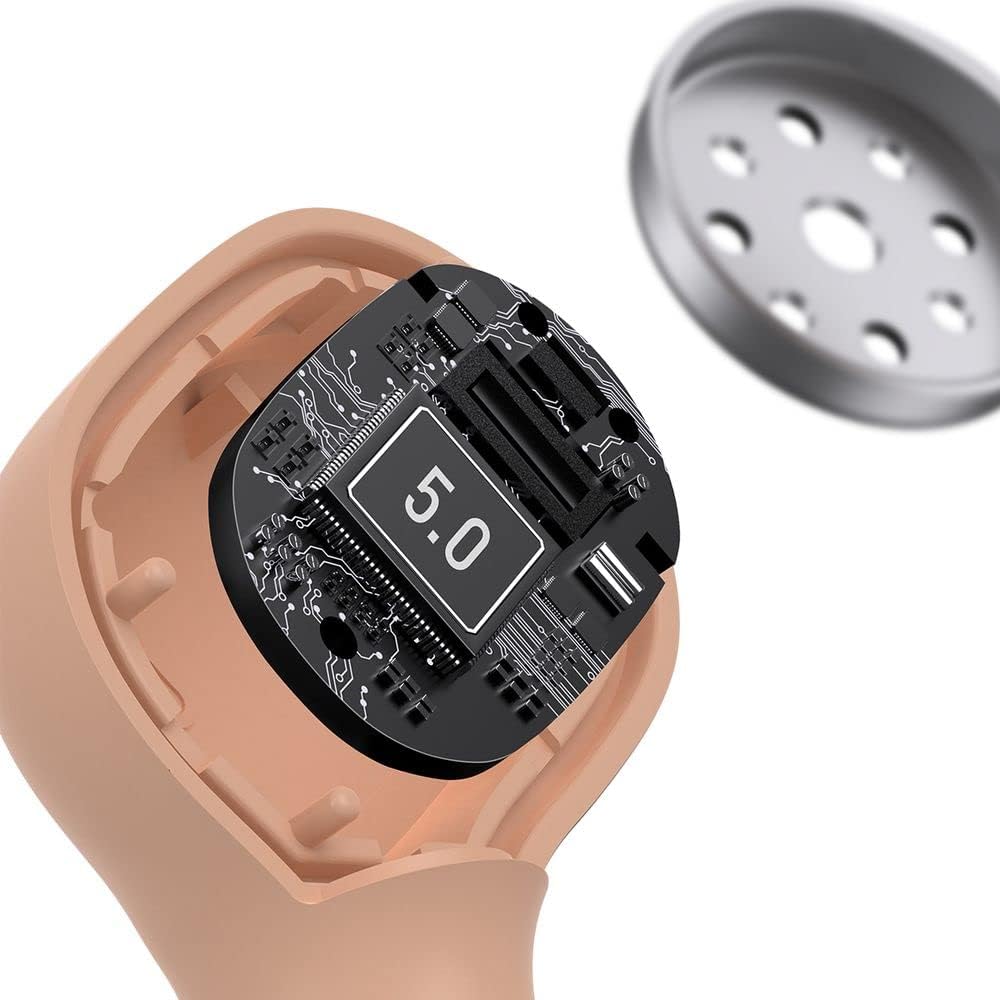
Image: The Baseus Encok W06 earbuds resting inside their open charging case, indicating they are ready for charging or use.

Image: Two Baseus Encok W06 charging cases, one connected via a USB-C cable and another placed on a wireless charging pad, demonstrating charging methods.
2. Haɗa Bluetooth
- Tabbatar ana cajin belun kunne.
- Open the charging case. The earbuds will automatically enter pairing mode, indicated by a flashing light on the earbuds.
- A kan na'urarka (wayar hannu, kwamfutar hannu, da sauransu), kunna Bluetooth.
- Bincika "Baseus Encok W06" in the list of available Bluetooth devices.
- Select it to connect. Once connected, the indicator light on the earbuds will stop flashing.
Za a sake haɗa belun kunne na ƙarshe ta atomatik zuwa na'urar da aka haɗa ta ƙarshe idan an cire ta daga cikin akwatin, idan Bluetooth ya kunna a kan na'urar.
3. Saka abin kunne
Choose the silicone eartips that provide the best fit and seal for your ears. Insert the earbuds gently into your ear canal and rotate them slightly until they feel secure and comfortable.

Image: A person wearing a Baseus Encok W06 earbud, illustrating how the earbud sits comfortably and securely in the ear.
Umarnin Aiki
The Baseus Encok W06 earbuds feature touch controls for various functions.
- Kunna Wuta: Open the charging case, or press and hold the touch panel for 3 seconds if earbuds are out of case.
- Kashe Wuta: Place earbuds back into the charging case and close the lid, or press and hold the touch panel for 5 seconds.
- Kunna/Dakata: Double-tap the touch panel on either earbud.
- Waƙa ta gaba: Sau uku-taɓa kunnen kunne na dama.
- Tafiya ta baya: Sau uku-taɓa belun kunne na hagu.
- Amsa/Ƙarshen Kira: Double-tap the touch panel on either earbud during an incoming call.
- Karɓar Kira: Press and hold the touch panel on either earbud for 2 seconds during an incoming call.
- Kunna Mataimakin Murya: Press and hold the touch panel on either earbud for 3 seconds.
Mabuɗin Siffofin
- Double-sided Wireless Charging: The charging case supports wireless charging from both sides, allowing flexible placement on a wireless charging pad.
- APT-X Audio Decoding: Provides high-quality audio transmission for a superior listening experience.
- CVC Noise Canceling: Clear Voice Capture technology reduces background noise during calls for clearer communication.
- Tsawon Rayuwar Baturi: Offers up to 300 hours of standby time.
- Bluetooth 5.0: Yana tabbatar da haɗin mara waya mai karko da inganci.

Image: A visual representation of the Baseus Encok W06 earbuds and charging case, accompanied by text detailing key features such as two-sided wireless charging, APT-X audio decoding, CVC noise canceling, and 300 hours of battery life.

Hoto: cikakken bayani view of the internal circuitry of a Baseus Encok W06 earbud, prominently displaying '5.0', signifying its Bluetooth 5.0 connectivity.
Kulawa
Tsaftacewa
- A kai a kai tsaftace belun kunne da akwati na caji tare da laushi, bushe, yadi mara lint.
- Cire gefen kunne sannan a tsaftace su da sabulu da ruwa mai laushi, sannan a busar da su sosai kafin a sake haɗa su.
- Kada a yi amfani da masu tsabtace abrasive, barasa, ko kaushi na sinadarai.
- Tabbatar da cajin lambobin sadarwa a kan belun kunne da akwati duka suna da tsabta kuma babu tarkace.
Adana
- Ajiye belun kunne a cikin akwati na caji lokacin da ba a amfani da su don kare su da kiyaye su da caji.
- Avoid storing in extreme temperatures (hot or cold) or high humidity.
Kula da baturi
- To preserve battery life, charge the earbuds and case regularly, even if not used frequently.
- Avoid completely draining the battery for extended periods.
Shirya matsala
| Matsala | Magani |
|---|---|
| Kayan kunne ba sa haɗawa da na'ura. |
|
| Babu sauti daga belun kunne ɗaya ko biyu. |
|
| Cajin caji baya caji. |
|
Ƙayyadaddun bayanai
| Siffar | Daki-daki |
|---|---|
| Alamar | Baseus |
| Sunan Samfura | NGJW06-04 (W06) |
| Lambar Samfurin Abu | B00F2ZIDTS |
| Fasahar Haɗuwa | Mara waya (Bluetooth 5.0) |
| Factor Form na kunne | Cikin-Kunne |
| Siffar Kebul | Mara waya |
| Nauyin Abu | 50g ku |
| Girman samfur | 10 x 3 x 2 cm |
| Mai ƙira | Baseus |
| Cajin mara waya | Supported (Double-sided) |
| Gyaran sauti | APT-X |
| Soke surutu | CVC (for calls) |
| Rayuwar Baturi (A jiran aiki) | Har zuwa awanni 300 |
Bayanin Tsaro
- Kada a tarwatsa, gyara, ko gyara samfurin.
- Ka kiyaye samfurin daga ruwa, danshi, da matsanancin zafi.
- Ka guji ɗaukar tsayin daka zuwa matakan girma don hana lalacewar ji.
- Zubar da samfurin da baturin sa bisa ga ka'idojin gida.
- Ka kiyaye yara da dabbobin da ba za su iya isa ba.
Garanti da Taimako
Baseus products typically come with a limited warranty. For specific warranty terms and conditions, please refer to the warranty card included in your package or visit the official Baseus website. For technical support, product inquiries, or warranty claims, please contact Baseus customer service or your local retailer.
You can visit the official Baseus store for more information: Baseus Store