
Gabatarwa
Thank you for choosing the Tascam TH-200X Studio Headphones. These closed-back headphones are designed for accurate audio monitoring, mixing, and general music listening. They feature a lightweight, durable construction with comfortable padding for extended use. This manual provides essential information for the proper setup, operation, maintenance, and troubleshooting of your TH-200X headphones.
Me ke cikin Akwatin
Da fatan za a duba cewa duk waɗannan abubuwa suna cikin kunshin ku:
- Tascam TH-200X Studio Headphones
- Attached Audio Cable (3.5mm jack)
- 6.35mm (1/4-inch) Screw-on Adapter
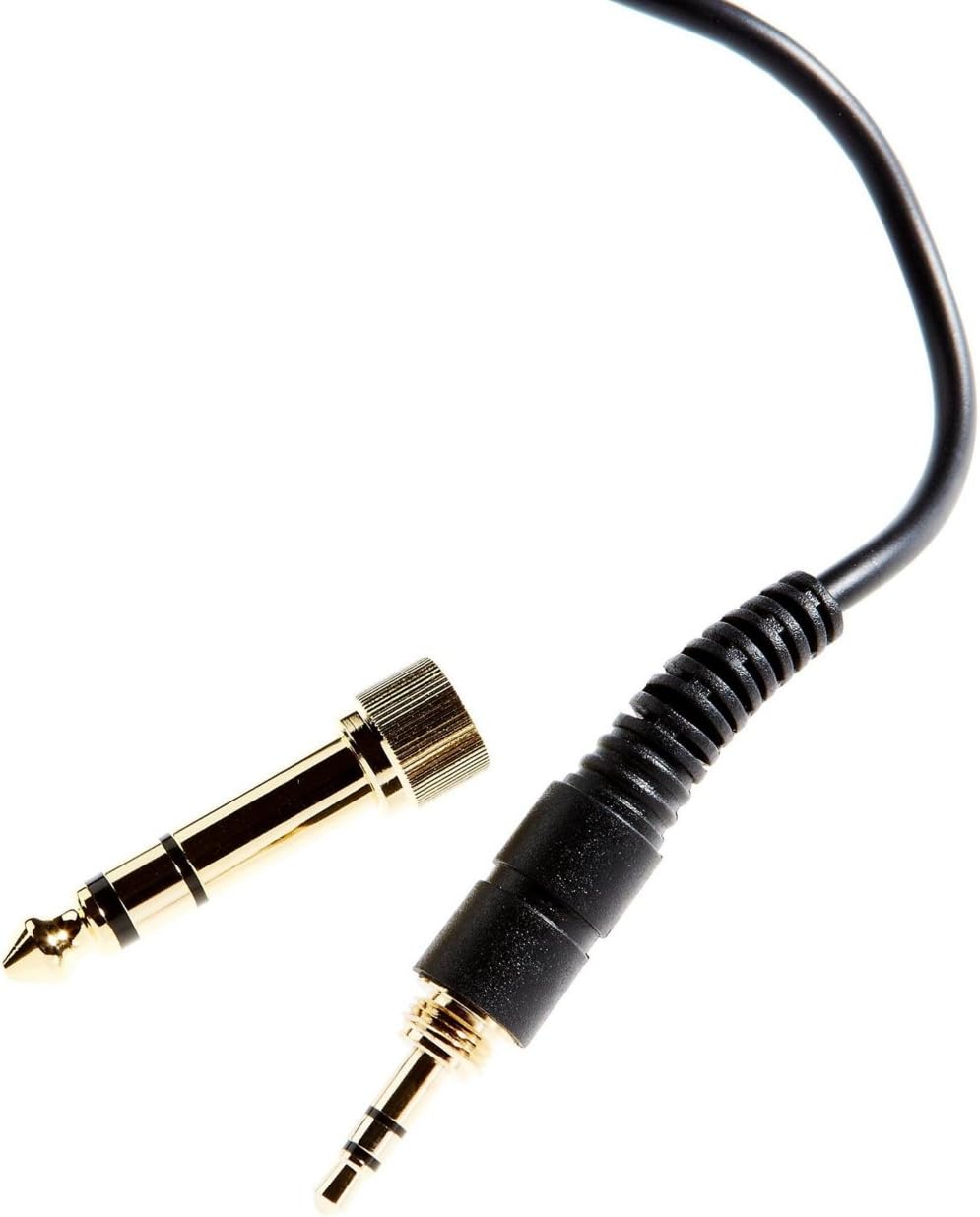
Image: The included 3.5mm audio jack and the detachable 6.35mm (1/4-inch) screw-on adapter for wider compatibility with audio equipment.
Saita Umarnin
- Cire kaya: Carefully remove the headphones and all accessories from the packaging.
- Haɗa zuwa Tushen Sauti:
- For devices with a 3.5mm headphone jack (e.g., smartphones, laptops), simply plug the attached 3.5mm cable directly into the audio output.
- For devices with a 6.35mm (1/4-inch) headphone jack (e.g., audio interfaces, mixing consoles, amplifiers), screw the provided 6.35mm adapter onto the 3.5mm jack before plugging it into the audio output. Ensure the adapter is securely fastened.
- Daidaita Daidaitawa:
- Place the headphones over your ears, ensuring the earcups fully enclose your ears for optimal sound isolation and comfort.
- Adjust the headband by sliding the earcups up or down along the stainless steel frame until a comfortable and secure fit is achieved. The 'L' and 'R' indicators on the inside of the headband denote the left and right earcups, respectively.

Hoto: Gefe view of the Tascam TH-200X headphones, highlighting the branding and the 'L' indicator for the left earcup.

Hoto: Gefe view of the Tascam TH-200X headphones, highlighting the branding and the 'R' indicator for the right earcup.
Umarnin Aiki
- Sarrafa ƙara: Adjust the volume directly from your connected audio source (e.g., computer, audio interface, smartphone). The TH-200X headphones do not feature inline volume controls.
- Saurara Lafiya: To prevent hearing damage, avoid listening at high volumes for extended periods. Start with a low volume and gradually increase it to a comfortable level.
- Amfani da Niyya: These headphones are optimized for studio monitoring and mixing, providing a neutral sound reproduction. They are also suitable for general music listening.
Kulawa
- Tsaftacewa:
- Shafa kwalaben kunne da ɗigon kai da taushi, busasshiyar kyalle.
- Don datti mai taurin kai, ɗan dampen zane da ruwa. Ka guji yin amfani da sinadarai masu tsauri ko goge goge.
- Do not immerse the headphones in water or any other liquid.
- Ajiya:
- Ajiye belun kunne a wuri mai tsabta da bushewa, nesa da yanayin zafi mai tsanani da hasken rana kai tsaye.
- A guji sanya abubuwa masu nauyi a kan belun kunne.
- Kulawar Kebul:
- Avoid sharply bending or twisting the cable.
- Do not pull on the cable to disconnect it from an audio source; always grasp the plug itself.

Hoto: Angled view of the Tascam TH-200X headphones, demonstrating the adjustable headband and durable construction.
Shirya matsala
- Babu Sauti:
- Ensure the headphone cable is fully plugged into both the headphones and the audio source.
- Check the volume level on your audio source and ensure it is not muted.
- Test the headphones with a different audio source or device to rule out a device-specific issue.
- If using the 6.35mm adapter, ensure it is securely screwed onto the 3.5mm jack.
- Karkataccen Sauti:
- Lower the volume on your audio source. Excessive volume can cause distortion.
- Ensure the audio cable connections are secure.
- Test with another audio source to determine if the issue is with the headphones or the source.
- Fit mara dadi:
- Adjust the headband length by sliding the earcups until they sit comfortably over your ears without excessive pressure.
- Ensure the earcups fully cover your ears.
Ƙididdiga na Fasaha
| Samfura | TH-200X |
| Alamar | Tascam |
| Wurin Kunne | Sama Da Kunne |
| Factor Factor | Sama Da Kunne |
| Sarrafa amo | Ware Sauti |
| Nau'in Direba Audio | Dynamic Driver (40mm Neodymium Magnet) |
| Yawan Mitar | 15-22 kHz |
| Fasahar Haɗuwa | Waya |
| Jackphone na kunne | 3.5 mm Jack, 6.35 mm Jack (with adapter) |
| Kayan abu | Stainless Steel (frame) |
| Nauyin Abu | 0.41 kilogiram |
| Ƙarin Halaye | Lightweight, Adjustable, Durable, Retractable Cable |

Hoto: Gaba view of the Tascam TH-200X headphones, showcasing the comfortable padded headband and earcups.
Garanti da Taimako
Tascam products are manufactured to high-quality standards. For specific warranty information, please refer to the warranty card included with your product or visit the official Tascam website.
For technical support, service, or further inquiries, please visit the official Tascam support page:
Da fatan za a riƙe shaidar siyan ku don da'awar garanti.
Additionally, if purchased through Amazon, a 30-day refund/replacement policy may apply. Please refer to your Amazon purchase details for more information.