
Gabatarwa
This manual provides essential information for the safe and efficient use of your Nextech USB Type-C 2.0 Fast Sync & Charge Cable (Model NC66). This cable is designed for fast charging and data syncing with a wide range of USB-C compatible devices. It supports up to 3A fast charging and data transfer speeds of 480Mbps. The cable features a durable construction, a reversible USB-C connector for easy use, and built-in protection against overcharging.
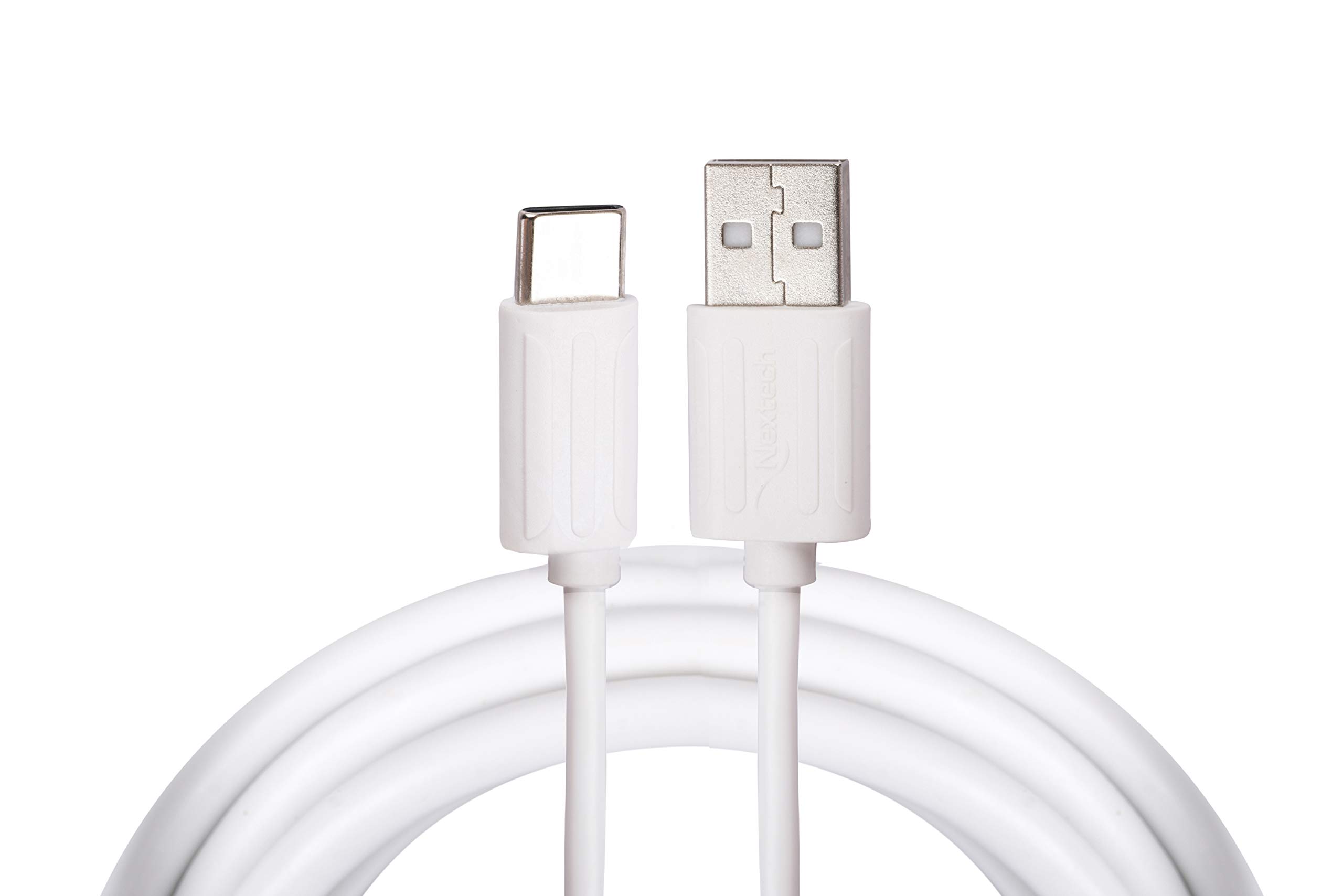
This image displays the Nextech USB Type-C 2.0 Fast Sync & Charge Cable, highlighting its USB Type-A connector on one end and the reversible USB Type-C connector on the other. The cable is white.
Saita
Follow these steps to connect your Nextech USB Type-C cable:
- Gane Tashoshi: Locate the USB Type-A port on your power adapter, computer, or power bank. Identify the USB Type-C port on your smartphone, tablet, or laptop.
- Connect to Power Source/Computer: Insert the USB Type-A connector of the cable firmly into the corresponding USB Type-A port on your power source or computer.
- Haɗa zuwa Na'ura: Insert the USB Type-C connector of the cable firmly into your device's USB Type-C port. The reversible design of the USB-C connector allows it to be plugged in either orientation.

A daki-daki view of the Nextech cable's connectors, showing the USB Type-A plug and the USB Type-C plug. This illustrates the design for connecting to various devices and power sources.
Umarnin Aiki
Once connected, the cable facilitates two primary functions:
- Cajin Na'urarku: When connected to a compatible power adapter or power bank, the cable will initiate charging for your device. Ensure your power source is active and provides sufficient power for fast charging if desired.
- Canja wurin bayanai: When connected to a computer, your device should typically prompt you to select a connection mode (e.g., 'File Transfer', 'Photo Transfer', 'Charging Only'). Select the appropriate data transfer mode to access files on your device from your computer. The cable supports data transfer speeds up to 480Mbps.
Kulawa
To ensure the longevity and optimal performance of your Nextech USB Type-C cable, follow these maintenance guidelines:
- Tsaftacewa: Keep the cable and its connectors clean and free from dust, lint, and debris. Use a soft, dry cloth for cleaning. Avoid using liquids or abrasive cleaners.
- Gudanarwa: Avoid sharp bends, kinks, or excessive pulling on the cable, especially near the connectors. Always grasp the connector head when plugging or unplugging, rather than pulling on the cable itself.
- Ajiya: Store the cable in a cool, dry place when not in use. Avoid extreme temperatures or direct sunlight.
- Bayyanar Muhalli: Do not expose the cable to water, high humidity, or corrosive substances.
Shirya matsala
If you encounter issues with your cable, refer to the following common solutions:
- Na'urar Ba Cajin:
- Tabbatar cewa duka ƙarshen kebul ɗin suna haɗe amintacce.
- Try using a different power adapter or power bank.
- Test the cable with a different compatible device to rule out a device-specific issue.
- A hankali Caji:
- Verify that your power adapter and device both support fast charging protocols.
- Ensure the power adapter provides sufficient output (e.g., 3A for optimal performance).
- Matsalolin Canja wurin Bayanai:
- Confirm that your device is set to 'File Transfer' or 'Data Transfer' mode when connected to a computer.
- Gwada haɗawa zuwa tashar USB na daban akan kwamfutarka.
- Ensure your computer's drivers for USB devices are up to date.
Ƙayyadaddun bayanai

An infographic summarizing key features of the Nextech USB-C 2.0 Sync & Charge Cable, including its sync and charge capability, USB 2.0 high-speed data transfer (480Mbps), 3K insertion test pass, auto cut circuit, and 1-meter cable length. It also indicates 'Made In India'.
| Alamar | Nextech |
| Sunan Samfura | Type-C Cable (NC66) |
| Nau'in Haɗawa | USB Type A, USB Type C |
| Nau'in Kebul | USB |
| Tsawon Kebul | Mita 1 |
| Yawan Canja wurin Bayanai | Megabytes 480 a cikin dakika daya |
| Matsakaicin Yanzu | 3 Amps |
| Watatage | 15 Watts |
| Na'urori masu jituwa | Smartphones, Tablets, Laptops, Power Banks, Charging Adapters |
| Siffofin Musamman | Durable build, reversible connector, auto cut-off circuit, 5K insertion test pass |
| Nauyin Abu | 30 Grams |
| Ƙasar Asalin | Indiya |
Garanti da Taimako
For warranty information, technical support, or any product-related inquiries, please contact the manufacturer directly:
- Mai ƙira: Amson Interconnect Pvt Ltd
- Wayar Tuntuɓa: +91-9953694939
- Tuntuɓi Imel: Social@amson.in
Please retain your purchase receipt for any warranty claims.