
Gabatarwa
This manual provides detailed instructions for the setup, operation, maintenance, and troubleshooting of your Trust Urban Bluetooth Wireless Headphones, Model 22764. Please read this manual carefully before using the product to ensure proper functionality and to maximize your listening experience.
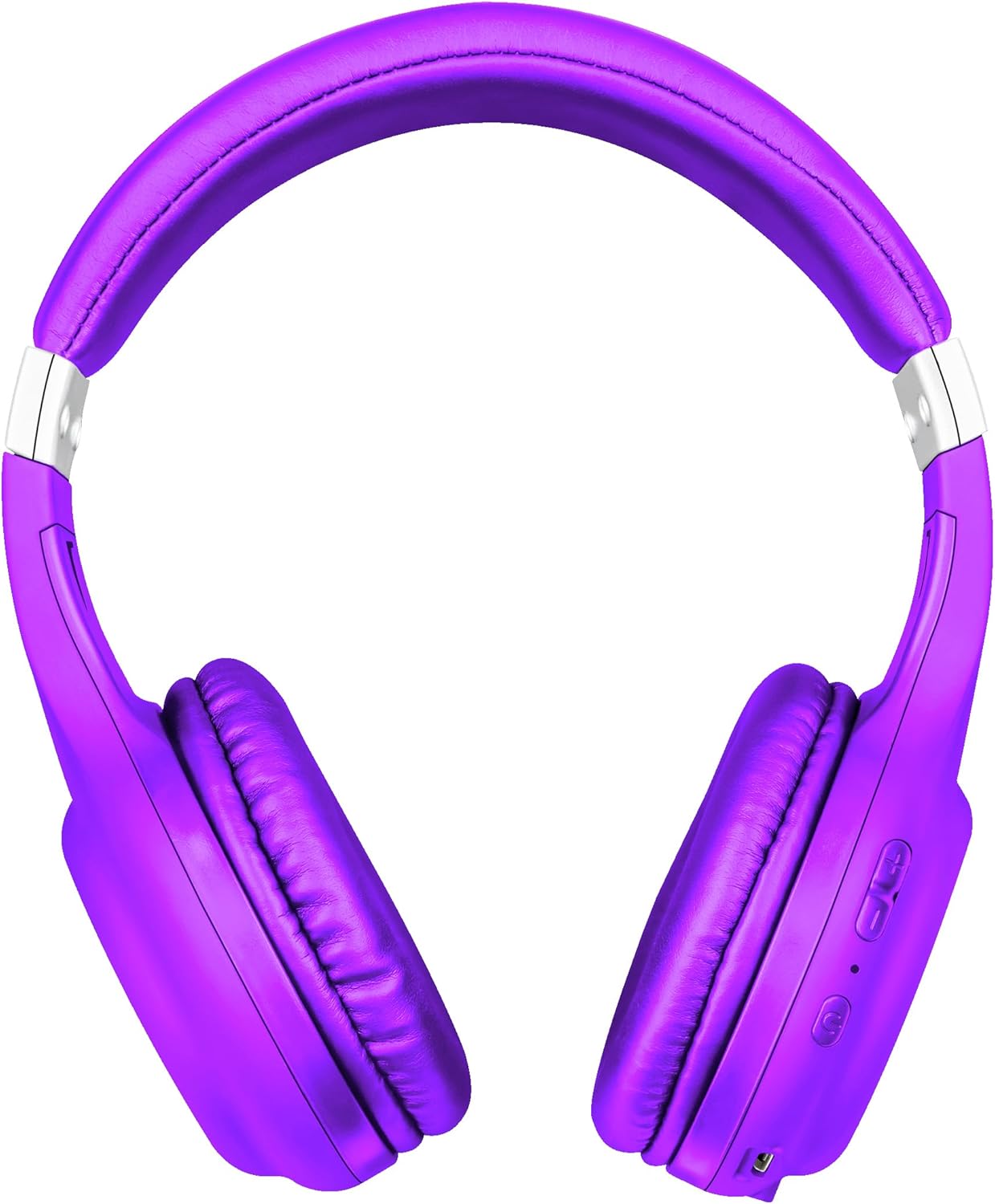
Hoto: Gaba view of the Trust Urban Bluetooth Wireless Headphones in purple.
Saita
1. Cajin belun kunne
Before first use, fully charge your headphones. A USB charging cable is included.
- Haɗa ƙaramin ƙarshen kebul na caji na USB zuwa tashar caji akan belun kunne.
- Haɗa babban ƙarshen kebul na USB zuwa tushen wutar lantarki na USB (misali, tashar USB ta kwamfuta, adaftar bangon USB).
- The LED indicator on the headphones will show the charging status. It typically turns off or changes color when fully charged.
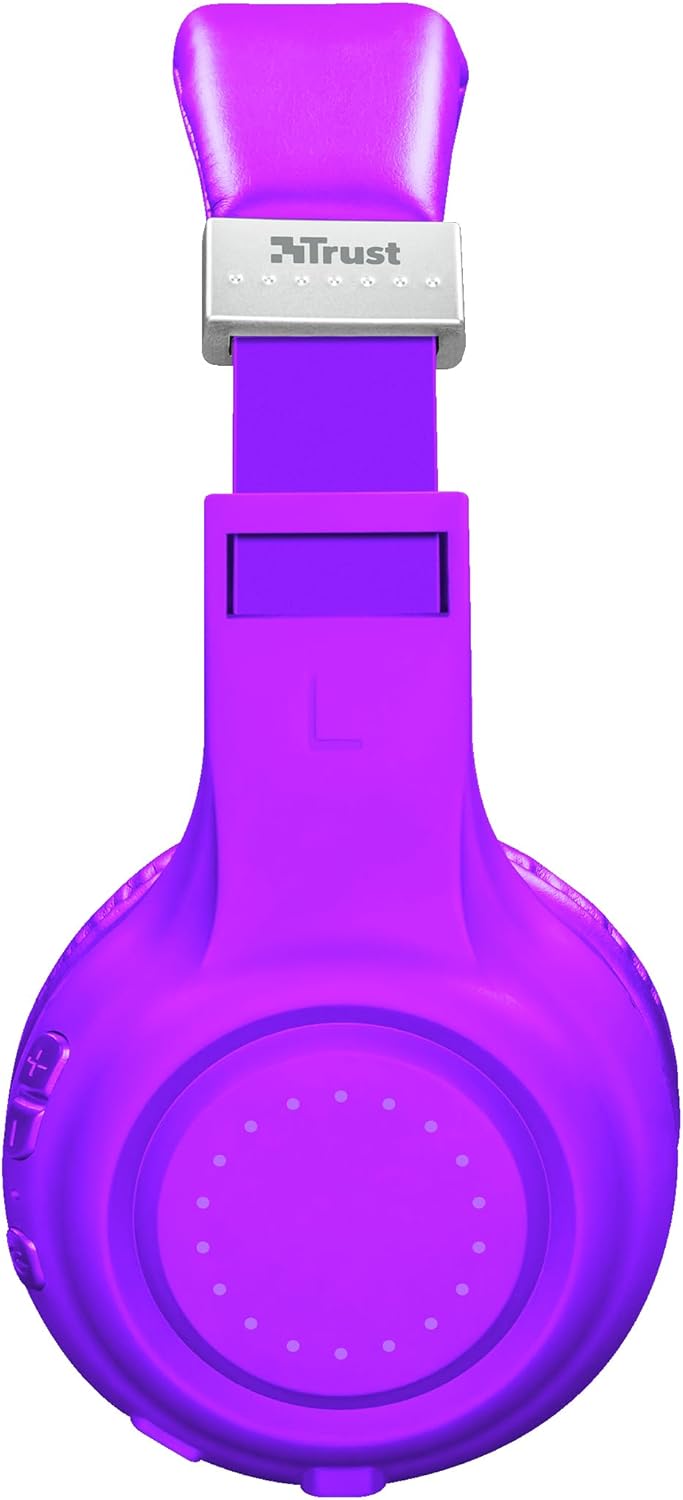
Hoto: Gefe view of the headphones, highlighting the charging port and control buttons.
2. Haɗa Bluetooth
Don haɗa belun kunne ba tare da waya ba zuwa na'ura:
- Tabbatar ana cajin belun kunne kuma an kashe su.
- Press and hold the Power button on the headphones until the LED indicator flashes rapidly (usually blue and red), indicating pairing mode.
- A kan na'urarka (wayar hannu, kwamfutar hannu, kwamfutar tafi-da-gidanka), kunna Bluetooth kuma nemi sabbin na'urori.
- Select "Trust Dura" or a similar name from the list of available devices.
- Once connected, the LED indicator on the headphones will typically flash slowly or turn solid blue.
The headphones have a wireless range of up to 10 meters.
3. Wired Connection (Optional)
You can also use the headphones with a 3.5mm audio cable (not always included, check packaging) for a wired connection, which is useful when the battery is low or for devices without Bluetooth.
- Connect one end of the 3.5mm audio cable to the headphone jack on the headphones.
- Haɗa ɗayan ƙarshen zuwa fitowar sauti na 3.5mm na na'urarka.
- Wayoyin kunne za su canza ta atomatik zuwa yanayin waya.
Umarnin Aiki
Kunna/Kashe Wuta
- Kunna Wuta: Latsa ka riƙe maɓallin wuta na kusan daƙiƙa 3.
- Kashe Wuta: Press and hold the Power button for approximately 3-5 seconds.
Sake Sake kunnawa
- Kunna/Dakata: Press the Multi-function button (often the Power button) once.
- Waƙa ta gaba: Danna kuma riƙe maɓallin Ƙara Ƙara (+).
- Tafiya ta baya: Danna kuma riƙe maɓallin Ƙara Sauri (-).
Sarrafa ƙara
- Ƙara Ƙara: Danna maɓallin Ƙara Ƙara (+).
- Rage Ƙarar: Danna maɓallin Ƙara Sauri (-).
Gudanar da Kira
The headphones feature a built-in microphone for hands-free calls.
- Amsa/Ƙarshen Kira: Latsa maɓallin Multi-function sau ɗaya.
- Karɓar Kira: Latsa ka riƙe maɓallin ayyuka da yawa na kusan daƙiƙa 2.
- Maimaita Lamba na Ƙarshe: Danna maɓallin Multi-function sau biyu.
Mataimakin Murya
Quickly access your smartphone's voice assistant (Siri, Google Assistant, etc.):
- Kunna Mataimakin Murya: Press the Voice Assistant button (if available, or a specific combination as per device). Refer to your device's manual for specific button functions if not clearly marked.
Kulawa
- Tsaftacewa: Yi amfani da laushi, bushe bushe don tsaftace belun kunne. Kada a yi amfani da masu tsabtace abrasive ko kaushi.
- Ajiya: Ajiye belun kunne a wuri mai sanyi, busasshiyar nesa da hasken rana kai tsaye da matsanancin zafi.
- Kulawar Baturi: Domin tsawaita rayuwar batirin, a guji fitar da batirin gaba ɗaya akai-akai. A riƙa cajin belun kunne akai-akai, koda kuwa ba a amfani da su na tsawon lokaci.
- A guji Danshi: Kar a bijirar da belun kunne ga ruwa ko danshi mai yawa.
Shirya matsala
| Matsala | Magani |
|---|---|
| belun kunne ba sa kunnawa. | Ensure the headphones are fully charged. Connect them to a power source using the USB cable. |
| Ba za a iya haɗawa da na'ura ba. |
|
| Babu sauti ko ƙaramin ƙara. |
|
| Makirifo baya aiki. |
|
Ƙayyadaddun bayanai
| Sunan Samfura | Dura |
| Lambar Samfura | 22764 |
| Alamar | Amincewa |
| Launi | Purple |
| Factor Factor | Over-kunne |
| Fasahar Haɗuwa | Wireless (Bluetooth), Wired (3.5mm jack) |
| Mara waya mara waya | mita 10 |
| Rayuwar Baturi (Lokacin Wasa) | Har zuwa awanni 6 |
| Nau'in Baturi | Lithium-ion (rechargeable, included) |
| Cajin Port | Kebul na USB (an haɗa da kebul) |
| Microphone da aka gina a ciki | Ee |
| Nau'in sarrafawa | Buttons for volume, media, call management, voice assistant access |
| Na'urori masu jituwa | Mobile phones, Tablets, Laptops, Desktop computers |
| Kayan abu | Filastik |
| Girman samfur | 4 x 5.5 x 9.5 cm; 190g ku |
Bayanin Garanti
Trust products are manufactured to high quality standards. For detailed warranty terms and conditions, please refer to the official Trust website or the warranty card included with your purchase. Typically, Trust offers a limited warranty against defects in materials and workmanship from the date of original purchase.
Da fatan za a riƙe shaidar siyan ku don kowane da'awar garanti.
Taimako
For further assistance, technical support, or frequently asked questions, please visit the official Trust support website:
You may also find additional resources and contact information on their website.