
Gabatarwa
This user manual provides comprehensive instructions for the setup, operation, maintenance, and troubleshooting of your Alienware M15 Gaming Laptop. Please read this manual thoroughly to ensure optimal performance and longevity of your device. For additional support, refer to the official Alienware support resources.
Samfurin Ƙarsheview
Mabuɗin Siffofin
- 8th Generation Intel Core i7-8750H (6-Core, 9MB Cache, up to 4.1GHz w/ Turbo Boost)
- 15.6" FHD (1920 x 1080) 60Hz Anti-glare IPS, 300-nits 72% Color gamut, narrow-border Display
- 16GB, 2x8GB, DDR4, 2666MHz RAM
- 128GB PCIe M.2 SSD + 1TB (+8GB SSHD) Hybrid Drive
- Nvidia GeForce GTX 1060 with 6GB GDDR5 Graphics Card
- Windows 10 Home Operating System
Kayan Aiki na Jiki

Hoto na 1: Gaba view of the Alienware M15 laptop, showcasing the display with the Alienware logo.

Hoto na 2: Sama-ƙasa view of the open Alienware M15 laptop, highlighting the keyboard layout and touchpad.

Hoto na 3: Gefen hagu view of the Alienware M15 laptop, showing various ports such as USB 3.0.
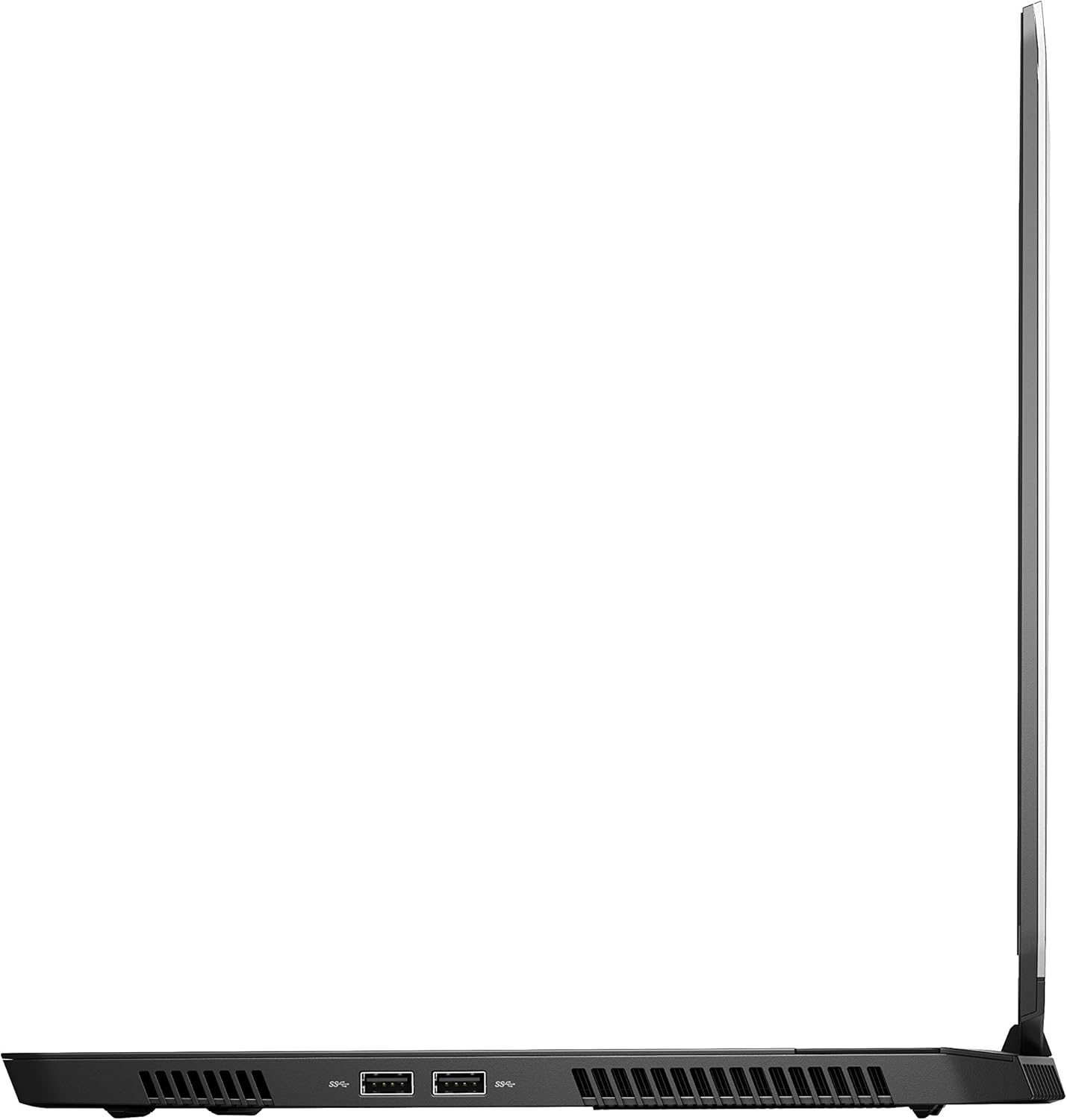
Hoto na 4: Gefen dama view of the Alienware M15 laptop, displaying additional ports and ventilation.

Hoto na 5: Fashe view illustrating the internal cooling system of the Alienware M15 laptop, including fans and heat sinks.
Saita
Ana kwashe kaya
A hankali cire duk abubuwan da aka gyara daga marufi. Tabbatar cewa abubuwa masu zuwa sun kasance:
- Alienware M15 Gaming Laptop
- Igiyar Wutar Lantarki
- 180W Adaftar Wuta
Kunna Wutar Farko
- Haɗa adaftar wutar lantarki zuwa tashar shigar da wutar lantarki ta kwamfutar tafi-da-gidanka.
- Toshe igiyar wutar lantarki cikin mashin bango.
- Open the laptop lid and press the power button, typically located on the top right of the keyboard deck or a dedicated button on the chassis.
- Bi umarnin kan allo don kammala tsarin saitin gida na Windows 10, gami da zaɓin harshe, haɗin cibiyar sadarwa, da ƙirƙirar asusun mai amfani.
Umarnin Aiki
Basic Aiki
Your Alienware M15 laptop runs on Windows 10 Home. Familiarize yourself with the operating system's interface. The keyboard features customizable backlighting via Alienware's software. The touchpad supports multi-touch gestures for navigation.
Ayyukan Wasa
The Alienware M15 is designed for high-performance gaming. For optimal gaming experience, ensure the laptop is connected to the power adapter. This allows the system to utilize its full power capabilities for the CPU and GPU. While gaming, the laptop may generate significant heat; this is normal for high-performance hardware. Consider using a cooling pad for extended gaming sessions to enhance thermal management.
Kulawa
Tsaftacewa
- Allon: Yi amfani da laushi mai laushi mara laushi dampan rufe shi da ruwa ko mai tsabtace allo. Guji munanan sinadarai.
- Allon madannai da Chassis: Use a soft brush or compressed air to remove dust from keys and vents. Wipe surfaces with a microfiber cloth.
- Tashoshi: Use compressed air to clear dust from USB, HDMI, and other ports.
Sabunta software
Regularly update your Windows operating system, graphics drivers (NVIDIA GeForce), and Alienware software. Updates often include performance improvements, security patches, and bug fixes. Access Windows updates through Settings > Update & Security. Graphics drivers can be updated via the NVIDIA GeForce Experience application.
Kula da baturi
To maximize battery lifespan, avoid consistently discharging the battery completely. For prolonged use while plugged in, consider using battery management features (if available in Alienware Command Center) to limit charging to 80-90% capacity.
Shirya matsala
This section addresses common issues you might encounter with your Alienware M15 laptop.
| Matsala | Dalili / Magani mai yiwuwa |
|---|---|
| Laptop gets excessively hot during use. | High-performance components generate heat. Ensure ventilation vents are clear. Use a cooling pad. Update graphics drivers. |
| "No media present" error or SSD/HDD not detected. | This can sometimes be a temporary software glitch. Try restarting the laptop. If persistent, ensure the power cable is securely connected and try a hard reboot (unplug power, hold power button for 15 seconds, then reconnect and power on). If the issue persists, contact support. |
| Wi-Fi connection drops frequently. | Ensure Wi-Fi drivers are up to date. Check for interference from other devices. Restart your router and the laptop. If the issue persists, consider reinstalling Wi-Fi drivers or contacting support. |
| System performance is slow or lagging. | Ensure the laptop is plugged into power for full performance. Close unnecessary background applications. Check for malware. Ensure sufficient free space on the SSD/HDD. |
Ƙayyadaddun bayanai
Detailed technical specifications for the Alienware M15 Gaming Laptop (Model: AWM15-7830SLV-PUS).
| Siffar | Daki-daki |
|---|---|
| Girman allon tsaye | Inci 15.6 |
| Tsarin allo | 1920 x 1080 pixels |
| Matsakaicin ƙudurin allo | 1920x1080 pixels |
| Mai sarrafawa | 4.1 GHz core_i7_8750h |
| RAM | 16 GB DDR4 |
| Gudun ƙwaƙwalwa | 2666 MHz |
| Hard Drive | 1000 GB 128GB PCIe M.2 SSD + 1TB (+8GB SSHD) Hybrid Drive |
| Mai sarrafa Graphics | NVIDIA GeForce GTX 1060 |
| Alamar Chipset | NVIDIA |
| Bayanin Kati | Sadaukarwa |
| Girman Katin Katin Zane | 6 GB |
| Nau'in Mara waya | 802.11a/b/g/n |
| Adadin USB 3.0 Ports | 3 |
| Alamar | Alienware |
| Jerin | AWm15-7830SLV-PUS |
| Lambar samfurin abu | AWM15-7830SLV-PUS |
| Tsarin Aiki | Windows 10 Gida |
| Nauyin Abu | 4.8 fam |
| Girman samfur | 10.8 x 14.3 x 0.8 inci |
| Launi | Baki |
| Alamar Processor | Intel |
| Yawan Masu sarrafawa | 6 |
| Nau'in Ƙwaƙwalwar Kwamfuta | DDR4 SDRAM |
| Girman Ƙwaƙwalwar Filashi | 16 |
| Hard Drive Interface | Jiha mai ƙarfi |
| Saurin Bugawa da Hard Drive | 5400 RPM |
| Nau'in Drive Na gani | Babu Na'urar Fitar da Na'ura |
| Voltage | 240 Volts |
| Baturi | 1 Lithium Metal baturi da ake bukata. (an haɗa) |
| Kwanan Wata Farko Akwai | Janairu 5, 2019 |
| Sunan Samfura | AWm15-7830SLV-PUS |
| Girman allo | Inci 15.6 |
| Girman Hard Disk | 1000 GB |
| Samfurin CPU | Core i7 8750H |
| Girman Ƙwaƙwalwar Ƙwaƙwalwar RAM | 16 GB |
| Siffa ta Musamman | Anti Glare Coating |
Garanti da Taimako
For detailed warranty information, please refer to the documentation included with your purchase or visit the official Alienware support website. For technical assistance, driver downloads, and further resources, please visit the Alienware support portal.
Hakanan akwai Manual User User (PDF) don saukewa: Sauke PDF Littafin Jagorar Mai Amfani