
1. Gabatarwa
This manual provides essential information for the safe and efficient operation, maintenance, and troubleshooting of your Philips Series 3200 Super-Automatic Coffee Machine, model EP3221/40. Please read all instructions carefully before using the appliance and retain this manual for future reference.
2. Muhimman Bayanan Tsaro
Koyaushe bi matakan tsaro na asali lokacin amfani da na'urorin lantarki don rage haɗarin gobara, girgiza wutar lantarki, da rauni. An yi nufin wannan kayan aikin don amfanin gida kawai.
- Kada a nutsar da na'urar, igiyar wuta, ko toshe cikin ruwa ko wasu ruwaye.
- Tabbatar da voltage da aka nuna akan kayan yayi daidai da mains na yankin kutage kafin haɗi.
- A kiyaye na'urar da igiyar sa ba za su iya isa ga yara ba.
- Kada kayi aiki da na'urar idan filogi, igiyar wutar lantarki, ko na'urar kanta ta lalace.
- Always unplug the appliance before cleaning, maintenance, or if it is not in use for an extended period.
- Use only original Philips accessories and parts.
3. Samfurin Ya Ƙareview
The Philips Series 3200 Super-Automatic Coffee Machine EP3221/40 is designed to deliver a variety of fresh coffee beverages with ease. Key features include an intuitive touch display, a classic milk frother, and a durable ceramic grinder.
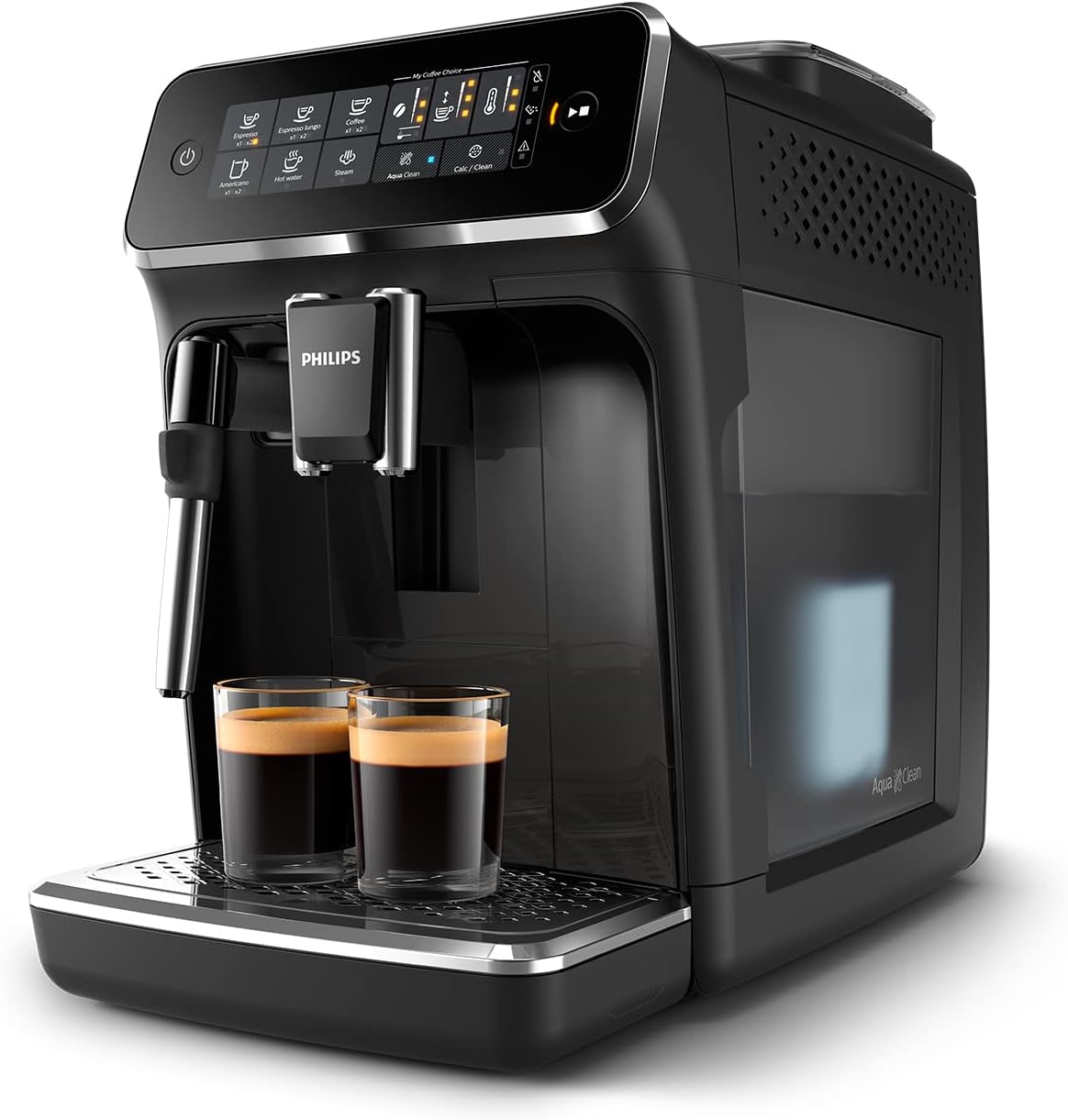
Image: Philips Series 3200 Super-Automatic Coffee Machine with two espresso cups on the drip tray.
4. Saita da Amfani na Farko
4.1 Cire kaya da Tsaftace Farko
- Cire duk kayan marufi daga injin.
- Wash the water tank, drip tray, and coffee grounds container with warm water and a mild detergent. Rinse thoroughly.
- Shafa wajen injin tare da taushi, damp zane.
4.2 Cika Tankin Ruwa
- Cire tankin ruwa daga injin.
- Cika tankin da ruwan famfo mai kyau har zuwa alamar MAX.
- Sanya tankin ruwan baya cikin injin.
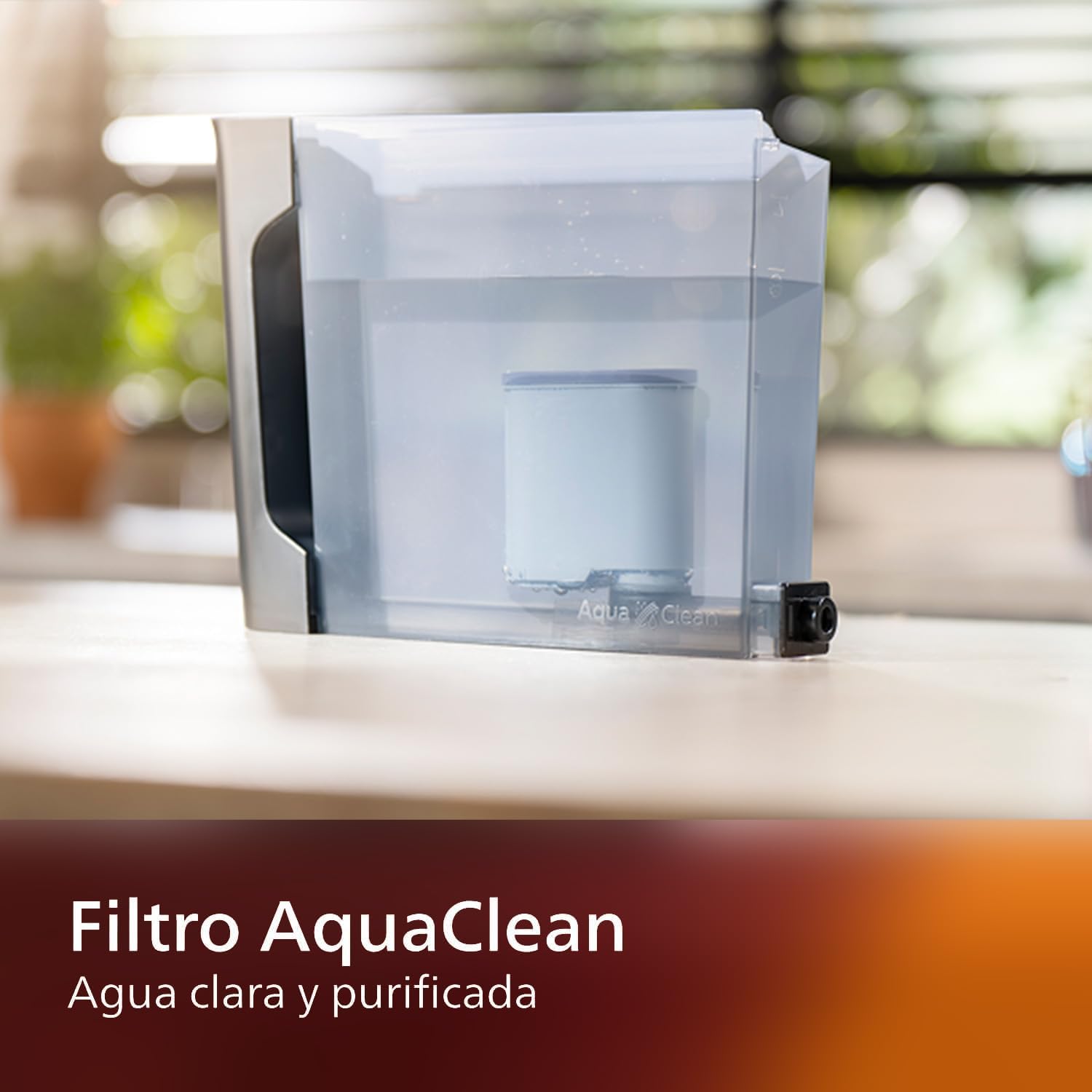
Image: AquaClean water filter installed in the water tank. The AquaClean filter helps ensure clear and purified water for your coffee.
4.3 Cika Wake Hopper
- Open the coffee bean hopper lid.
- Zuba sabon wake a cikin hopper. Kada a cika sama da matakin MAX.
- Close the lid securely to preserve aroma.
4.4 Haɗin Wuta
- Toshe igiyar wutar lantarki a cikin kwandon bango mai tushe.
- Press the power button to turn on the machine. The machine will perform an automatic rinse cycle.
5. Umarnin Aiki
5.1 Yin Kofi
The intuitive touch display allows for easy selection of your desired coffee beverage.
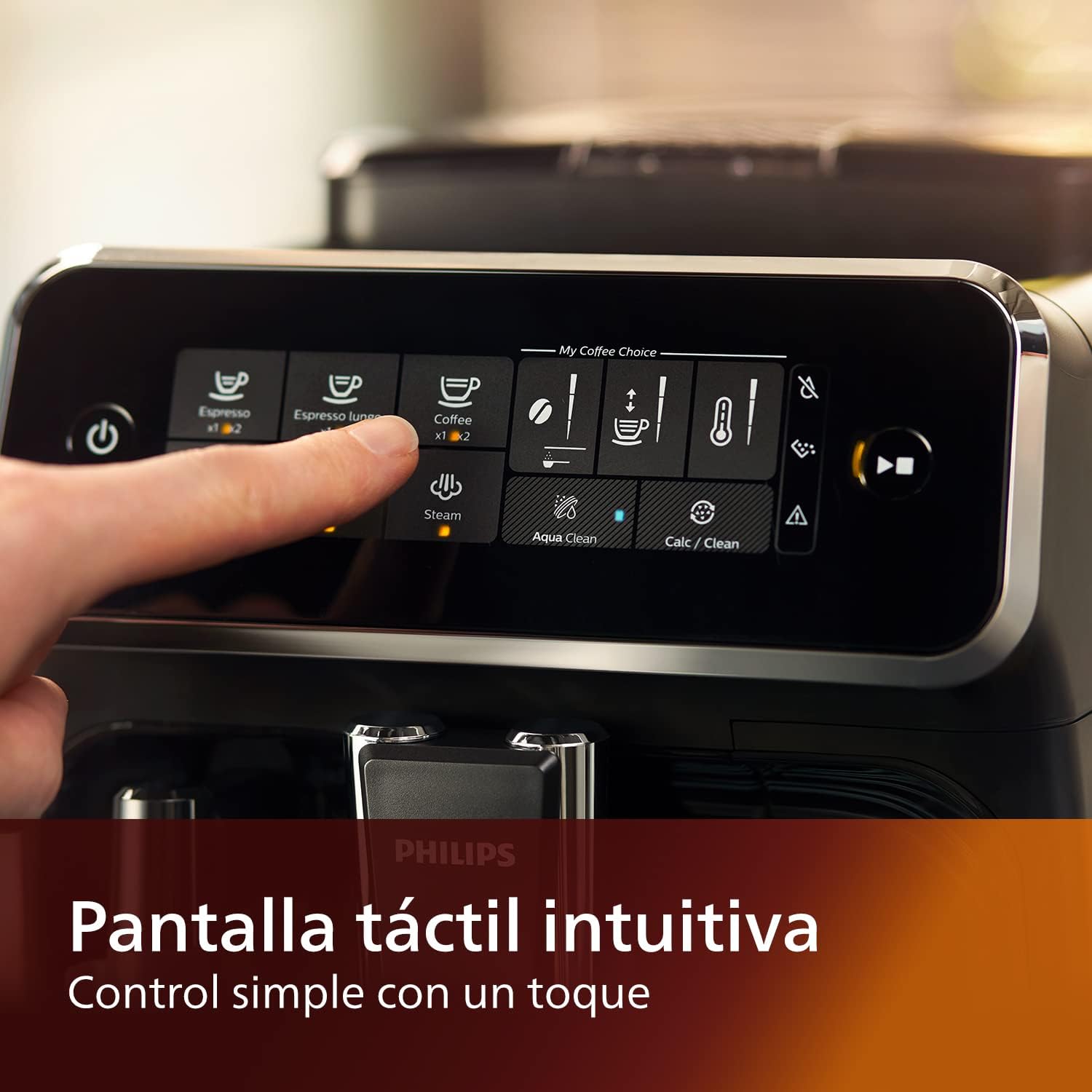
Image: Close-up of the intuitive touch display on the Philips Series 3200 coffee machine, showing various beverage options.
- Sanya kofi a ƙarƙashin ruwan kofi.
- Select your desired coffee type (e.g., Espresso, Coffee, Americano) from the touch display.
- Injin zai niƙa wake ta atomatik kuma ya sha kofi.
5.2 Customizing Your Coffee (My Coffee Choice)
Use the My Coffee Choice menu to adjust intensity and quantity.

Image: The 'My Coffee Choice' screen on the touch display, illustrating options to adjust coffee intensity and volume.
- After selecting a beverage, tap the 'My Coffee Choice' icon.
- Adjust the coffee strength (intensity) and volume (quantity) using the on-screen controls. There are three settings for each.
- Confirm your selection to start brewing.
5.3 Using the Classic Milk Frother
The Panarello milk frother allows you to prepare smooth and silky milk foam for cappuccinos and lattes.

Image: The classic milk frother steaming milk directly into a glass cup, creating foam.
- Fill a milk jug with cold milk.
- Place the milk jug under the frother.
- Select the 'Steam' option on the touch display.
- Immerse the frother nozzle into the milk and turn the steam knob (if applicable) or press the steam button to start frothing.
- Once desired foam is achieved, turn off the steam.
- Clean the frother immediately after use by wiping it with a damp zane da kuma tsaftace ƙaramin adadin tururi.
6. Kulawa da Tsaftacewa
Tsaftacewa da kulawa na yau da kullun yana tabbatar da kyakkyawan aiki da tsawon rayuwar injin kofi ɗin ku.
6.1 Tsabtace Kullum
- A zubar da tiren diga da kuma kwandon kofi a wanke a kowace rana.
- Wipe the coffee spout and milk frother with a damp zane.
- Kurkura tankin ruwa.
6.2 Matatar AquaClean
The AquaClean filter ensures clear and purified water, reducing the need for frequent descaling. Replace the filter when indicated by the machine, typically after approximately 5000 cups, depending on water hardness.

Image: A demonstration of the AquaClean water filter, showing its effectiveness in purifying water.
6.3 Zubewar ciki
Even with the AquaClean filter, descaling will eventually be required. The machine will prompt you when descaling is necessary. Follow the on-screen instructions and use a Philips-approved descaling solution.
6.4 Safe Safe na injin wanki
Note that the main appliance is not dishwasher safe. However, some removable parts, such as the drip tray and coffee grounds container, may be dishwasher safe. Refer to the specific instructions for each component.
7. Shirya matsala
If you encounter issues with your coffee machine, consult the table below for common problems and solutions.
| Matsala | Dalili mai yiwuwa | Magani |
|---|---|---|
| Ba a ba da kofi ba. | Tankin ruwa babu kowa. | Cika tankin ruwa. |
| Kofi yayi rauni sosai. | Grind setting is too coarse. | Daidaita niƙa zuwa wuri mafi kyau. |
| Kumfa na madara ba ya samar da kumfa. | Frother is clogged or not clean. | Clean the milk frother thoroughly. Ensure the nozzle is clear. |
| Machine displays a descaling alert. | Limescale ginawa. | Perform a descaling cycle as instructed by the machine. |
8. Ƙayyadaddun bayanai
| Siffar | Daki-daki |
|---|---|
| Alamar | Philips |
| Lambar Samfura | Saukewa: EP3221/40 |
| Yawan Waken Kofi | 275 Grams |
| Launi | Baƙar fata mai sheki |
| Girman samfur (D x W x H) | 25 x 36.6 x 32 santimita |
| Siffofin Musamman | Integrated coffee grinder, Milk Frother, Water Filter, Programmable |
| Nau'in Mai yin Kofi | Injin Espresso |
| Kayan abu | Filastik |
| Aiki | Cikakken atomatik |
| Ƙarfi | 1500 Watts |
| Voltage | 230 Volts |
| Shigar da Haɗin Dan Adam | Kariyar tabawa |
| Nau'in Shigar Kofi | Wake cikakke |
| Nau'in Tace | Ana iya sake amfani da shi (AquaClean) |
| Mai wanki mai aminci | A'a (na babban rukunin) |
| Shekarar masana'antu | 2022 |
9. Garanti da Tallafawa
9.1 Bayanin Garanti
Your Philips Series 3200 Super-Automatic Coffee Machine is covered by a manufacturer's warranty. For detailed information regarding warranty terms, duration, and conditions, please refer to the warranty card included with your product or visit the official Philips website don yankinku.
9.2 Tallafin Abokin Ciniki
For technical assistance, spare parts, or service, please contact Philips Customer Support. You can find contact details (phone numbers, email, and online support) on the official Philips webshafin ko a cikin takaddun da aka bayar tare da kayan aikin ku.
When contacting support, please have your model number (EP3221/40) and purchase date ready.