
1. Gabatarwa
The AXIS T8351 Mk II Microphone 3.5 mm is a high-performance analog microphone designed for integration into video surveillance systems. It provides superior audio monitoring and recording capabilities, particularly in environments with low ambient noise. This manual provides essential information for the proper installation, operation, and maintenance of your AXIS T8351 Mk II Microphone.
2. Bayanin Tsaro
- Karanta duk umarnin a hankali kafin shigarwa da amfani.
- Do not expose the microphone to extreme temperatures, humidity, or corrosive environments.
- Ensure the microphone is securely mounted to prevent accidental falls.
- Only use accessories and power sources specified by Axis Communications.
- Cire wutar lantarki kafin tsaftacewa ko yin wani gyara.
3. Abubuwan Kunshin
Tabbatar cewa duk abubuwa suna nan a cikin kunshin:
- AXIS T8351 Mk II Microphone 3.5 mm
- Installation Guide (if separate)
Note: Additional mounting accessories may be sold separately.
4. Saita da Shigarwa
4.1 Shigar da Makirufo
The AXIS T8351 Mk II Microphone offers flexible mounting options for walls, ceilings, or covert areas. Choose a location that allows optimal sound capture for your surveillance needs.
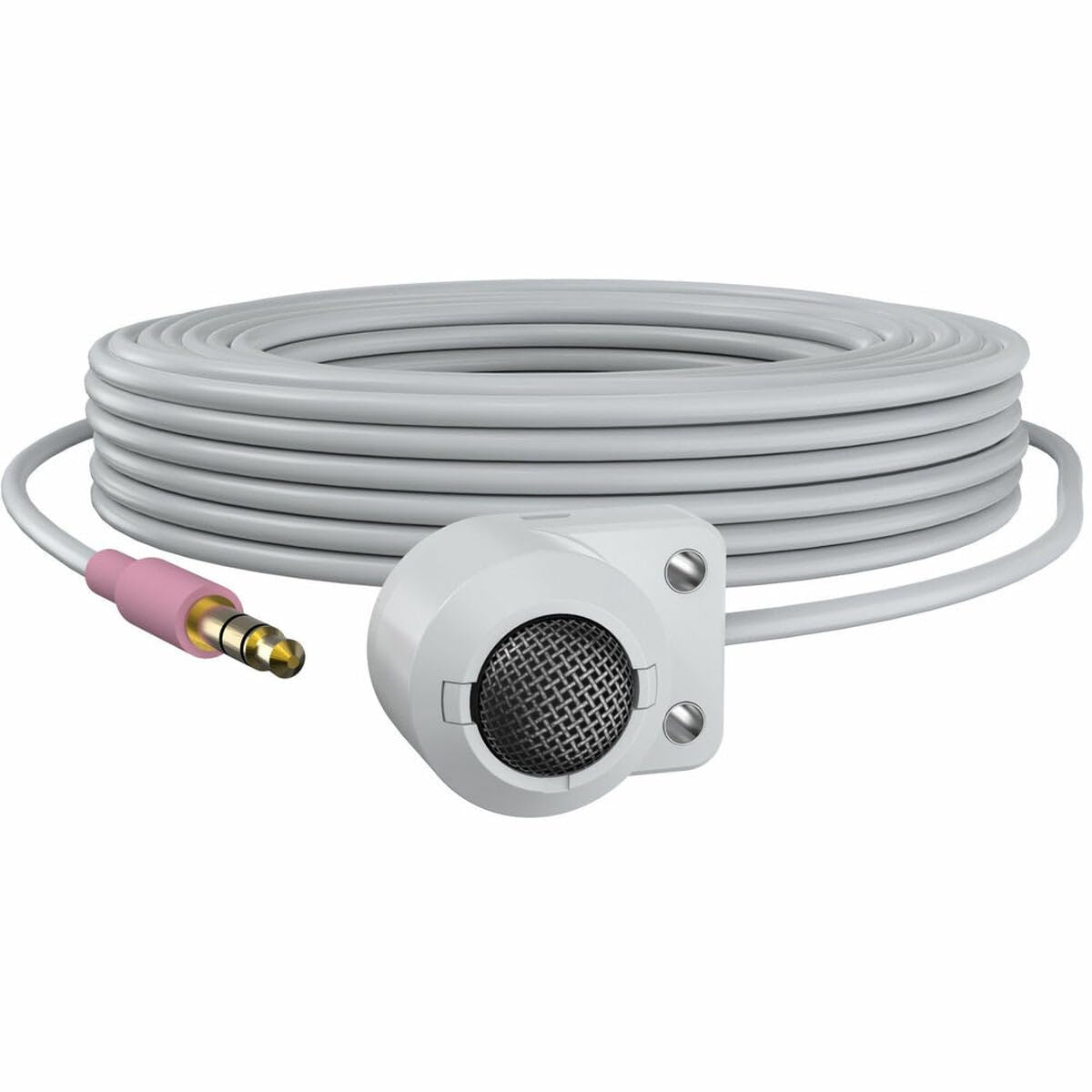
Figure 1: The AXIS T8351 Mk II Microphone, illustrating its compact design and the 3.5 mm connector for integration into surveillance systems. This image highlights the microphone's small form factor, making it suitable for discreet placement.
Yi la'akari da waɗannan yayin zabar wurin hawa:
- Kusanci zuwa Tushen Sauti: For best results, position the microphone close to the intended sound source.
- Ambient Noise: While designed for low ambient noise environments, avoid placing the microphone near sources of constant noise (e.g., air conditioning vents, loud machinery).
- Hankali: The compact size allows for subtle concealment if required.
4.2 Haɗa Makirifo
The AXIS T8351 Mk II Microphone connects to compatible network products via a 3.5 mm microphone input jack or a 4-pin audio connector.
- Locate the 3.5 mm microphone input jack or 4-pin audio connector on your network product (e.g., IP camera, audio encoder).
- Insert the microphone's connector firmly into the corresponding port.
- Ensure a secure connection. The microphone is powered directly by the network product, eliminating the need for additional power cables.
5. Aiki da Microphone
5.1 Audio Capture
The AXIS T8351 Mk II is a hemispherical, omni-directional microphone, meaning it captures sound from all directions. This characteristic makes it effective for monitoring general ambient sound within a room.
- Once connected, the microphone will begin capturing audio as configured by your network product's settings.
- Adjust audio input levels and sensitivity through the interface of your connected network device to achieve optimal sound quality and prevent distortion.
5.2 Integration with Surveillance Systems
The microphone is designed to complement video surveillance by providing synchronized audio. Refer to your network product's documentation for specific instructions on:
- Enabling audio recording.
- Configuring audio triggers or events.
- Live audio monitoring.
6. Kulawa
6.1 Tsaftacewa
Don kiyaye kyakkyawan aiki da bayyanar:
- Gently wipe the exterior of the microphone with a soft, dry cloth.
- Kada a yi amfani da sinadarai masu ƙarfi, masu narkewa, ko masu tsaftace muhalli.
- Ensure no moisture enters the microphone's openings.
6.2 Tunanin Muhalli
The microphone is designed for indoor use. Protect it from:
- Direct sunlight or extreme heat.
- Excessive dust or dirt.
- Strong vibrations or impacts.
7. Shirya matsala
7.1 Babu Fitar da Sauti
- Duba Haɗin kai: Ensure the 3.5 mm connector is fully inserted into the network product's audio input.
- Verify Network Product Settings: Confirm that audio input is enabled and configured correctly in your network product's software interface. Check volume levels.
- Ƙarfi: Since the microphone is powered by the network product, ensure the network product itself is powered on and functioning correctly.
- Daidaituwa: Confirm your network product supports a 3.5 mm microphone input or 4-pin audio connector.
7.2 Poor Audio Quality (Distortion, Low Volume, Noise)
- Wurin Makarufo: Reposition the microphone closer to the sound source or away from sources of ambient noise.
- Matakan shigarwa: Adjust the audio input sensitivity and gain settings on your network product. Too high a gain can cause distortion; too low can result in faint audio.
- Hayaniyar Muhalli: Identify and mitigate external noise sources in the environment.
- Mutuncin Kebul: Inspect the cable for any damage or kinks.
8. Ƙayyadaddun bayanai
| Siffar | Daki-daki |
|---|---|
| Sunan Samfura | T8351 Mk II Microphone 3.5 mm |
| Factor Form Microphone | Mini |
| Tsarin Polar | Hemispherical, Omni-directional |
| Nau'in Haɗawa | Audio Line Out (3.5mm jack) |
| Fasahar Haɗuwa | XLR (Note: Product description mentions 3.5mm, please verify specific model variant if XLR is primary) |
| Tushen wutar lantarki | Corded Electric (powered by network product) |
| Amsa Mitar | 16 kHz |
| Alamar sigina-zuwa-Noise Ratio | 76db ku |
| Hankalin Sauti | 22 Decibel |
| Girman Abu (L x W x H) | 1.1 x 0.8 x 0.8 inci |
| Nauyin Abu | 3.2 oz |
| Na'urori masu jituwa | Camera (with 3.5mm mic input or 4-pin audio connector) |
9. Garanti da Tallafawa
For information regarding the product warranty, technical support, and additional resources, please visit the official Axis Communications webshafin yanar gizo ko tuntuɓi dillalin da aka ba ku izini. Ajiye rasitin siyan ku don neman garanti.
Axis Communications Official Website: www.axis.com