
1. Gabatarwa
Thank you for choosing the TASMOR 5M USB RGB LED Strip Light. This product is designed to enhance your living space with vibrant, customizable lighting, featuring music synchronization and easy control via a remote. This manual provides detailed instructions for safe installation, operation, and maintenance of your LED strip light.
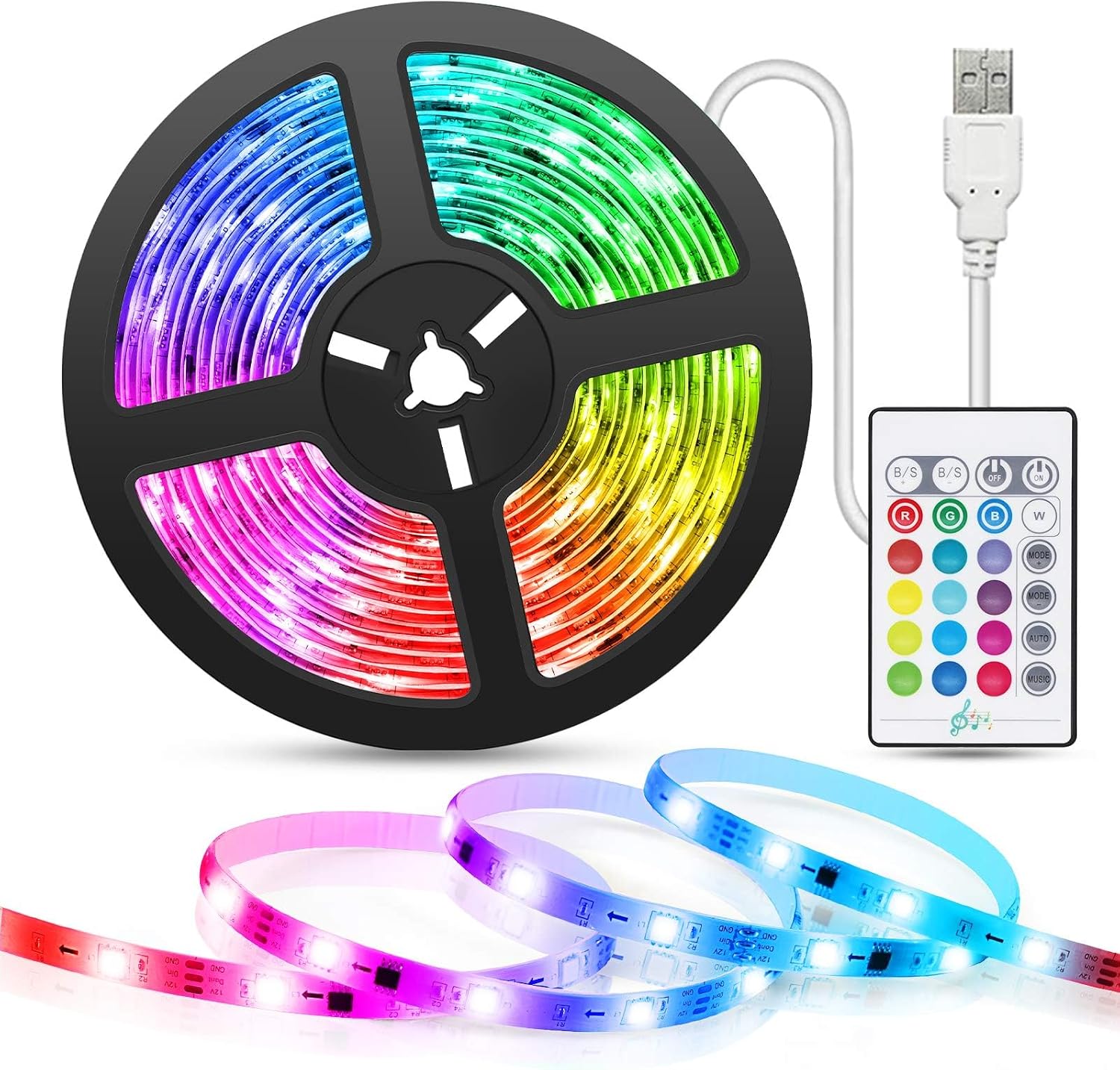
Image: The TASMOR 5M USB RGB LED Strip Light, including the coiled strip, USB power cable, and infrared remote control.
2. Bayanin Tsaro
- Ensure the power source is 5V 2A USB. Using an incorrect power supply may damage the product or pose a safety risk.
- Do not immerse the LED strip or its components in water or expose them to excessive moisture. This product is designed for indoor use only.
- Avoid bending the LED strip sharply, especially at the LED components, as this can damage the circuit.
- Do not cover the LED strip when it is in operation, as this may lead to overheating.
- A kiyaye nesa da yara.
- Only cut the LED strip at designated cutting marks (indicated by a scissor icon) to avoid damaging the circuit.
3. Abubuwan Kunshin
Da fatan za a duba abin da ke cikin fakitin lokacin buɗewa don tabbatar da cewa duk abubuwan suna nan kuma ba su lalace ba:
- 1 x 5M LED Strip Light
- 1 x USB Power Cable (integrated with the strip)
- 1 x Gudanar da Infrared Remote
- 1 x Manhajar mai amfani
4. Kayan Samfura
- Aiki tare da kiɗa: Built-in microphone allows the lights to intelligently sync with music, creating dynamic or romantic atmospheres.
- Zaɓuɓɓukan Multilauni: Features 16 static colors and 4 dynamic modes for diverse lighting effects.
- Daidaitacce Haske: Brightness levels can be adjusted to suit your preference.
- Kariyar ido: Ideal for TV or monitor backlighting, reducing eye strain during extended viewing or gaming sessions.
- Easy USB Power: Powered directly via a 5V 2A USB cable, compatible with TV USB ports, computers, power banks, or phone chargers.
- Ikon nesa: Conveniently turn lights on/off, change colors, adjust brightness, and select modes.
- Sauƙaƙen Shigarwa: Strong 3M adhesive backing allows for easy and secure attachment to various surfaces.
- Zane Zane: The LED strip can be cut at designated marks to fit different lengths and requirements.
- Faɗin Aikace-aikacen: Suitable for living rooms, kitchens, cabinets, Christmas trees, bars, and various celebrations.
5. Saita da Shigarwa
Follow these steps for proper installation of your LED strip light:
- Tsaftace saman: Before attaching the LED strip, ensure the surface is clean, dry, and free of dust or oil. Use a clean cloth to wipe the area where the strip will be installed.
- Kwasfa da sanda: Carefully peel off the protective film from the 3M adhesive tape on the back of the LED strip. Press the strip firmly onto the desired surface, ensuring good contact along its entire length.
- Haɗa Ikon: Plug the USB cable of the LED strip into a 5V 2A USB power source. This can be a TV's USB port, a computer, a power bank, or a standard USB wall charger.

Image: Visual guide for installation, showing cleaning the surface, applying the adhesive strip, and connecting the USB power.
For TV backlighting, position the strip around the edges of your television for optimal ambient lighting.

Hoto: Example of the LED strip used as TV backlighting, highlighting its color and mode capabilities.
The USB power cable offers versatile connectivity options:

Image: Illustration of compatible USB power sources, including power banks, laptops, and TVs.
The strip features a strong adhesive and a mini controller for ease of use:

Hoto: Dalla-dalla view of the LED strip's features, including the adhesive backing and the compact mini controller.
6. Umarnin Aiki
The TASMOR LED Strip Light is controlled using the included infrared remote control. Ensure the remote is pointed towards the mini controller on the LED strip for proper signal reception.
Ayyukan Ikon nesa:

Image: The remote control for the LED strip, showing buttons for color selection, brightness adjustment, and mode changes.
- Maballin Kunnawa/Kashe: Danna don kunna ko kashe fitilu.
- Zaɓin Launi: Choose from 16 static colors using the dedicated color buttons.
- Daidaita Haske: Use the 'B/S+' and 'B/S-' buttons to increase or decrease the brightness.
- Hanyoyi masu ƙarfi: Select from 4 dynamic modes (Flash, Strobe, Fade, Smooth) using the corresponding buttons.
- Yanayin Kiɗa: Activate the music synchronization feature. The lights will change color and intensity according to ambient sound.
Yanayin Daidaita Kiɗa:
The built-in microphone allows the LED strip to react to sound. When music mode is activated, the lights will 'dance' to the beat, creating an immersive audio-visual experience.

Image: The LED strip's music synchronization feature in action, with lights responding to sound.
7. Kulawa
To ensure the longevity and optimal performance of your TASMOR LED Strip Light, follow these simple maintenance guidelines:
- Tsaftacewa: Gently wipe the LED strip with a soft, dry cloth to remove dust. Do not use abrasive cleaners or excessive moisture. Ensure the strip is unplugged before cleaning.
- Ajiya: If storing the LED strip for an extended period, ensure it is clean and dry. Coil it loosely to prevent damage to the circuit or adhesive.
- M: The 3M adhesive is strong, but if the strip begins to peel, you may reinforce it with additional adhesive tape suitable for electronics.
8. Shirya matsala
If you encounter any issues with your LED strip light, please refer to the following common problems and solutions:
| Matsala | Dalili mai yiwuwa | Magani |
|---|---|---|
| Fitillu ba sa kunnawa. | No power, loose connection, remote battery dead. | Check USB connection. Ensure power source is active (5V 2A). Replace remote battery if necessary. |
| Ikon nesa baya aiki. | Remote battery dead, obstruction, not pointing at receiver. | Ensure remote battery is functional. Point remote directly at the mini controller. Remove any obstructions. |
| Some LEDs are not lighting up. | Damage to the strip, incorrect cutting. | Inspect the strip for physical damage. Ensure cuts were made only at designated marks. If damaged, the affected section may not be repairable. |
| Lights flicker or change erratically. | Unstable power supply, loose connection. | Ensure a stable 5V 2A USB power supply. Check all connections are secure. |
9. Ƙayyadaddun bayanai
| Siffar | Daki-daki |
|---|---|
| Lambar Samfura | SSG-WD101-5V |
| Girman samfur | 500 x 2 x 0.1 cm (5 meters length) |
| Nauyi | 200g ku |
| Nau'in Tushen Haske | LED |
| Launi mai haske | RGB (Multicolor) |
| Tushen wutar lantarki | USB 5V 2A |
| Siffa ta Musamman | Music Synchronization, Remote Control, Cuttable, No Adapter Needed |
| Amfani na cikin gida/Waje | Amfanin Cikin Gida Kawai |
Bayanin Amfanin Makamashi:

Image: Energy label for the TASMOR SSG-WD101-5V LED strip light, indicating its energy efficiency class.
For more details, scan the QR code or visit: https://eprel.ec.europa.eu/qr/2232006
10. Garanti da Tallafawa
For warranty information or technical support, please refer to the contact details provided with your purchase or visit the official TASMOR website. Ajiye rasidin siyan ku azaman tabbacin siyan kowane da'awar garanti.