
1. Samfurin Ya Ƙareview
The Lindy Single Display Short Bracket with Pole and Desk Clamp, Model 40656, provides a robust solution for mounting a single monitor to a standard office desk or table. This mount allows for easy adjustment of the display, including tilt, pivot, and rotation, to achieve an optimal viewing angle. It is compatible with most monitors adhering to VESA standards of 75 x 75mm or 100 x 100mm.
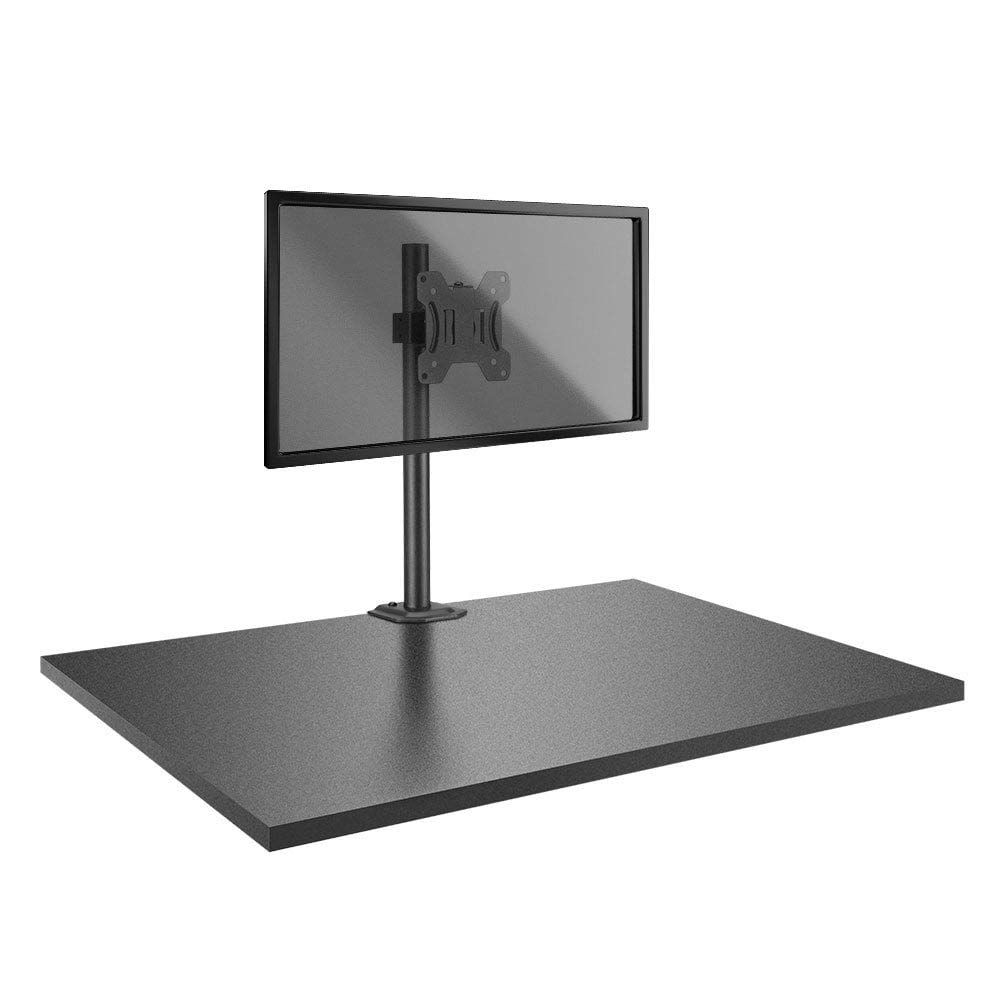
Image: The Lindy Single Display Short Bracket with Pole and Desk Clamp, Model 40656, shown installed on a desk with a monitor (monitor not included).
Mabuɗin fasali:
- Mounts a single monitor to a standard office desk.
- Allows tilt, pivot, or rotate for simple maneuverability.
- Conforms to VESA standards (75 x 75mm and 100 x 100mm).
- Constructed with a robust, lightweight metal pole and an aluminum powder-coated bracket.
2. Bayanin Tsaro
Please read and understand all instructions before attempting installation. Failure to follow these instructions may result in property damage, injury, or product malfunction.
- Ensure the desk surface is stable and can safely support the combined weight of the mount and your monitor.
- Do not exceed the maximum weight capacity of the mount. Refer to the 'Specifications' section for details.
- Ensure all screws are securely tightened to prevent accidental detachment of the monitor.
- A ajiye yara da dabbobin gida nesa da wurin shigarwa yayin haɗa su.
- Avoid placing the mount in areas with excessive vibration, direct sunlight, or high humidity.
- Yi amfani da kayan aikin da aka bayar ko waɗanda masana'anta suka amince da su kawai.
3. Abubuwan Kunshin
Tabbatar cewa duk abubuwan da aka gyara suna nan kafin fara shigarwa:
- Pole with integrated desk clamp
- Short VESA bracket
4. Saita Umarnin
Follow these steps to properly install your Lindy Single Display Short Bracket:
Step 1: Attach Desk Clamp zuwa Desk
- Sanya tebur clamp base on the edge of your desk, ensuring it is stable and flush.
- Tsare clamp A dunƙule sosai har sai an ɗaure wurin da ke kan teburin. Kada a matse shi fiye da kima.

Hoto: Gefe view of the pole with the desk clamp, illustrating how it attaches to a desk surface.
Step 2: Assemble Pole and Bracket
- Slide the short VESA bracket onto the pole.
- Position the bracket at your desired height and secure it using the integrated locking mechanism or screws.

Image: The pole and desk clamp assembly with the short VESA bracket positioned on the pole.
Step 3: Attach VESA Bracket to Monitor
- Carefully place your monitor face down on a soft, clean surface to prevent scratches.
- Align the VESA mounting holes on the back of your monitor with the holes on the short bracket.
- Secure the bracket to the monitor using the appropriate screws (typically M4 or M5, not included with mount). Ensure they are tightened firmly but do not overtighten.

Hoto: Rufewa view of the VESA mounting plate, showing the screw holes for monitor attachment.
Step 4: Mount Monitor to Pole
- With assistance, carefully lift the monitor (with the attached bracket) and slide the bracket onto the pole.
- Ensure the bracket is securely seated on the pole and tighten any locking screws on the bracket to prevent vertical movement.
5. Umarnin Aiki
Once installed, the Lindy Single Display Short Bracket allows for flexible monitor positioning:
- Daidaita karkatarwa: Loosen the tilt knob on the VESA bracket, adjust the monitor to your desired vertical angle (up to 12 degrees), and then re-tighten the knob to secure the position.
- Daidaita Pivot: The monitor can be rotated 360 degrees around the VESA plate, allowing for easy switching between landscape and portrait orientations.
- Gyaran Juyawa: The entire monitor assembly can be rotated around the pole for horizontal viewing angle daidaitawa.
6. Kulawa
To ensure the longevity and safe operation of your monitor mount:
- Regularly check all screws and connections to ensure they remain tight. Re-tighten as necessary.
- Clean the mount with a soft, dry cloth. Avoid using abrasive cleaners, solvents, or chemical sprays.
- Inspect the mount periodically for any signs of wear, damage, or corrosion. If damage is found, discontinue use and contact support.
7. Shirya matsala
Idan kun ci karo da matsaloli tare da na'urar saka idanu, duba waɗannan matsaloli da mafita na yau da kullun:
- Monitor is wobbly:
- Tabbatar da tebur clamp is securely tightened to the desk.
- Check all screws connecting the VESA bracket to the pole and the monitor.
- Monitor does not stay in desired position (e.g., tilts down):
- Tighten the tilt adjustment knob on the VESA bracket.
- Difficulty rotating or pivoting the monitor:
- Ensure no cables are obstructing the movement of the monitor or bracket.
- Check for any overtightened screws that might restrict motion.
8. Ƙayyadaddun bayanai
| Siffar | Daki-daki |
|---|---|
| Alamar | Lindy |
| Lambar Samfura | 40656 |
| Nauyin Abu | 4.4 fam |
| Girman samfur | 4.17 x 4.33 x 20.08 inci |
| Kayan abu | Aluminum, Metal |
| Nau'in hawa | Dutsen Tabletop |
| Nau'in Motsi | Rotate, Tilt |
| Na'urori masu jituwa | Monitors (Television) |
| Matsakaicin Kwanciyar karkatar da hankali | 12 Digiri |
| Daidaituwar VESA | 75 x 75mm, 100 x 100mm |
9. Garanti da Tallafawa
Bayanin Garanti:
This Lindy product is covered by a Garanti na Shekara 2 daga ranar sayayya. Da fatan za a riƙe shaidar siyan ku don da'awar garanti.
Taimakon Abokin Ciniki:
For technical assistance, troubleshooting, or to make a warranty claim, please contact Lindy customer support. Visit the official Lindy webshafin yanar gizo don sabbin bayanai da albarkatun tallafi.