
1. Gabatarwa
Na gode da siyaasing the boAt Stone 190 Bluetooth Speaker. This manual provides essential information for setting up, operating, and maintaining your speaker. Please read it carefully before use to ensure optimal performance and longevity of your device.

Image: The boAt Stone 190 speaker showcasing its portable and lightweight design, ideal for on-the-go use.
2. Abubuwan Kunshin
Da fatan za a duba akwatin don abubuwa masu zuwa:
- BoAt Stone 190 Kakakin Bluetooth
- Kebul na Caji
- Manual mai amfani
3. Samfurin Ya Ƙareview da Gudanarwa
Ka saba da tsarin lasifikar da maɓallan sarrafawa.

Hoto: Sama-sama view of the boAt Stone 190 speaker, highlighting its integrated control buttons for easy operation.
- Maɓallin Wuta: Latsa ka riƙe don kunnawa/kashewa.
- Maɓallin Kunna/Dakata: Danna don kunna ko dakatar da kiɗa.
- Ƙara girma (+): Danna don ƙara girma. Danna ka riƙe don waƙa ta gaba.
- Ƙarƙashin ƙara (-): Danna don rage ƙara. Danna ka riƙe don waƙar da ta gabata.
- Maɓallin Yanayin (M): Press to switch between modes (if applicable).
- Tashar Caji: Don haɗa kebul na cajin USB.
4. Cajin Shugaban Majalisar
Before first use, fully charge the speaker. Use the provided USB charging cable.
- Connect the small end of the USB cable to the charging port on the speaker.
- Haɗa babban ƙarshen kebul na USB zuwa adaftar wutar USB (ba a haɗa shi ba) ko tashar USB ta kwamfuta.
- The LED indicator will show charging status. It will turn off or change color when fully charged.
A full charge provides up to 4 hours of playback time with its 800mAh battery capacity.

Image: The boAt Stone 190 speaker, illustrating its 800mAh battery capacity and up to 4 hours of playback time.
5. Haɗa Bluetooth
Follow these steps to connect your boAt Stone 190 speaker to a Bluetooth-enabled device.

Image: The boAt Stone 190 speaker, highlighting its instant wireless connectivity via Bluetooth V5.0.
- Kunna Wuta: Press and hold the Power button on the speaker until you hear an audible prompt and the LED indicator flashes, indicating it's in pairing mode.
- Kunna Bluetooth: On your smartphone, tablet, or other Bluetooth device, go to the Bluetooth settings and enable Bluetooth.
- Zaɓi Na'ura: In the list of available devices, search for and select "boAt Stone 190".
- Tabbatar da Haɗin kai: Once paired, you will hear a confirmation tone, and the LED indicator will stop flashing and remain solid.
- Sake haɗawa: Mai magana zai yi ƙoƙarin sake haɗawa ta atomatik zuwa na'urar da aka haɗa ta ƙarshe lokacin da aka kunna ta.
6. Aiki da Kakakin Majalisa
Sake Sake kunnawa
- Kunna/Dakata: Danna maɓallin Play/Dakata.
- Upara sama: A takaice danna maɓallin '+'.
- Downara ƙasa: A takaice danna maɓallin '-'.
- Waƙa ta gaba: Dogon danna maɓallin '+'.
- Tafiya ta baya: Dogon danna maɓallin '-'.
Ayyukan Kira
- Amsa/Ƙarshen Kira: Danna maɓallin Play/Dakata.
- Karɓar Kira: Danna kuma ka riƙe maɓallin Play/Dakata.
7. Ruwa Resistance (IPX7)
The boAt Stone 190 speaker features an IPX7 water resistance rating.
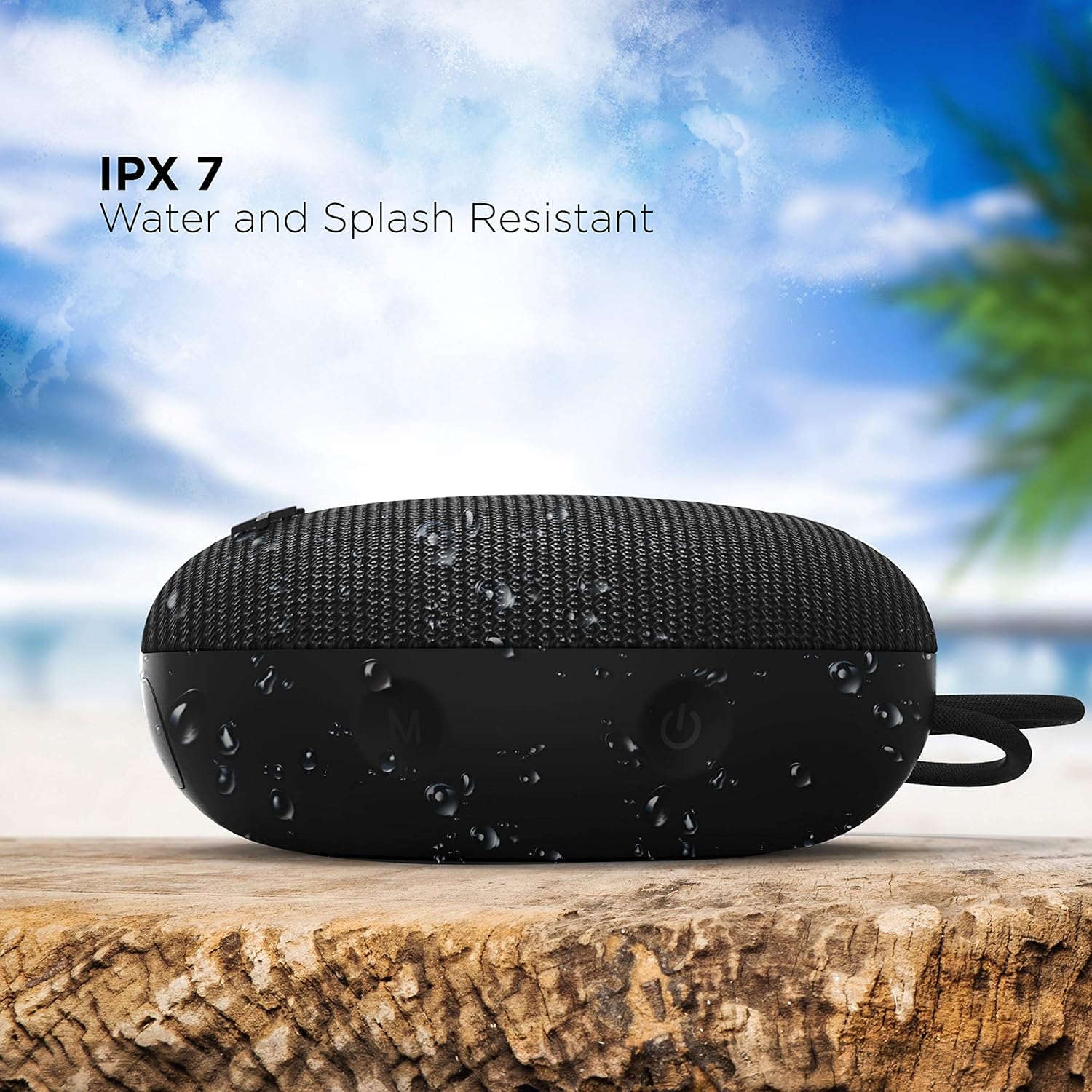
Image: The boAt Stone 190 speaker, demonstrating its IPX7 water and splash resistant capabilities, suitable for outdoor use.
- IPX7 means the speaker can be immersed in water up to 1 meter for 30 minutes.
- It is resistant to splashes, rain, and accidental submersion.
- Ensure the charging port cover is securely closed before exposing the speaker to water.
- Do not intentionally submerge the speaker for extended periods or in water deeper than 1 meter.
8. Kulawa da Kulawa
- Tsaftacewa: Shafa mai magana da taushi, damp zane. Kada a yi amfani da sinadarai masu tsauri ko masu gogewa.
- Ajiya: Ajiye lasifikar a wuri mai sanyi da bushewa, nesa da yanayin zafi mai tsanani da kuma hasken rana kai tsaye.
- Tashar Caji: A kiyaye tashar caji daga ƙura da tarkace.
- Baturi: To preserve battery life, charge the speaker at least once every three months if not in regular use.
9. Shirya matsala
| Matsala | Magani |
|---|---|
| Kakakin ba ya kunna wuta. | Ensure the speaker is charged. Connect it to a power source and try again. |
| Ba za a iya haɗawa da na'urar Bluetooth ba. | Make sure the speaker is in pairing mode (flashing LED). Turn off and on Bluetooth on your device. Ensure the speaker is within range (10 meters). Forget previous pairings on your device and try again. |
| Babu sauti ko ƙaramin ƙara. | Increase volume on both the speaker and your connected device. Ensure the speaker is properly paired. Check if the audio source is playing. |
| Saurin murdiya | Move the speaker closer to your device. Reduce volume on either the speaker or the connected device. Ensure there are no obstructions causing interference. |
10. Ƙayyadaddun bayanai
Technical details of the boAt Stone 190 Bluetooth Speaker.

Image: The boAt Stone 190 speaker, highlighting its 5 Watt audio output and 52mm full-range driver for clear sound.
| Siffar | Daki-daki |
|---|---|
| Alamar | boAt |
| Sunan Samfura | Dutse 190 |
| Matsakaicin Ƙarfin Fitar da Kakakin | 5 Watts |
| Fasahar Haɗuwa | Bluetooth |
| Sigar Bluetooth | V5.0 (Inferred from image) |
| Yanayin Fitarwa na Audio | Mono |
| Nau'in Kakakin | Waje |
| Matsayin Juriya na Ruwa | IPX7 (mai hana ruwa ruwa) |
| Girman Kakakin | 52 Milimita |
| Ƙarfin baturi | 800mAh (Inferred from image) |
| Matsakaicin Rayuwar Baturi | 4 Awanni |
| Tushen wutar lantarki | Ana Karfin Batir |
| Girman Abu (D x W x H) | 4.9D x 12.5W x 12.5H Santimita |
| Nauyin Abu | 150 Grams |
| Na'urori masu jituwa | Desktop, Laptop, MP3 Player, Smartphone, Tablet |
11. Bayanin Tsaro
- Do not disassemble, repair, or modify the speaker. This may cause fire, electric shock, or complete damage to the product.
- Do not expose the speaker to extreme temperatures (above 45°C or below -10°C).
- Ka kiyaye mai magana daga yara da dabbobi.
- A guji saurare a matakan girma na tsawon lokaci don hana lalacewar ji.
- Yi amfani da kebul ɗin caji kawai da aka bayar ko ingantaccen daidai.
12. Customer Support & Warranty
For product-related queries, support, or warranty information, please contact boAt customer service.
- Tuntuɓi Support: +91 (022) 69181920
- Imel: info@imaginemarketingindia.com
- Mai ƙira: Imagine Marketing Ltd.
- Adireshi: Unit no. 204 & 205, 2nd floor, D-wing & E-wing, Corporate Avenue, Andheri Ghatkopar Link Road, Mumbai, Maharashtra-400093, India.