
ZIPRO 6299209
ZIPRO Flame VM Magnetic Fitness Bike
Manual mai amfani

Ƙarsheview of the ZIPRO Flame VM Magnetic Fitness Bike.
1. Gabatarwa
Thank you for choosing the ZIPRO Flame VM Magnetic Fitness Bike. This manual provides essential information for the safe assembly, operation, and maintenance of your new fitness equipment. Please read this manual thoroughly before first use and keep it for future reference.
The ZIPRO Flame VM is designed to provide an effective and enjoyable indoor cycling experience, helping you achieve your fitness goals from the comfort of your home. Its magnetic resistance system ensures smooth and quiet operation, while the integrated computer and app compatibility offer advanced tracking and training options.
2. Ka'idojin Tsaro
WARNING: Before starting any exercise program, consult your physician. This is especially important for individuals over the age of 35 or those with pre-existing health problems.
- Always place the fitness bike on a flat, stable surface. Ensure adequate space around the bike for safe operation.
- Ka kiyaye yara da dabbobi daga kayan aiki yayin amfani.
- Inspect the bike before each use for any loose parts, wear, or damage. Do not use if damaged.
- Sanya tufafi da takalma masu dacewa na motsa jiki. A guji tufafi marasa motsi waɗanda za su iya kamawa a cikin sassan jiki masu motsi.
- Do not exceed the maximum user weight capacity of 150 kg (330 lbs).
- Adjust the seat and handlebars to a comfortable and safe position before beginning your workout.
- If you experience pain, dizziness, or shortness of breath, stop exercising immediately and consult a physician.
- Ensure the power adapter is correctly connected to the bike and a suitable power outlet.
3. Umarnin Majalisa
The assembly of the ZIPRO Flame VM fitness bike is designed to be straightforward. Please follow these steps carefully. It is recommended to have two people for certain assembly steps.
3.1 Cire kayan da kuma Gano Sassan
Carefully remove all components from the packaging. Lay them out and compare them with the parts list provided in the separate assembly diagram. Ensure all parts are present and undamaged.

The user manual and power adapter included with your fitness bike.
3.2 Main Frame Assembly
Attach the front and rear stabilizers to the main frame using the provided bolts and washers. Ensure they are securely tightened to provide a stable base for the bike.
3.3 Shigar Fedal
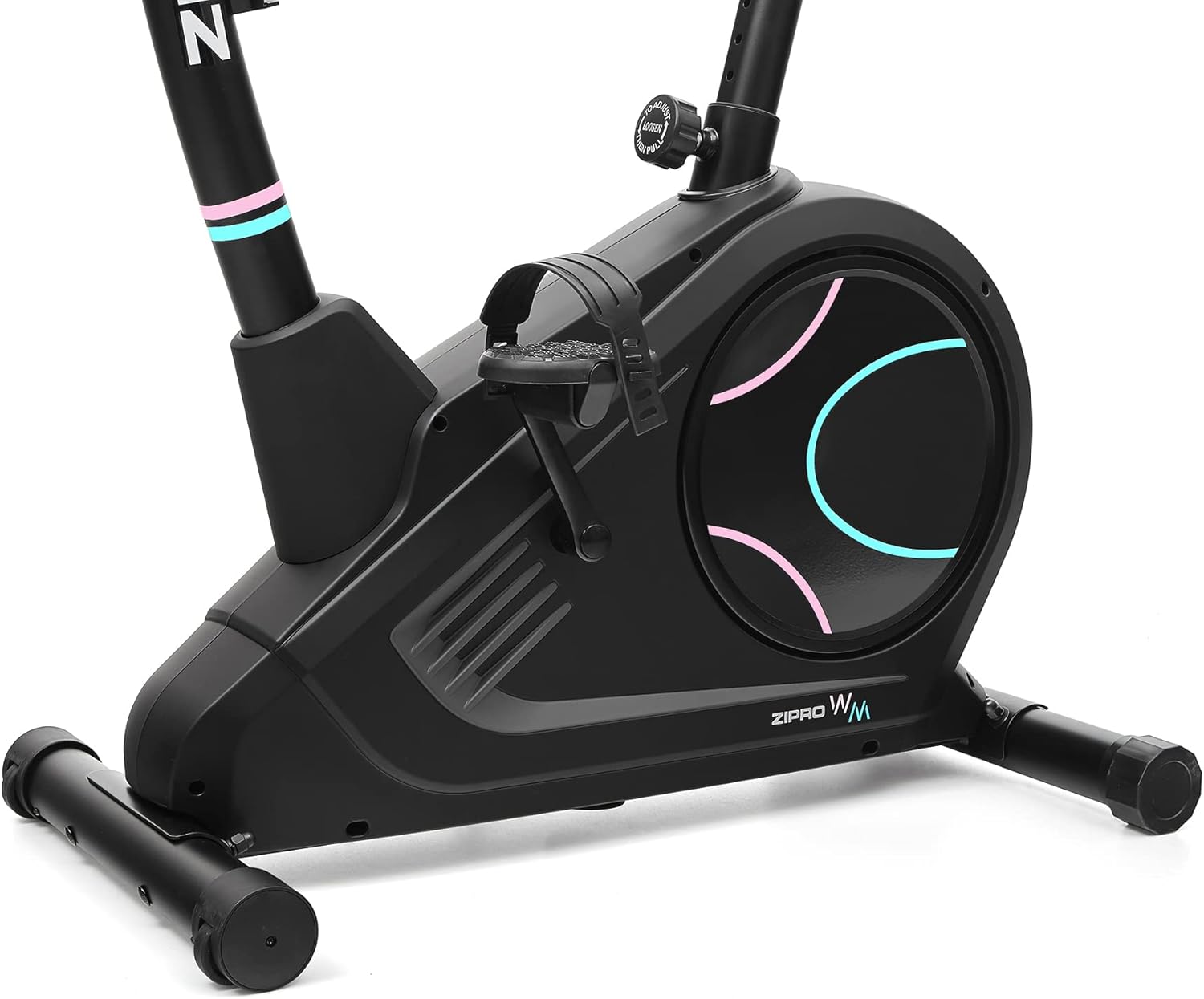
Identify the left (L) and right (R) pedals. The left pedal screws counter-clockwise, and the right pedal screws clockwise. Ensure they are threaded correctly and tightened firmly to prevent loosening during use.

Detail of the non-slip pedals with adjustable straps for secure foot placement.
3.4 Seat and Handlebar Post Installation
Insert the seat post into the main frame and secure it with the adjustment knob. Similarly, insert the handlebar post and attach the handlebars. Ensure all connections are firm.
3.5 Console and Wiring Connection
Connect the console wires to the corresponding cables from the handlebar post. Carefully mount the console onto the handlebar post. Ensure all wires are properly routed and not pinched.
The power connection port, located at the bottom rear of the bike, for connecting the electrical cable.
4. Shaidar Bangare
Familiarize yourself with the main components of your ZIPRO Flame VM fitness bike:
- Console: Displays workout data, allows program selection, and connects to apps.
- Sandunan hannu: Provide grip and include pulse sensors.
- wurin zama: Adjustable for height and horizontal position.
- Alaka: Non-slip with adjustable straps for secure foot placement.
- Kullin Juriya: Adjusts the magnetic resistance level.
- Stabilizers: Front and rear bases for stability, with transport wheels on the front.
- Mai Rikon Ruwan Ruwa: Conveniently located for hydration during workouts.

Gede view illustrating the main components of the fitness bike.

Gefen gaba view highlighting the console, handlebars, and main body.
5. Umarnin Aiki
5.1 Powering On and Console Functions
Connect the power adapter to the bike and a wall outlet. The console will power on automatically. The easy-to-use computer with its clear screen allows you to select programs and monitor your workout progress.

The advanced computer display showing various workout metrics like time, calories, speed, and pulse.

A hand pressing a button on the console, demonstrating user interaction.

A user making adjustments on the fitness bike's console, highlighting its user-friendly interface.
5.2 Daidaita Juriya
The Flame VM features 32 levels of electric-magnetic resistance. Use the UP/DOWN buttons on the console to increase or decrease the resistance level according to your workout intensity needs.
5.3 Pulse Measurement
Grasp the pulse sensors on the handlebars with both hands. Your pulse will be displayed on the console. Maintaining the correct pulse rate can make your workout more effective.
5.4 Using iConsole+ Training and Kinomap Apps
The Bluetooth connectivity allows you to use popular fitness applications like iConsole+ Training and Kinomap. Place your mobile device on the integrated stand and connect via Bluetooth to enhance your training experience with virtual routes and additional programs.

The integrated stand for mobile devices, allowing you to enjoy digital content during your workout.

A smartphone securely placed on the console's media tray, ready for app integration.

A tablet positioned on the console's stand, demonstrating compatibility with larger mobile devices for an immersive workout.

A user actively exercising on the bike, with a virtual route from the Kinomap app displayed, enhancing the training experience.
5.5 Daidaita Kujeru da Madaurin Hannu
The adjustable seat and handlebar inclination allow you to find the safest and most comfortable position during your ride. Adjust the seat height and horizontal position using the knobs below the seat. The handlebar angle can also be adjusted for optimal comfort.

A user on the fitness bike, illustrating proper foot placement on pedals and interaction with the console.
5.6 Hydration
Stay hydrated during your workout. The included water bottle and holder allow you to quench your thirst without interrupting your exercise session.
6. Kulawa da Kulawa
Regular maintenance will ensure the longevity and optimal performance of your ZIPRO Flame VM fitness bike.
- Tsaftacewa: Shafe babur tare da tallaamp zane bayan kowane amfani don cire gumi da ƙura. Kada a yi amfani da masu tsabtace gogewa ko abubuwan narkewa.
- Lubrication: The magnetic resistance system is generally maintenance-free. However, occasionally check for any squeaks or unusual noises from moving parts and apply a silicone-based lubricant if necessary.
- Duban Tsuntsaye: Periodically check all bolts, nuts, and connections to ensure they are secure. Tighten any loose fasteners.
- Ajiya: Ajiye babur ɗin a wuri mai bushe da sanyi, nesa da hasken rana kai tsaye da kuma yanayin zafi mai tsanani.
7. Shirya matsala
If you encounter any issues with your fitness bike, refer to the following common problems and solutions:
| Matsala | Dalili mai yiwuwa | Magani |
|---|---|---|
| Console not turning on | Power adapter not connected; loose wiring; power outlet issue. | Ensure power adapter is securely plugged into bike and outlet. Check outlet with another device. Verify console wiring connections. |
| Babu canjin juriya | Console not communicating with resistance mechanism; mechanical issue. | Check console wiring. If problem persists, contact customer support. |
| Karatun bugun jini mara daidai | Hands not firmly on sensors; dry hands; interference. | Ensure firm, consistent contact with both sensors. Lightly moisten hands if too dry. |
| Ƙara ko ƙarar niƙa | Loose parts; lack of lubrication (rare for magnetic systems); internal component issue. | Check and tighten all visible bolts. If noise persists, contact customer support. |
8. Bayanan fasaha
| Siffar | Ƙayyadaddun bayanai |
|---|---|
| Sunan Samfura | Flame WM |
| Lambar Samfura | 6299209 |
| Alamar | ZIPRO |
| Tsarin Juriya | Magnetic |
| Matakan Juriya | 32-step Electric-Magnetic |
| Matsakaicin Nauyin Mai Amfani | 150 Kilogram (kimanin 330 lbs) |
| Girma (L x W x H) | 118 x 49 x 140 cm (kimanin 46.5 x 19.3 x 55.1 inci) |
| Nauyin samfur | 27.3 Kilogram (kimanin 60.2 lbs) |
| Tushen wutar lantarki | Kebul na lantarki |
| Kayan abu | Plastic (main material) |
| Siffofin Musamman | Modern computer with clear screen, pulse sensors, non-slip pedals, adjustable seat/handlebar, mobile device tray, iConsole+ and Kinomap compatibility, transport wheels. |

Detailed dimensions of the ZIPRO Flame VM fitness bike: 118 cm length, 49 cm width, 140 cm height.
9. Garanti da Tallafawa
Your ZIPRO Flame VM Magnetic Fitness Bike is covered by a manufacturer's warranty. Please refer to the warranty card included with your purchase for specific terms and conditions.
For technical support, spare parts, or any questions not covered in this manual, please contact ZIPRO customer service. When contacting support, please have your product model number (6299209) and purchase information ready.
Thank you for choosing ZIPRO. We wish you many effective and enjoyable workouts!
Ask a question about this manual
Ask about setup, troubleshooting, compatibility, parts, safety, or missing instructions. Manuals+ will review the question and use this page’s manual context to help answer it.