
1. Gabatarwa
This instruction manual provides essential information for the safe and effective use of your Hubble Connected View Pro Twin 5-inch Video Baby Monitor. Please read this manual thoroughly before operating the device and retain it for future reference.
The Hubble Connected View Pro Twin is designed to help you monitor your baby with its dual camera system, 5-inch color display, and various features including two-way talk, night vision, and room temperature monitoring. This device operates on a secure, non-WiFi connection for enhanced privacy.
2. Saita
2.1. Abubuwan Kunshin
Tabbatar cewa duk abubuwa suna cikin kunshin:
- 1 x Nursery View Pro Parent Unit
- 2 x Nursery Cameras
- 2 x Abun Lantarki
- Jagoran Fara Mai Sauri
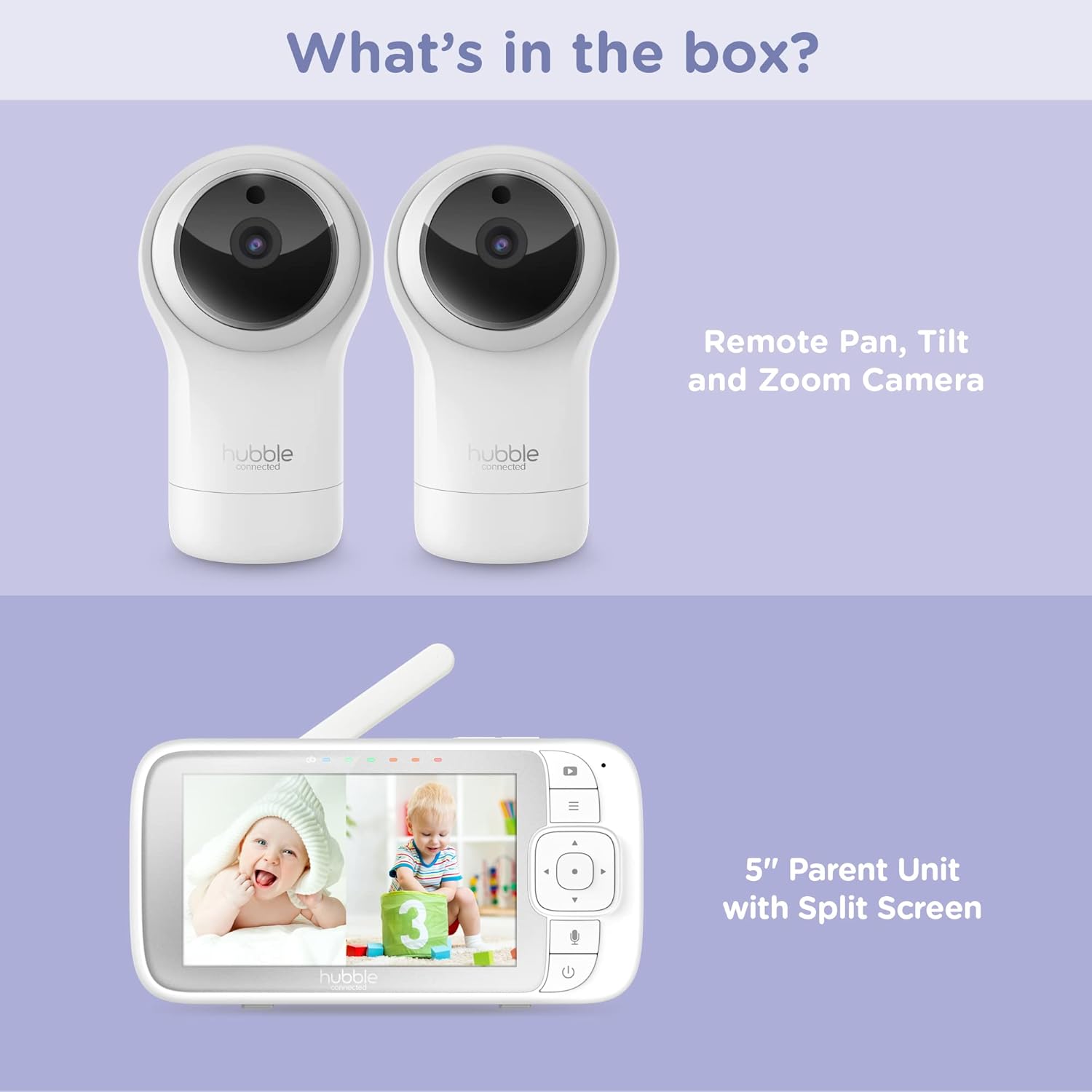
Figure 2.1: Package Contents - Parent Unit and Two Cameras
2.2. Powering On and Initial Placement
- Connect each camera to a power outlet using the provided power adapters.
- Connect the Parent Unit to a power outlet using its dedicated power adapter. The Parent Unit contains a rechargeable battery for portable use.
- Press and hold the Power button on the Parent Unit until the screen turns on.
- Place the cameras in a secure location within the baby's room, ensuring a clear view of the crib or play area. Avoid placing cameras within reach of children or near heat sources.

Figure 2.2: Hubble Connected View Pro Twin Monitor and Cameras
3. Aiki da Monitor
3.1. Parent Unit Controls
The Parent Unit features a 5-inch color display and intuitive buttons for navigation and control:
- Tashin Hannu: Used to navigate menus and control camera pan/tilt/zoom.
- Maballin Menu: Yana shiga saituna da fasaloli.
- Talk Button (Microphone icon): Activates two-way talk.
- Maɓallin Wuta: Yana kunna/kashe naúrar.
- Maɓallin ƙara (+/-): Yana daidaita ƙarar mai jiwuwa.

Figure 3.1: Parent Unit Displaying Split Screen
3.2. Viewcikin Modes
Your monitor supports multiple viewzabin:
- Kyamara guda ɗaya View: Displays the feed from one camera at a time. Use the menu to switch between cameras.
- Raba-Allon View: Simultaneously displays feeds from both cameras on the 5-inch screen. This allows for monitoring two areas at once.
- Yanayin dubawa: The monitor can automatically cycle through the camera feeds periodically.
3.3. Camera Control (Pan, Tilt, Zoom)
Use the directional pad on the Parent Unit to remotely adjust the camera's view:
- Kwana: Matsar da kyamarar a kwance (hagu/dama).
- Kwana: Matsar da kyamarar a tsaye (sama/ƙasa).
- Zuƙowa: Enlarge or reduce the image.
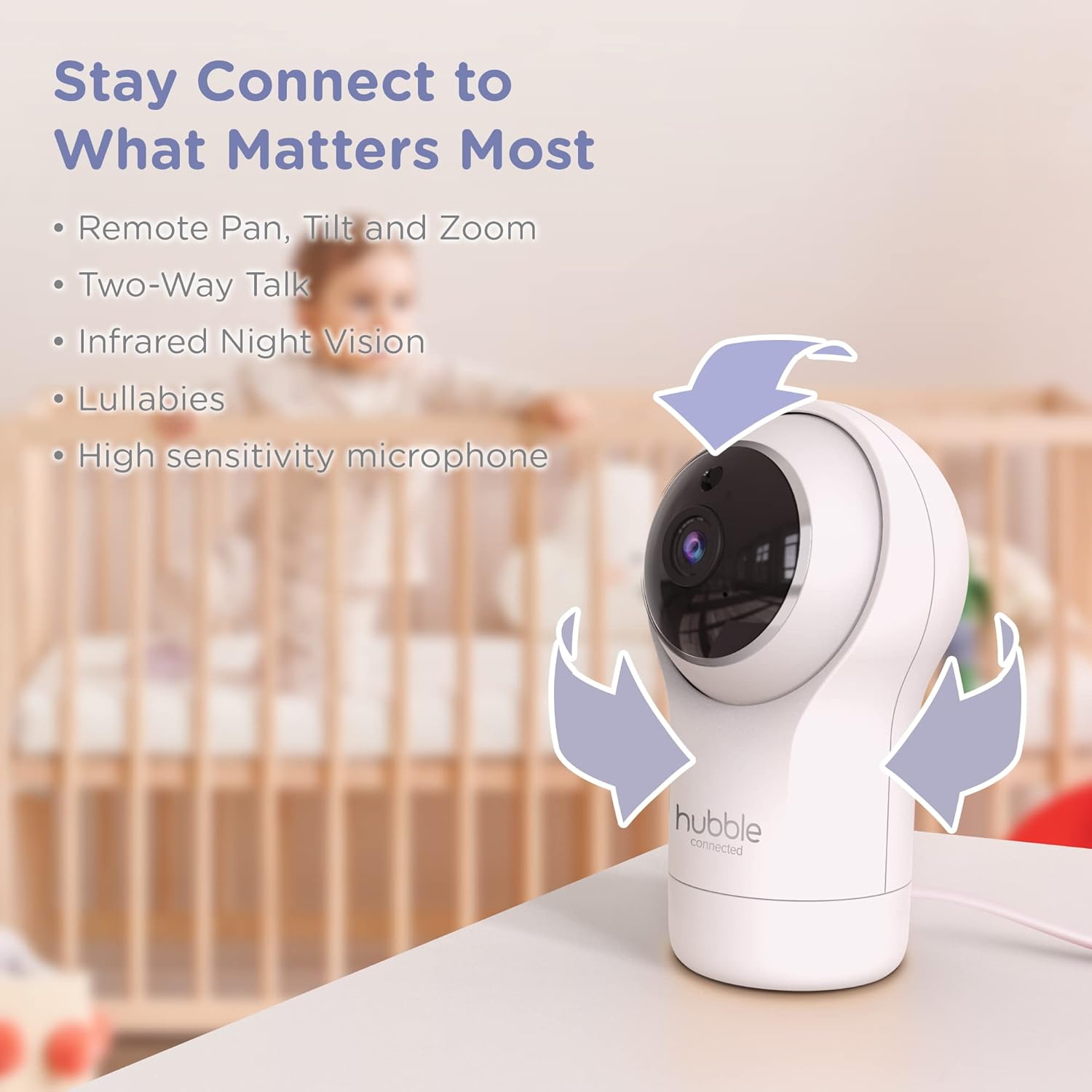
Figure 3.2: Camera Pan, Tilt, and Zoom Functionality
3.4. Magana Biyu
To communicate with your baby, press and hold the microphone button on the Parent Unit and speak. Release the button to hear your baby's response.
3.5. Ganin dare
The cameras are equipped with infrared night vision, which automatically activates in low-light conditions, providing a clear black-and-white image of your baby.

Figure 3.3: Infrared Night Vision in Operation
3.6. Lullabies and Room Temperature Monitoring
The monitor includes preloaded lullabies to soothe your baby. Access these through the Parent Unit's menu. The system also continuously monitors the room temperature, displayed on the Parent Unit, to ensure a comfortable environment for your child.

Hoto 3.4: Maɓallin Maɓalli na Ƙarsheview
3.7. Bidiyon Samfur na hukuma
Bidiyo na 3.1: Ƙarsheview of the Nursery View Pro Twin features, including split screen, pan/tilt/zoom, two-way talk, night vision, and lullabies.
4. Kulawa
4.1. Tsaftacewa
To clean the monitor and cameras, use a soft, dry cloth. Do not use abrasive cleaners or solvents. Ensure the devices are unplugged before cleaning.
4.2. Adana
When not in use for extended periods, store the monitor and cameras in a cool, dry place, away from direct sunlight and extreme temperatures.
5. Shirya matsala
5.1. No Signal/Poor Image
- Ensure both the Parent Unit and cameras are powered on and within range.
- Check for obstructions between the Parent Unit and cameras that might interfere with the signal.
- Relocate the Parent Unit or cameras to improve reception.
5.2. Battery Not Charging/Low Battery Alert
- Verify that the power adapter is securely connected to the Parent Unit and a working power outlet.
- Allow sufficient time for the battery to charge.
- Idan batun ya ci gaba, tuntuɓi tallafin abokin ciniki.
6. Ƙayyadaddun bayanai
| Siffar | Daki-daki |
|---|---|
| Sunan Samfura | Nursery View Pro Twin |
| Lambar Samfura | HCNVPRO2 |
| Girman allo | 5-inch Diagonal Color Screen |
| Fasahar Haɗuwa | Wireless (Non-WiFi) |
| Rage | Har zuwa 1,000ft/300m |
| Ƙimar Ɗaukar Bidiyo | 720p |
| Siffofin Musamman | Night Vision, Two-Way Talk, Soothing Nature Sounds, Room Temperature Monitoring |
| Tushen wutar lantarki | Battery Powered (Parent Unit), AC Adapter (Cameras) |
| Baturi | 3 batirin lithium ion da ake buƙata (an haɗa) |
| Nauyin Abu | 2 fam |
| Girman samfur | 2.8 x 2.7 x 4.8 inci |
7. Garanti da Tallafawa
7.1. Garanti Bayani
Your Hubble Connected View Pro Twin is covered by a One (1) year Limited Warranty from the date of purchase. Please retain your proof of purchase for warranty claims.
7.2. Tallafin Abokin Ciniki
For technical assistance, troubleshooting, or warranty inquiries, please contact Hubble Connected customer support. Visit the official Hubble Connected Store don ƙarin bayani da albarkatun tallafi.