
1. Gabatarwa
Na gode da siyaasing the Comix S360A Cross Cut Paper Shredder. This manual provides essential information for the safe and efficient operation, maintenance, and troubleshooting of your shredder. Please read these instructions carefully before use and retain them for future reference.
The Comix S360A is designed for secure disposal of sensitive documents, credit cards, and CDs. It features a cross-cut mechanism for enhanced security and includes a jam-proof system with reverse and forward functions to clear paper jams. An energy-saving mode ensures optimal efficiency during operation.
2. Muhimman Umarnin Tsaro
WARNING: Failure to follow these safety instructions may result in fire, electric shock, or injury.
- Ka kiyaye yara da dabbobi nesa da shredder.
- Keep loose clothing, jewelry, hair, and ties away from the paper entry slot.
- Kar a saka yatsu ko wasu sassan jiki cikin ramin shigarwar takarda.
- Kada a fesa kowane samfur mai ƙonewa ko mai mai a cikin shredder.
- Do not shred metal objects, wet paper, or adhesive labels.
- Koyaushe cire haɗin shredder lokacin da ba a amfani da shi ko kafin tsaftacewa.
- Do not operate the shredder if the power cord is damaged. Contact customer support for assistance.
- Tabbatar cewa an sanya shredder a kan barga mai daidaitacce.
- Do not overload the shredder beyond its specified sheet capacity.
3. Abubuwan Kunshin
Da fatan za a duba kunshin don abubuwa masu zuwa:
- Comix S360A Shredder Head
- Waste Bin (iyakar lita 13)
- Manual Umarni (wannan takarda)
4. Saita
- Unpack the Shredder: A hankali cire duk abubuwan da aka gyara daga marufi.
- Place the Waste Bin: Position the waste bin on a flat, stable surface.
- Mount the Shredder Head: Carefully place the shredder head onto the top of the waste bin, ensuring it is securely seated. The shredder will not operate if the head is not correctly positioned.
- Haɗa Ikon: Toshe igiyar wutar lantarki cikin madaidaicin tashar lantarki.
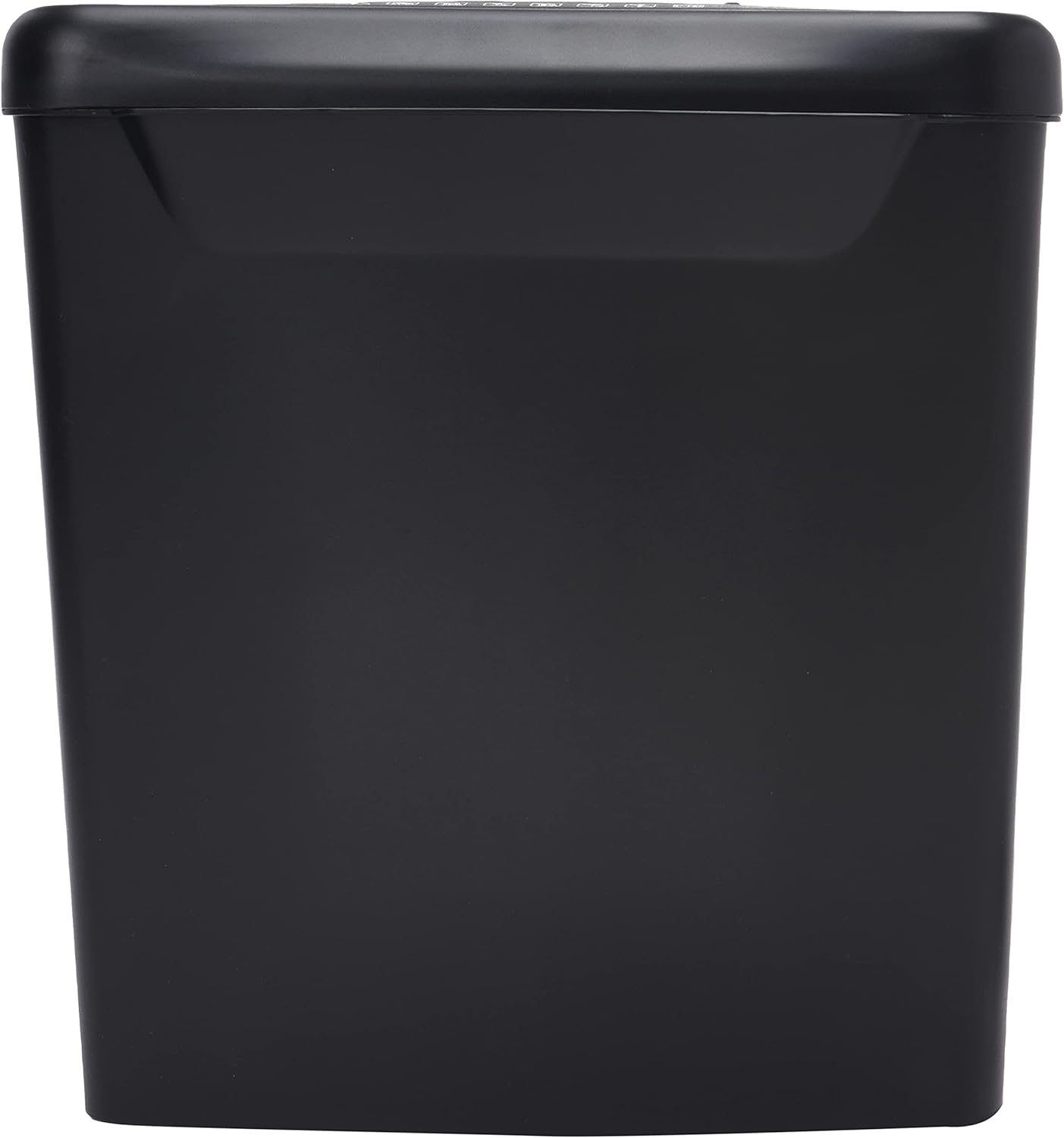
Hoto: Gefe view of the Comix S360A shredder bin, showing its black exterior and compact design. The shredder head is not visible in this image.
5. Umarnin Aiki
5.1 Mai Canjawa
The shredder features a slide switch with three positions:
- Auto: The shredder will automatically start when paper is inserted and stop when shredding is complete. This is the normal operating mode.
- KASHE: The shredder is powered off. Always set the switch to OFF when emptying the bin or when the shredder is not in use.
- REV (Juyawa): This position reverses the shredder blades to help clear paper jams.

Hoto: Sama view of the shredder head, highlighting the paper entry slot, the three-position control switch (Rev, OFF, Auto), and various safety warning icons.
5.2 Shredding Documents
- Ensure the shredder head is securely placed on the waste bin.
- Toshe igiyar wutar lantarki cikin mashin wutar lantarki.
- Saita maɓallin sarrafawa zuwa AUTO.
- Insert up to 8 sheets of 70gsm A4 paper into the paper entry slot. The shredder will start automatically.
- For credit cards or CDs, use the dedicated slot if available (refer to product specifications for capability).
- The shredder will stop automatically once the shredding process is complete.
5.3 Zagayowar Aiki
The Comix S360A has a continuous run time of 2 minutes, followed by a rest time of 40 minutes. Exceeding the run time may cause the shredder to overheat and automatically shut off. Allow the shredder to cool down for the specified rest time before resuming operation.
6. Kulawa
6.1 Korar Sharar gida
- Saita maɓallin sarrafawa zuwa KASHE.
- Unplug the shredder from the power outlet.
- Lift the shredder head off the waste bin.
- Dispose of the shredded paper.
- Replace the shredder head securely onto the waste bin.
- Plug the shredder back into the power outlet.
6.2 Oiling the Shredder Blades
Regular oiling of the shredder blades is recommended to maintain optimal performance and extend the life of your shredder. Use shredder oil specifically designed for paper shredders.
- Aiwatar da siririn layin man shredder a fadin ramin shigarwar takarda.
- Saita maɓallin sarrafawa zuwa AUTO.
- Insert a sheet of paper to distribute the oil evenly across the blades.
- Repeat this process periodically, especially after emptying a full waste bin or if the shredder's performance decreases.
6.3 Tsaftacewa
Wipe the exterior of the shredder with a soft, dry cloth. Do not use abrasive cleaners or solvents. Ensure the shredder is unplugged before cleaning.
7. Shirya matsala
| Matsala | Dalili mai yiwuwa | Magani |
|---|---|---|
| Shredder baya farawa. |
|
|
| Matsar takarda. |
|
|
| Shredder yana tsayawa yayin aiki. |
|
|
8. Ƙayyadaddun bayanai
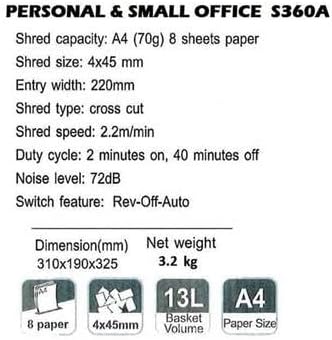
Image: Technical specifications sheet for the Comix S360A, detailing performance metrics and physical attributes.
- Samfura: S360A
- Nau'in Shred: Gicciye Yanke
- Girman shred: 4 x 45 mm
- Shred Capacity (A4, 70g): 8 zanen gado
- Nisa Shiga: mm220 ku
- Shred Speed: 2.2m/min
- Ƙarfafa Bin Ƙarfafawa: 13 lita
- Zagayowar Aiki: Minti 2 Kunnawa / A kashe Minti 40
- Matsayin Surutu: 72db ku
- Switch Feature: Rev-Off-Auto
- Girman samfur: 310 x 190 x 325 mm (L x W x H)
- Cikakken nauyi: 3.2 kg
- Siffofin Musamman: Energy Saving Mode, Jam Pro, Quiet Operation
9. Garanti da Tallafawa
For warranty information or technical support, please refer to the warranty card included with your product or contact Comix customer service through their official website or the retailer where the product was purchased. Please have your model number (S360A) and purchase date available when contacting support.