
1. Gabatarwa
This manual provides instructions for the Gamrombo 2.4GHz Wireless Controller, designed for use with Xbox 360, Xbox 360 Slim consoles, and Windows 7/8/10/11 personal computers. Please read this manual thoroughly before using the product to ensure proper operation and to prevent damage.

Image 1.1: Gamrombo Wireless Controller for Xbox 360 and PC. This image displays the front view of the black wireless controller, highlighting its buttons and ergonomic shape.
2. Abubuwan Kunshin
Da fatan za a duba abubuwan da ke cikin kunshin lokacin cire akwatin:
- 1 x Gamrombo Wireless Controller
- 1 x 2.4GHz mai karɓar USB
- 1 x Littafin Jagora
- Note: AA batteries are required for controller operation and are not included.
3. Kayan Samfura
- Daidaita Multi-Platform: Compatible with Xbox 360, Xbox 360 Slim consoles, and Windows 7/8/10/11 PCs. (Note: Not compatible with Xbox One, Xbox One X, Xbox One S, or Xbox Series X consoles.)
- Fasaha mara waya ta 2.4GHz: Provides a stable connection up to 32 feet (approximately 10 meters). Supports up to four controllers simultaneously on one console.
- Jawabin Jijjiga: Built-in dual motors offer a realistic gaming experience through vibration effects.
- Tsarin Ergonomic: Streamlined and compact design for comfortable extended gameplay sessions.
- Babban Hankali: Enhanced responsiveness to minimize input lag, providing accurate and sensitive control.
- Madaidaicin Gudanarwa: Features an 8-way D-pad, precise thumbsticks, and pressure-point triggers for accurate input.

Image 3.1: Controller with internal dual motors. This image illustrates the controller with a transparent overlay highlighting the location of the dual vibration motors inside the grips.

Hoto 3.2: Gefe view of the controller demonstrating its ergonomic shape. The image shows the contoured grips designed for comfortable handling.
4. Saita da Haɗin kai
Follow these steps to connect your Gamrombo Wireless Controller to your Xbox 360 console or PC:
- Saka Batura: Open the battery compartment on the back of the controller and insert two (2) AA batteries, ensuring correct polarity.
- Haɗa Mai karɓar USB: Insert the 2.4GHz USB receiver into an available USB port on your Xbox 360 console or PC.
- Receiver Identification: After the USB receiver is inserted, its indicator light will turn on, signifying successful identification. Short press the button on the USB receiver; the indicator light will flash, entering pairing mode.
- Haɗin Mai Gudanarwa: With the controller powered off, long press the "Home" button (the central Xbox Guide button) on the wireless controller for 3 seconds. The four LED lights around the Guide button will flash rapidly, indicating the controller is in pairing mode.
- Tabbatar da haɗin kai: Once the connection is successful, the corresponding channel light on the controller will remain solid, and the receiver's indicator light will also remain solid.

Image 4.1: Connection steps for the wireless controller. This image illustrates the process of inserting the USB dongle into an Xbox 360 or PC and then pairing the controller by pressing the Home button.
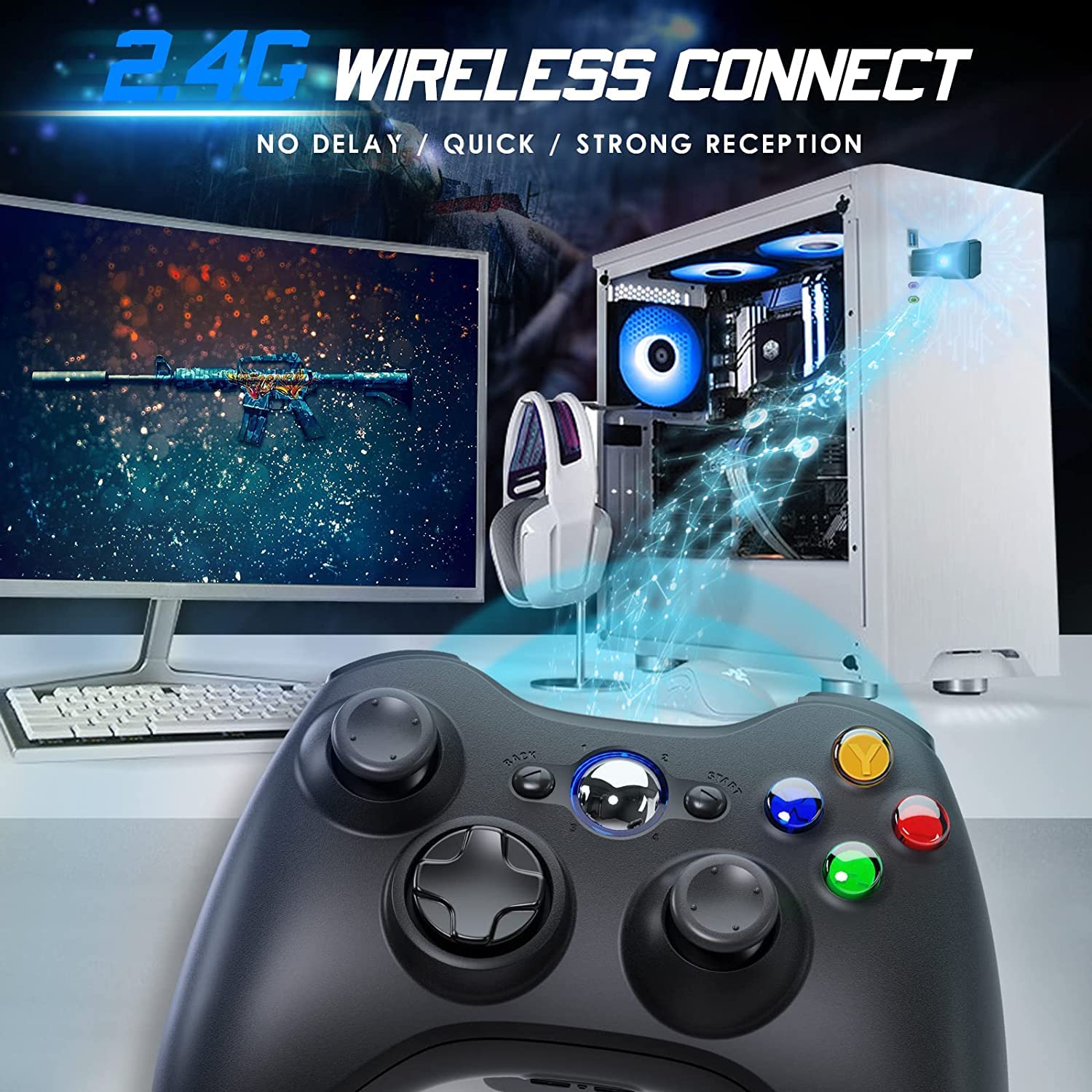
Image 4.2: Wireless controller in use with a PC. This image shows the controller on a desk in front of a computer monitor, with a visual representation of the 2.4GHz wireless connection.
5. Umarnin Aiki
- Kunnawa/Kashewa: Press and hold the "Home" button for 3 seconds to power on or power off the controller.
- Maɓallin Jagora: The central "Home" button (Guide button) allows access to the Xbox Guide on Xbox 360, or specific game menus on PC, depending on the game and system configuration. It can also be used to power on or off the console.
- Multiple Controllers: Up to four wireless controllers can be connected to a single console or PC simultaneously. Each controller will be assigned a quadrant light around the Guide button (1, 2, 3, or 4) to indicate its player number.
- Alamar baturi: The controller's LED lights may flash to indicate low battery power. Replace batteries when this occurs.
6. Kulawa
- Tsaftacewa: Use a soft, dry cloth to clean the controller. Do not use liquid cleaners or solvents.
- Ajiya: Store the controller in a dry place away from extreme temperatures and direct sunlight. If storing for an extended period, remove the batteries to prevent leakage.
- Guji Sauki: Kare mai sarrafawa daga faɗuwa da tasirin, wanda zai iya lalata abubuwan ciki.
7. Shirya matsala
- Mai Sarrafa Ba Haɗawa:
- Ensure the USB receiver is securely plugged into the console or PC.
- Verify that the controller has fresh AA batteries installed correctly.
- Repeat the pairing process (Section 4, steps 3 and 4).
- Gwada toshe mai karɓar USB zuwa wani tashar USB na daban.
- If using with PC, ensure necessary drivers are installed (Windows typically installs these automatically).
- Buttons or Joysticks Unresponsive:
- Bincika matakan baturi kuma maye gurbin idan ƙasa.
- Ensure the controller is within the 32-foot wireless range of the receiver.
- Restart the console/PC and re-pair the controller.
- Girgiza Ba Ya Aiki:
- Ensure the game supports vibration feedback.
- Duba saitunan wasan don tabbatar da cewa an kunna rawar jiki.
- Verify battery levels.
8. Ƙayyadaddun bayanai
| Lambar Samfura | XBOX 360 |
| Alamar | Gamrombo |
| Haɗuwa | 2.4GHz Mara waya |
| Mara waya mara waya | Har zuwa ƙafa 32 (kimanin mita 10) |
| Daidaituwa | Xbox 360, Xbox 360 Slim, Windows 7/8/10/11 |
| Tushen wutar lantarki | 2 x AA baturi (ba a haɗa su ba) |
| Girman samfur | 6.1 x 4.4 x 2.4 inci |
| Nauyin Abu | 9.6 oz |
9. Bayanin Tsaro
- Kada kayi ƙoƙarin ƙwace ko gyara mai sarrafawa.
- A ajiye na'urar sarrafawa nesa da ruwa da sauran ruwaye.
- Avoid exposing the controller to extreme heat or cold.
- Zubar da batura bisa ga dokokin gida.
- Idan samfurin ya lalace, daina amfani da sauri.
10. Garanti da Tallafawa
For warranty information or technical support, please refer to the documentation included with your purchase or contact Gamrombo customer service directly. Contact details are typically available on the manufacturer's official website.