
Gabatarwa
Thank you for choosing the DAREU EK815 Wireless Mechanical Gaming Keyboard. This manual provides detailed instructions for setting up, operating, and maintaining your keyboard to ensure optimal performance and longevity. Please read this manual thoroughly before using the product.

Image: The DAREU EK815 keyboard integrated into a typical gaming workstation, showcasing its design and backlighting.
Abubuwan Kunshin
Tabbatar cewa duk abubuwa suna cikin kunshin:
- DAREU EK815 Wireless Mechanical Gaming Keyboard
- Maɓallin Maɓalli
- Katin Garanti
- USB Cable (for wired connection and charging)
Siffofin Samfur
- Daidaitacce RGB Lighting: Customize your gaming atmosphere with various rainbow light effects and modes.
- Gina Mai Dorewa: Features double-shot keycaps for enhanced durability and an aluminum alloy metal panel for resistance against rust, falls, sweat, and corrosion.
- Canjin Injini: Available with Brown, Red, or Blue mechanical switches, tested for over 50 million keystrokes for long-lasting performance.
- Anti-Ghosting: Advanced anti-ghosting technology ensures simultaneous key presses are registered accurately without conflict, enhancing gaming precision.
- Maɓallan Shirye-shirye: Utilize a dedicated driver to customize key functions and lighting effects to suit your preferences.
- Multimedia Function Buttons: Quick access to essential operations, saving time during use.
Mechanical Switch Types
The DAREU EK815 keyboard is available with different mechanical switch types, each offering a distinct typing and gaming experience.
Brown Switches

Hoto: Dalla-dalla view of a brown mechanical switch, highlighting its tactile bump and specifications like 4mm key stroke travel, 50±4G key elastic force, and 65 million keystroke life.
Brown switches offer a tactile bump without an audible click, providing feedback for typing and gaming without being overly loud.
Blue Canja-canje

Hoto: Dalla-dalla view of a blue mechanical switch, illustrating its clicky feedback mechanism and specifications.
Blue switches are known for their distinct tactile bump and audible click, providing clear feedback with each keypress.
Jajayen Sauyawa

Hoto: Dalla-dalla view of a red mechanical switch, showing its linear actuation and specifications.
Red switches are linear, meaning they have a smooth, consistent keystroke without a tactile bump or audible click, ideal for fast-paced gaming.
Saita
- Cire Allon madannai: A hankali a cire madannai da duk kayan haɗi daga cikin marufin.
- Haɗa ta USB: Plug the USB cable into the keyboard's port and connect the other end to an available USB port on your computer. The keyboard will automatically install necessary drivers.
- Matsayi: Place the keyboard on a stable, flat surface. Adjust the integrated foot pads for your preferred typing angle.
- Na'urar USB: Utilize the three cable routing outlets on the underside of the keyboard to manage the USB cable neatly.
Umarnin Aiki
Amfanin Allon madannai na asali
The DAREU EK815 functions as a standard mechanical keyboard. Simply connect it to your computer, and it will be ready for use. The anti-ghosting technology ensures that multiple key presses are registered accurately, which is beneficial for gaming.
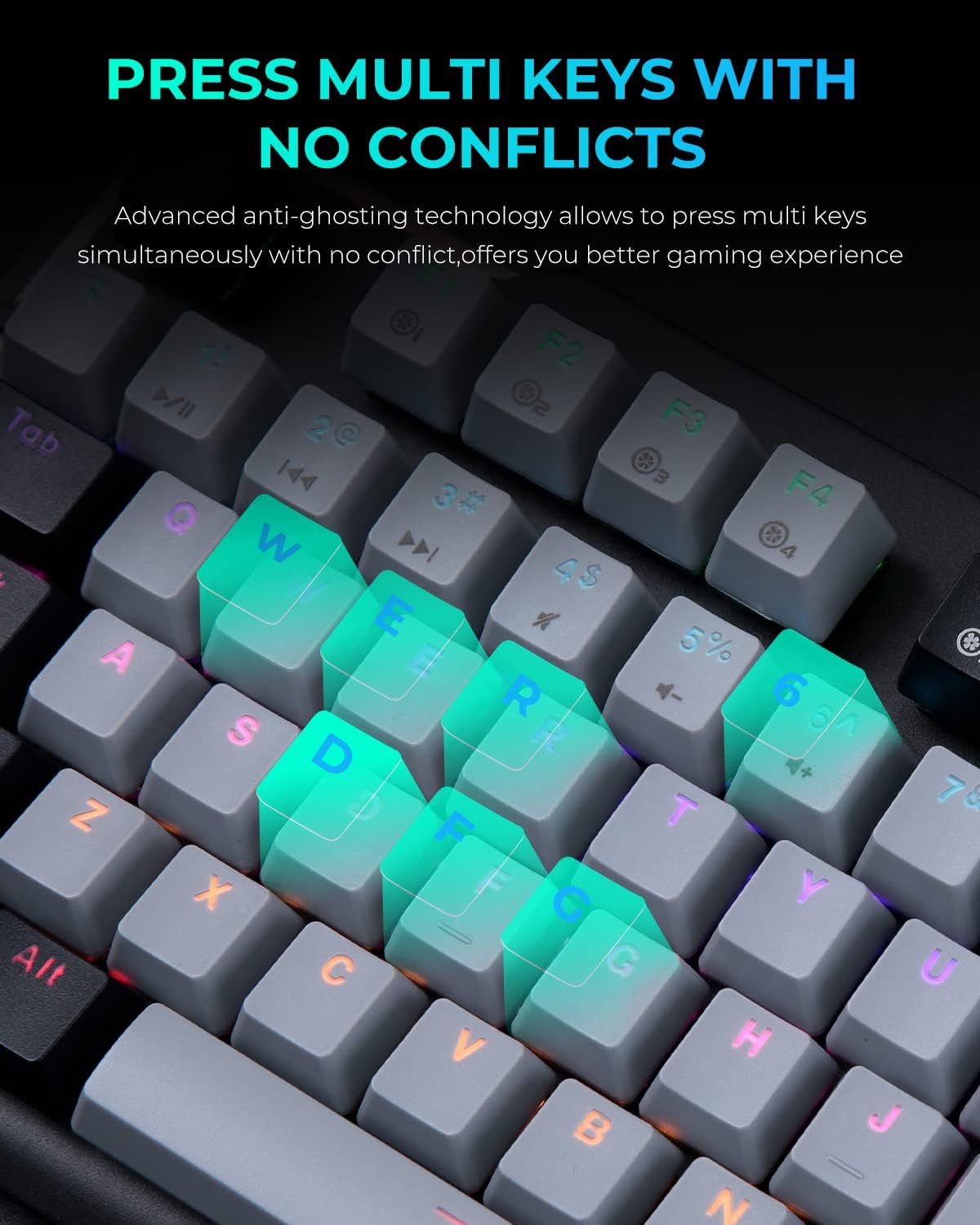
Image: A close-up of the keyboard with several keys (Q, W, E, R, D, F, G) illuminated, illustrating the anti-ghosting feature that allows simultaneous key presses without conflict.
Daidaita RGB Lighting
The keyboard features multiple RGB lighting modes. Use the following shortcut keys to adjust the lighting effects:
- FN+F11: Cycle through various light modes.
- FN + PgUp / PgDn: Adjust lighting speed.
- FN + = / -: Daidaita matakan haske.
- FN + Ins / Del: Adjust sidelight speed.
- FN + Gida: Toggle sidelight mode.

Image: The DAREU EK815 keyboard displaying its vibrant RGB flank rainbow backlighting, illustrating the customizable lighting effects.
Using Shortcut Keys and Programmable Functions
The keyboard features dedicated shortcut keys and programmable functions to enhance efficiency. Use the FN key in combination with other keys for quick access to multimedia controls and lighting adjustments.

Image: A visual guide detailing the shortcut key combinations (FN + F-keys, FN + PgUp/PgDn, etc.) for controlling lighting effects and other functions on the DAREU EK815 keyboard.
For advanced customization, download the official DAREU driver from the manufacturer's website. This software allows you to remap keys and create custom lighting profiles.
Kulawa
- Tsaftacewa: Use a soft, dry cloth to wipe the keyboard surface. For deeper cleaning, use the provided keycap puller to remove keycaps and clean underneath with compressed air or a small brush.
- Rigakafin Zubewa: While the keyboard features an aluminum alloy panel for durability, avoid exposing it to excessive liquids. In case of a spill, disconnect the keyboard immediately and allow it to dry completely before reconnecting.
- Ajiya: Ajiye madannai a wuri mai sanyi da bushewa, nesa da hasken rana kai tsaye da kuma yanayin zafi mai tsanani idan ba a amfani da shi na tsawon lokaci.
Shirya matsala
- Allon madannai Ba Ya Amsa:
- Tabbatar cewa kebul na USB yana da haɗin da ya dace da madannai da kwamfutar.
- Gwada haɗa madannai zuwa wata tashar USB daban.
- Sake kunna kwamfutarka.
- Hasken Ba Ya Aiki/Ba daidai ba:
- Check if the lighting is turned off or set to a very low brightness using the FN + = / - shortcuts.
- Cycle through different lighting modes using FN + F11.
- Ensure the keyboard's software (if installed) is up to date and correctly configured.
- Maɓallai Ba Rijista:
- Clean the affected keycap and switch area for any debris.
- If using custom key bindings, reset them to default via the keyboard software.
Ƙayyadaddun bayanai
| Girman samfur | 17.72 x 5.51 x 1.57 inci |
| Nauyin Abu | 2.29 fam |
| Lambar Samfurin Abu | EK815 |
| Fasahar Haɗuwa | USB |
| Bayanin Allon madannai | Makanikai |
| Shawarwari Amfani | Gaming, Office |
| Siffofin Musamman | Backlit, Customizable Display Keys, Ergonomic, RGB, Water Resistant |
| Taimakon Launi na Allon Baya | RGB |
| Kayan abu | Aluminum |
Garanti da Taimako
The DAREU EK815 Mechanical Gaming Keyboard comes with a Garanti na Shekara 1 from the date of purchase. This warranty covers manufacturing defects and ensures the product meets quality standards.
If you encounter any quality issues or require technical assistance within the warranty period, please contact DAREU customer support. Refer to the warranty card included in your package for specific contact details and warranty terms.
For the latest drivers and support information, please visit the official DAREU website.