
Gabatarwa
The Insta360 GO 3 is a compact and versatile action camera designed for capturing hands-free point-of-view footage and creative angles. Weighing only 35g, the GO 3 camera offers advanced stabilization, 360-degree horizon lock, and a multifunctional Action Pod for extended battery life and remote control. This manual provides essential information for setting up, operating, and maintaining your Insta360 GO 3.
Me ke cikin Akwatin
- 1x Insta360 GO 3 Camera
- 1x Action Pod
- 1x Magnet Pendant
- 1x Easy Clip
- 1x Pivot Stand
- 1x Lens Guard
These accessories provide various mounting and usage options for diverse shooting scenarios.
Saita
Abubuwan da aka gamaview
The Insta360 GO 3 system consists of the small GO 3 camera and its accompanying Action Pod. The camera is magnetic and can be used independently or docked into the Action Pod.

The compact Insta360 GO 3 camera, shown in white, featuring its lens and indicator light.

The Insta360 GO 3 camera docked into its Action Pod, with the flip-up screen displaying a live preview. Various accessories like the Magnet Pendant, Easy Clip, and Pivot Stand are also visible.
Cajin Farko
Before first use, ensure both the GO 3 camera and the Action Pod are fully charged. Connect the provided USB-C cable to the Action Pod's charging port. The GO 3 camera charges automatically when docked in the Action Pod.
Haɗin App
Download the official Insta360 app on your smartphone (compatible with iPhone SE 2 and newer, various iPad models, and select Android devices). Power on the GO 3 camera and Action Pod, then follow the in-app instructions to connect your device via Bluetooth and Wi-Fi for full functionality and live preview.
Sabunta Firmware
It is crucial to keep your Insta360 GO 3's firmware updated for optimal performance and access to new features. If an update is available, the app will prompt you. Ensure your device is fully charged before initiating a firmware update. If app updates fail, connect the camera to a computer via USB-C, download the latest firmware from the official Insta360 website, and follow the provided instructions to copy the firmware file to the camera's root directory. Power on the GO 3 in the Action Pod to initiate the update.
Aiki da Kamara
GO 3 Camera Controls
- Maɓallin Wuta: Latsa ka riƙe don kunnawa/kashewa.
- Maballin Rufewa: Press once to start/stop recording video or take a photo.
- Quick Menu Button: Access quick settings or switch modes.
Action Pod Controls & Display
The Action Pod features a flip touchscreen display, allowing for remote control, live preview, and easy selfie/vlogging. The screen can be flipped up for convenient self-monitoring during recording.
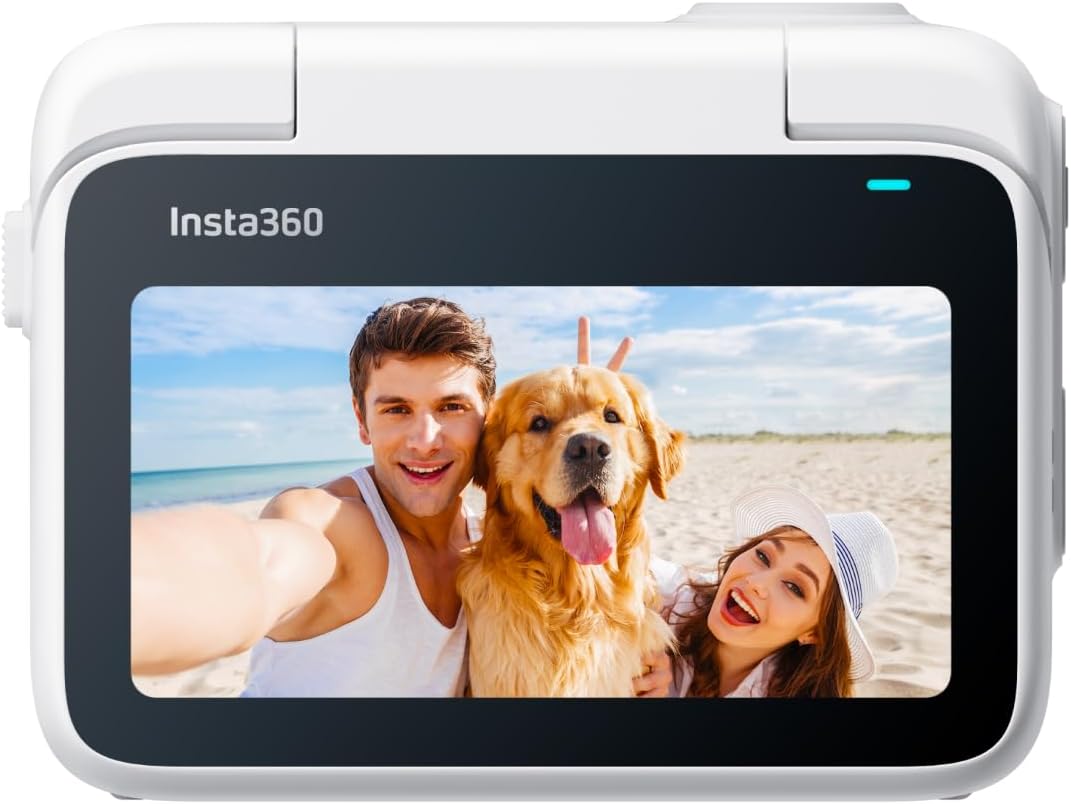
The Insta360 GO 3 Action Pod with its flip-up touchscreen displaying a live preview of a couple and their dog on a beach.
Shooting Modes & Features
- Daidaitawar FlowState & Makullin Horizon 360: Ensures smooth, stable footage by removing shakes and keeping the horizon level, regardless of camera orientation.
- Tsarin Bidiyo: Records video at 2.7K resolution.
- Hanyoyin ƙirƙira: Explore TimeShift (hyperlapse), PureShot HDR Photo (enhanced dynamic range), and Timelapse for unique visual effects.
- AI-Powered Editing: The Insta360 app can automatically find highlights, generate reels, and even match music to your footage.
- Export in Any Ratio: Flexibility to export videos in various aspect ratios (1:1, 16:9, 9:16) for different platforms.
Audio
The GO 3 features 2 built-in microphones for crisp, clear, and immersive audio, suitable for vlogging and sports.
WebYanayin kamara
Utilize the Insta360 GO 3 as a webcam for 1080p resolution video calls with auto-tracking capabilities.
Zaɓuɓɓukan hawa
Versatile Magnetic Design
The GO 3 camera's magnetic design allows it to be mounted almost anywhere, offering creative possibilities for unique angles.
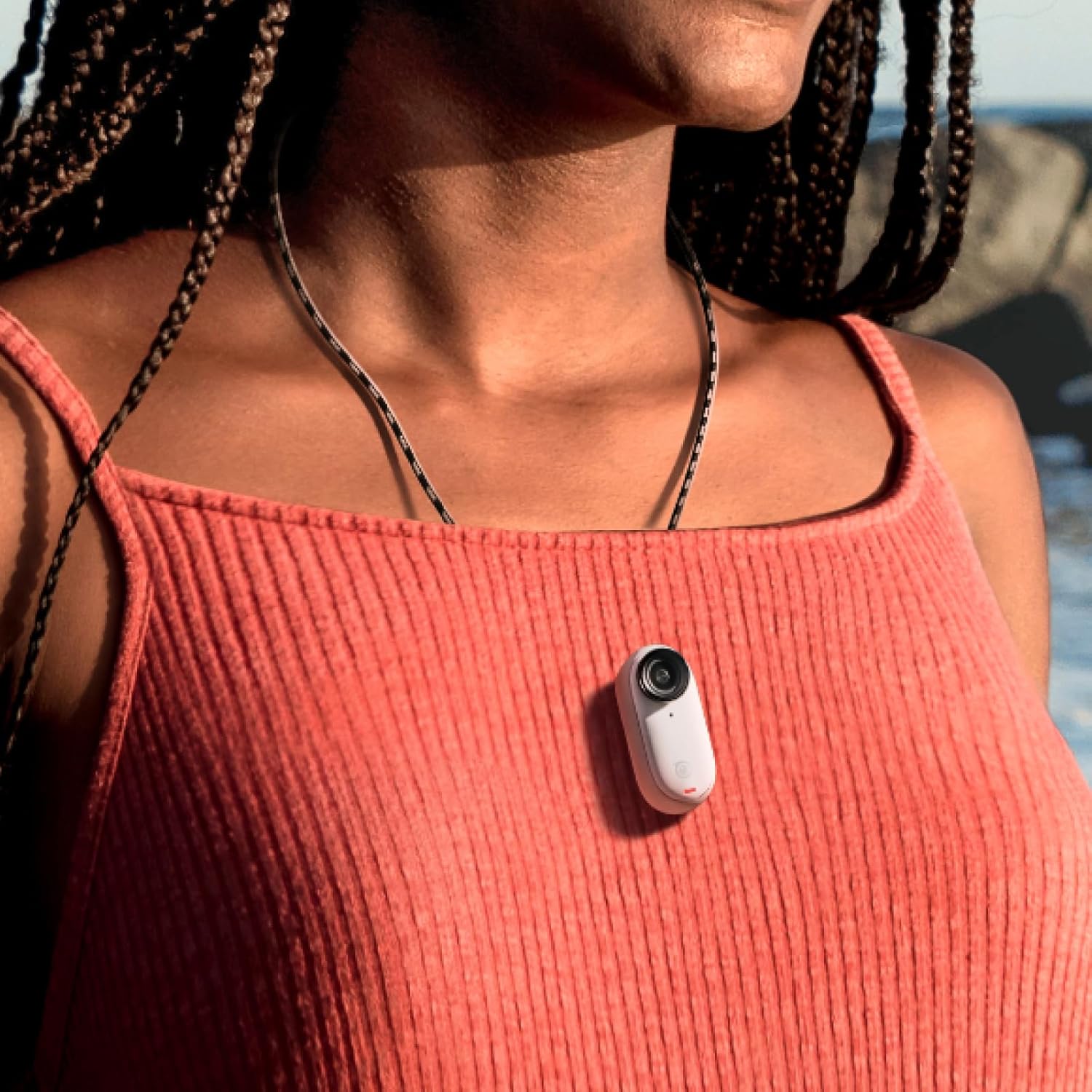
The tiny Insta360 GO 3 camera magnetically attached to a person's shirt, demonstrating its hands-free POV capability.
Haɗe da Na'urorin haɗi
- Magnet Pendant: Wear the GO 3 for easy first-person POV shots.
- Easy Clip: Clip the camera onto a cap or other surfaces for various angles.
- Pivot Stand: Stick it to flat, dry, and clean surfaces to capture unique angles.
- Lens Guard: Protects the camera lens from scratches and is required for underwater use.
Na'urorin haɗi na zaɓi
- Monkey Tail Mount: A flexible mount to wrap around objects for new angles.
- Mini 2-in-1 Tripod: Functions as both a selfie stick and a tripod.
- Mai Kariyar allo: Essential for keeping the Action Pod screen safe from scratches.
Waterproofing & Durability
- GO 3 Camera: The GO 3 camera itself is waterproof down to 5m (16ft). Ensure the Lens Guard is installed for underwater use.
- Action Pod: The Action Pod is IPX4 splashproof, meaning it is resistant to splashes and light rain, but should not be submerged in water.
Kulawa
- Always use the Lens Guard when taking the GO 3 camera underwater.
- Clean the camera and Action Pod with a soft, dry cloth after use, especially after exposure to water or dirt.
- Ensure the Action Pod is dry and clean before placing the GO 3 camera inside.
Shirya matsala
- Abubuwan Haɗi: If the camera disconnects or fails to connect to the Action Pod or app, ensure the GO 3 is within Bluetooth range of the Action Pod. Restarting both devices and the app can often resolve connection problems.
- Kurakurai Sabunta Firmware: If app-based firmware updates fail, try connecting the camera to a computer and updating via the official Insta360 website.
- Yin zafi fiye da kima: In some conditions, the camera may overheat, especially during prolonged recording or in hot environments. This can cause recording to stop. Allow the camera to cool down.
- Matsalolin Ajiya: Idan kun haɗu file corruption or storage errors, navigate to the camera settings in the Action Pod or app and select the option to format the camera storage.
Ƙayyadaddun bayanai
| Alamar | Insta360 |
| Lambar Samfura | CINSABKA_GO306 |
| Ƙimar Ɗaukar Bidiyo | 2.7K |
| Tabbatar da Hoto | FlowState Stabilization |
| Matsayin Juriya na Ruwa | Waterproof (GO 3 cam to 5m) |
| Nauyin Abu | 130 Grams |
| Matsakaicin Rayuwar Baturi | 170 minutes (with Action Pod) |
| Fasahar Haɗuwa | Wi-Fi, Bluetooth |
| Girman allo | 2 Inches (Action Pod) |
| Nau'in Ƙwaƙwalwar Flash | SD (internal, not expandable) |
Garanti & Taimako
The Insta360 GO 3 comes with a 1-year Limited Warranty. For further support, please refer to the official Insta360 website ko tuntuɓar sabis na abokin ciniki.
Muhimmiyar Bayani akan Bidiyo
No official seller-provided instruction videos were available in the provided product data. For visual guides, please refer to the official Insta360 website ko YouTube channel.