
Gabatarwa
This manual provides detailed instructions for setting up, operating, maintaining, and troubleshooting your Amazon Kindle Paperwhite Signature Edition 32GB. Please read this guide thoroughly to ensure optimal use of your device.
1. Saita
1.1 Cire Akwati da Cajin Farko
Upon unboxing, locate the Kindle Paperwhite Signature Edition device and the included USB-C charging cable. It is recommended to fully charge your device before first use.
- Hade a cikin Akwatin: Buga Sa hannu na Kindle Paperwhite, Kebul na caji na USB-C, Jagoran Fara Saurin.
- Cajin: Connect the USB-C cable to the Kindle and a compatible USB power adapter (9W adapter recommended, sold separately). A full charge takes less than 2.5 hours.
- Cajin mara waya: The Signature Edition supports wireless charging. Place the device on a compatible wireless charging dock (sold separately).

Image: Kindle Paperwhite Signature Edition charging wirelessly on a dock. The device can be charged via USB-C or wirelessly for extended battery life.
1.2 Kunnawa / Kashewa
- Don Kunnawa: Danna ka riƙe maɓallin wuta da ke ƙasan na'urar har sai allon ya yi haske.
- Don Kashe: Press and hold the power button until a power dialog appears, then select 'Power Off'. A short press will put the device to sleep.
1.3 Haɗin Wi-Fi
To access the Kindle Store and download content, connect your device to a Wi-Fi network.
- Daga Fuskar allo, matsa Saituna icon (gear icon) or swipe down from the top of the screen and tap Duk Saituna.
- Zaɓi Wi-Fi & Bluetooth, sannan Wi-Fi Networks.
- Zaɓi hanyar sadarwar da kake so daga jerin kuma shigar da kalmar sirri idan an sa.
Na'urar tana goyan bayan cibiyoyin sadarwa na 2.4 GHz da 5.0 GHz tare da WEP, WPA, WPA2, WPA3, da OWE tsaro.
1.4 Saita Asusu
Register your Kindle to your Amazon account to access your content library and the Kindle Store.
- After connecting to Wi-Fi, follow the on-screen prompts to sign in with your Amazon account credentials.
- If you do not have an Amazon account, you can create one during this process.
2. Gudanar da Kindle ɗinku
2.1 Basic Navigation and Page Turns
The Kindle Paperwhite Signature Edition features a 7-inch glare-free display designed for comfortable reading.
- Juya Shafi: Tap the right side of the screen to turn to the next page, or the left side to go back. Swiping left or right also turns pages.
- Allon Gida: Tap the top of the screen to reveal the navigation bar, then tap the Gida icon to return to your library.

Image: A hand holding the Kindle Paperwhite, displaying a book page. The 7-inch Paperwhite display offers fast page turns for an enhanced reading experience.
2.2 Siffofin Karatu
Customize your reading experience with various display and font settings.
- Adjusting Front Light: The Signature Edition features an auto-adjusting front light. You can also manually adjust the brightness by tapping the top of the screen while reading and using the brightness slider.
- Hasken Dumi: Adjust the warmth of the screen light for comfortable reading in different environments.
- Yanayin duhu: Invert screen colors for white text on a black background, ideal for low-light conditions. Access this from the quick settings menu.
- Saitunan Font: While reading, tap the top of the screen, then select the Aa gunki don daidaita girman rubutu, fuskar rubutu, tazara tsakanin layi, da kuma gefuna.
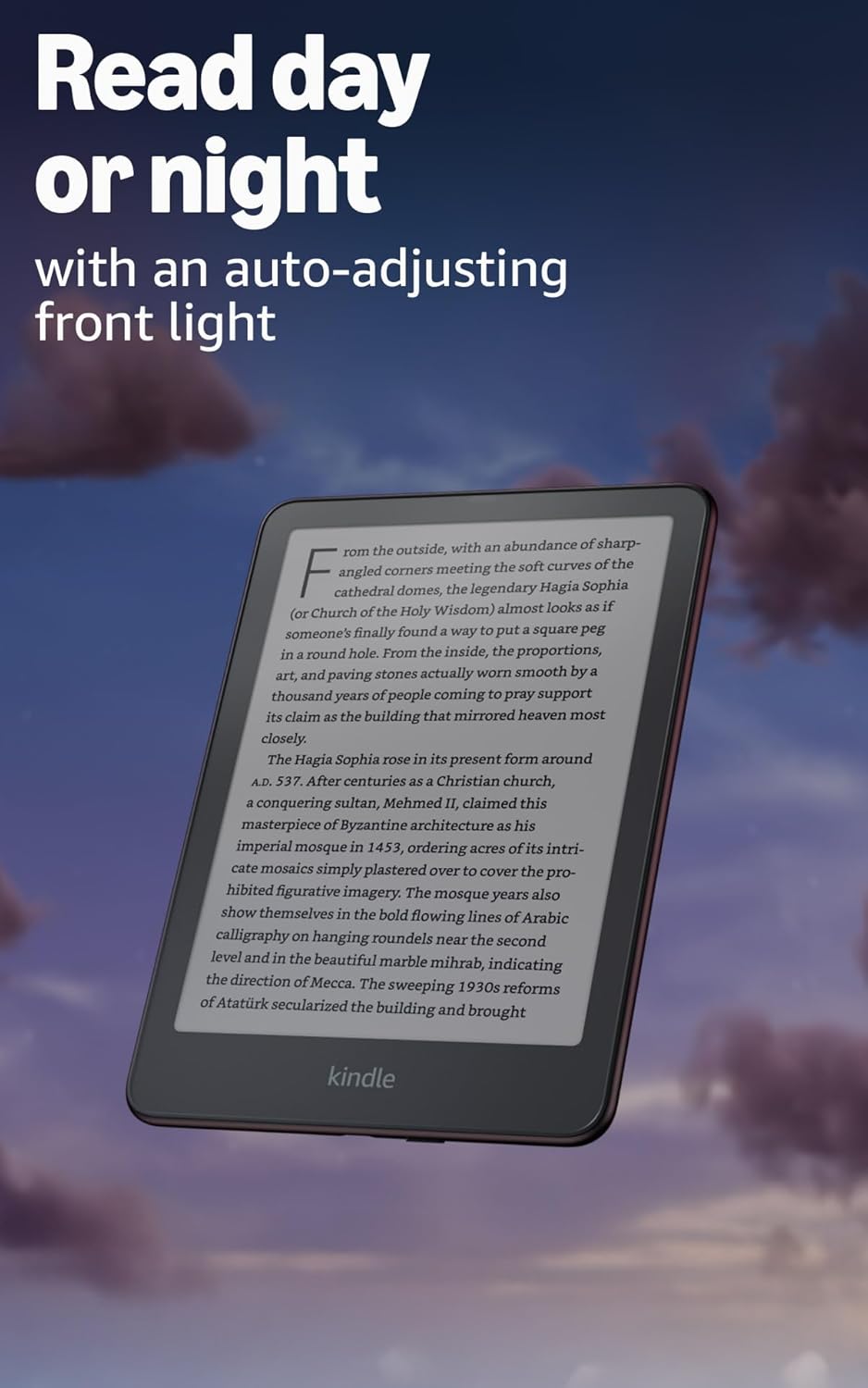
Image: Kindle Paperwhite screen illuminated in a dark room. The auto-adjusting front light allows for comfortable reading day or night.

Image: Close-up of the Kindle Paperwhite screen displaying text. Enjoy a glare-free display without distracting notifications.
2.3 Gudanar da abun ciki
Your Kindle provides access to a vast library of content.
- Kindle Store: Daga Fuskar allo, matsa Store icon to browse and purchase books.
- Laburare: All purchased content is stored in your library and can be downloaded to your device.
- Ma'ajiyar gajimare: All Amazon content is stored for free in the cloud, allowing you to access it from any compatible device.
- Tsarukan Tallafawa: Tsarin Kindle 8 (AZW3), Kindle (AZW), TXT, PDF, MOBI mara tsaro, PRC na asali; PDF, DOCX, DOC, HTML, EPUB, TXT, RTF, JPEG, GIF, PNG, BMP ta hanyar tuba; Tsarin sauti mai ji (AAX).

Image: A collage of various book covers. The Kindle Store offers access to over 15 million titles worldwide.
2.4 Littattafan Sauti
Listen to Audible audiobooks on your Kindle Paperwhite Signature Edition.
- Bluetooth: Connect Bluetooth headphones or speakers to your Kindle via the Wi-Fi & Bluetooth saituna.
- Playing Audiobooks: Download Audible audiobooks from the Kindle Store and play them through your connected Bluetooth device.
2.5 Mai hana ruwa
Your Kindle Paperwhite Signature Edition is waterproof (IPX8 rated).
- It is tested to withstand immersion in 2 meters of fresh water for 60 minutes.
- This makes it suitable for reading by the pool, in the bath, or at the beach.
- After exposure to water, ensure the USB-C port is dry before charging.
3. Kulawa
3.1 Tsabtace Na'urar ku
- Use a soft, lint-free cloth to clean the screen and body of your Kindle.
- Avoid abrasive cleaners, solvents, or aerosol sprays.
- If the device has been exposed to water, gently wipe it dry.
3.2 Kula da baturi
- To maximize battery life, avoid exposing your Kindle to extreme temperatures.
- A single charge can last up to twelve weeks, based on half an hour of reading per day with wireless off and the light setting at 13. Heavy use, especially with wireless features or audiobook streaming, will reduce battery life.
- Caji na'urar akai-akai, amma ba lallai bane a cire ta gaba ɗaya kafin a sake caji.
3.3 Sabunta software
Your Kindle will periodically receive software updates to improve performance and add new features.
- Ensure your Kindle is connected to Wi-Fi to receive automatic updates.
- You can manually check for updates by going to Saituna > Zaɓuɓɓukan Na'ura > Duba Sabuntawa.
4. Shirya matsala
4.1 Na'urar Baya Amsa
- Idan Kindle ɗinku ya daskare ko kuma bai amsa ba, danna maɓallin wuta na tsawon daƙiƙa 40 har sai na'urar ta sake farawa.
4.2 Abubuwan Haɗin Wi-Fi
- Tabbatar cewa Wi-Fi na'ura mai ba da hanya tsakanin hanyoyin sadarwa yana kunne kuma yana cikin kewayo.
- Try restarting your Kindle and your Wi-Fi router.
- Verify that you are entering the correct Wi-Fi password.
4.3 Baturi Baya Cajin
- Check that the USB-C cable is securely connected to both the Kindle and the power adapter.
- Gwada amfani da kebul na USB-C daban ko adaftar wuta.
- Ensure the USB-C port on the Kindle is clean and free of debris.
4.4 Content Not Downloading
- Verify your Wi-Fi connection is active and stable.
- Check your Amazon account for any payment issues or content restrictions.
- Ensure your device has sufficient storage space.
5. Ƙayyadaddun bayanai
| Siffar | Bayani |
|---|---|
| Nunawa | 7” Paperwhite display technology with built-in front light, 300 ppi, optimized font technology, 16-level gray scale. |
| Girman | 5" x 7" x 0.3" (127.6 x 176.7 x 7.8 mm) |
| Nauyi | 7.5 oz (214 g) |
| Ajiya Akan Na'urar | 32 GB; yana riƙe da dubban littattafai. |
| Ma'ajiyar gajimare | Ma'ajiyar girgije kyauta don duk abun ciki na Amazon. |
| Rayuwar Baturi | Up to twelve (12) weeks (based on 30 mins reading/day, wireless off, light setting 13). |
| Lokacin Caji | Kasa da awanni 2.5 tare da adaftar wutar USB na 9W. |
| Haɗin Wi-Fi | Supports 2.4 GHz and 5.0 GHz networks with WEP, WPA, WPA2, WPA3, and OWE security. |
| Abubuwan Damawa | MuryaView screen reader (Bluetooth audio, English only), dark mode, adjustable font size, font face, line spacing, and margins. |
| Ana Tallafin Tsarin abun ciki | Tsarin Kindle 8 (AZW3), Kindle (AZW), TXT, PDF, MOBI mara tsaro, PRC na asali; PDF, DOCX, DOC, HTML, EPUB, TXT, RTF, JPEG, GIF, PNG, BMP ta hanyar tuba; Tsarin sauti mai ji (AAX). |
| Mai hana ruwa ruwa | IPX8 rated (withstands immersion in 2 meters of fresh water for 60 minutes). |
| Tsari | 12th Generation (2024 saki). |
6. Garanti da Tallafawa
6.1 Bayanin Garanti
Your Kindle Paperwhite Signature Edition comes with a 1-year limited warranty and service. Extended warranty options may be available for purchase separately in some regions.
6.2 Ƙarin Taimako
Don ƙarin taimako da cikakken bayani, da fatan za a duba waɗannan albarkatun:
- Saurin Fara Jagora: Included in your product packaging.
- Kindle User Guide: Accessible on your device or via the Amazon website.
- Accessibility for Kindle: Learn more about accessibility features on the Amazon website.
- Manage Your Content and Devices: Visit your Amazon account online to manage your Kindle content and device settings.