
1. Samfurin Ya Ƙareview
The VASAGLE Custos Collection Printer Cabinet, model OFC041BE01, is a versatile storage unit designed for office and home environments. It features a modern design with clean lines, offering practical storage solutions for documents, office supplies, and a printer. This cabinet includes a spacious top surface, two open compartments, and three drawers, with one specifically designed for A4 hanging files.
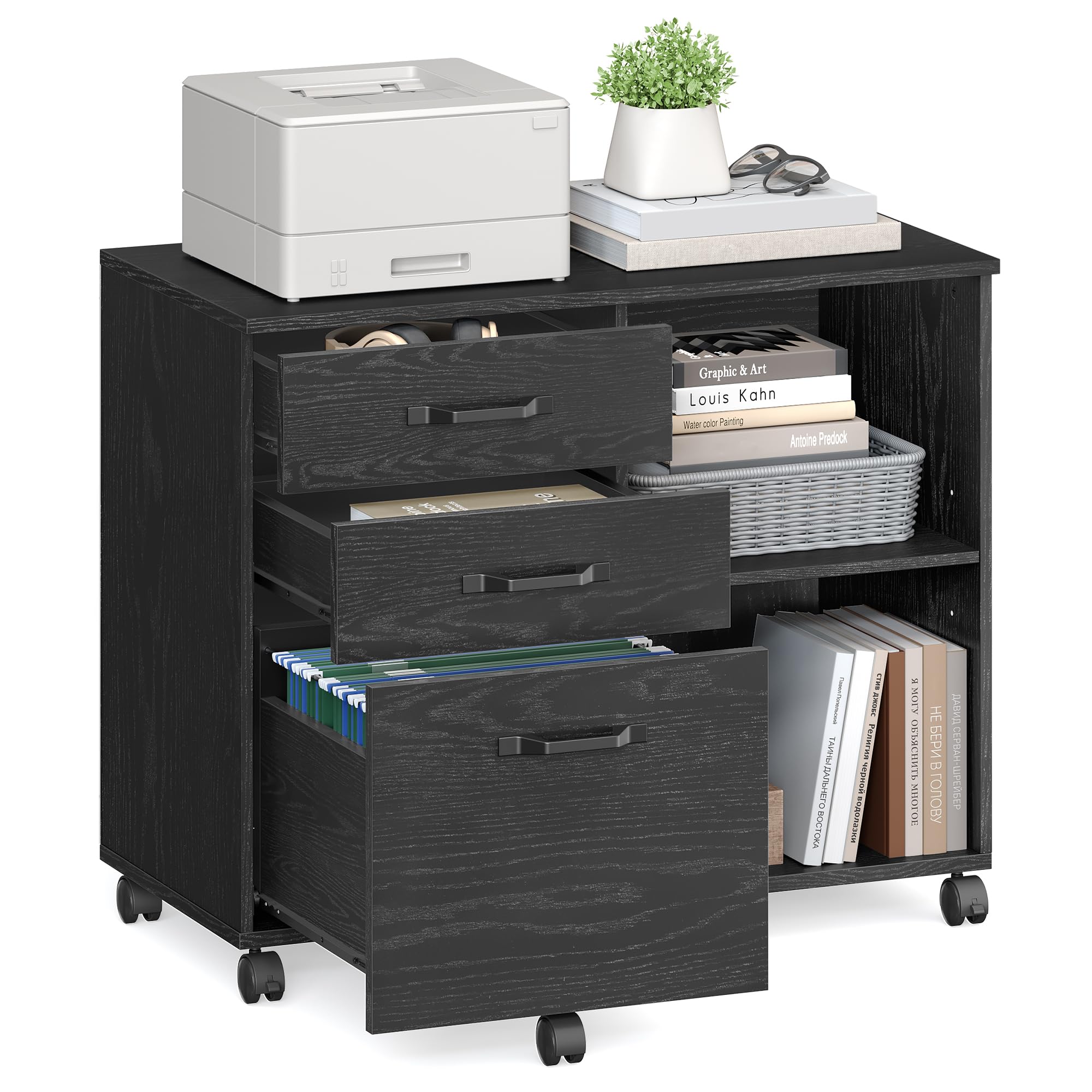
Image: The VASAGLE Custos Collection Printer Cabinet (OFC041BE01) in black wood finish, positioned next to a desk with a printer on top and files stored in the open compartments and drawers.
2. Bayanin Tsaro
Please read and adhere to the following safety guidelines to ensure safe use and prevent injury or damage to the product.
- Do not move the cabinet when it is fully loaded.
- The maximum static load capacity for this unit is 40 kg (88 lbs). Do not exceed this weight limit.
- For safety reasons, children are prohibited from climbing on this furniture and playing with it.
- Ensure the unit is stable and secure after assembly before use.
- When moving the unit, always use the wheels and maintain control to prevent tipping.
- Do not overload the unit, as this can cause instability.
- Always unplug any electrical equipment when not in use.
3. Saita da Majalisa
Assembly is required for this cabinet. Follow the provided instructions carefully. All parts are numbered for easy identification. It is recommended to assemble the unit on a soft, clean surface to prevent scratches.
Matakan Taro:
- Cire duk abubuwan da aka gyara kuma tabbatar da saɓani da lissafin sassa a cikin littafin koyarwarku.
- Identify each part using the numbered labels.
- Follow the illustrated diagrams step-by-step to connect the panels and hardware.
- When attaching screws, use a screwdriver or a drill with a low torque setting to avoid damaging the wood.
- Tabbatar cewa duk hanyoyin haɗin gwiwa suna da ƙarfi kuma amintacce kafin a ci gaba zuwa mataki na gaba.
- Install the casters as shown in the diagrams, ensuring the locking casters are placed correctly if specified.
- Once assembled, gently test the stability of the cabinet before placing items on it.

Image: An exploded diagram illustrating the various components (labeled A-O) and their assembly sequence for the printer cabinet.

Hoto: Kusanci view of the drawer slide mechanism, highlighting the smooth operation and construction.
4. Aiki da Features
Ƙarfin ajiya
The cabinet provides ample storage with its 40 x 80 cm (15.7 x 31.5 inches) top surface, two open compartments, and three drawers. The bottom drawer is equipped with an adjustable rail to accommodate A4-sized hanging files, keeping your documents organized.

Image: The printer cabinet with its three drawers and open compartments, showcasing various office supplies and A4 hanging files neatly stored.
Daidaitacce Shelf
One of the open shelves features 3 adjustable height positions. This allows you to customize the storage space by moving the shelf up or down by 6.4 cm (2.5 inches) to fit items of various sizes, from small office supplies to larger books or binders.

Hoto: cikakken bayani view of the adjustable shelf, demonstrating how it can be repositioned to three different heights to accommodate various item sizes.
Motsi da Kwanciyar hankali
The cabinet is equipped with five 360° swivel casters, two of which are lockable. This design allows for easy movement of the unit when needed and secure positioning when stationary. A fifth caster located under the bottom drawer provides additional stability, especially when the drawer is extended and loaded.
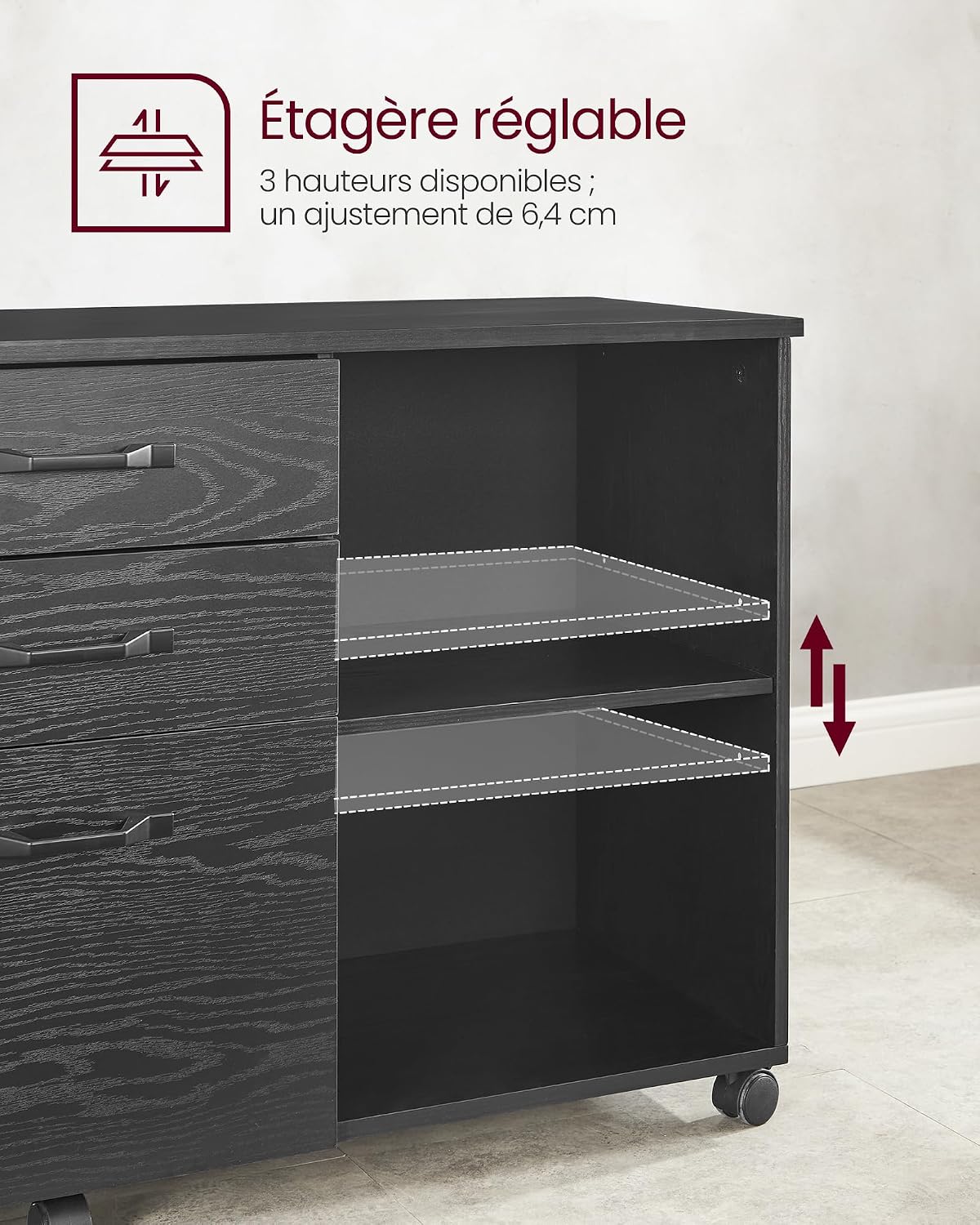
Image: An illustration detailing the five swivel casters, highlighting the two lockable wheels and the fifth support caster for enhanced stability.
5. Kulawa da Kulawa
To maintain the appearance and longevity of your VASAGLE printer cabinet, follow these simple care instructions:
- Shafa da busasshiyar kyalle don cire kura da datti.
- Avoid using harsh chemicals or abrasive cleaners, as these can damage the finish.
- Protect the surface from excessive moisture and direct heat.
- Bincika lokaci-lokaci duk skru da haɗin haɗin gwiwa don tabbatar da cewa sun kasance m. Saka idan ya cancanta.
6. Shirya matsala
This section addresses common issues you might encounter with your printer cabinet. If you experience problems not listed here, please refer to the customer support section.
Issue: Cabinet is unstable or wobbly.
- Magani: Ensure all screws and fasteners are securely tightened. Check that the cabinet is on a level surface. If the floor is uneven, adjust the casters or place shims underneath to stabilize.
Mas'ala: Drawers ba sa zamewa sumul.
- Magani: Verify that the drawer slides are correctly installed and aligned. Ensure no debris is obstructing the tracks. Avoid overloading the drawers beyond their capacity.
Issue: Missing parts during assembly.
- Magani: Double-check all packaging materials. If parts are genuinely missing, contact VASAGLE customer support with your product model and a list of missing components.
7. Ƙayyadaddun samfur
| Siffar | Daki-daki |
|---|---|
| Alamar | VASAGLE |
| Lambar Samfura | OFC041BE01 (UPC: 194343196466) |
| Launi | Bakar itace |
| Kayan abu | Engineered Wood, Metal (handles, frame) |
| Gabaɗaya Girma (D x W x H) | 40 cm x 80 cm x 66 cm (15.7" x 31.5" x 26") |
| Nauyin Abu | Kilogram 22.2 (48.9 lbs) |
| Matsakaicin Ƙarfin Load Mai Tsaye | 40 kg (88 lbs) |
| Yawan Drawers | 3 |
| Yawan Buɗe Rukunin | 2 |
| Siffofin Musamman | 360° Swivel Casters (2 lockable), Adjustable Shelf, A4 File Rataye Rail |
| Umarnin Kulawa | Shafa tare da bushe zane |

Image: A diagram illustrating the precise dimensions of the printer cabinet, including the overall height, width, depth, and internal measurements of drawers and open compartments.
8. Garanti da Abokin ciniki Support
Specific warranty details for the VASAGLE Custos Collection Printer Cabinet (OFC041BE01) are not provided in this manual. For information regarding warranty coverage, claims, or technical support, please contact the manufacturer directly through their official webshafin ko dillalin da kuka sayi samfurin daga wurinsa.
When contacting support, please have your model number (OFC041BE01) and purchase details readily available.