
1. Gabatarwa
This manual provides comprehensive instructions for the SUPVAN KATASYMBOL T50M Pro/T50M Plus thermal label tapes. These self-adhesive labels are designed to offer a durable and versatile labeling solution for various applications in home, office, and school environments when used with compatible SUPVAN label makers.
2. Daidaituwa
These label tapes are specifically designed for seamless integration and optimal performance with SUPVAN KATASYMBOL T50M Pro and T50M Plus label makers.
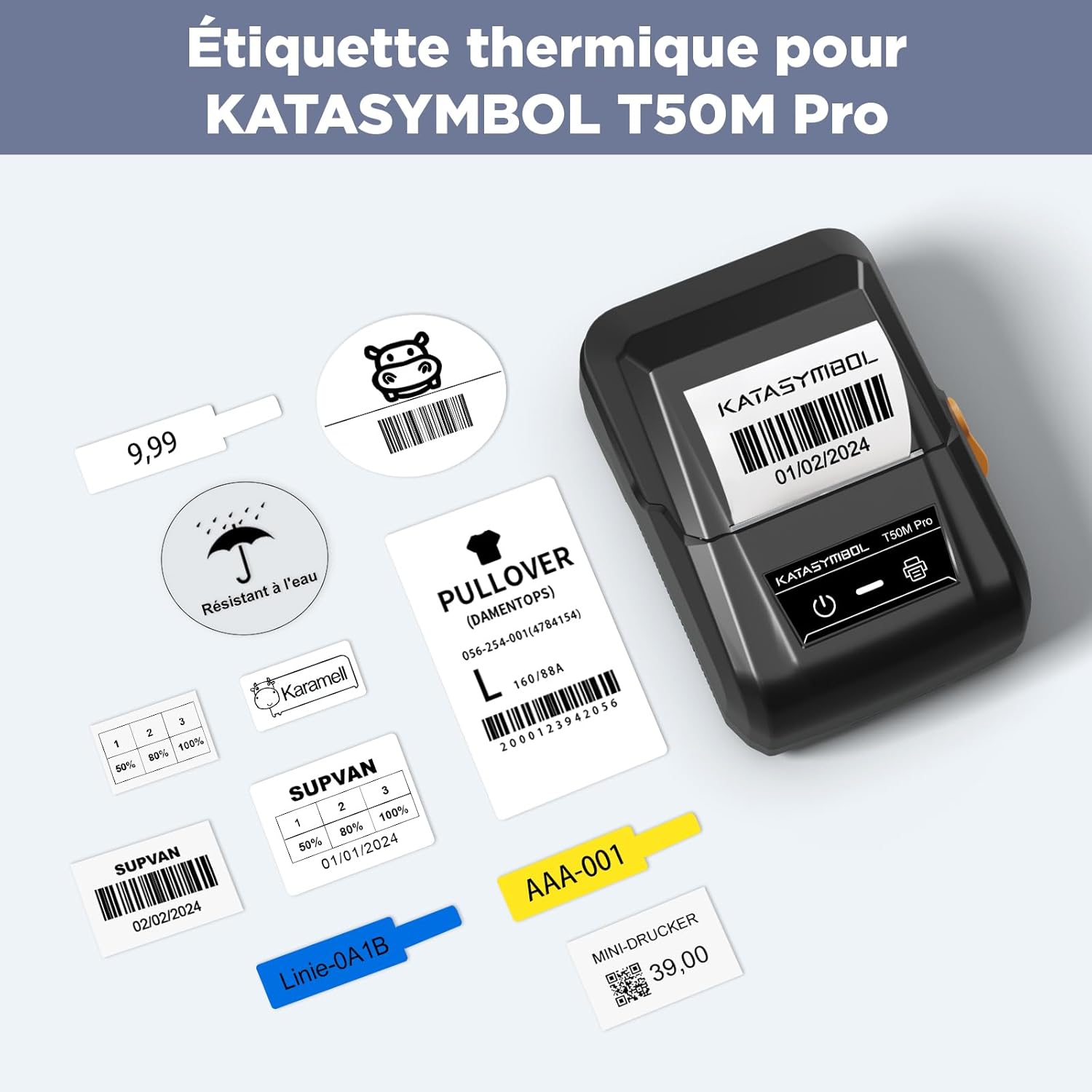
Image: The SUPVAN KATASYMBOL T50M Pro label printer demonstrating various printed labels, including barcodes, dates, and text, showcasing the versatility of the label tapes.
3. Mabuɗin Siffofin
3.1. Dorewa
- Multi-layer Synthetic Material: Constructed from high-quality synthetic material for enhanced resilience.
- Tsawon Rayuwa: Engineered for a service life exceeding 5 years under normal conditions.
- Waterproof and Oil-Resistant: Provides protection against moisture and oil, ensuring label integrity.
- Ƙarfin mannewa: Features robust adhesive properties for secure attachment to various surfaces.
- Juriya na Zazzabi: Maintains performance across a wide range of high and low temperatures.

Image: A hand washing a glass bottle with a label attached, illustrating the label's water-resistant properties as water beads off the surface.
3.2. Aikace-aikace iri-iri
- Suitable for a broad range of uses in home, office, and school settings.
- Meets safety standards for baby products, making them safe for labeling food, cosmetics, and household items.
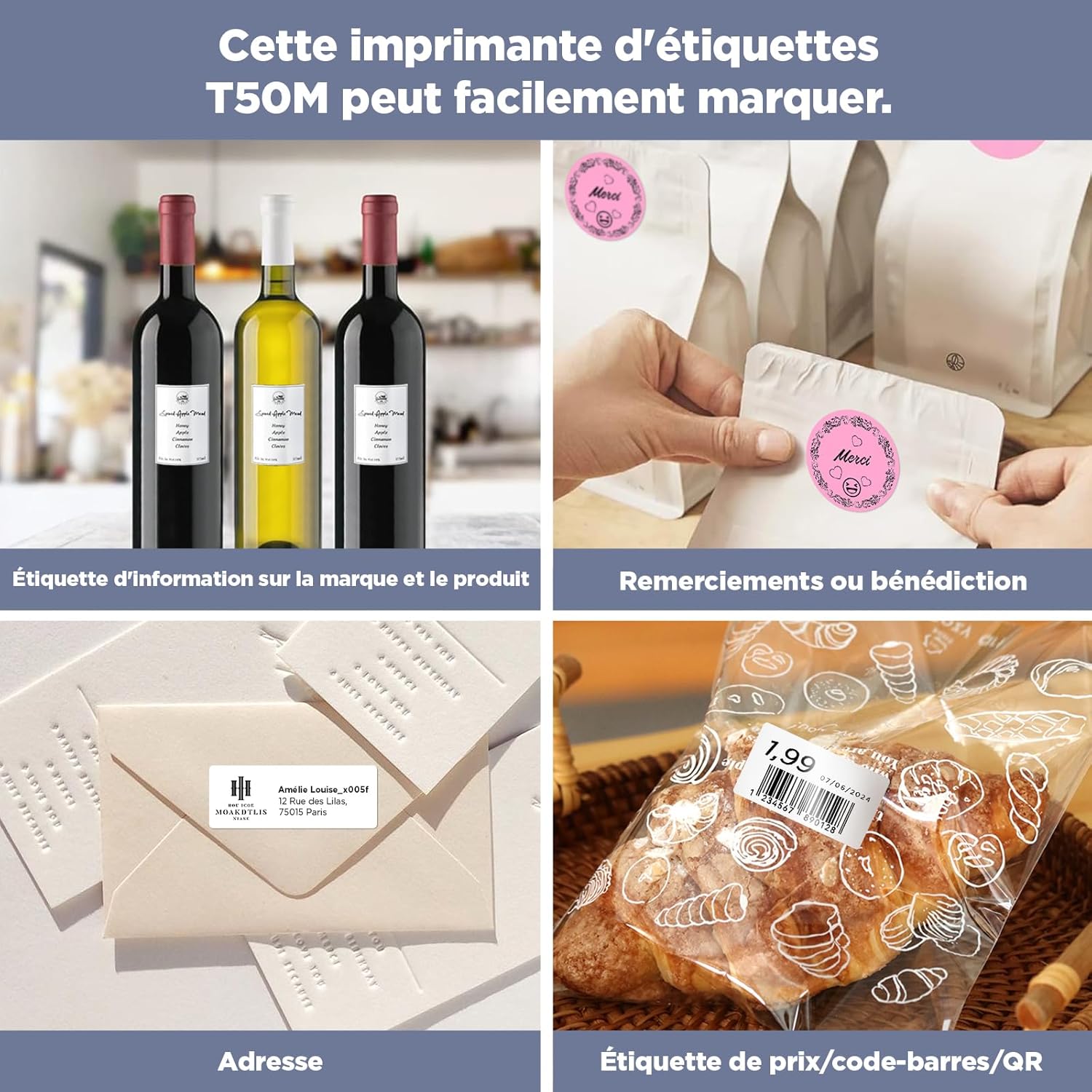
Hoto: Nunin haɗin gwiwaasing diverse applications of the labels, such as product information on wine bottles, 'Thank You' labels on gift bags, address labels on envelopes, and price/barcode labels on baked goods.

Image: A collage illustrating practical uses in home and office, including labels for spice jars, organized cable labels, categorized book tabs, and personalized decorative labels.
3.3. Cost-Effectiveness
- Utilizes thermal printing technology, eliminating the need for costly ink or toner cartridges.
- Ensures high print clarity while significantly reducing overall operational costs.
3.4. Ease of Use
- The dedicated "Katasymbol" application automatically identifies the label type and size upon insertion.
- Offers a rich library of over 150 templates, 40+ fonts, and 700+ icons for extensive customization.
- Muhimmiyar Bayani: Do not remove the sticker located on the back of the label roll. The application relies on this smart chip sticker for automatic identification and proper functionality.

Image: A hand gently peeling a label from a glass jar, demonstrating that the label can be removed cleanly without leaving any sticky residue behind.
4. Saita da Shigarwa
4.1. Loading the Label Tape
- Open the label maker's cover according to the specific instructions provided in your label printer's user manual.
- Insert the SUPVAN KATASYMBOL label tape roll into the designated compartment. Ensure that the print side of the label tape is correctly oriented as indicated by your label maker.
- Rufe murfin amintacce har sai ya danna wurin.
- Verify that the label tape is properly aligned and ready for printing.

Image: A roll of white label tape, with a single 'Thank you' label partially unrolled, illustrating the product's appearance before installation.
5. Umarnin Aiki
5.1. Using the Katasymbol Application
- Download and install the "Katasymbol" application on your smartphone or tablet from your device's app store.
- Connect your SUPVAN label maker to the application via Bluetooth, following the pairing instructions in the app.
- Once connected, the application will automatically detect the installed label tape (28 mm x 89 mm) using its smart chip.
- Select a pre-designed template or create a custom label using the extensive library of fonts, icons, and design tools.
- Enter your desired text, numbers, or other data into the label design interface.
- Preview the label on your screen to ensure the design and content are accurate before printing.
- Initiate the printing process directly from the application.
For detailed instructions on specific app features, advanced customization options, or troubleshooting app-related issues, please refer to the Katasymbol app's in-app help section or the label maker's comprehensive user manual.
6. Kulawa da Kulawa
To ensure the optimal performance, print quality, and longevity of your SUPVAN KATASYMBOL label tapes, please adhere to the following care and maintenance guidelines:
- Ajiya: Store unused label rolls in a cool, dry place, away from direct sunlight, high humidity, and extreme temperatures. Proper storage prevents adhesive degradation and print quality issues.
- Gudanarwa: Handle label rolls by their edges to avoid touching the adhesive surface or the thermal print surface, which can lead to smudges or reduced adhesion.
- Bayyanar Sinadarai: Avoid exposing the labels to harsh chemicals, solvents, or abrasive cleaning materials, as these can damage the label material or print.
- Smart Chip Integrity: As mentioned in the features section, do not attempt to remove or damage the smart chip sticker on the back of the label roll, as it is crucial for printer recognition.
7. Shirya matsala
7.1. Matsalolin gama gari da Mafita
| Batu | Dalili mai yiwuwa | Magani |
|---|---|---|
| Label not printing | Incorrect tape loading, low battery (printer), app not connected, smart chip not detected. | Re-load tape correctly, ensure printer is charged, verify Bluetooth connection, check smart chip sticker. |
| Rashin ingancin bugawa | Dirty print head (printer), damaged tape, incorrect print density settings. | Clean printer print head (refer to printer manual), replace tape roll, adjust print density in app. |
| App not detecting tape | Smart chip sticker removed or damaged, tape not fully inserted. | Ensure smart chip sticker is intact on the back of the roll. Reinsert tape fully. Replace roll if damaged. |
| Labels not adhering properly | Application surface is dirty, oily, or textured; extreme temperatures during application. | Clean and dry the surface thoroughly before application. Apply labels in suitable room temperature conditions. |
For further assistance or issues not covered here, please contact SUPVAN customer support or refer to your label maker's user manual.
8. Ƙayyadaddun samfur
| Siffar | Daki-daki |
|---|---|
| Alamar | SUPVAN |
| Dacewar Samfura | SUPVAN KATASYMBOL T50M Pro/T50M Plus |
| Alamar Girma | 28 mm x 89 mm |
| Labels per Roll | 90 Yankuna |
| Launi | Black print on White tape |
| Nau'in Abu | Na roba |
| Adhesion | Mai ƙarfi |
| Juriya | Waterproof, Oil-resistant, Temperature-resistant |
| Siffofin Musamman | BPA-free, No sticky residue upon removal |
| Lambar Samfuran Mai ƙira | T53145E |
| Nauyin Abu | 50g ku |
| Girman samfur (L x W x H) | 3 x 5 x 3 cm |

Image: A diagram illustrating the label dimensions of 28 mm x 89 mm and highlighting key features such as water resistance, oil resistance, BPA-free composition, and scratch resistance.
9. Garanti da Tallafawa
For detailed warranty information, terms and conditions, or to access customer support, please refer to the official SUPVAN website or contact your authorized retailer. It is recommended to retain your purchase receipt for any warranty claims or service requests.
Official SUPVAN Website: SUPVAN Brand Store


