
1. Gabatarwa
Thank you for choosing the EasySMX T37 Wireless Switch Pro Controller. This manual provides detailed instructions for setting up, operating, maintaining, and troubleshooting your controller. Please read this manual carefully before use to ensure optimal performance and longevity of your device. This controller is compatible with Nintendo Switch, Switch Lite, and Switch OLED consoles.
2. Samfurin Ya Ƙareview
The EasySMX T37 is a wireless gamepad designed for an enhanced gaming experience on Nintendo Switch systems. It features an ergonomic design, dual turbo vibration, and 6-axis gyro motion control.

Hoto 2.1: Gaba view of the EasySMX T37 Wireless Switch Pro Controller, showcasing siffarsa ta ergonomic da tsarin maɓalli.
3. Saita
3.1 Haɗawa da Nintendo Switch
- Kunna na'urar wasan bidiyo ta Nintendo Switch.
- Daga cikin HOME Menu, zaɓi Masu sarrafawa > Canja Riko/Oda.
- On the EasySMX T37 controller, press and hold the Maɓallin SYNC (located on the top edge of the controller) for 3 seconds until the LED indicators start flashing rapidly.
- Once the controller is successfully paired, the player LED(s) on the bottom of the controller will light up solid.
3.2 Cajin Mai Gudanarwa
Connect the provided USB-C charging cable to the USB-C port on the controller and the other end to a USB power source (e.g., Switch dock, USB wall adapter, computer USB port). The LED indicators will show charging status and turn off when fully charged.
4. Umarnin Aiki
4.1 Abubuwan Gudanarwa na asali
The controller features standard button layouts for Nintendo Switch compatibility:
- Maɓallan A/B/X/Y: Maɓallan ayyuka.
- D-Pad: Shigar da jagora.
- Sandunan Analog na Hagu/Dama: Movement and camera control.
- Maɓallan L/R/ZL/ZR: Shoulder and trigger buttons.
- Maballin GIDA: Returns to the Switch HOME Menu.
- CAPTURE Button: Takes screenshots.
- PLUS (+) / MINUS (-) Buttons: Start/Select functions.

Image 4.1: A user holding the EasySMX T37 controller, demonstrating the comfortable grip and accessible button placement during gameplay.
4.2 Turbo Aiki
The Turbo function allows for rapid, automatic pressing of a button, useful in action or arcade games.
- Kunna Turbo: Press and hold the desired action button (A/B/X/Y/L/R/ZL/ZR), then press the Maballin Turbo (T button). The button will now auto-fire.
- Daidaita Gudun Turbo: Yayin rike da Maballin Turbo, matsar da Right Analog Stick Up or Down to cycle through three speeds: 5 shots/s, 12 shots/s, and 20 shots/s.
- Kashe Turbo: Repeat the activation step (hold the action button, then press the Turbo button) or press and hold the Maballin Turbo for 5 seconds to clear all Turbo settings.
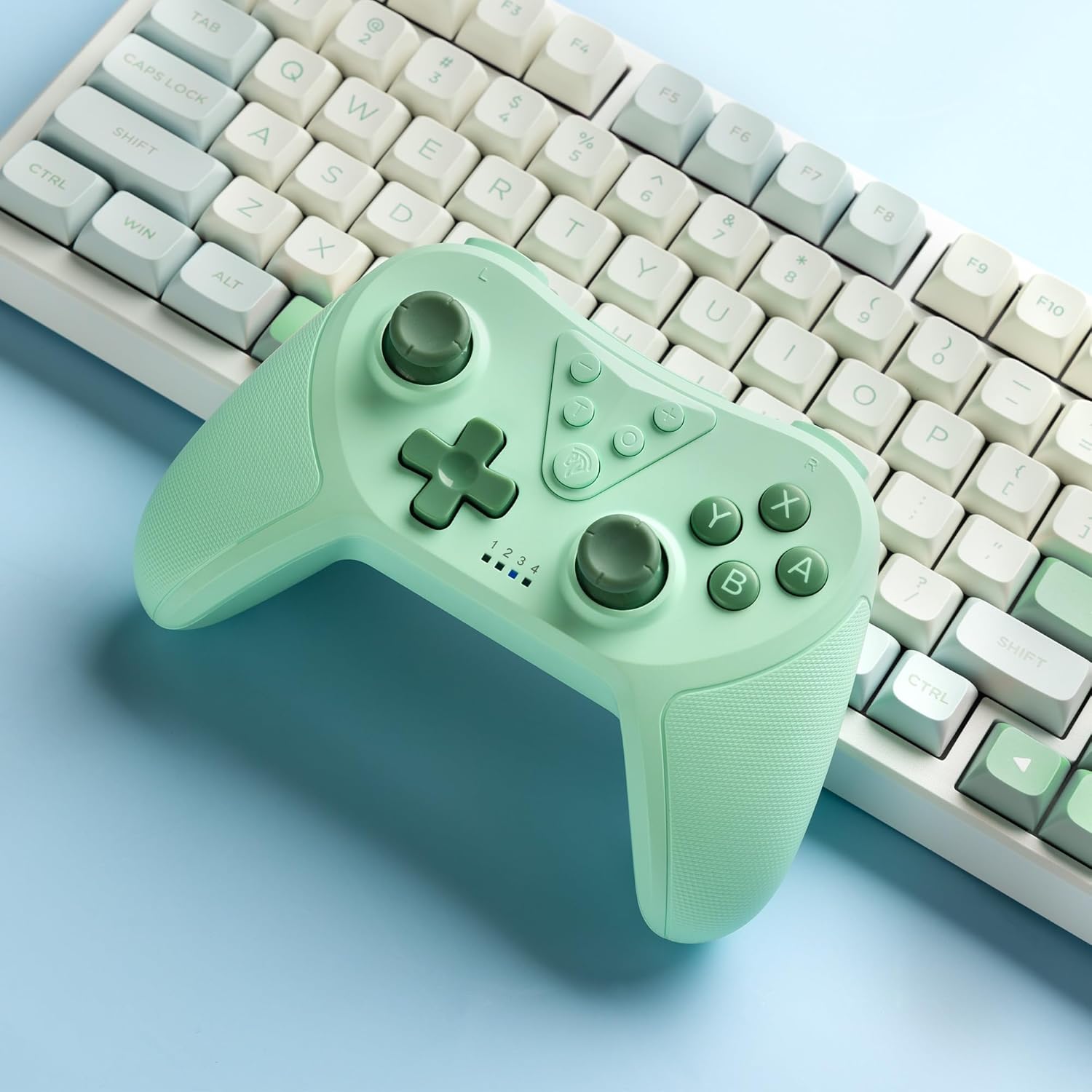
Image 4.2: Illustration of the Turbo function on the EasySMX T37 controller, showing the three adjustable speeds: 5, 12, and 20 shots per second.
4.3 Gyaran Jijjiga
The controller features dual motors for adjustable vibration feedback, enhancing immersion in games.
- Daidaita Ƙarfin Jijjiga: Latsa ka riƙe Maballin Turbo, sannan matsar da Left Analog Stick Up or Down to cycle through four vibration levels: 0% (off), 30%, 70%, and 100%.

Image 4.3: Visual representation of the Dual Vibration feature on the EasySMX T37 controller, indicating four intensity levels from 0% to 100%.
4.4 Ikon Motsi na Gyro na Axis 6
The built-in 6-axis gyroscope provides precise motion sensing, allowing for intuitive control in games that support motion input.

Image 4.4: Illustration depicting the 6-Axis Gyro Motion Control feature of the EasySMX T37 controller, showing how it interacts with a game on the Nintendo Switch screen.
5. Kulawa
- Tsaftacewa: Yi amfani da laushi, bushe bushe don tsaftace mai sarrafawa. Ka guji yin amfani da sinadarai masu tsauri ko kayan shafa.
- Ajiya: Ajiye mai sarrafawa a wuri mai sanyi, busasshiyar nesa da hasken rana kai tsaye da matsanancin zafi.
- Kulawar Baturi: Don tsawaita rayuwar baturi, kauce wa cikakken cajin mai sarrafawa akai-akai. Yi cajin shi akai-akai, ko da ba a amfani da shi na tsawan lokaci ba.
- Guji Sauki: Kare mai sarrafawa daga faɗuwa da tasirin, wanda zai iya lalata abubuwan ciki.
6. Shirya matsala
6.1 Mai Kulawa Ba Ya Haɗawa
- Tabbatar an caje mai sarrafawa.
- Verify the Switch console is updated to the latest system version.
- Try re-pairing the controller by following the steps in Section 3.1.
- If issues persist, try resetting the controller by inserting a thin object into the small reset hole (if present, usually on the back) for a few seconds.
6.2 Buttons Unresponsive or Lagging
- Tabbatar da cikakken cajin mai sarrafawa.
- Move closer to the Switch console to ensure a strong wireless connection.
- Duba ko akwai wani cikas ko tarkace a kusa da maɓallan.
- Re-pair the controller.
6.3 Mai Kulawa Ba Ya Caji
- Tabbatar cewa kebul na USB-C yana da haɗin da ya dace da na'urar sarrafawa da kuma tushen wutar lantarki.
- Gwada amfani da kebul na USB-C daban ko adaftar wuta.
- Ensure the power source is functional.
7. Ƙayyadaddun bayanai
- Samfura: Saukewa: T37
- Haɗin kai: Mara waya (Bluetooth)
- Daidaituwa: Nintendo Switch, Canja Lite, Canja OLED
- Siffofin: Dual Turbo Function, Adjustable Vibration, 6-Axis Gyro Motion Control, Ergonomic Design
- Product Identifier (ASIN): B0CTTWN84L
8. Garanti da Tallafawa
For warranty information, technical support, or further assistance, please refer to the official EasySMX website ko tuntuɓi tallafin abokin ciniki kai tsaye. Ajiye rasidin sayan ku don da'awar garanti.