
Gabatarwa
Thank you for choosing the Visual Land Soundwave A1 Active Noise Cancelling Earbuds. These earbuds are designed to provide a high-quality audio experience with advanced features such as active noise cancellation, long battery life, and a water-resistant design. This manual provides detailed instructions on how to set up, operate, and maintain your Soundwave A1 earbuds.
Abubuwan Kunshin
Da fatan za a duba kunshin don abubuwa masu zuwa:
- Visual Land Soundwave A1 Earbuds (Left and Right)
- Cajin Cajin
- USB-C Cajin Cable
- Additional Ear Tip Sizes (Small, Medium, Large)
- Jagorar mai amfani (wannan takaddar)
Samfurin Ƙarsheview
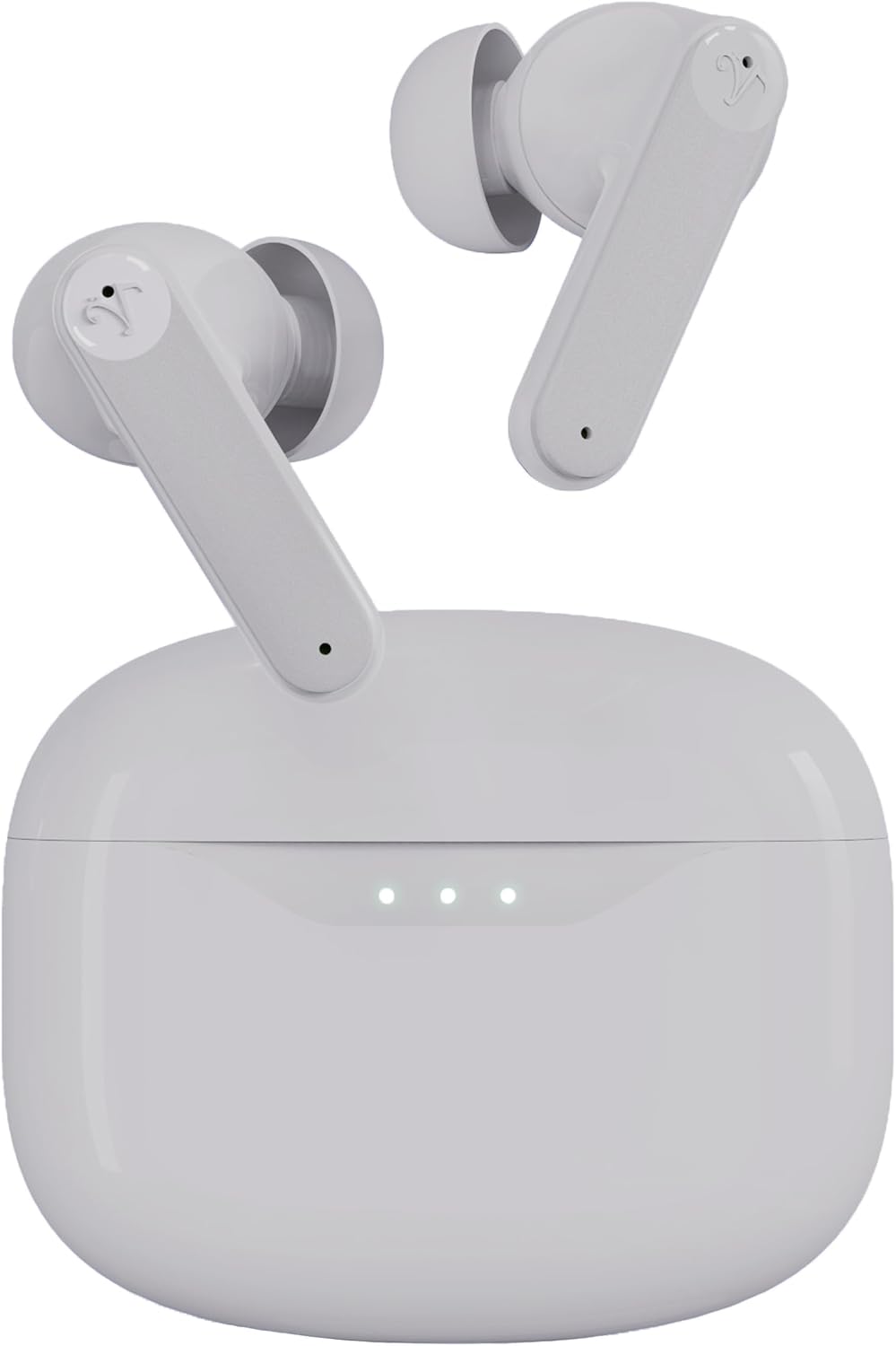


Saita
1. Cajin Kayan kunne da Case
Before first use, fully charge the earbuds and charging case. Place the earbuds into the charging case and close the lid. Connect the USB-C charging cable to the charging port on the case and plug the other end into a USB power adapter (not included).
- Fitilar fitilun kan cajin cajin zai nuna halin caji.
- A full charge takes approximately 1.5 hours for the case and earbuds.
- Saurin Caji: 15 minutes of charging provides up to 5 hours of playtime.
- Total playtime with the charging case is up to 40 hours.
2. Zaɓar Nasihohin Kunnuwa
The Soundwave A1 earbuds come with three sizes of ear tips (Small, Medium, Large). Choose the size that provides the most secure and comfortable fit for optimal sound quality and noise cancellation performance.
- A hankali a cire ƙusoshin kunnen da aka riga aka shigar.
- Select a new pair of ear tips and push them onto the earbud nozzle until they are securely attached.
3. Haɗawa da Na'urar Bluetooth
The earbuds will automatically enter pairing mode when first removed from the charging case.
- Open the charging case. The earbuds will power on and enter pairing mode (indicator lights will flash).
- A kan na'urarka (wayar hannu, kwamfutar hannu, da sauransu), je zuwa saitunan Bluetooth.
- Bincika available devices and select "Visual Land Soundwave A1".
- Once connected, the earbud indicator lights will stop flashing, and you will hear a confirmation tone.
- Don amfani na gaba, belun kunne za su haɗa kai tsaye zuwa na'urar da aka haɗa ta ƙarshe lokacin da aka cire su daga harka.
Umarnin Aiki
Kunna/Kashe Wuta
- Kunna Wuta: Open the charging case, or long-press the touch control area on both earbuds for 3 seconds.
- Kashe Wuta: Place the earbuds back into the charging case and close the lid, or long-press the touch control area on both earbuds for 5 seconds.
Hannun Canjin Harutun Aiki (ANC).
The Soundwave A1 features 6-microphone Active Noise Cancellation with multiple modes:
- ANC Na: Yana rage hayaniyar yanayi don ƙwarewar sauraro mai nitsewa.
- Yanayin Fassara: Allows you to hear your surroundings while still enjoying your audio, enhancing awareness.
- ANC Kashe: Standard audio mode without noise cancellation or transparency.
Don canza yanayin: Tap and hold the touch control area on either earbud for 2 seconds to cycle through ANC On, Transparency Mode, and ANC Off.
Gudanar da taɓawa
The touch-sensitive area on each earbud allows for easy control of music and calls.
| Aiki | Aiki |
|---|---|
| Kunna/Dakata Kiɗa | Matsa guda ɗaya akan ko wane belun kunne |
| Waƙa ta gaba | Matsa sau biyu akan belun kunne na dama |
| Waƙar da ta gabata | Matsa sau biyu akan belun kunne na hagu |
| Ƙara girma | Matsa sau uku akan belun kunne na dama |
| Saukar da ƙara | Matsa sau uku akan belun kunne na hagu |
| Amsa/Ƙarshen Kira | Matsa guda ɗaya akan ko wane belun kunne |
| Karɓi Kira | Tap and hold on either earbud for 2 seconds |
| Kunna Mataimakin Murya | Tap and hold on either earbud for 3 seconds (when not on a call) |
| Canja Yanayin ANC | Tap and hold on either earbud for 2 seconds |
Kulawa
- Tsaftacewa: A kai a kai tsaftace belun kunne da akwati na caji tare da laushi, bushe, yadi mara lint. Kada a yi amfani da sinadarai masu tsauri ko abubuwan da za su lalata.
- Tukwici Kunne: Cire gefen kunnen kuma a tsaftace su da ruwa da sabulu mai laushi idan ya cancanta. A tabbatar sun bushe gaba ɗaya kafin a sake haɗa su.
- Lambobin Cajin: Ensure the charging contacts on both the earbuds and the case are clean and free of debris to ensure proper charging.
- Juriya na Ruwa: The earbuds are IPX5 water-resistant, meaning they can withstand splashes and sweat. Do not submerge them in water or expose them to strong jets of water. Dry them thoroughly after exposure to moisture.
- Ajiya: Lokacin da ba a amfani da su, adana belun kunne a cikin cajin cajin su don kare su da kiyaye su caji. Ajiye a wuri mai sanyi, busasshiyar nesa da matsanancin zafi.
Shirya matsala
| Matsala | Magani mai yiwuwa |
|---|---|
| Kunnen kunne ba sa haɗawa |
|
| Babu sauti daga belun kunne guda ɗaya |
|
| Cajin caji baya caji |
|
| Poor sound quality or weak ANC |
|
Ƙayyadaddun bayanai
| Siffar | Daki-daki |
|---|---|
| Sunan Samfura | SOUNDWAVE A1 V2 |
| Fasahar Haɗuwa | Bluetooth 5.3, Mara waya |
| Sarrafa amo | Sake Sauti mai Amo (ANC) |
| Microphones | 6-mic system |
| Matsayin Juriya na Ruwa | IPX5 (Ruwan Resistant) |
| Jimlar lokacin wasa (tare da harka) | Har zuwa Awanni 40 |
| Saurin Caji | 15 minutes charge for up to 5 hours playtime |
| Hanyar sarrafawa | Gudanar da taɓawa |
| Girman Ƙunƙwasa | Karami, Matsakaici, Babba |
| Cajin Port | USB-C |
| Ƙarfin Batir Case | 500 mAh |
| Nauyin Abu | 2 Ounces (total) |
| Kayan abu | Filastik |
| Na'urori masu jituwa | iOS and Android devices with Bluetooth support |
Bayanin Tsaro
Please read and follow these safety guidelines to ensure safe operation and prolong the lifespan of your earbuds:
- Do not expose earbuds to extreme temperatures, humidity, or corrosive environments.
- Guji faduwa, tasiri, ko tarwatsa na'urar.
- Do not use unauthorized chargers or cables.
- A guji saurare a babban juzu'i na tsawon lokaci don hana lalacewar ji.
- Use caution when using earbuds in situations requiring awareness of your surroundings (e.g., driving, cycling).
- Ka kiyaye yara da dabbobin da ba za su iya isa ba.
Garanti da Taimako
Visual Land products are designed for reliability and performance. For warranty information, technical support, or customer service inquiries, please refer to the official Visual Land webshafin yanar gizo ko tuntuɓi tallafin abokin ciniki kai tsaye. Da fatan za a riƙe shaidar siyan ku don da'awar garanti.
Don ƙarin taimako, ziyarci: Visual Land Store on Amazon