
1. Gabatarwa
Thank you for choosing the CHiQ 22F650 22-inch FHD Monitor. This manual provides essential information for setting up, operating, and maintaining your monitor. Please read it thoroughly before use to ensure optimal performance and safety.
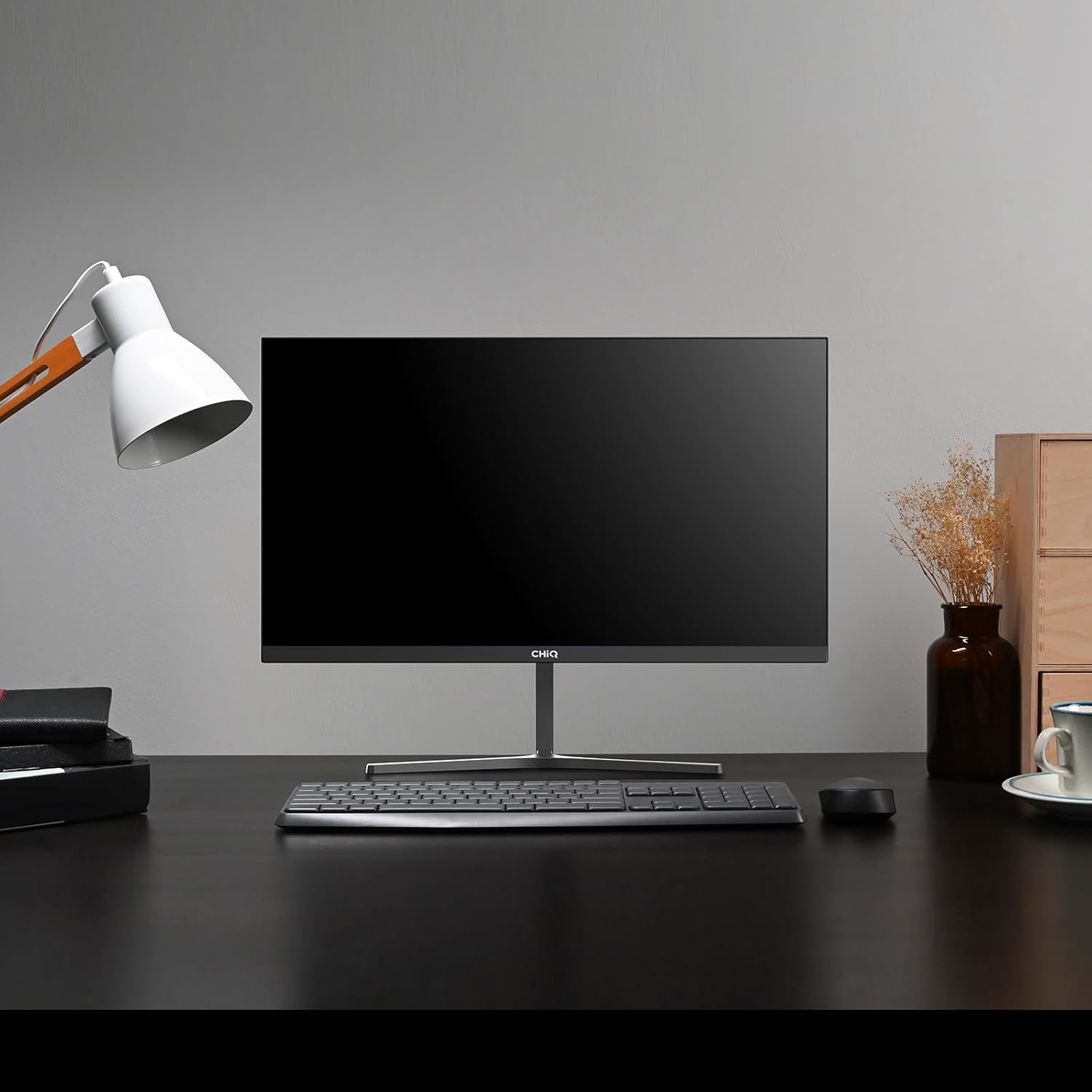
Image 1.1: The CHiQ 22F650 monitor set up on a desk.
The CHiQ 22F650 monitor features a 22-inch Full HD (1920 x 1080) display with a 100Hz refresh rate and AMD FreeSync technology for smooth visuals. Its ultra-thin, borderless design offers an immersive viewing experience, complemented by 100% sRGB color gamut and DC dimming for eye comfort.
2. Bayanin Tsaro
Please observe the following safety precautions to prevent damage to the monitor and ensure your safety:
- Kada a fallasa na'urar hangen nesa ga ruwan sama, danshi, ko yanayin zafi mai tsanani.
- Tabbatar da samun iska mai kyau a kusa da na'ura. Kar a toshe buɗewar samun iska.
- Use only the power adapter and cables provided or recommended by the manufacturer.
- Ka guji sanya abubuwa masu nauyi akan igiyar wutar lantarki.
- Cire haɗin wutar lantarki daga wurin fitarwa idan ba za a yi amfani da na'urar ba na tsawon lokaci.
- Kada ka yi ƙoƙarin gyara na'urar duba da kanka. Ka miƙa duk wani gyara ga ma'aikata masu ƙwarewa.
3. Abubuwan Kunshin
Tabbatar cewa duk abubuwa suna nan a cikin kunshin ku:
- CHiQ 22F650 Monitor
- Tsayawar Saka idanu (Base da wuya)
- Adaftar Wuta da Cable
- HDMI Cable
- Jagorar mai amfani (wannan takaddar)
4. Majalisa da Saita
4.1 Haɗa Tsaya
- A hankali a cire allon daga cikin marufinsa, a kiyaye allon a kare shi.
- Haɗa wuyan tsayawa zuwa panel mai saka idanu.
- Secure the stand base to the stand neck using the provided screw.
The monitor features a quick detachable Y-shaped metal stand for easy assembly.
4.2 Haɗa Mai Kulawa
Connect the monitor to your computer or other devices using the available ports:
- HDMI: Haɗa kebul na HDMI daga fitowar HDMI ta kwamfutarka zuwa shigarwar HDMI ta na'urar saka idanu.
- VGA: Haɗa kebul na VGA daga fitowar VGA ta kwamfutarka zuwa shigarwar VGA ta na'urar saka idanu.
- Audio: Connect headphones or external speakers to the 3.5mm headphone output jack.
- Ƙarfi: Haɗa adaftar wutar lantarki zuwa shigarwar DC ta na'urar duba sannan a haɗa shi da tashar wutar lantarki.

Image 4.1: Monitor connectivity ports (HDMI, VGA, Headphone Output).
4.3 Adjusting the Monitor Angle
The monitor's stand allows for tilt adjustment from +5° to -15° to achieve an optimal viewkusurwa.

Image 4.2: Monitor tilt adjustment and VESA mount points.
4.4 Shigar da Bango na VESA
The monitor is compatible with VESA 75x75mm wall mounts. To mount the monitor on a wall, remove the stand and attach a compatible VESA bracket (sold separately) to the mounting holes on the back of the monitor.
5. Umarnin Aiki
5.1 Kunnawa / Kashewa
Danna maɓallin wuta da ke bayan na'urar don kunna shi ko kashe shi.
5.2 Nuni akan allo (OSD) Menu
The monitor features joystick-type buttons on the rear for navigating the OSD menu. Use these buttons to adjust various display settings:
- Haske/Bambanta: Daidaita haske da bambanci tsakanin wurare masu haske da duhu.
- Saitunan Launi: Gyara yanayin zafin launi, gamma, da ƙimar RGB ɗaya.
- Tushen shigarwa: Manually select between HDMI and VGA inputs.
- Yanayin Hoto: Choose from preset display modes (e.g., Standard, Game, Movie).
- Audio: Adjust volume for the headphone output.

Image 5.1: Visual features of the CHiQ 22F650 monitor, including 100% sRGB and DC Dimming.
5.3 Fasaha ta FreeSync
The CHiQ 22F650 monitor supports AMD FreeSync technology, which synchronizes the monitor's refresh rate with your graphics card's frame rate. This helps eliminate screen tearing and stuttering, providing a smoother gaming and viewing experience. FreeSync is typically enabled automatically when connected to a compatible AMD graphics card.
Video 5.1: This video demonstrates the smooth performance of the CHiQ 22F650 monitor, highlighting features like 100Hz refresh rate and FreeSync technology, and its ultra-thin design.
6. Kulawa
6.1 Tsaftace Kulawa
- Koyaushe cire na'urar duba daga kan wutar lantarki kafin tsaftacewa.
- Yi amfani da laushi, yadi mara lint a hankali dampan rufe shi da ruwa ko mai laushi, mai tsabtace allo mara lalacewa.
- Kada a fesa mai tsabta kai tsaye akan allon.
- A goge allon a hankali domin cire ƙura da datti.
- Don duba casing, yi amfani da laushi, bushe bushe.
6.2 Adana
If storing the monitor for an extended period, place it in its original packaging in a dry, cool environment to protect it from dust and damage.
7. Shirya matsala
Idan kun ci karo da al'amura tare da saka idanu, koma ga matsalolin gama gari da mafita masu zuwa:
| Matsala | Dalili mai yiwuwa | Magani |
|---|---|---|
| Babu hoto akan allo | Power cable disconnected, video cable loose/disconnected, incorrect input source selected. | Check power and video cable connections. Ensure the correct input source (HDMI/VGA) is selected in the OSD menu. |
| Hoton ba ya da kyau ko ya karkace | Incorrect resolution, faulty video cable. | Set the display resolution to 1920 x 1080. Try a different video cable. |
| Launuka ba daidai ba ne | Color settings in OSD, faulty video cable. | Adjust color settings in the OSD menu. Try a different video cable. |
| Fitowar allo | Refresh rate mismatch, FreeSync issue, faulty cable. | Ensure your graphics card output matches the monitor's 100Hz refresh rate. Check FreeSync settings. Try a different video cable. |
| No audio from headphone output | Volume too low, incorrect audio output selected on computer. | Adjust volume in OSD. Ensure the monitor is selected as the audio output device on your computer. |
8. Ƙayyadaddun bayanai
Detailed technical specifications for the CHiQ 22F650 monitor:
| Siffar | Ƙayyadaddun bayanai |
|---|---|
| Alamar | CHIQ |
| Lambar Samfura | 22F650 |
| Mai ƙira | Changhong |
| Girman allo | Inci 22 |
| Ƙaddamarwa | FHD 1080p (1920 x 1080 pixels) |
| Halayen Rabo | 16:9 |
| Fuskar allo | Anti-glare / Anti-slip |
| Adadin Kwatance | 3000:1 |
| Lokacin Amsa | 6 seconds |
| Matsakaicin Sassauta | 100 Hz |
| Daidaita Daidaitawa | FreeSync |
| Nau'in Nuni | LCD |
| Viewcikin Angle | 178 Digiri |
| Haske | 250 candelas per square meter |
| Haɓaka Hoto | DC Dimming, Anti-glare coating |
| Girma (D x W x H) | 13.9 x 49.3 x 37.7 cm |
| Nauyi | 1.92 kilogiram |
| Haɗuwa | 1x HDMI, 1x VGA, 1x Headphone Output |
| Dutsen VESA | Wall mount (75x75mm) |
| Voltage | 220 Volts |
| Launi | Baki |
Image 8.1: Product Information Sheet with technical data. For more details, visit the Bayanan Bayani na EPREL.
Image 8.2: EU Energy Label for the CHiQ 22F650 monitor. For more details, visit the Bayanan Bayani na EPREL.
9. Garanti da Tallafawa
9.1 Bayanin Garanti
CHiQ monitors are protected by a Garanti na shekaru 3. Da fatan za a riƙe shaidar siyan ku don da'awar garanti.
9.2 Tallafin Abokin Ciniki
If you encounter any problems or have questions regarding your CHiQ 22F650 monitor, please do not hesitate to contact CHiQ customer service. An online hotline managed by professional staff is available on weekdays to assist you.
For further assistance, please visit the official CHiQ webshafin yanar gizo ko duba bayanin hulɗa da aka bayar tare da takaddun samfurin ku.