
Gabatarwa
This manual provides instructions for the HCDZ Replacement Remote Control, designed for use with Vamvo L3600US, L3600, 3600L, and WF-VF320 LCD Home Theater Video Projectors. This remote is an infrared (IR) replacement and requires no programming.
Abubuwan Kunshin:
- 1 x HCDZ Replacement Remote Control
- Note: Batteries and additional instructions are not included in the package.
Saita: Shigar da Baturi
To begin using your remote control, you must install two AAA batteries. Ensure correct polarity when inserting the batteries.

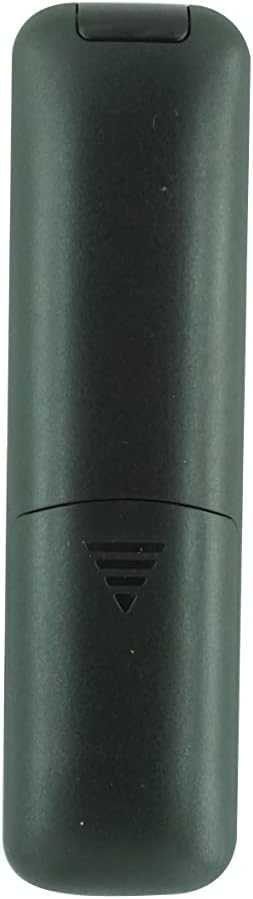
Hoto: Na baya view of the remote control with the battery cover removed, showing the two AAA battery slots.
- Nemo sashin baturi a bayan ramut.
- Zamar da murfin baturin zuwa ƙasa ko danna latch kuma ɗagawa don buɗewa.
- Insert two new AAA batteries, matching the positive (+) and negative (-) terminals as indicated inside the compartment.
- Sauya murfin baturin, tabbatar da dannawa cikin aminci.
Important Battery Safety Information:
- Kar a haxa sababbin batura da tsoffin batura.
- If the remote control will not be used for an extended period, remove the batteries to prevent leakage and corrosion.
Umarnin Aiki
This HCDZ replacement remote control is designed for immediate use with compatible Vamvo projectors once batteries are installed. No programming or pairing is required.
Hoto: Gaba view of the HCDZ replacement remote control, showing its button layout.
To operate your projector:
- Point the remote control directly at the infrared (IR) sensor on your Vamvo projector.
- Press the desired function button (e.g., Power, Volume, Menu, Source) to control the projector.
- Ensure there are no obstructions between the remote control and the projector's IR sensor.
Kulawa da Kulawa
Proper care will extend the life of your remote control:
- Ajiya: Do not leave the remote in extremely hot or humid environments.
- Bayyana: Avoid exposing the remote sensor to direct sunlight or strong lighting apparatuses, as this may cause malfunction.
- Tsaftacewa: Goge na'urar sarrafa na'urar da kyalle mai laushi da busasshe. Kada a yi amfani da kayan tsaftace ruwa ko kayan gogewa.
- Cire baturi: If the remote will not be used for an extended period, remove the batteries to prevent potential damage from leakage and corrosion.
Shirya matsala
If your remote control is not functioning as expected, try the following steps:
- Babu Amsa:
- Sauya batura mai sarrafa nesa da sabo.
- Check the battery terminals inside the compartment to ensure they are clean and making proper contact.
- Limited Range or Intermittent Function:
- Move closer to the projector. The maximum effective range is approximately 8 meters.
- Remove any physical obstructions (e.g., furniture, objects) between the remote control and the projector's IR sensor.
- Projector Not Responding:
- Ensure the power cord to your projector is securely plugged in and the projector is turned on.
- Verify that the remote control is pointed directly at the projector's IR sensor.
Ƙayyadaddun bayanai
| Alamar | HCDZ |
| Dacewar Samfura | Vamvo L3600US, L3600, 3600L, WF-VF320 Projectors |
| Fasahar Haɗuwa | Infrared (IR) |
| Nau'in Mai Gudanarwa | Ikon Maɓalli |
| Siffa ta Musamman | No programming needed; works out of the package |
| Matsakaicin Rage | Mita 8 (kimanin ƙafa 26) |
| Adadin Na'urorin Tallafi | 1 (Projector) |
| Ana Bukata Batura | 2 x AAA baturi (ba a haɗa su ba) |
| Mai ƙira | HCDZ |
| ASIN | B0DLB2R6PB |
Bayanin Garanti
This HCDZ Replacement Remote Control comes with a Garanti na watanni 3 from the date of purchase. This warranty covers manufacturing defects under normal use. It does not cover damage caused by misuse, accidents, unauthorized modifications, or battery leakage.
Da fatan za a riƙe shaidar siyan ku don kowane da'awar garanti.
Taimako
For further assistance or if you encounter issues not covered in this manual, please refer to the support resources provided by your retailer or the HCDZ brand. You may also consult the user manual for your Vamvo projector for specific operational details.
For general inquiries, please visit the HCDZ Store on Amazon.