
1. Gabatarwa
This manual provides essential instructions for the safe operation, setup, maintenance, and troubleshooting of your ARRIS WPL C24-1 RC Rock Crawler. Please read this manual thoroughly before using the product to ensure proper function and longevity.

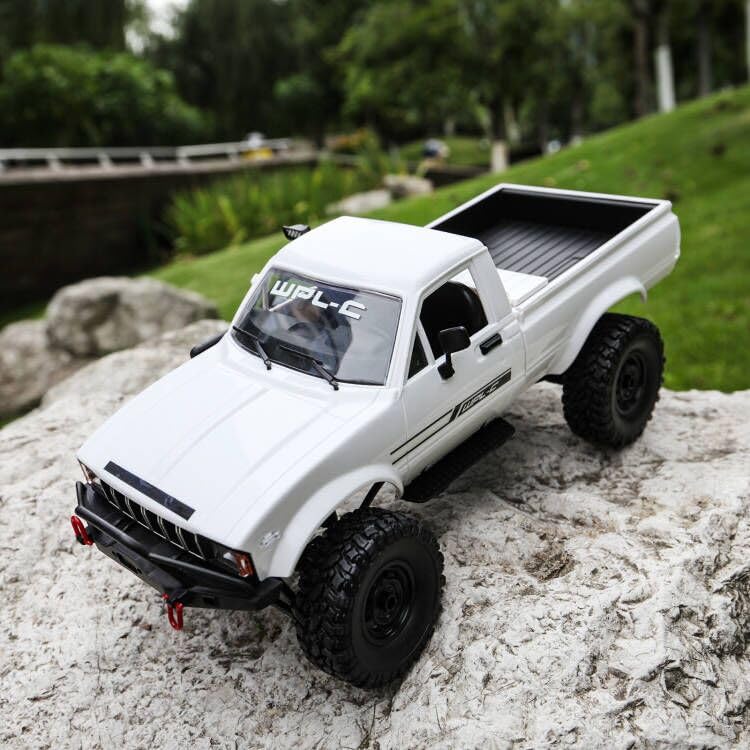
Image: The ARRIS WPL C24-1 RC Rock Crawler, showcasing its detailed design and robust tires.
2. Bayanin Tsaro
Always operate the RC vehicle in a safe and responsible manner. Failure to follow these safety guidelines may result in injury or damage to the product or property.
- Ka kiyaye hannaye, gashi, da suturar da ba a kwance ba daga sassa masu motsi.
- Kada ka yi aiki kusa da mutane, dabbobin gida, ko cikas.
- Avoid operating in wet conditions or near water unless the product is specifically designed for it.
- Ensure batteries are charged correctly and handled with care.
- Ana ba da shawarar kulawar manya ga masu amfani da ƙasa da shekaru 15.
3. Abubuwan Kunshin
Tabbatar cewa duk abubuwan da aka jera a ƙasa suna cikin kunshin ku:
- ARRIS WPL C24-1 RC Rock Crawler (1 unit)
- Remote Control Transmitter (1 unit)
- Rechargeable Battery (1 unit, 7.4V 500mAh)
- Kebul na caji (naúra 1)
- Manual Umarni (wannan takarda)
4. Jagorar Saita
4.1. Cajin Batirin Mota
The vehicle battery (7.4V 500mAh) requires charging before first use. A full charge takes approximately 2 hours and provides about 30 minutes of operation.
- Locate the battery compartment on the underside of the RC crawler.
- Connect the rechargeable battery to the provided charging cable.
- Plug the charging cable into a suitable USB power source (e.g., computer USB port, USB wall adapter).
- The indicator light on the charging cable will show the charging status (refer to charger instructions for specific light patterns).
- Once fully charged, disconnect the battery from the charger and install it into the vehicle's battery compartment.
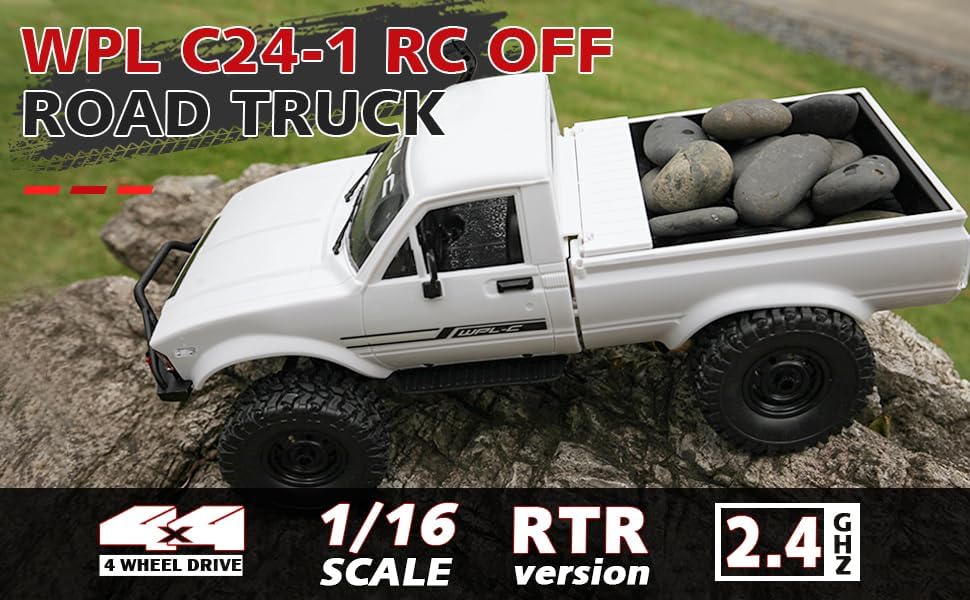
Image: Underside of the RC crawler, highlighting the battery and chassis components.
4.2. Shigar da Batura masu sarrafawa
The remote control requires 1 C battery (included). Ensure correct polarity when installing.
- Bude murfin baturin a bayan ramut.
- Insert the C battery according to the polarity markings (+/-).
- Rufe murfin baturin amintacce.
4.3. Haɗa Ikon Nesa
The RC crawler and remote control are typically pre-paired. If re-pairing is necessary:
- Turn on the RC crawler using the switch located on the chassis.
- Kunna ramut.
- The indicator light on the remote control should stop flashing and remain solid, indicating a successful connection.
- If the connection fails, turn both devices off and repeat the process.
5. Umarnin Aiki
5.1. Basic Controls
- Ƙunƙarar Maƙarƙashiya: Ja don matsawa gaba, tura zuwa birki/juya baya.
- Jagorar tuƙi: Juya hagu don karkata hagu, juya dama don niƙa dama.
- Gyara Gyara: Use the trim dials on the remote to fine-tune steering and throttle if the vehicle pulls to one side or moves without input.
5.2. Nasihu kan Tuki
The ARRIS WPL C24-1 is designed for off-road crawling. Its 4WD system and independent suspension allow it to navigate various terrains.
- For optimal crawling, use slow and controlled throttle inputs.
- Experiment with steering angles to overcome obstacles.
- The vehicle features highlight LED lights for improved visibility in low-light conditions.

Image: The RC crawler navigating a challenging rocky path, demonstrating its off-road capabilities.

Image: The RC crawler traversing sandy terrain, showcasing its 4WD design.
6. Kulawa
6.1. Tsaftacewa
After each use, especially in dusty or dirty conditions:
- Use a soft brush or compressed air to remove dirt and debris from the chassis, wheels, and suspension.
- Shafa jiki da tallaamp zane. Kada ku yi amfani da magunguna masu tsauri.
- Ensure no moisture enters electronic components.
6.2. Kula da Baturi da Ajiya
- Always disconnect the battery from the vehicle when not in use.
- Ajiye batura a wuri mai sanyi, bushe, nesa da hasken rana kai tsaye da matsanancin zafi.
- Kar a yi caji fiye da kima ko yawan fitar da batura.
6.3. Binciken sashi
Regularly inspect the following components for wear or damage:
- Wheels and tires for damage or excessive wear.
- Suspension components (shocks, springs, linkages).
- Steering mechanism for smooth operation.
- All screws and fasteners for tightness.
7. Shirya matsala
| Matsala | Dalili mai yiwuwa | Magani |
|---|---|---|
| Motar ba ta amsawa. | Low vehicle battery; Low remote control battery; Not paired. | Charge vehicle battery; Replace remote control battery; Re-pair remote control. |
| Motar tana tafiya a hankali ko kuma ba tare da wata matsala ba. | Low vehicle battery; Obstruction in drivetrain; Motor issue. | Charge vehicle battery; Clear obstructions; Contact support if motor issue persists. |
| Steering is erratic or unresponsive. | Steering trim incorrect; Damaged servo; Obstruction. | Adjust steering trim; Inspect servo for damage; Clear obstructions. |
| Short kewayon aiki. | Interference; Low remote control battery. | Move to an area with less interference; Replace remote control battery. |
8. Ƙayyadaddun samfur
| Siffar | Daki-daki |
|---|---|
| Lambar Samfura | WPL C24-1 |
| Alamar | ARRIS |
| Sikeli | 1:16 |
| Girman samfur | 12.2 x 5.78 x 4.44 inci |
| Nauyin Abu | 2.4 fam |
| Kayan abu | ABS + Metal |
| Motoci | Motoci 180 da aka goge |
| Baturi (abin hawa) | 7.4V 500mAh (included) |
| Lokacin Caji | Kimanin 2 hours |
| Lokacin Aiki | Kimanin Minti 30 |
| Mitar Ikon Nesa | 2.4 GHz |
| Nisa Sarrafa | Sama da mita 35 |
| Max Gudun | 20 km/h |
| Shawarar Shekaru | shekaru 15 da sama |
Hoto: Gefe view of the RC crawler with key dimensions indicated.

Hoto: Dalla-dalla view of the RC crawler's chassis, showing components like the motor, suspension, and drive shafts.
9. Garanti da Tallafawa
ARRIS products are manufactured to high-quality standards. For warranty information or technical support, please refer to the official ARRIS website or contact customer service through your purchase platform.
Ajiye rasitin siyanka a matsayin shaidar siyan duk wani da'awar garanti.
Don ƙarin taimako, da fatan za a ziyarci ARRIS Store on Amazon.


