
1. Gabatarwa da Ƙarsheview
The SONICAKE Pocket Master is a portable multi-effects pedal designed for guitar, bass, and acoustic instruments. It integrates a wide range of effects, amp modeling, IR cabinet simulations, and a USB audio interface into a compact, rechargeable unit. This manual provides essential information for setting up, operating, and maintaining your device.

Figure 1: SONICAKE Pocket Master Multi-Effects Pedal (Transparent Green)
2. Mabuɗin Siffofin
- White-Box Digital Modeling Technology: Delivers organic, living tone with support for 3rd party IRs (5 user slots) for custom sound creation.
- Extensive Effects Library: Over 100 built-in guitar, bass, and acoustic effects, including 20 legendary amp samfura.
- High-Quality Signal Processing: 24-bit 44.1kHz signal processing ensures clear audio.
- Rhythm and Looper Functions: Features 99 built-in drum rhythms and a looper function.
- Saitattu: 100 customizable presets with an adjustable signal chain, allowing up to 9 simultaneous effect blocks.
- USB Audio Interface: Stereo audio streaming with OTG function for direct connection to iOS/Android mobile devices.
- Haɗin Bluetooth: For audio connection and control.
- Nunin Abokin Amfani: Clear LCD color screen for easy navigation through effects and settings.
- Zane Mai šaukuwa: Compact, pocket-sized, and features a built-in rechargeable battery for on-the-go use.
- Software Tallafi: Free Mac/Windows/iOS/Android software for sound editing and preset management.
3. Product Layout and Controls
Familiarize yourself with the physical layout and controls of your Pocket Master unit.

Hoto 2: Babban Kwamitin Gudanarwa
- 1. LCD allo: Displays current preset, effects chain, and settings.
- 2. VALUE/VOL Knob: Adjusts volume and navigates menu options.
- 3. Mayu: Used for preset changes, tuner activation, and looper control.
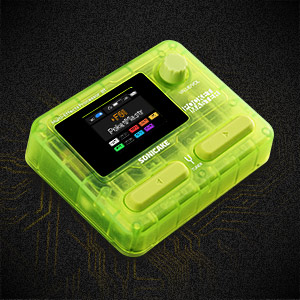
Figure 3: Side Panel Ports
- 4. IN Jack: 1/4" input for your instrument.
- 5. OUT/PHONES Jack: 1/4" output for amplifi ko belun kunne.
- 6. USB-C (OTG) Port: For connecting to mobile devices.
- 7. USB-C (Charging/Data) Port: For charging and connecting to computers.
4. Saita
4.1 Fara Cajin
Before first use, fully charge the Pocket Master using the provided USB-C cable and a compatible 5V USB power adapter (not included). The battery indicator on the LCD screen will show charging status.
4.2 Haɗin Asali
- Connect your instrument (guitar, bass, or acoustic) to the IN jack (4) using a 1/4" instrument cable.
- Haɗa da FITA/WAYA jack (5) to your amplifier, audio interface, or headphones.
- Press and hold the power button (usually integrated with a footswitch or knob, refer to the quick start guide for exact location) to turn on the device.
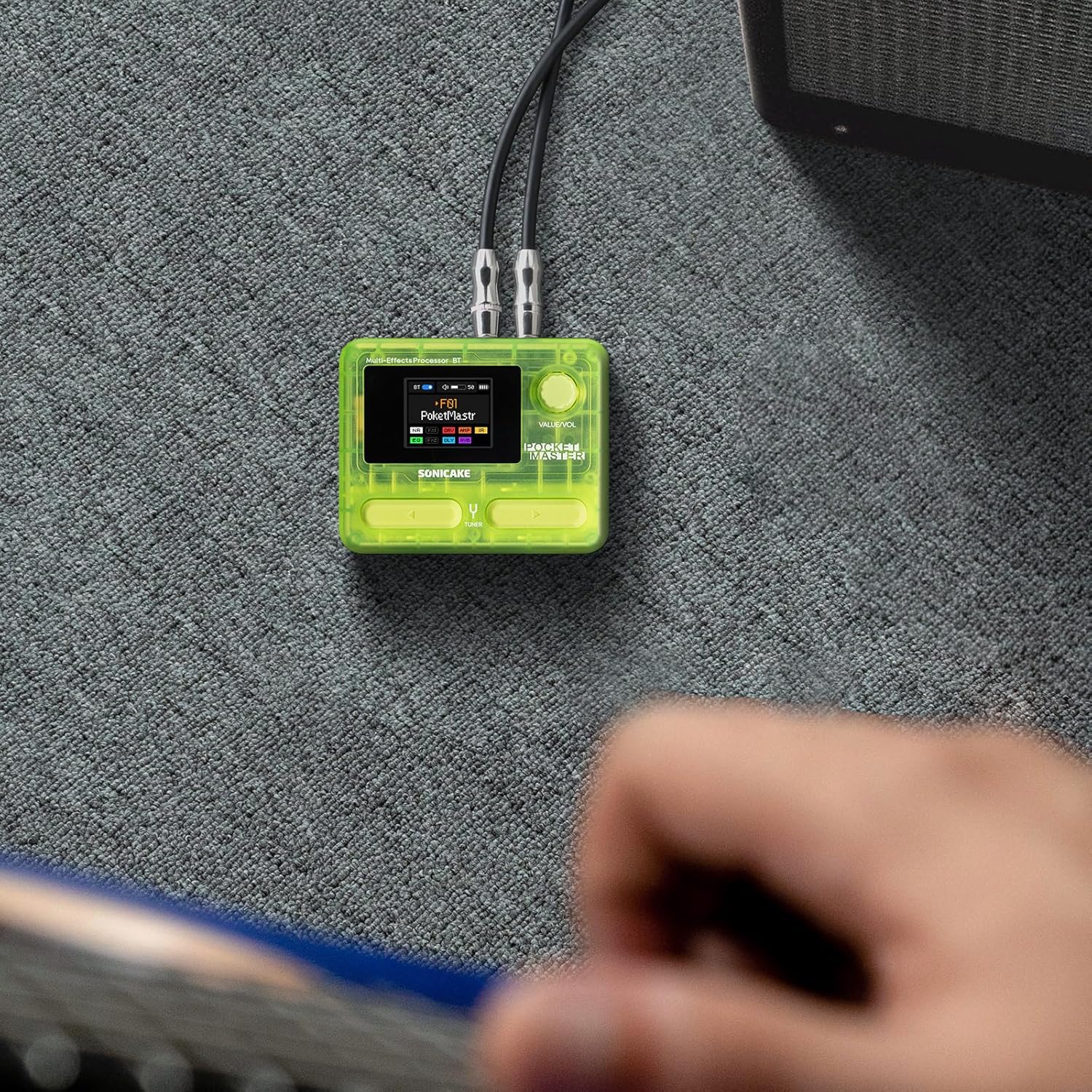
Figure 4: Connecting the Pocket Master to an instrument and ampmai sanyaya wuta.
4.3 USB Audio Interface Setup
To use the Pocket Master as a USB audio interface for recording or playback:
- Connect the Pocket Master to your computer or mobile device using a USB-C cable via the dedicated USB-C (Charging/Data) port (7) or USB-C (OTG) port (6) for mobile devices.
- Install the necessary drivers and software from the official SONICAKE website for your operating system (Mac/Windows). For iOS/Android, download the companion app.
- Select the Pocket Master as your audio input/output device in your DAW or system settings.
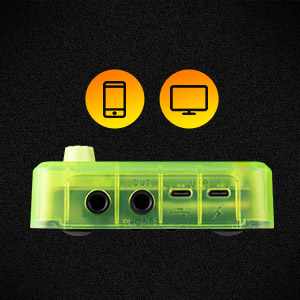
Figure 5: USB connection for audio interface functionality.
5. Umarnin Aiki
5.1 Navigating Presets
Use the footswitches (3) to cycle through the 100 available presets. The LCD screen (1) will display the current preset number and name.
5.2 Adjusting Volume and Parameters
The VALUE/VOL knob (2) controls the overall output volume. When editing effects, this knob is used to adjust specific parameters. Pressing the knob may confirm selections or enter sub-menus.
5.3 Aikin Mai Gyara
Hold down a specific footswitch (refer to the quick start guide for exact assignment) to activate the built-in tuner. The LCD screen will display tuning information.
5.4 Looper & Drum Machine
The Pocket Master includes a looper and drum machine. Specific footswitch combinations or menu navigation are used to activate and control these features. The LCD screen provides visual feedback for recording, playback, and drum rhythm selection.
5.5 Bluetooth Audio and App Control
Pair your mobile device with the Pocket Master via Bluetooth to stream audio or use the dedicated app for deeper editing and preset management.
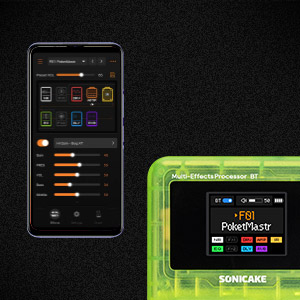
Figure 6: App control interface for the Pocket Master.
6. Effects and Amp Samfura
The Pocket Master features a versatile effects matrix with up to 9 simultaneous effect blocks and over 100 high-quality effects. These include Noise Reduction (NR), two FX modules (FX1, FX2), Drive (DRV), Amp Modeling (AMP), Impulse Response (IR) cabinets, Equalizer (EQ), Delay (DLY), and Reverb (RVB).
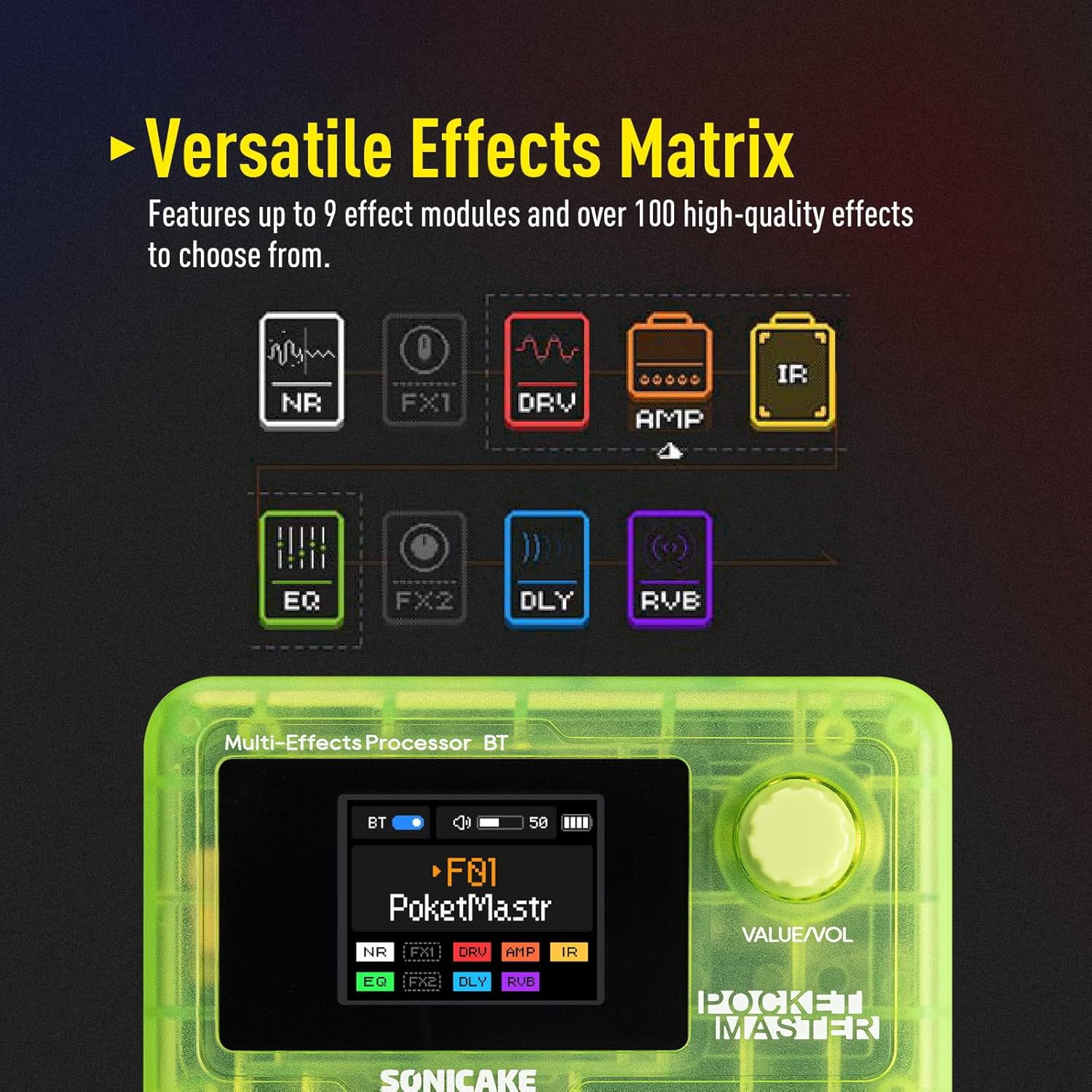
Figure 7: Visual representation of the effects chain.
You can customize the order and parameters of these effects within each preset using the device's controls or the companion software.
7. Kulawa
- Tsaftacewa: Yi amfani da laushi, bushe bushe don tsaftace naúrar. Kauce wa masu goge goge ko kaushi.
- Ajiya: Ajiye na'urar a wuri mai sanyi, busasshiyar nesa da hasken rana kai tsaye da matsanancin zafi.
- Kulawar Baturi: To prolong battery life, avoid fully discharging the unit frequently. Charge regularly, even if not in use for extended periods.
- Sabunta Firmware: Periodically check the official SONICAKE website for firmware updates to ensure optimal performance and access new features.
8. Shirya matsala
| Matsala | Dalili mai yiwuwa | Magani |
|---|---|---|
| Babu fitarwar sauti | Incorrect cable connections, low volume, dead battery, incorrect preset. | Check all cable connections. Ensure volume is up on both Pocket Master and amplifier/headphones. Charge the unit. Select a different preset. |
| Naúrar baya kunnawa | Dead battery, faulty power button. | Charge the unit for at least 30 minutes. If still unresponsive, contact support. |
| Effects not working as expected | Incorrect effect parameters, outdated firmware. | Adjust effect parameters via the knob or app. Check for and install any available firmware updates. |
| Matsalolin haɗin Bluetooth | Device not in pairing mode, interference, outdated app. | Ensure Pocket Master Bluetooth is enabled and in pairing mode. Move closer to the device. Update the companion app. |
9. Ƙayyadaddun bayanai
- Nauyin Abu: 7.3 oz (208 Grams)
- Girman samfur: 2.44 x 4.13 x 2.44 inci
- Lambar Samfurin Abu: QME-10TGN
- Baturi: 1 Nonstandard Battery (rechargeable)
- Sunan Launi: Kore mai haske
- Nau'in Haɗawa: USB
- Interface Hardware: USB
- Tsarin sigina: Dijital
- Nau'in Abu: Filastik
- Tushen wutar lantarki: Battery Powered, DC Powered
- Voltage: 5 Volts
- Salo: Multi-effects, Acoustic, Bass
10. Abin da ke cikin Akwatin
- SONICAKE Pocket Master Multi-Effects Pedal
- USB-C Cajin Cable
- Jagorar mai amfani (wannan takaddar)
- Footswitch, 1/4" stereo/headphone outputs (implied by product description, often integrated or part of the unit)
11. Garanti da Tallafawa
For warranty information, technical support, and further assistance, please visit the official SONICAKE website ko tuntuɓi sabis na abokin ciniki kai tsaye. Ajiye rasidin siyan ku azaman shaidar siyan don da'awar garanti.
Na hukuma Website: SONICAKE Store on Amazon