
1. Gabatarwa
Thank you for choosing the OSRAM LEDSTIXX USB Light Stick. This manual provides essential information for the safe and efficient use of your new light stick. Please read these instructions carefully before installation and operation, and retain them for future reference.
The OSRAM LEDSTIXX is a versatile, rechargeable LED light stick designed for flexible illumination in various indoor environments. It features a durable aluminum body, 3-level dimming, and a rotatable design for optimal light positioning.
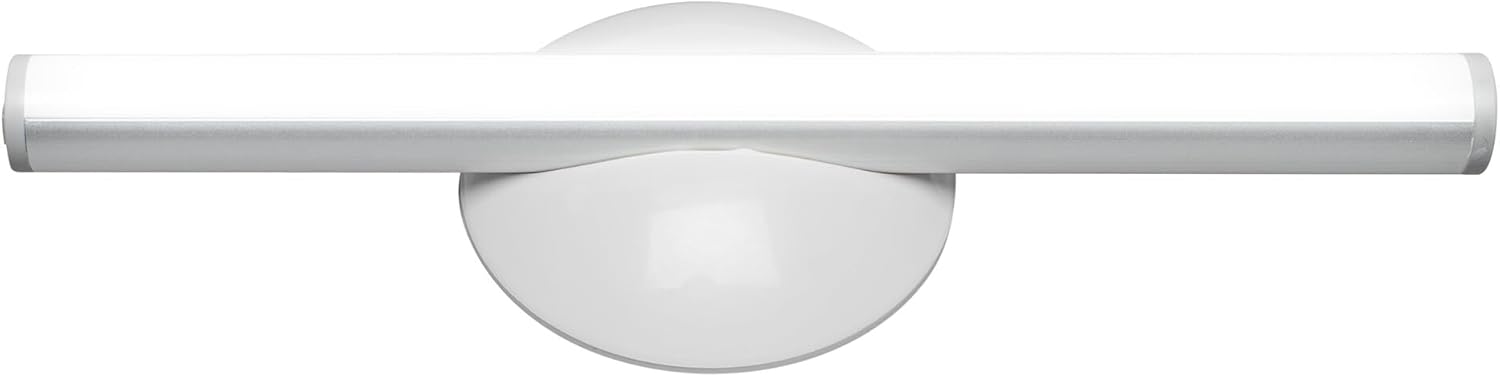
Hoto 1.1: Gaba view of the OSRAM LEDSTIXX USB Light Stick.
2. Bayanin Tsaro
- An yi nufin wannan samfurin don amfanin cikin gida kawai.
- Kada a bijirar da na'urar zuwa matsanancin zafi, hasken rana kai tsaye, ko zafi mai zafi.
- Do not attempt to open, modify, or repair the device. This may void the warranty and pose a safety risk.
- A kiyaye nesa da yara.
- Use only the provided USB cable or a certified equivalent for charging.
- Ensure the mounting surface is clean and dry before installation.
3. Abubuwan Kunshin
Tabbatar cewa duk abubuwa suna nan a cikin kunshin:
- 1x OSRAM LEDSTIXX USB Light Stick (Silver)
- Installation accessories (mounting bracket, adhesive pads)
- Kebul na cajin USB
- Manual mai amfani
4. Saita & Shigarwa
The LEDSTIXX offers flexible mounting options. Follow these steps for installation:
- Zaɓi Wuri: Select a clean, dry, and flat surface for mounting. Common applications include under cabinets, inside wardrobes, or near mirrors.
- Shirya Surface: Clean the chosen surface thoroughly to ensure optimal adhesion of the mounting bracket.
- Haɗa Maƙalar Ƙaddamarwa: Peel the protective film from the adhesive pad on the back of the mounting bracket. Firmly press the bracket onto the desired surface for at least 30 seconds. Allow the adhesive to set for a few hours before attaching the light stick.
- Attach the Light Stick: The LEDSTIXX light stick attaches magnetically to the mounting bracket. Simply place the light stick onto the bracket. It can be rotated and oriented as needed.
- Cajin: Before first use, fully charge the light stick using the provided USB cable. Connect the USB cable to the charging port on the light stick and to a standard USB power source (e.g., computer, USB wall adapter). The charging indicator will show the charging status.
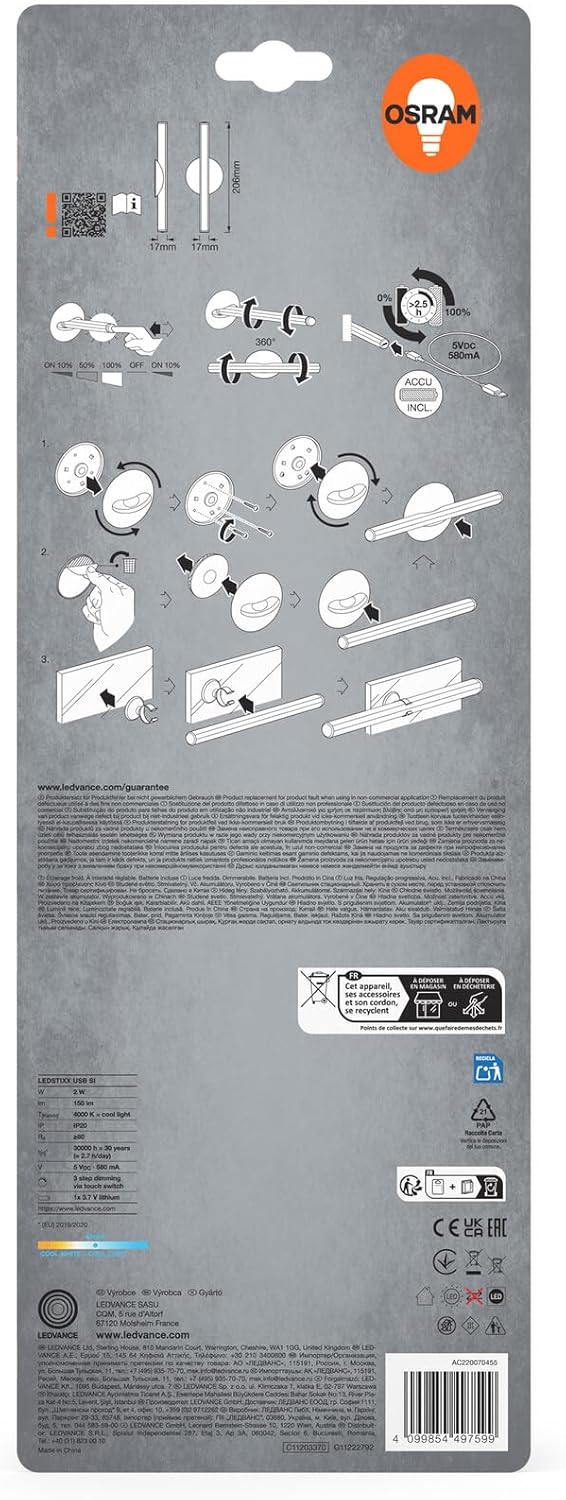
Image 4.1: Visual guide for installing the OSRAM LEDSTIXX using the adhesive mounting bracket.
5. Aiki
The OSRAM LEDSTIXX features simple touch control for power and dimming.
- Kunnawa/Kashewa: Briefly touch the control area on the light stick to turn it on or off.
- Dimming: The light stick has 3 dimming levels. After turning it on, repeatedly touch the control area to cycle through the brightness levels (e.g., 100% > 50% > 25% > Off).
- Alamar Caji: A small LED indicator will show the charging status. Typically, red indicates charging and green indicates fully charged.
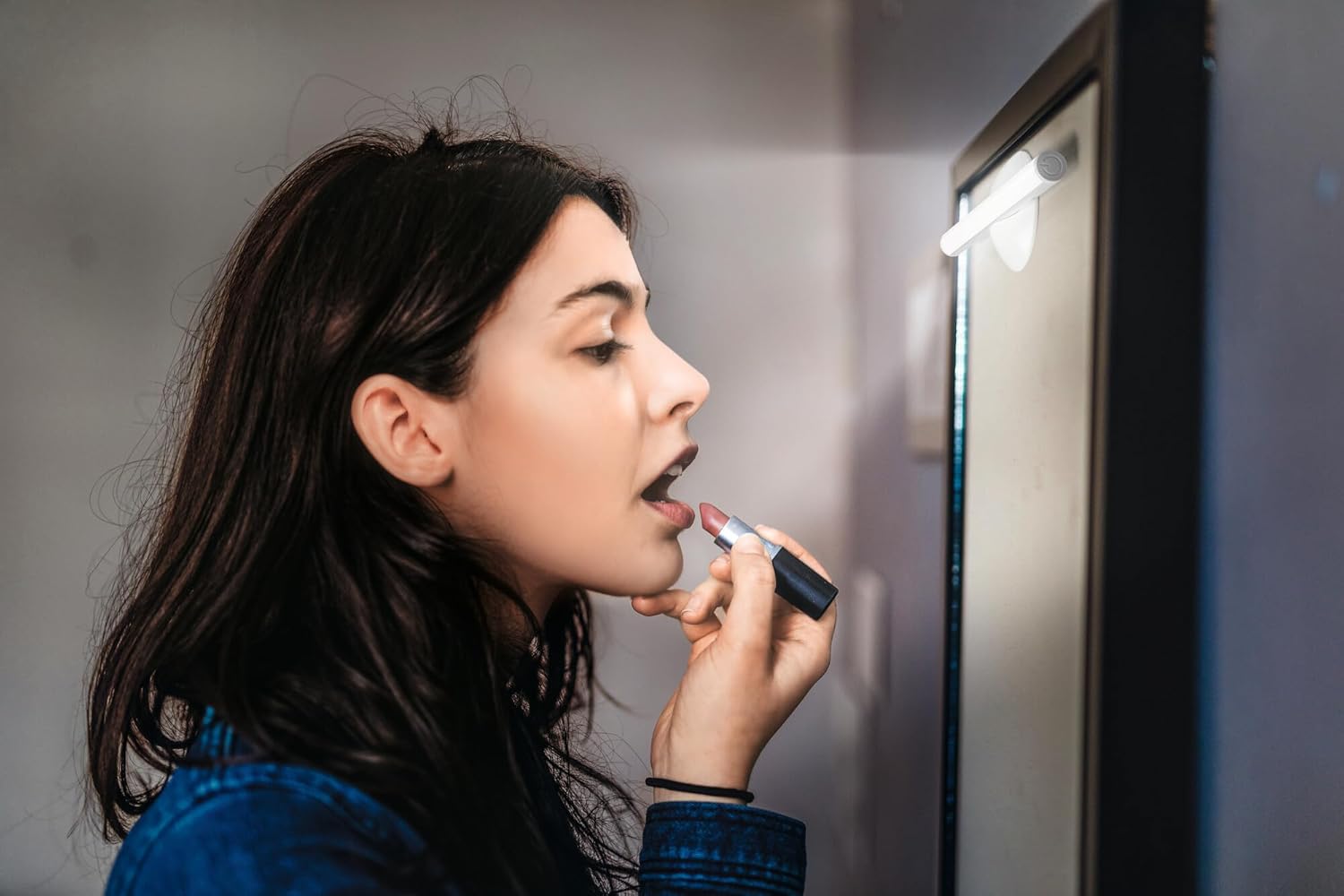
Image 5.1: The LEDSTIXX providing neutral white light for tasks such as applying makeup.
6. Kulawa
- Tsaftacewa: Wipe the light stick with a soft, dry cloth. Do not use abrasive cleaners or solvents.
- Kulawar Baturi: To prolong battery life, avoid fully discharging the battery frequently. Recharge the device regularly, especially if it will not be used for an extended period.
- Ajiya: Store the light stick in a cool, dry place when not in use.
7. Shirya matsala
| Matsala | Dalili mai yiwuwa | Magani |
|---|---|---|
| Haske baya kunnawa | Ana cire baturi. | Charge the light stick using the USB cable. |
| Hasken duhu ne ko kyalli. | Ƙananan baturi. | Recharge the light stick. |
| Light stick does not adhere to surface. | Surface is dirty or uneven. Adhesive not fully set. | Clean the surface thoroughly. Allow adhesive to set for several hours before attaching the light stick. |
| Cannot change brightness levels. | Ayyukan da ba daidai ba. | Ensure you are briefly touching the control area repeatedly to cycle through the 3 dimming levels. |
8. Ƙayyadaddun bayanai
| Siffar | Daki-daki |
|---|---|
| Alamar | OSRAM |
| Sunan Samfura | LEDstixx USB Silver |
| Lambar Samfura | 4099854497599 |
| Kayan abu | Aluminum |
| Launi | Azurfa |
| Hasken Haske | Hadakar LED |
| Luminous Flux | 150 Lumen |
| Zazzabi Launi | Kelvin 4000 (Fara mai tsaka-tsaki) |
| Watatage | 2 wata |
| Voltage | 5 Volt (USB) |
| Tushen wutar lantarki | Battery powered (Rechargeable Lithium Battery) |
| Dimming | 3 matakan |
| Resistance Ruwa | Mai jure ruwa (IP44) |
| Girma (L x W x H) | 20.6 cm x 1.7 cm x 1.7 cm |
| Nauyin samfur | 85 Grams |
| Labarin Ingantaccen Energyarfi na EU | G (View EPREL) |
| Ƙasar Asalin | China |

Image 8.1: Dimensional drawing of the OSRAM LEDSTIXX, showing its length of 206mm and width of 17mm.
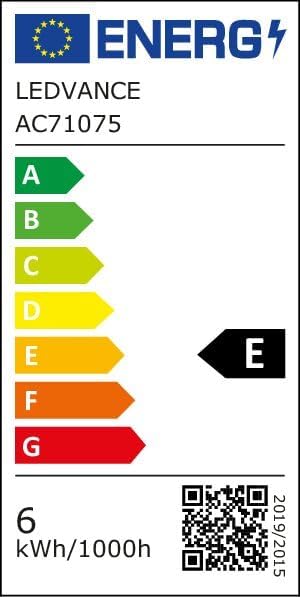
Image 8.2: EU Energy Efficiency Label for the LEDSTIXX, indicating class G and 6 kWh/1000h consumption.
9. Garanti da Tallafawa
OSRAM products are manufactured to high-quality standards. For warranty information and customer support, please refer to the official OSRAM website or contact your local retailer. Keep your proof of purchase for any warranty claims.