
Strong SRT427
STRONG 4K UHD Box SRT 427 User Manual
Gabatarwa
This manual provides comprehensive instructions for the installation, operation, and maintenance of your STRONG 4K UHD Box SRT 427. Please read this manual carefully before using the device to ensure proper functionality and to prevent damage. Keep this manual for future reference.
Abubuwan Kunshin
Kafin a ci gaba da saitin, a tabbatar an tabbatar da cewa duk abubuwan suna cikin kunshin:
- STRONG 4K UHD Box SRT 427
- Ikon nesa (ba a haɗa batura)
- Adaftar Wuta
- HDMI Cable
- Jagorar Shigarwa Mai sauri
Saita
Follow these steps to set up your STRONG 4K UHD Box SRT 427:
- Haɗa zuwa TV: Connect one end of the HDMI cable to the HDMI OUT port on the SRT 427 and the other end to an available HDMI IN port on your television.
- Haɗa zuwa Wuta: Plug the power adapter into the DC IN port on the SRT 427, then plug the adapter into a wall outlet.
- Haɗa zuwa Intanet (Na zaɓi): For internet-based features, connect an Ethernet cable to the LAN port on the SRT 427, or configure Wi-Fi settings after initial boot-up.
- Saka Batura a cikin Na'urar Nesa: Open the battery compartment on the remote control and insert 2x AAA batteries (not included), ensuring correct polarity.
- Kunna Wuta: Turn on your TV and select the correct HDMI input source. The SRT 427 should power on automatically. If not, press the power button on the remote control.
- Mayen Saita Na Farko: Follow the on-screen instructions to complete the initial setup, including language selection, network configuration, and channel scanning.
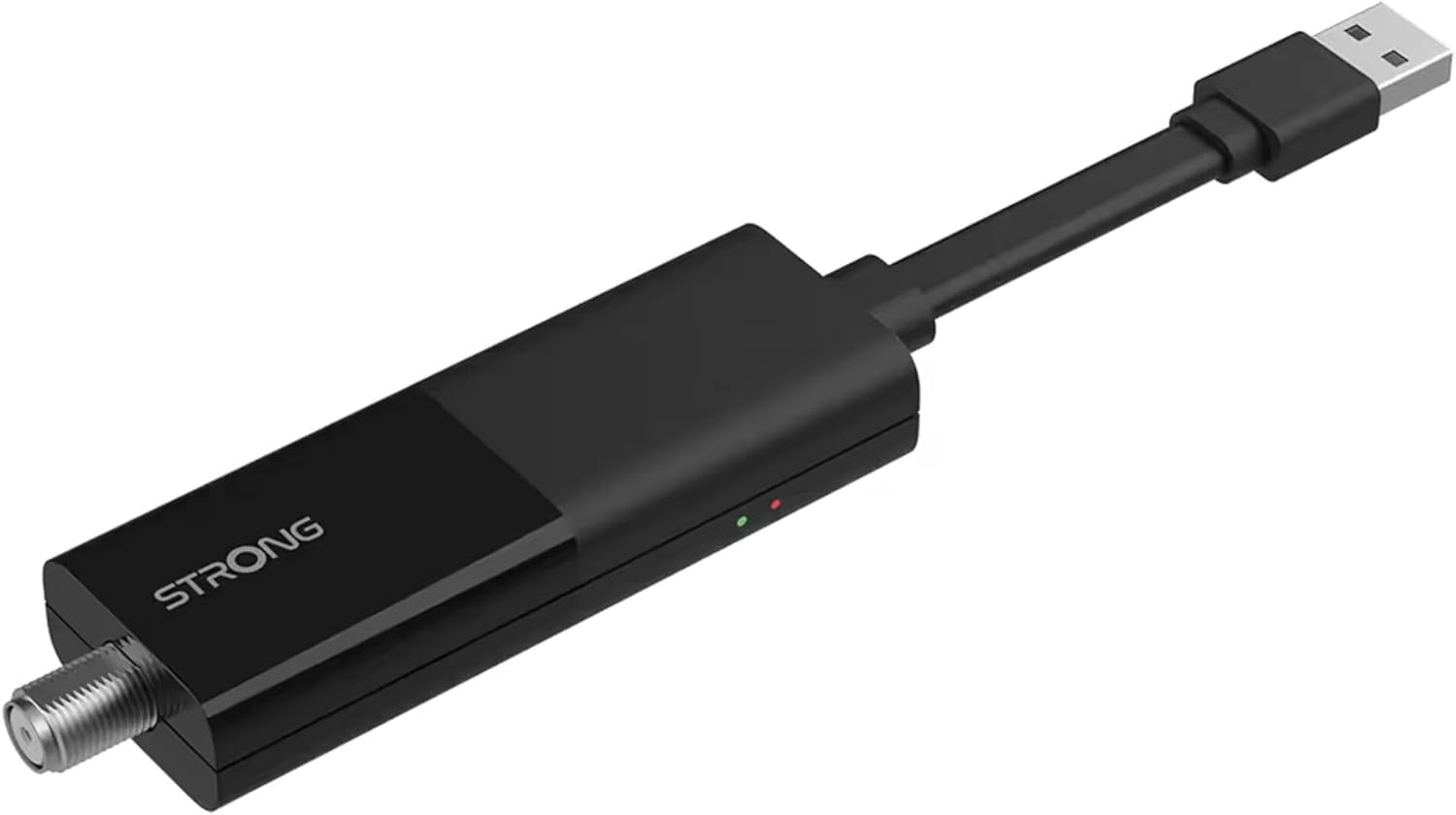
Image: The STRONG 4K UHD Box SRT 427, a compact black USB dongle-style device with a USB connector on one end and an F-type coaxial antenna input on the other, featuring the 'STRONG' logo and small indicator lights.
Umarnin Aiki
Once the initial setup is complete, you can begin using your SRT 427. Use the remote control to navigate the user interface.
- Allon Gida: Danna maɓallin GIDA button to access the main menu, where you can find applications, settings, and media options.
- Kewayawa: Yi amfani da maɓallin kibiya (UP, DOWN, HAGU, DAMA) to move through menus and options. Press OK don tabbatar da zaɓi.
- Sarrafa ƙara: Yi amfani da VOL+ kuma Vol- maɓallai don daidaita ƙarar sauti.
- Zaɓin tashoshi: If connected to an antenna, use the CH+ kuma CH- buttons to change channels, or enter channel numbers directly using the numeric keypad.
- Saituna: Access the settings menu to customize display, audio, network, and system preferences.
- Sake kunnawa na Media: Connect a USB storage device to the USB port to play media files (photos, videos, music) through the built-in media player.
Kulawa
Proper maintenance ensures the longevity and optimal performance of your SRT 427.
- Tsaftacewa: Disconnect the device from power before cleaning. Use a soft, dry cloth to wipe the exterior. Do not use liquid cleaners or abrasive materials.
- Samun iska: Tabbatar an sanya na'urar a wuri mai iska mai kyau. Kada a toshe hanyoyin samun iska.
- Zazzabi: Ka guji fallasa na'urar zuwa matsanancin zafi, hasken rana kai tsaye, ko zafi mai zafi.
- Sabunta Firmware: Periodically check for firmware updates through the system settings to ensure you have the latest features and bug fixes.
Shirya matsala
If you encounter issues with your SRT 427, refer to the following common problems and solutions:
| Matsala | Magani |
|---|---|
| Babu iko | Check if the power adapter is securely connected to the device and the wall outlet. Ensure the outlet is functional. |
| Babu hoto a talabijin | Verify the HDMI cable is correctly connected to both the SRT 427 and the TV. Ensure the TV is set to the correct HDMI input source. |
| Babu sauti | Check the volume level on both the SRT 427 and your TV. Ensure audio settings in the SRT 427 menu are correct. |
| Ikon nesa baya aiki | Check and replace the batteries. Ensure there are no obstructions between the remote and the device's IR sensor. |
| Ba za a iya haɗi zuwa Wi-Fi ba | Ensure your Wi-Fi router is on and within range. Re-enter the Wi-Fi password in the network settings. Try restarting both the SRT 427 and your router. |
Ƙayyadaddun bayanai
Technical specifications for the STRONG 4K UHD Box SRT 427:
- Lambar Samfura: SRT427
- Girman samfur: 5.91 x 7.87 x 5.91 inci
- Nauyin Abu: 1.76 fam
- Baturi: 1 AAAA batteries required (for remote control, typically)
- Mai ƙira: Mai ƙarfi
- Language (Default): Italian (may vary by region, user configurable)
- ASIN: B0FDPX7PRQ
- Kwanan Wata Farko Akwai: 21 ga Agusta, 2025
Garanti da Taimako
For warranty information and technical support, please refer to the warranty card included in your product packaging or visit the official Strong website. Kada kayi ƙoƙarin gyara na'urar da kanka, saboda wannan na iya ɓata garantinka.
Na hukuma Website: www.strong.TV
Ask a question about this manual
Ask about setup, troubleshooting, compatibility, parts, safety, or missing instructions. Manuals+ will review the question and use this page’s manual context to help answer it.