
Google Pixel 10
Google Pixel 10 User Manual
Buɗe Wayar Wayar Android
1. Gabatarwa
This manual provides essential information for setting up, operating, and maintaining your Google Pixel 10 smartphone. The Google Pixel 10 features the powerful Google Tensor G5 chip, an advanced camera system, and integrated Gemini AI capabilities to enhance productivity and creativity. This unlocked Android device offers flexibility with various carriers and is designed for durability with scratch-resistant Corning Gorilla Glass Victus 2 and an IP68 rating for water and dust protection. The 6.3-inch Actua display provides clear visuals even in direct sunlight.
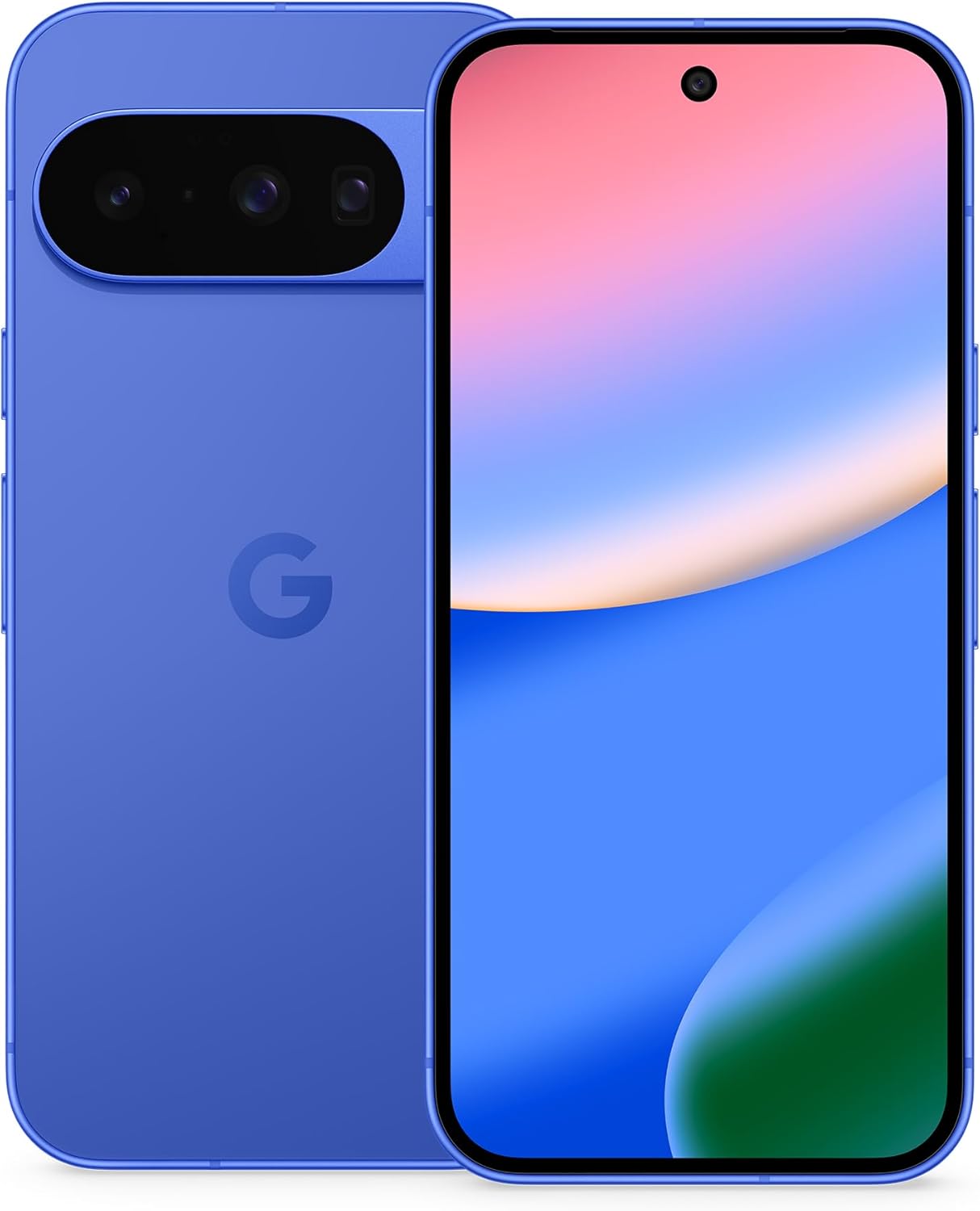
Hoto na 1.1: Gaba da baya view of the Google Pixel 10 smartphone.
2. Saita
2.1 Abin da ke cikin Akwatin
- Google Pixel 10 Cell Phone
- USB-C to USB-C Cable (USB 2.0)
- Littafin Garanti

Figure 2.1: Included items with your Google Pixel 10.
2.2 Initial Device Activation and SIM
The Google Pixel 10 utilizes eSIM technology, eliminating the need for a physical SIM card. You can activate your eSIM digitally during the phone setup process. This allows for flexible plan changes and the storage of multiple numbers on a single device.

Figure 2.2: The Google Pixel 10 supports eSIM for digital plan management.
2.3 Canja wurin Data
Transferring data from your previous phone to the Google Pixel 10 is designed to be a straightforward process, typically taking approximately 20 minutes. Follow the on-screen prompts during initial setup to migrate your contacts, photos, apps, and other data.
Video 2.1: An unboxing and initial setup demonstration of the Google Pixel 10 in Indigo.
3. Aiki da Na'urar
3.1 Aiki da Nuni
The Google Pixel 10 is powered by the Google Tensor G5 chip, ensuring smooth and responsive performance for multitasking, gaming, and daily applications. The 6.3-inch Actua display offers a 1080 x 2424 pixel resolution with a 120 Hz refresh rate, providing a bright and sharp visual experience with up to 3,000-nit peak brightness, making it easy to view even in direct sunlight.

Figure 3.1: The Google Pixel 10's Actua display offers high brightness and clarity.
3.2 Fasalolin Kamara
The Pixel 10 features an upgraded triple rear camera system, including a new 5x telephoto lens capable of up to 20x Super Res Zoom for capturing distant details. Night Sight mode ensures crisp, clear photos in low-light conditions, while Camera Coach provides guidance to improve your photography skills.

Figure 3.2: 20x Super Res Zoom capability.

Figure 3.3: Enhanced low-light photography with Night Sight.

Figure 3.4: Camera Coach assists in capturing optimal images.
3.3 AI Features with Gemini
The Google Pixel 10 integrates Gemini AI Assistant, offering features like Gemini Live for natural conversations and using your camera to identify objects or provide information. Gemini can also assist with brainstorming ideas and managing tasks across various applications.

Figure 3.5: Gemini Live identifying objects via camera.

Figure 3.6: Magic Cue providing relevant information.
Bidiyo na 3.1: Ƙarsheview of AI features on the Google Pixel 10.
4. Durability and Battery
4.1 Device Durability
The Pixel 10 is constructed with scratch-resistant Corning Gorilla Glass Victus 2 and boasts an IP68 rating for water and dust protection, ensuring resilience against everyday wear and tear and accidental spills.

Figure 4.1: The Google Pixel 10 features IP68 water and dust resistance.
4.2 Rayuwar baturi da Caji
Equipped with a 4970 mAh battery, the Google Pixel 10 provides over 24 hours of usage on a single charge, supporting fast charging capabilities. The phone also supports Pixel Snap wireless charging (Qi2-certified).

Figure 4.2: The Pixel 10 offers extended battery life and supports various premium Google services.
5. Connectivity and Security
5.1 Network and Carrier Compatibility
As an unlocked Android smartphone, the Google Pixel 10 offers broad compatibility with major carriers including Google Fi, Verizon, T-Mobile, and AT&T, allowing users to choose their preferred data plan.
5.2 Pixel Ecosystem Integration
The Pixel 10 seamlessly integrates with other Google devices, such as the Pixel Watch and Pixel Buds, for an enhanced and connected user experience.

Figure 5.1: The Google Pixel 10 integrates with Pixel Watch and Pixel Buds.
5.3 Siffofin Tsaro
The Pixel 10 incorporates multiple layers of protection to safeguard your personal information. It includes features to protect against spam, scams, and phishing attempts. In case of loss or theft, the phone is designed to lock automatically, and emergency features are available for critical situations.

Hoto 5.2: Samaview of Google Pixel 10's security and privacy features.
6. Ƙayyadaddun bayanai
| Siffar | Daki-daki |
|---|---|
| Sunan Samfura | Pixel 10 |
| Girman samfur | 6 x 2.8 x 0.3 inci |
| Nauyin Abu | 11.1 oz |
| Tsarin Aiki | Android 16 |
| Samfurin CPU | Google Tensor G5 |
| Saurin CPU | 3.78 GHz |
| Girman Ƙwaƙwalwar Ƙwaƙwalwar RAM | 12 GB |
| Ƙarfin Ajiye Ƙwaƙwalwar Ƙwaƙwalwa | 128 GB |
| Girman Nuni Allon Tsaye | Inci 6.3 |
| Ƙaddamarwa | 1080 x 2424 pixels |
| Matsakaicin Sassauta | 120 Hz |
| Nunin Fasaha | OLED |
| Fasahar Haɗuwa | Bluetooth, NFC, Wi-Fi |
| GPS | Gaskiya |
| Sauran Fasaloli na Kyamara | Gaban gaba, Sake |
| Audio Jack | USB-C |
| Ƙarfin baturi | 4970 mAh |
| Lokacin Magana Waya | 30 Awanni |
| Mai ƙira | |
| Kwanan Wata Farko Akwai | 20 ga Agusta, 2025 |
7. Kulawa
To ensure the longevity and optimal performance of your Google Pixel 10, consider the following maintenance tips:
- Kulawar allo: Clean the display regularly with a soft, lint-free cloth. Avoid harsh chemicals or abrasive materials.
- Sabunta software: Keep your device's operating system and applications updated to benefit from the latest features, security patches, and performance improvements.
- Lafiyar Baturi: Avoid extreme temperatures and prolonged exposure to direct sunlight. For optimal battery life, try to keep the charge between 20% and 80%.
- Kariyar Jiki: While the device is durable, using a protective case and screen protector can further safeguard it against drops and scratches.
- Gudanar da Ajiya: Share a kai a kai ba dole ba files and applications to maintain device speed and free up storage space.
8. Shirya matsala
If you encounter issues with your Google Pixel 10, refer to the following common troubleshooting steps:
- Na'urar ba ta da amsa: If the device is frozen or unresponsive, press and hold the Power button for approximately 30 seconds to force a restart.
- Ruwan Baturi: Check battery usage in Settings to identify apps consuming excessive power. Adjust app settings or restrict background activity.
- Haɗin Yanar Gizo: If experiencing issues with Wi-Fi or cellular data, try toggling Airplane Mode on and off. Restarting the device or resetting network settings can also resolve many connectivity problems.
- Lalacewar kyamara: Ensure the camera lens is clean and free from obstructions. Restart the camera app or the device. If issues persist, check for software updates.
- Fingerprint Sensor Issues: Re-register your fingerprints after installing a screen protector or if recognition becomes inconsistent. Ensure your finger is clean and dry.
9. Garanti da Tallafawa
Your Google Pixel 10 comes with a Warranty Booklet included in the box, detailing the terms and conditions of your product warranty. For additional support, including FAQs, troubleshooting guides, and contact information, please visit the official Google Pixel support websaiti a g.co/pixel/support.
Ask a question about this manual
Ask about setup, troubleshooting, compatibility, parts, safety, or missing instructions. Manuals+ will review the question and use this page’s manual context to help answer it.