
Gabatarwa
Thank you for choosing KICKER TW3 Wireless Earbuds. These earbuds are designed to provide a superior audio experience with advanced features such as Hybrid Active Noise Cancellation (ANC) and Environmental Noise Cancellation (ENC) for clear calls. Enjoy extended listening times, intuitive touch controls, and a durable, sweatproof design suitable for various activities.
Me ke cikin Akwatin
- KICKER TW3 Wayar kunne mara waya
- Recharging Carrying Case
- USB-C Cajin Cable
- Three (3) Sizes of Rubber Ear Tips (S, M, L)
- Jagoran Fara Mai Sauri / Jagoran Mai Amfani

Image: Contents of the KICKER TW3 Earbuds box, including the earbuds, charging case, USB-C cable, and various sizes of ear tips.
Samfurin Ƙarsheview
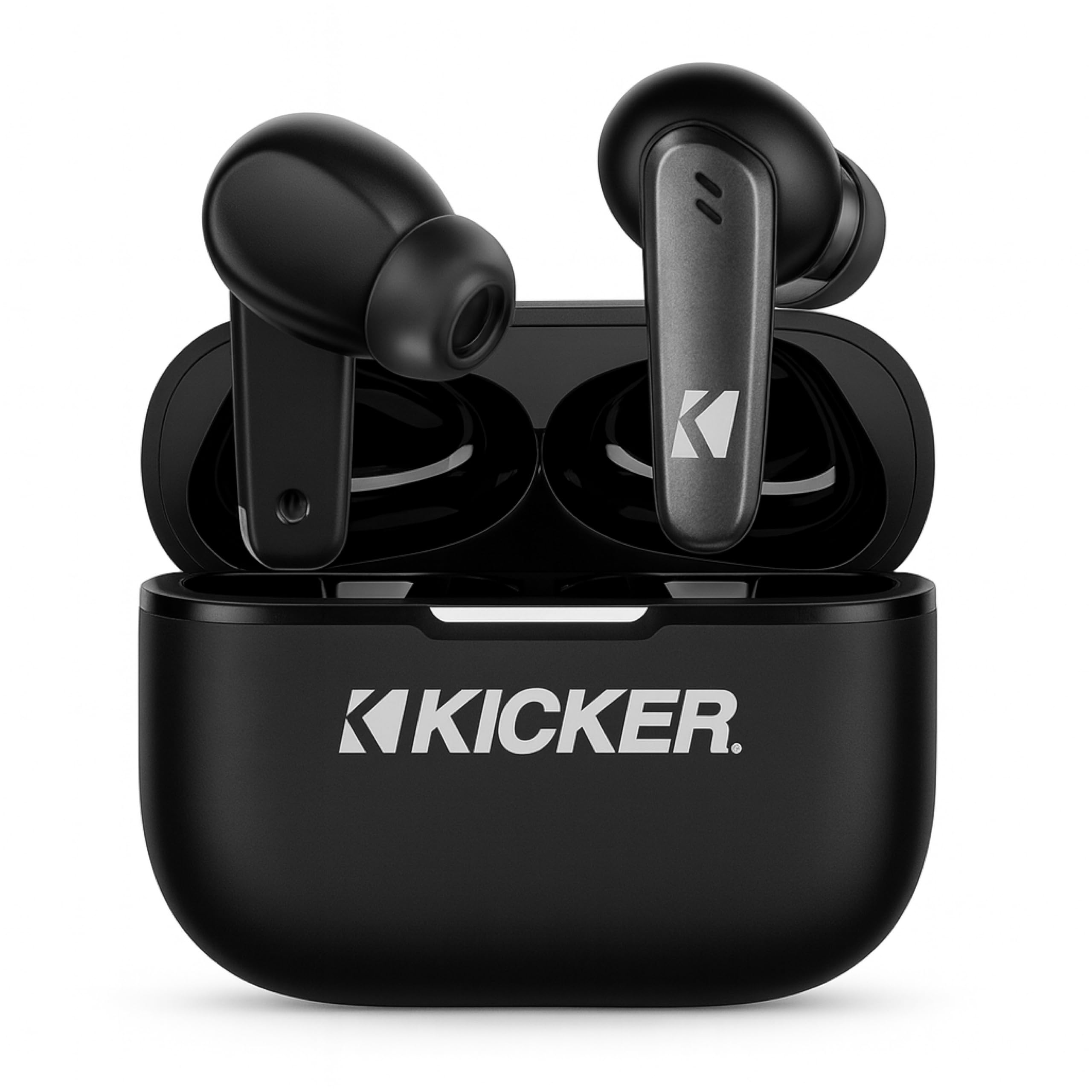
Image: The KICKER TW3 Wireless Earbuds resting inside their sleek black charging case.

Hoto: Kusanci view of a KICKER TW3 earbud, illustrating its noise reduction feature with a graphic showing noise being reduced by 35dB.
Saita
1. Fitting Ear Tips
Select the ear tips (Small, Medium, Large) that provide the most comfortable and secure fit for your ears. A proper seal is crucial for optimal sound quality and noise cancellation. Insert the earbud into your ear and gently twist it until it feels snug.

Image: A diagram illustrating the correct way to insert the earbuds and the three available ear tip sizes (S, M, L) for a comfortable fit.
2. Cajin Farko
Before first use, fully charge the earbuds and the charging case. Place the earbuds into the charging case and connect the USB-C cable to the case and a power source. The indicator light on the case will show charging status.
3. Haɗawa da Na'urar ku
- Bude akwati na caji. Na'urar kunne za ta shigar da yanayin haɗin kai ta atomatik.
- A kan na'urarka (wayar hannu, kwamfutar hannu, kwamfutar tafi-da-gidanka), je zuwa saitunan Bluetooth.
- Select "KICKER TW3" from the list of available devices.
- Da zarar an haɗa, za ku ji sautin tabbatarwa, kuma belun kunne sun shirya don amfani.
Image: An icon representing Bluetooth wireless earbuds with auto-pairing functionality to a smartphone or device.
Umarnin Aiki
Kunna/Kashe Wuta
- Kunna Wuta: Bude akwati na caji, kuma belun kunne za su kunna ta atomatik.
- Kashe Wuta: Place the earbuds back into the charging case and close the lid. They will automatically power off. Earbuds will also auto power off after 3 minutes of no signal.
Gudanar da taɓawa
The KICKER TW3 earbuds feature intuitive touch sensors on each earbud for easy control of music, calls, and noise modes.

Image: A visual guide to the touch controls on the KICKER TW3 earbuds, showing actions for play/pause, previous/next song, voice assistance, ANC on/off/transparency, answer/end call, and reject call.
| Aiki | Sarrafa |
|---|---|
| Kunna/Dakata | Matsa guda ɗaya akan ko wane belun kunne |
| Waka ta gaba | Matsa kunne na dama sau biyu |
| Wakar Da Ta Gabata | Matsa kunnen hagu sau biyu |
| Amsa/Ƙarshen Kira | Matsa guda ɗaya akan ko wane belun kunne |
| Karɓi Kira | Dogon latsawa akan kowane belun kunne |
| Kunna Mataimakin Murya | Taɓa sau uku akan kowane belun kunne |
| Canja Yanayin ANC/Tabbatar da Gaskiya | Long press on either earbud (when not on a call) |
Active Noise Cancellation (ANC) & Environmental Noise Cancellation (ENC)
The TW3 earbuds feature Hybrid Active Noise Cancellation, reducing ambient noise by up to -35dB, allowing you to focus on your audio. Transparency mode can be activated to hear your surroundings when needed. Environmental Noise Cancellation with dual microphones ensures your voice is clear during calls by blocking background chatter.

Image: A graphic illustrating the benefits of ENC for clear calls and ANC for blocking external noise from airplanes, offices, and cafes.
Cajin
The KICKER TW3 earbuds offer extended battery life with their charging case.
- Lokacin Wasan kunne: Har zuwa awanni 5 akan caji ɗaya.
- Jimlar Lokacin Yin Wasa Da Akwati: Up to 25 hours (20 additional hours from the charging case).
- Lokacin Caji: Kimanin awanni 1.5 don cikakken caji na akwatin da belun kunne.
Cajin Case da Kunnen kunne
- Place the earbuds securely into their respective slots in the charging case.
- Connect the provided USB-C charging cable to the charging port on the case and to a USB power adapter (not included).
- The LED indicator on the case will flash red while charging.
- The LED indicator will turn solid red when the case is fully charged.
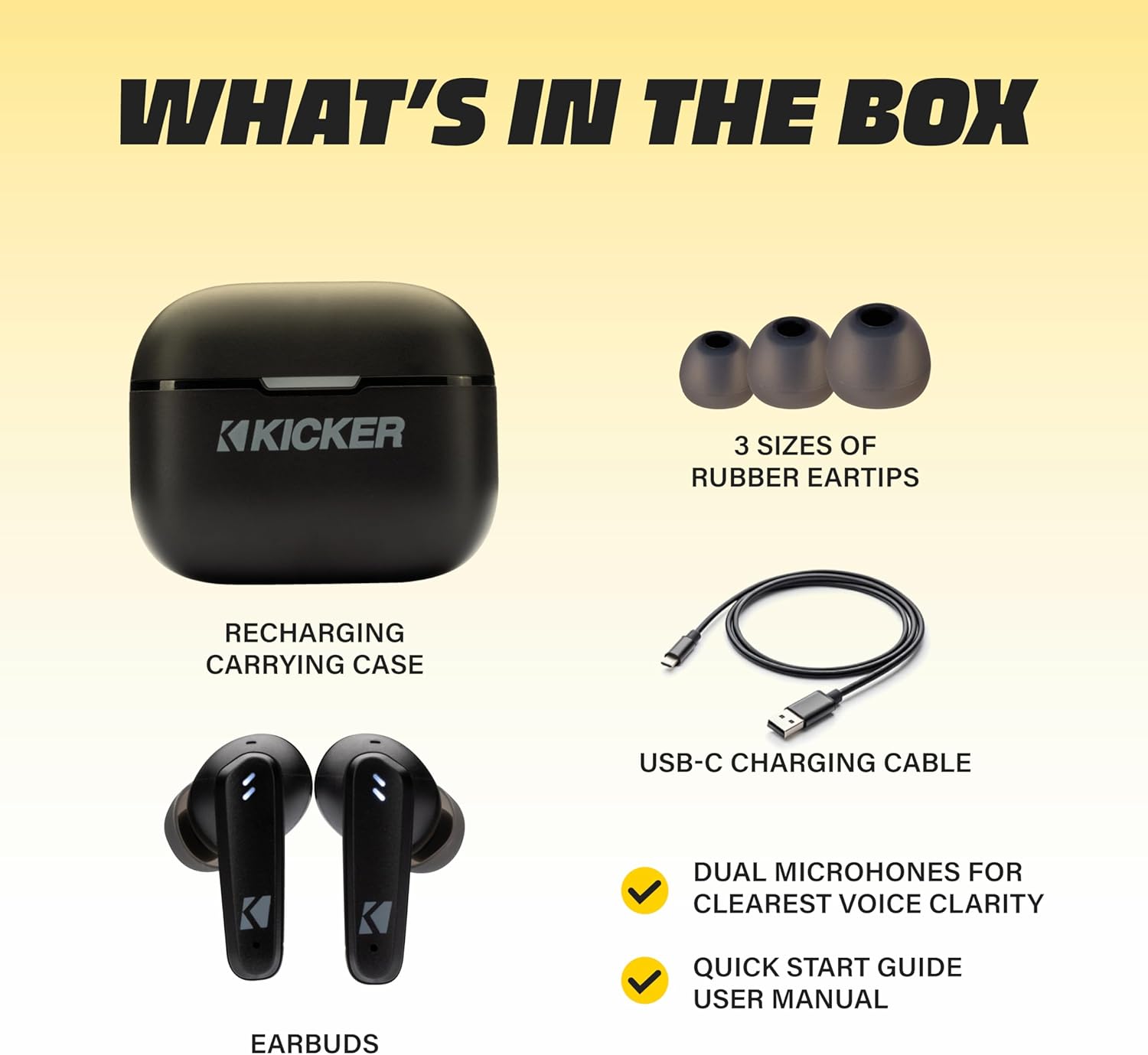
Image: The KICKER TW3 charging case being charged via a USB-C cable, with text indicating 5 hours of playtime for earbuds and 20 additional hours from the charging case, totaling 25 hours.
Kulawa
Tsaftacewa
Regularly clean your earbuds and charging case to ensure optimal performance and hygiene. Use a soft, dry, lint-free cloth. Do not use harsh chemicals or abrasive materials. Gently remove ear tips and clean them with mild soap and water, ensuring they are completely dry before reattaching.
Resistance Ruwa (IPX4)
The KICKER TW3 earbuds are IPX4 sweatproof, meaning they are resistant to splashes and sweat. They are suitable for workouts and outdoor activities but should not be submerged in water.

Image: An icon indicating the earbuds are sweat and water resistant.
Adana
When not in use, store the earbuds in their charging case to protect them and keep them charged. Avoid storing them in extreme temperatures.
Shirya matsala
| Matsala | Magani mai yiwuwa |
|---|---|
| Kunnen kunne ba sa haɗawa | Ensure earbuds are charged. Turn off and on your device's Bluetooth. Forget "KICKER TW3" in your device's Bluetooth settings and re-pair. |
| Babu sauti daga belun kunne guda ɗaya | Ensure both earbuds are charged. Place both earbuds back in the case, close the lid, then open again to reset. Check device audio balance settings. |
| Cajin caji baya caji | Check USB-C cable connection. Try a different USB power adapter or port. Ensure the charging port is clean and free of debris. |
| ANC ba ta da tasiri | Ensure ear tips provide a proper seal. Switch between ANC and Transparency modes using touch controls to confirm functionality. |
Ƙayyadaddun bayanai
- Samfura: Bayani na TWS3
- Sigar Bluetooth: 5.0
- Kewayon Mara waya: Har zuwa mita 10 (ƙafa 33)
- Sarrafa amo: Hybrid Active Noise Cancellation (up to -35dB), Environmental Noise Cancellation (ENC)
- Lokacin Wasan kunne: Har zuwa awanni 5
- Jimlar Lokacin Yin Wasa Da Akwati: Har zuwa awanni 25
- Lokacin Caji: Kusan awanni 1.5
- Juriya na Ruwa: IPX4 (Sweatproof)
- Microphones: Dual Microphones for clear voice clarity
- Kashe Wuta ta atomatik: Bayan mintuna 3 babu sigina
Bidiyon Samfur na hukuma
Video: An official product features video for the KICKER Bluetooth TW3 ANC Earbuds, showcasing their design, noise cancellation, and other key functionalities.
Garanti da Taimako
KICKER products are designed for durability and performance. For warranty information, technical support, or any questions regarding your KICKER TW3 Wireless Earbuds, please refer to the official KICKER website or contact KICKER customer service directly. Keep your proof of purchase for warranty claims.
Contact KICKER Support: 1(800) 256-0800 or visit kicker.com/support