
1. Gabatarwa
This manual provides detailed instructions for the installation, configuration, and operation of the D-Link Guardian 700 Pro Multi-Gig Business Router (DBR-700). The DBR-700 is designed to provide enterprise-level networking capabilities for small and medium businesses, offering high-speed connectivity, robust security features, and simplified management.
Key features include a 2.5GbE WAN port, six 2.5GbE LAN ports, a 2.5GbE SFP uplink for flexible fiber connections, Multi-WAN failover, SPI Firewall, VPN support (IPSec, WireGuard, OpenVPN), and centralized management for up to 15 D-Link Guardian Wi-Fi 6 Smart Access Points (DBR-X3000-AP, sold separately).

Image: The D-Link Guardian 700 Pro Multi-Gig Router (DBR-700) designed for small and medium business environments.
2. Abubuwan Kunshin
Tabbatar cewa kunshin ku ya ƙunshi abubuwa masu zuwa:
- D-Link Guardian 700 Pro Multi-Gig Business Router (DBR-700)
- Adaftar Wuta
- Jagorar Shigar da Sauri (QIG)
Idan wasu abubuwa sun ɓace ko sun lalace, tuntuɓi mai sake siyar da D-Link na gida.
3. Hardware Ya Ƙareview
3.1. Gabatarwa
The front panel of the DBR-700 features status indicators and network ports.

Hoto: Gaba view of the DBR-700 router, showing LED indicators, Console port, LAN ports, WAN port, and LAN/WAN SFP port.
- SYS LED: Yana nuna matsayin tsarin.
- LED SFP: Indicates status of the SFP port.
- Maballin Sake saitin: Used to reset the device or restore factory defaults.
- Port Console: For command-line interface access.
- LAN Ports (1-6): Six 2.5GbE LAN ports for connecting local network devices.
- Tashar LAN/WAN: A 2.5GbE port configurable as either a LAN or WAN interface.
- WAN Port: A dedicated 2.5GbE WAN port for internet connectivity.
- LAN/WAN SFP Port: A 2.5GbE/1GbE SFP port for fiber or copper connections, configurable as LAN or WAN.
3.2. Rear Panel
The rear panel includes the power input and power switch.

Hoto: Na baya view of the DBR-700 router, showing the DC 12V/2A power input and On/Off switch.
- DC 12V/2A: Mai haɗa shigar da wutar lantarki.
- Kunnawa/Kashewa: Ikon wutar lantarki don na'urar.
4. Shigarwa
Follow these steps for the initial setup of your DBR-700 router:
- Haɗin Wuta: Connect the provided power adapter to the DC 12V/2A port on the rear panel of the router and plug it into a power outlet. Turn on the router using the On/Off switch.
- Haɗin WAN: Connect your internet service provider's modem or main network line to the WAN port on the router using an Ethernet cable. If using fiber, insert the SFP module (sold separately) into the LAN/WAN SFP port and connect the fiber cable.
- Haɗin LAN: Connect your local network devices (e.g., computers, switches, access points) to the LAN ports (1-6) or the configurable LAN/WAN port using Ethernet cables.
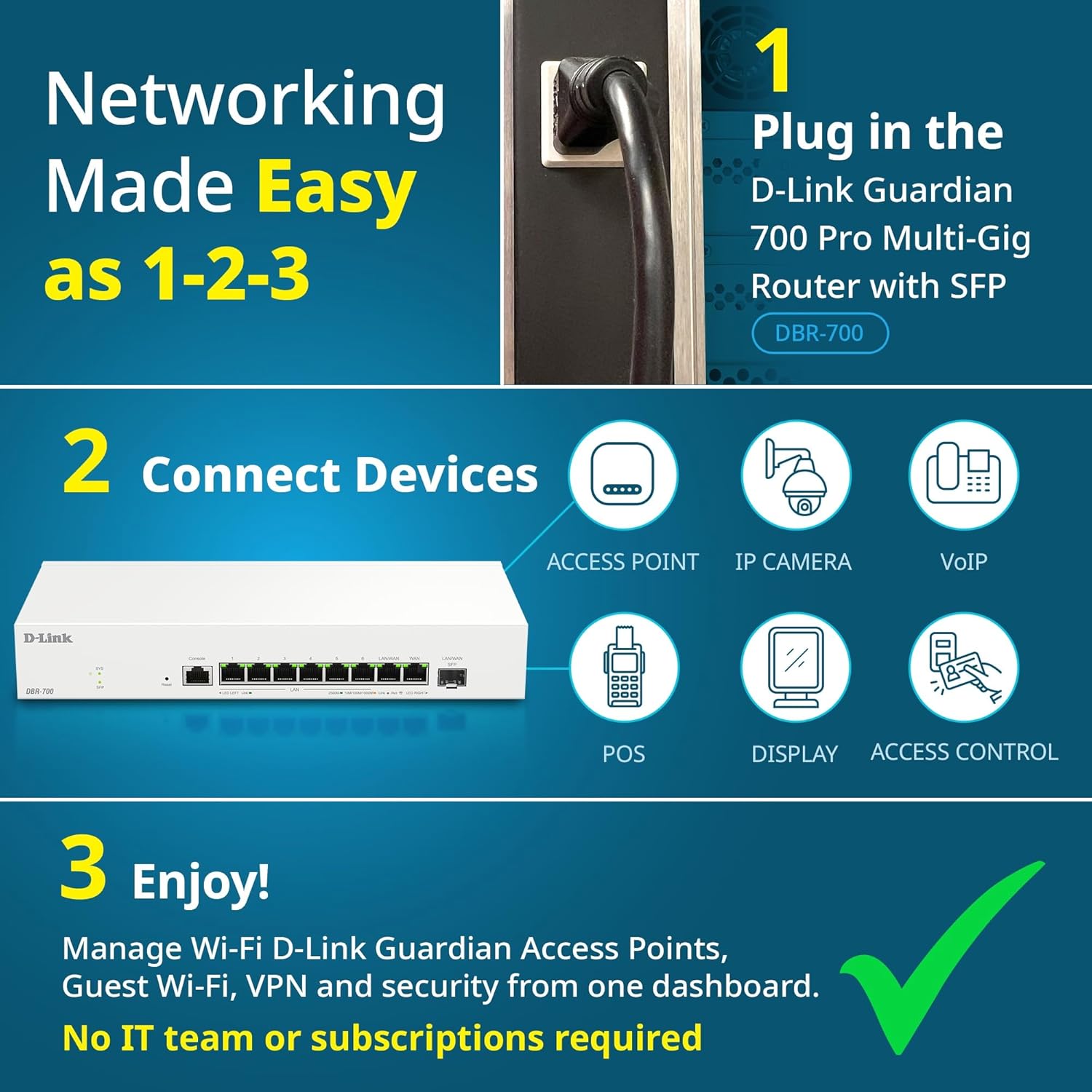
Image: Visual guide for router installation: 1. Plug in the DBR-700 router. 2. Connect devices like access points, IP cameras, VoIP, POS, displays, and access control. 3. Enjoy managed Wi-Fi, Guest Wi-Fi, VPN, and security from one dashboard.
5. Kanfigareshan
5.1. Shiga cikin Web Interface
To configure the DBR-700, access its web- tushen tsarin gudanarwa:
- Tabbatar cewa kwamfutarka tana da haɗin kai da ɗaya daga cikin tashoshin LAN na na'urar sadarwa.
- Bude a web browser (misali, Chrome, Firefox, Edge).
- Enter the router's default IP address (typically
192.168.1.1or similar, refer to the Quick Installation Guide for the exact address) into the address bar and press Enter. - Enter the default username and password when prompted. (Refer to the Quick Installation Guide for default credentials).
5.2. Basic Network Settings
Once logged in, you can configure basic network settings:
- Saitunan WAN: Configure your internet connection type (e.g., DHCP, Static IP, PPPoE) as provided by your ISP.
- Saitunan LAN: Adjust the router's internal IP address, subnet mask, and DHCP server settings for your local network.
- Saitunan Lokaci: Set the correct time zone and synchronize the router's clock.
6. Na gaba Features
6.1. Multi-WAN Failover
The DBR-700 supports Multi-WAN with intelligent failover, ensuring business continuity by providing redundant internet connections. If the primary WAN link fails, the router automatically switches to a secondary WAN link.

Image: The DBR-700's ports, illustrating the Primary 2.5GbE WAN, Secondary 2.5GbE LAN/WAN, and SFP Uplink for Multi-WAN failover capabilities.
6.2. Tsarin VPN
The router includes built-in VPN support for IPSec, WireGuard, and OpenVPN, enabling secure remote access for employees and branch office connectivity. It supports up to 100 VPN tunnels.
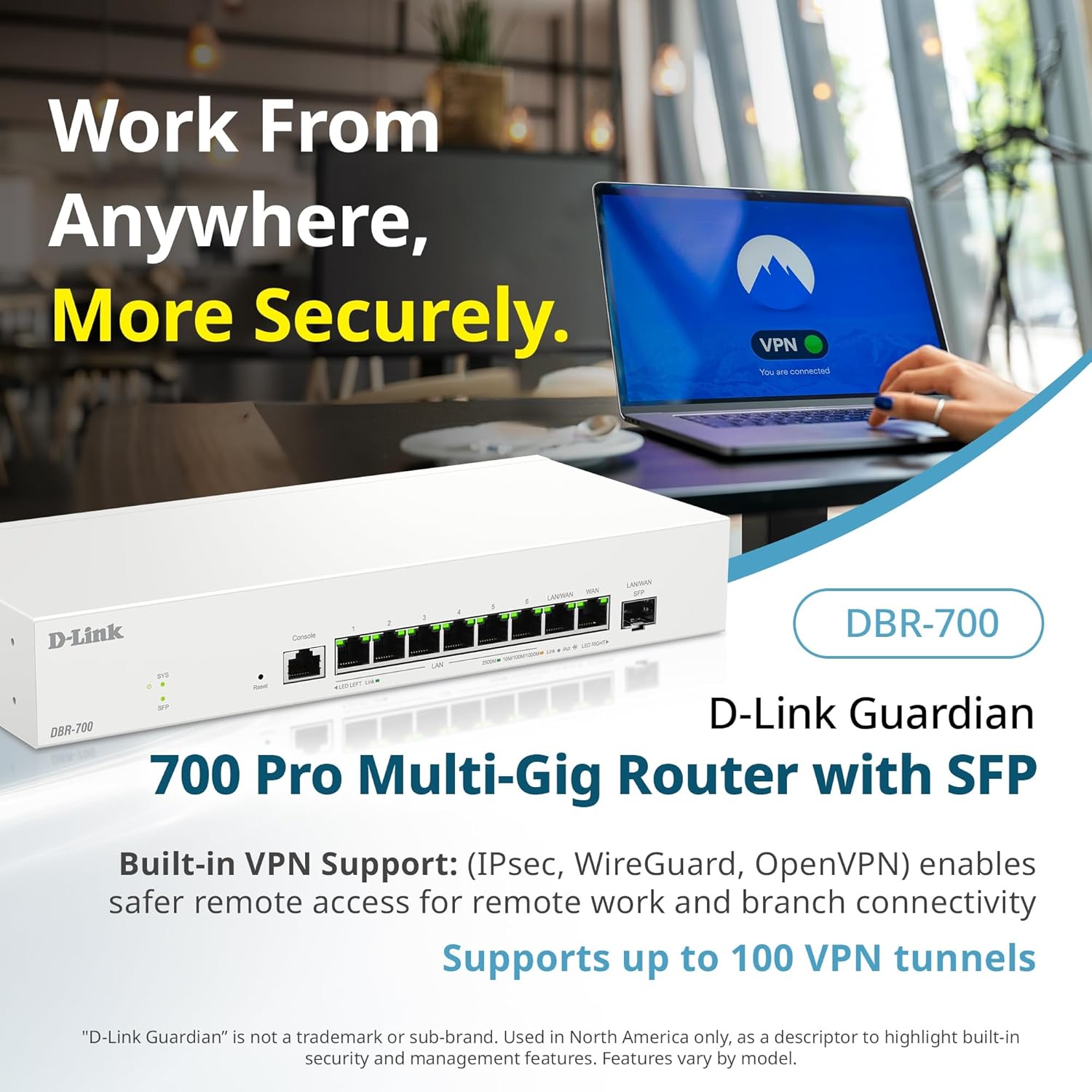
Image: A laptop displaying a 'VPN Connected' status, with the DBR-700 router in the foreground, illustrating secure remote access.
6.3. Centralized Access Point Management
The DBR-700 can discover and manage up to 15 D-Link Guardian Wi-Fi 6 Smart Access Points (DBR-X3000-AP, sold separately) from a single intuitive dashboard. This simplifies Wi-Fi network deployment and management.

Image: A tablet showing the D-Link Wi-Fi management dashboard, demonstrating centralized control over D-Link Guardian Access Points, with the DBR-700 router and a DBR-X3000-AP in the background.
6.4. Guest Wi-Fi Management
Set up and manage guest Wi-Fi networks with a Captive Portal. This allows for branded sign-in pages for guests while keeping business systems separate and secure. Configuration and management are done from the router dashboard.

Image: A smartphone screen showing a customizable guest Wi-Fi login portal, highlighting the DBR-700's ability to manage and customize guest networks.
7. Kulawa
7.1. Sabuntawar Firmware
Regularly check for and install firmware updates to ensure optimal performance, security, and access to new features. Firmware updates can typically be found on the D-Link support website don takamaiman samfurin ku.
7.2. Sake saitin masana'anta
If you encounter persistent issues or wish to clear all configurations, you can perform a factory reset. To do this, locate the Reset button on the front panel. With the router powered on, use a paperclip or similar pointed object to press and hold the Reset button for approximately 5-10 seconds until the SYS LED blinks. Release the button, and the router will restart with factory default settings.
8. Shirya matsala
This section addresses common issues you might encounter with your DBR-700 router.
8.1. Babu Haɗin Intanet
- Duba igiyoyi: Ensure all Ethernet cables are securely connected to the correct ports (WAN, LAN).
- Matsayin Modem: Verify that your internet service provider's modem is working correctly and has an active internet connection.
- Tsarin WAN: Shiga cikin na'ura mai ba da hanya tsakanin hanyoyin sadarwa web interface and verify that the WAN settings (e.g., IP address, DNS) are correctly configured according to your ISP's requirements.
- Sake Sake Na'urori: Wutar lantarki ta kunna modem ɗinka, sannan na'urar sadarwa, sannan na'urorin da aka haɗa.
8.2. Ba za a iya shiga ba Web Interface
- Adireshin IP: Ensure your computer is configured to obtain an IP address automatically (DHCP) or has a static IP address within the router's subnet.
- Adireshin IP: Double-check the router's default IP address. It might be printed on a label on the router itself or in the Quick Installation Guide.
- Firewall/Antivirus: Kashe duk wani Tacewar zaɓi ko software na riga-kafi a kan kwamfutarka na ɗan lokaci wanda zai iya toshe hanyar shiga.
- Cache mai lilo: Share naku web cache na burauza da kukis, ko gwada wani burauza na daban.
8.3. Slow Network Speeds
- Ingancin Cable: Ensure you are using high-quality Ethernet cables (Cat5e or Cat6) for multi-gig connections.
- Dacewar Na'urar: Verify that connected devices and network adapters support 2.5GbE speeds.
- ISP Speed: Confirm your internet service plan provides the expected speeds.
- Gudanar da zirga-zirga: Check router settings for any Quality of Service (QoS) or bandwidth limits that might be affecting performance.
9. Bayanan fasaha
| Siffar | Ƙayyadaddun bayanai |
|---|---|
| Alamar | D-Link |
| Lambar Samfura | Saukewa: DBR-700 |
| WAN Ports | 1x 2.5GbE WAN, 1x 2.5GbE/1GbE SFP (configurable as WAN) |
| LAN Ports | 6x 2.5GbE LAN, 1x 2.5GbE (configurable as LAN) |
| Taimakon VPN | IPSec, WireGuard, OpenVPN (up to 100 tunnels) |
| Gudanar da AP | Manages up to 15 D-Link Guardian Wi-Fi 6 Smart Access Points |
| Siffofin Tsaro | SPI Firewall, WPA3 encryption, VLANs |
| Girma (LxWxH) | 11.02 x 1.73 x 4.96 inci |
| Nauyin Abu | 2 fam |
| Voltage | 120V (AC) |
| Launi | Fari |
10. Garanti da Tallafawa
For detailed warranty information, technical support, and additional resources, please visit the official D-Link website. You can find product registration, FAQs, firmware downloads, and contact information for customer service.
D-Link Official Website: www.dlink.com
Please have your product model number (DBR-700) and serial number ready when contacting support.