
1. Samfurin Ya Ƙareview
The Baseus Picogo Power Bank is a compact, lightweight, and versatile magnetic portable charger designed for convenience and efficiency. Featuring Qi2 certification for 15W wireless charging and a 20W USB-C output, it provides reliable power for your devices on the go. Its ultra-slim design includes a built-in kickstand for hands-free viewing.
Mabuɗin fasali:
- Ƙirar Ƙarfafawa: Smaller than a credit card and weighing approximately 0.3 lbs (138g), making it highly portable.
- Qi2 Certified Wireless Charging: Delivers up to 15W fast wireless charging for compatible devices.
- 20W USB-C Wired Charging: Provides rapid wired charging for devices via the USB-C port.
- Batirin 5000mAh: Offers approximately 1.5 full charges for most iPhone models.
- Integrated Kickstand: Allows for hands-free viewing in both portrait and landscape orientations.
- Ƙarfin Magnetic Daidaita: Equipped with 11 reinforced N52 magnets for a secure attachment to MagSafe-compatible devices.
- Kayayyakin Kayayyaki: Crafted with an aluminum alloy shell and a soft-touch silicone coating for durability and grip.
- Ingantaccen Tsaro: Features NTC Smart Temperature Control and multiple protection mechanisms (over-voltage, ƙarƙashin-voltage, over-charge, over-discharge, over-current, short circuit, over-power).

Image: The Baseus Picogo Power Bank attached to the back of an iPhone, demonstrating its ultra-compact size and the integrated kickstand in use. The image emphasizes its portability and hands-free viewiyawa.
2. Abin da ke cikin Akwatin
Upon opening your Baseus Picogo Power Bank package, you should find the following items:
- Baseus Picogo Power Bank (Model: PPKPC-0520S)
- USB-C zuwa USB-C Cajin caji
- Jagorar mai amfani (wannan takaddar)

Image: The Baseus Picogo Power Bank, its retail packaging, and the included USB-C charging cable, illustrating the complete product contents.
3. Saita
Farkon Cajin Bankin Wutar Lantarki:
- Connect the provided USB-C cable to the USB-C port on the Baseus Picogo Power Bank.
- Connect the other end of the USB-C cable to a compatible USB-C power adapter (not included).
- The LED indicators on the power bank will light up to show the charging status. A full charge is indicated when all four LEDs are solid.
- Allow approximately 1 hour and 54 minutes for a full recharge using a 20W or higher power adapter.

Image: The Baseus Picogo Power Bank connected to a wall adapter via a USB-C cable, illustrating the process of recharging the power bank.
Duba Matsayin Baturi:
Danna maɓallin wuta sau ɗaya don view the current battery level indicated by the LED lights:
- 1 LED: 0-25%
- 2 LEDs: 25-50%
- 3 LEDs: 50-75%
- 4 LEDs: 75-100%

Image: A visual guide explaining how the LED indicators on the Baseus Picogo Power Bank correspond to its remaining battery charge levels.
4. Umarnin Aiki
Cajin mara waya (MagSafe Mai jituwa):
- Ensure your device is MagSafe compatible (iPhone 12-17 series) or has a MagSafe-compatible case.
- Align the Baseus Picogo Power Bank with the back of your device. The strong magnets will snap it into place.
- Wireless charging will begin automatically. The power bank delivers up to 15W for fast wireless charging.
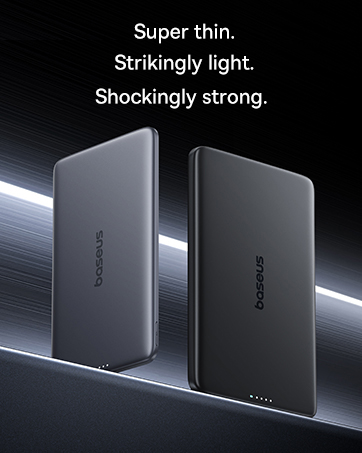
Image: The Baseus Picogo Power Bank magnetically attached to an iPhone, demonstrating active wireless charging with the Qi2 logo visible.
Wired Charging (USB-C Output):
- Connect a USB-C cable (provided or your own) to the USB-C port on the Baseus Picogo Power Bank.
- Connect the other end of the cable to your device's charging port.
- Wired charging will commence. The power bank supports up to 20W output for rapid charging.

Image: The Baseus Picogo Power Bank connected via a USB-C cable to one iPhone while wirelessly charging another, showcasing its dual-device charging capability.
Using the Built-in Kickstand:
- Gently pull out the integrated aluminum kickstand from the back of the power bank.
- Position your device (with the power bank attached) on a flat surface.
- Daidaita wurin tsayawar zuwa ga abin da kake so viewing angle for hands-free use in portrait or landscape mode.
Image: The Baseus Picogo Power Bank attached to an iPhone, with its kickstand extended to support the phone in an upright position for hands-free viewing.
Daidaituwa:
The Baseus Picogo Power Bank is compatible with:
- iPhone 12-17 Series (MagSafe wireless charging)
- MagSafe-compatible cases
- AirPods 3 / Pro 2
- Other USB-C powered devices (via wired connection)
Yana da bai dace ba with non-magnetic cases, Samsung phones (for wireless charging), or other Android phones (for wireless charging).
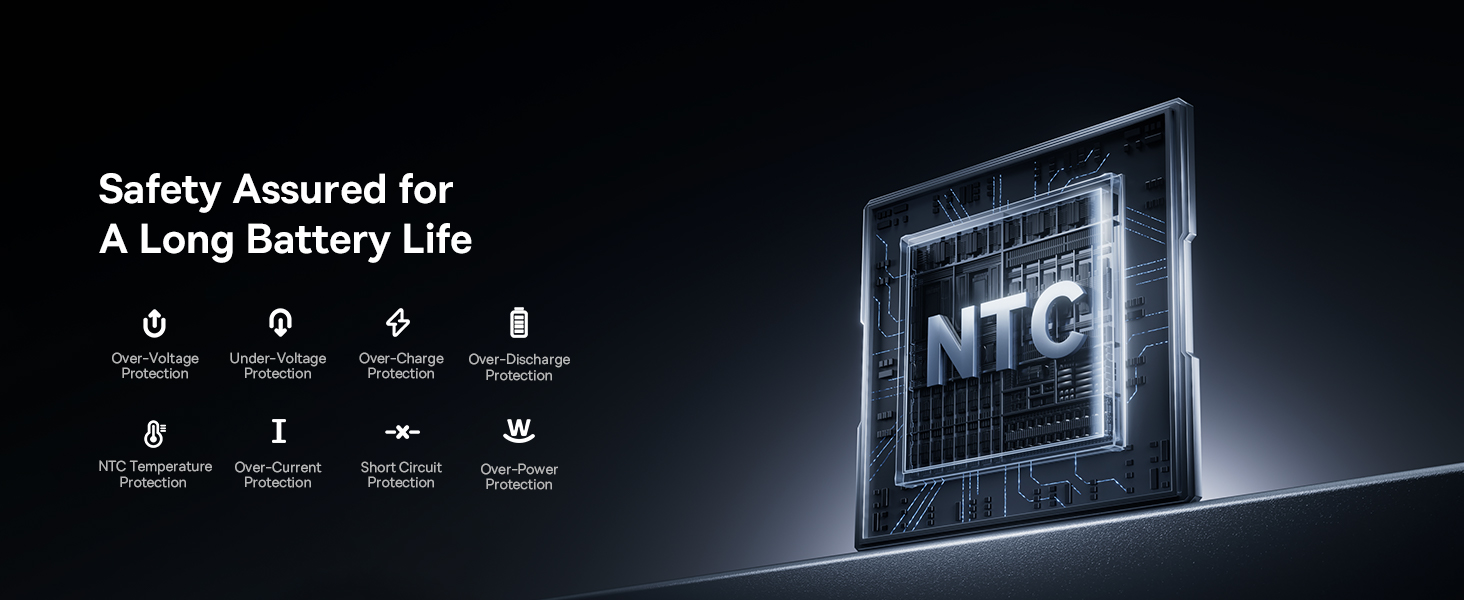
Image: A visual chart detailing compatible and incompatible devices for the Baseus Picogo Power Bank, including various iPhone models, AirPods, and other USB-C devices.
5. Kulawa
- Tsaftacewa: Yi amfani da laushi, bushe bushe don tsaftace bankin wutar lantarki. Ka guji yin amfani da sinadarai masu tsauri ko kayan shafa.
- Ajiya: Ajiye bankin wutar lantarki a wuri mai sanyi, bushewa nesa da hasken rana kai tsaye da matsanancin zafi.
- Kulawar Baturi: To prolong battery life, avoid fully discharging the power bank regularly. Recharge it when the battery level is low.
- Guji Sauki: While durable, avoid dropping the power bank to prevent internal damage.
6. Shirya matsala
- Na'urar Baya Cajin Waya Ta Waya:
- Tabbatar cewa na'urarka ta dace da MagSafe ko kuma tana da akwati mai jituwa da MagSafe.
- Check for proper alignment between the power bank and your device.
- Verify the power bank has sufficient charge.
- A hankali Caji:
- Ensure you are using a compatible cable and power adapter for optimal charging speeds.
- Charging may slow down at 80% to protect the battery, especially if the device gets warm. Moving to a cooler area may help.
- Power Bank Not Recharging:
- Duba kebul na USB-C da adaftar wutar lantarki don ganin ko sun lalace.
- Tabbatar adaftar wutar lantarki yana aiki daidai.
- Magnetic Connection is Weak:
- Ensure your device or case is genuinely MagSafe compatible.
- Remove any non-magnetic accessories or thick cases that may interfere with the magnetic connection.
7. Ƙayyadaddun bayanai
| Siffar | Daki-daki |
|---|---|
| Lambar Samfura | PPKPC-0520S |
| Ƙarfin baturi | miliyan 5000amp Awanni (mAh) |
| Fitar mara waya | 5W / 7.5W / 15W (Qi2 Certified) |
| USB-C fitarwa | 20W Max |
| USB-C Input | 5V=3A; 9V=2.22A |
| Jimlar Fitowa | 20W Max (when charging two devices simultaneously) |
| Girman samfur | 3.4 x 2.3 x 0.5 inci |
| Nauyin Abu | 0.3 lbs (approximately 138g) |
| Nau'in Baturi | Lithium polymer |
| Kayan abu | Silicone, Aluminum alloy |
| Launi | Grey |
8. Garanti da Tallafawa
Baseus yana bayar da Alkawarin Sauya Shekara 2 for this product. For any issues or support, please contact Baseus customer service. Details can typically be found on the product packaging or the official Baseus website.
9. Muhimman Bayanan Tsaro
- Kada a bijirar da bankin wutar lantarki zuwa matsanancin zafi, hasken rana kai tsaye, ko wuta.
- Kada ka ƙwace, gyara, ko gyara na'urar da kanka.
- A kiyaye nesa da yara.
- Guji faduwa ko ƙaddamar da na'urar zuwa tasiri mai ƙarfi.
- Use only original or certified cables and adapters.
- If the power bank swells, emits an odor, or becomes excessively hot, discontinue use immediately.
10. Samfurin Bidiyo Overview
Bidiyo: An gama aiki a hukumanceview of the Baseus Picogo Power Bank, highlighting its ultra-mini size, 15W Qi2 wireless charging, strong magnetic attachment, and built-in kickstand. It demonstrates the product's key features and portability.