
Gabatarwa
The ARCCTV Y2U3 Indoor Security Camera is designed to enhance your home's security and monitoring capabilities. Featuring advanced Wi-Fi 6 and dual-band (5GHz/2.4GHz) connectivity, it ensures stable and fast streaming. This camera offers 2.5K Quad HD resolution for clear visuals, two-way audio for communication, and intelligent motion detection with tracking. It also includes true-color night vision, automatic patrol cruise, and compatibility with Amazon Alexa for voice control.
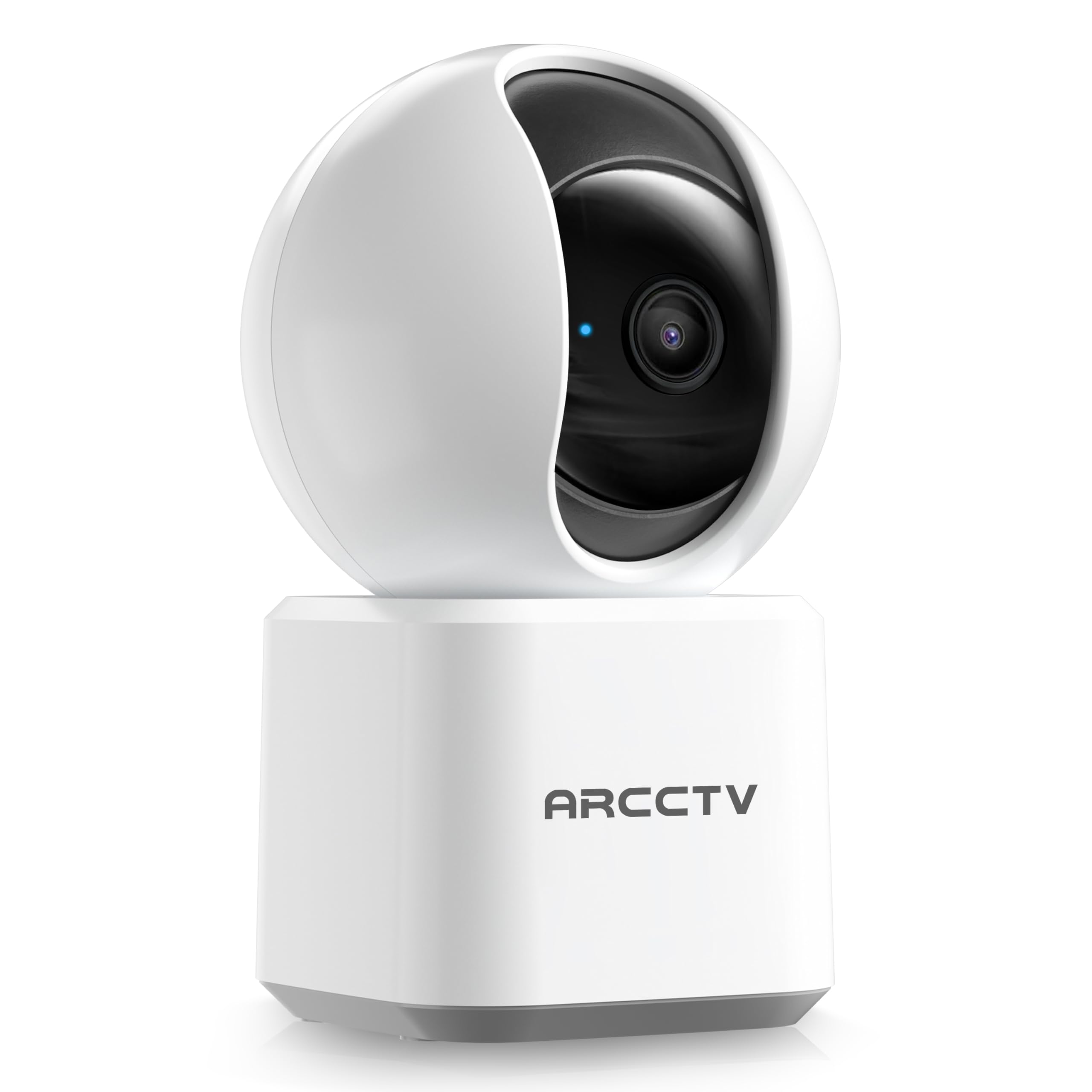
Image: The ARCCTV Y2U3 Indoor Security Camera.
Me ke cikin Akwatin
Upon unboxing your ARCCTV Y2U3 camera, you should find the following components:
- ARCCTV Y2U3 Indoor Security Camera Body
- USB Power Adapter (for your region)
- USB-C Power Cable
- Hawan Dutsen
- Hawan Screws da Anchors na bango
- Jagoran Fara Mai Sauri

Image: The ARCCTV Y2U3 camera and its included accessories laid out on a wooden surface.
Video: An unboxing video demonstrating the contents of the ARCCTV Y2U3 Indoor Security Camera package, including the camera, power adapter, USB-C cable, mounting bracket, screws, and quick start guide.
Saita
- Kunna Wuta: Connect the USB-C cable to the camera's port (located at the back of the base) and the USB power adapter. Plug the adapter into a power outlet. The camera will initiate a self-test and a blue indicator light will appear.
- Sauke App: Scan the QR code in the Quick Start Guide or search for the "ARCCTV Security" app on your smartphone's app store (available for Android and iOS).
- Rijistar Asusu: Bude app ɗin kuma yi rajista don sabon asusu ko shiga idan kuna da ɗaya.
- Ƙara Na'ura: Follow the in-app instructions to add your new camera. This typically involves selecting "Add Device," choosing your camera model, and scanning a QR code displayed on your phone with the camera's lens.
- Haɗin Wi-Fi: Ensure your smartphone is connected to a 2.4GHz or 5GHz Wi-Fi network. The camera supports both bands. The app will guide you through connecting the camera to your home Wi-Fi.
- MicroSD Card Installation (Optional): If you plan to use local storage, gently rotate the camera lens upwards to reveal the microSD card slot. Insert a compatible microSD card (up to 256GB, not included) with the gold contacts facing down.
- Hawa (Na zaɓi): If mounting the camera, use the provided mounting bracket, screws, and wall anchors. Secure the bracket to your desired location (wall or ceiling), then attach the camera to the bracket. Ensure the camera is within range of a power outlet.
Video: A preview of the ARCCTV Y2U3 camera setup process, demonstrating the initial power-on, app connection, and basic functionality like pan/tilt control and live view.
Umarnin Aiki
Rayuwa View da kuma Sarrafa Pan/Tilt
Access the live feed through the ARCCTV Security app. Use the on-screen controls to remotely pan (355° horizontal) and tilt (90° vertical) the camera lens, providing a 360° panoramic view of your space. This allows you to monitor every corner of the room.

Image: The camera's pan and tilt capabilities are illustrated, showing its wide coverage range.
Audio Hanyoyi Biyu
Utilize the built-in microphone and speaker for real-time two-way communication. Speak through the app to interact with family members, pets, or deter intruders. The audio quality is designed for clear conversations.

Image: A visual representation of the two-way communication feature, allowing interaction with individuals near the camera.
Gano Motsi da Bibiya
The camera features intelligent motion detection that sends instant notifications to your smartphone when activity is detected. With Smart Motion Tracking, the camera's lens automatically follows moving subjects, ensuring continuous monitoring of important events. You can customize monitoring zones to focus on specific areas.

Image: The camera's precision motion detection capability, distinguishing between human and pet movements.

Image: Smart motion tracking in action, where the camera automatically adjusts to follow moving subjects.
Hangen Dare
The camera is equipped with true-color night vision using an invisible light spectrum, allowing for clear monitoring in low-light conditions without disruptive red glows. The night vision range is up to 32 feet.

Image: A depiction of the camera's night vision capability, providing clear monochrome images in darkness.
Zaɓuɓɓukan ajiya
The ARCCTV Y2U3 supports local storage via a microSD card (up to 256GB) for continuous recording. Additionally, encrypted cloud storage is available through a paid subscription, ensuring your data is secure even if the device is damaged.

Image: The camera highlighting its microSD card slot for local video storage.

Image: An illustration of encrypted cloud storage, emphasizing data security and accessibility.
Alexa gwargwado
Integrate your ARCCTV Y2U3 camera with Amazon Alexa for convenient voice control. Use simple voice commands like "Alexa, show me the nursery" to view the live feed on compatible Alexa-enabled devices.
Image: A user interacting with the camera via Alexa voice commands, viewing the feed on a tablet.
Kulawa
- Tsaftacewa: Gently wipe the camera lens and body with a soft, dry cloth. Avoid using harsh chemicals or abrasive materials that could scratch the lens or surface.
- Sabunta Firmware: Regularly check the ARCCTV Security app for available firmware updates. Keeping your camera's firmware up-to-date ensures optimal performance, security, and access to new features.
- Zagayowar Wuta: If the camera experiences connectivity issues or unusual behavior, try power cycling it by unplugging it from the power source for 10 seconds and then plugging it back in.
- Gudanar da Katin MicroSD: Idan amfani da katin microSD, sake maimaita lokaci-lokaciview and back up important recordings. Format the card within the app as needed to maintain performance and free up space.
Shirya matsala
- Kamara A Wajen Layi:
- Duba ko kyamarar tana kunne kuma adaftar wutar tana da haɗin da aka amince da shi.
- Verify your Wi-Fi network is active and the camera is within range of the router.
- Sake kunna Wi-Fi na'ura mai ba da hanya tsakanin hanyoyin sadarwa da kyamara.
- Ensure the camera is connected to a supported 2.4GHz or 5GHz Wi-Fi network.
- Rashin ingancin Bidiyo:
- Tabbatar da cewa ruwan tabarau na kyamara yana da tsabta kuma ba shi da ƙura ko datti.
- Check your Wi-Fi signal strength in the app. A weak signal can affect video quality.
- Adjust the video resolution settings within the app to a lower quality if your network bandwidth is limited.
- Gano Motsi Ba Ya Aiki:
- Tabbatar cewa an kunna gano motsi a cikin saitunan app.
- Adjust the motion detection sensitivity levels.
- Tabbatar cewa babu cikas da ke toshe kyamarar view in the monitored zones.
- Matsalolin Sauti Mai Hanya Biyu:
- Check the microphone and speaker volume settings in the app.
- Ensure there is no physical obstruction covering the microphone or speaker on the camera.
- Minimize background noise for clearer communication.
- Sake saita Kyamara: If issues persist, locate the reset button (usually near the microSD card slot, accessible by rotating the lens upwards) and press and hold it for several seconds until you hear a prompt or see the indicator light change. This will restore factory settings, and you will need to set up the camera again.
Ƙayyadaddun bayanai
| Siffar | Daki-daki |
|---|---|
| Sunan Samfura | Y2U3 |
| Alamar | ARECCTV |
| Fasahar Haɗuwa | Mara waya (Wi-Fi) |
| Fasahar Sadarwa mara waya | Bluetooth, Wi-Fi (Dual-Band: 2.4GHz, 5GHz) |
| Ƙimar Ɗaukar Bidiyo | 1440p (2.5K Quad HD) |
| Ingancin Har yanzu Ƙaddamarwa | 4 MP |
| Siffofin Musamman | 2-Way Audio, PTZ Technology (Pan/Tilt/Zoom), Motion Tracking, Night Vision, Alexa Compatibility |
| Viewcikin Angle | Digiri 360 (Pan & Tirt) |
| Range Na Dare | 32 Kafafu |
| Tushen wutar lantarki | Lantarki Mai Lantarki (5Vt) |
| Girman Tallafin Ƙwaƙwalwar Ƙwaƙwalwar Filastik | 256 GB (MicroSD card) |
| Girman Abun L x W x H | 10 x 1.98 x 2.7 inci |
| Nauyin Abu | 12.6 oz |
| Abubuwan Amfani Don Samfura | Tsaro na cikin gida |
Garanti da Taimako
For warranty information, technical support, or further assistance with your ARCCTV Y2U3 Indoor Security Camera, please refer to the official ARCCTV website or contact their customer service directly. Details can typically be found in the Quick Start Guide or on the product packaging.
You can also visit the ARCCTV Store on Amazon for product updates and additional resources: ARCCTV Store