
Gabatarwa
The Fender Mustang LTX50 is a versatile 50-watt modeling combo amplifier designed for guitarists seeking a wide range of authentic Fender tones and modern features. Equipped with a 12-inch Celestion G12P-80 speaker, it delivers dynamic sound suitable for practice, rehearsal, and performance. This amplifier offers 25 amp models and 25 effects, covering various musical styles from clean to high-gain. Its intuitive color display, onboard tuner, and 100 user preset slots provide easy customization and quick access to your preferred sounds. The Mustang LTX50 also features Bluetooth audio streaming for playing along with tracks and USB-C connectivity for direct recording and monitoring.
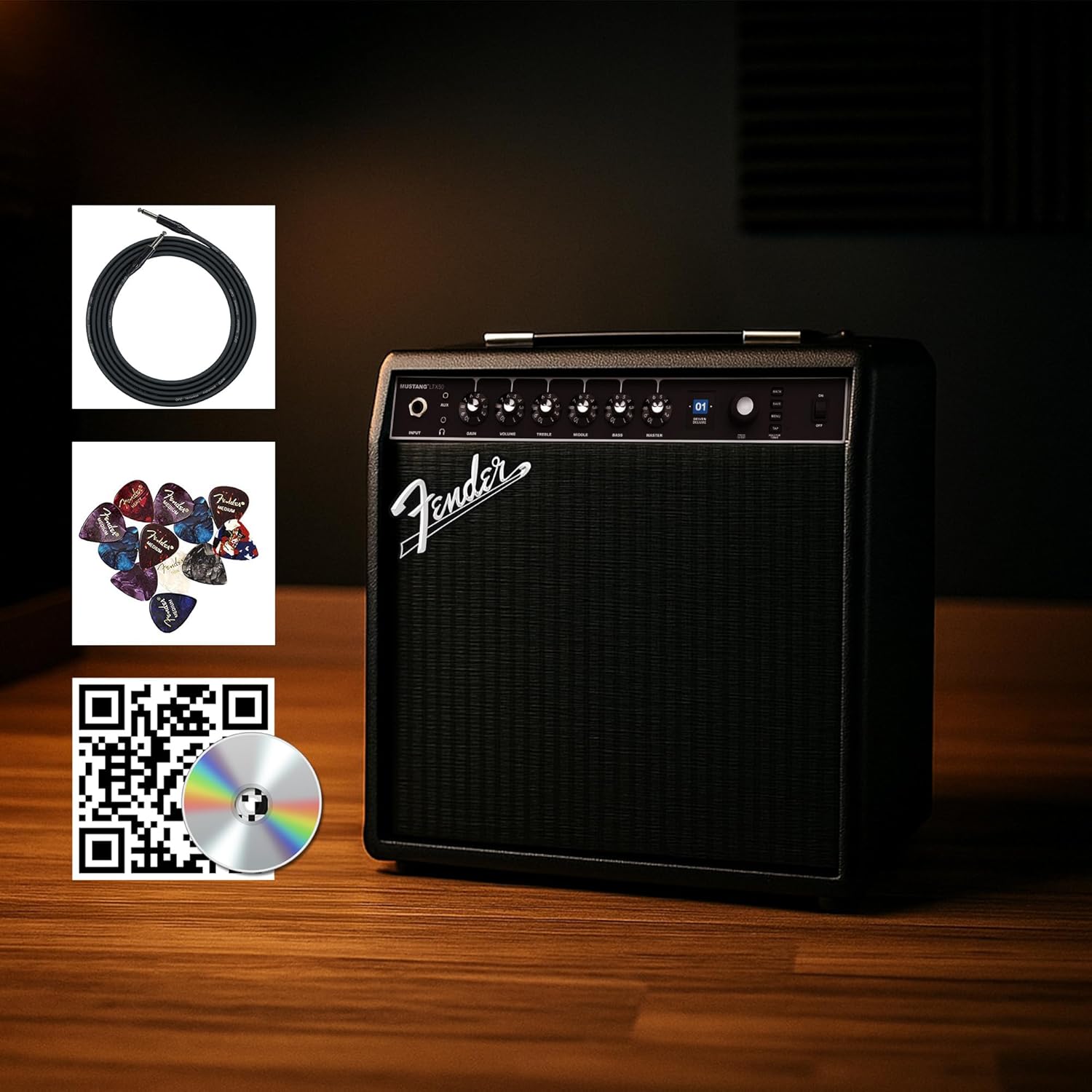
Figure 1: Fender Mustang LTX50 Guitar Combo Amplifier with included accessories.
Saita
1. Unboxing da farko dubawa
- Hankali cire amplifier da duk kayan haɗi daga marufi.
- Duba cikin amplifier for any signs of damage that may have occurred during shipping.
- Confirm all included items are present: Mustang LTX50 amplifier, power cord, instrument cable, 12-pack guitar picks, and instructional DVD.
2. Haɗin Wuta
- Tabbatar da ampMaɓallin wutar lantarki yana cikin KASHE.
- Connect the included power cord to the AC input on the rear panel of the ampmai sanyaya wuta.
- Toshe dayan ƙarshen igiyar wutar lantarki cikin mashin wutar lantarki.
3. Haɗa Gitar ɗinka
- Use the included instrument cable to connect your guitar to the INPUT jack a kan gaban panel na ampmai sanyaya wuta.
4. Basic Controls Overview
Familiarize yourself with the front panel controls before powering on the ampmai sanyaya wuta.
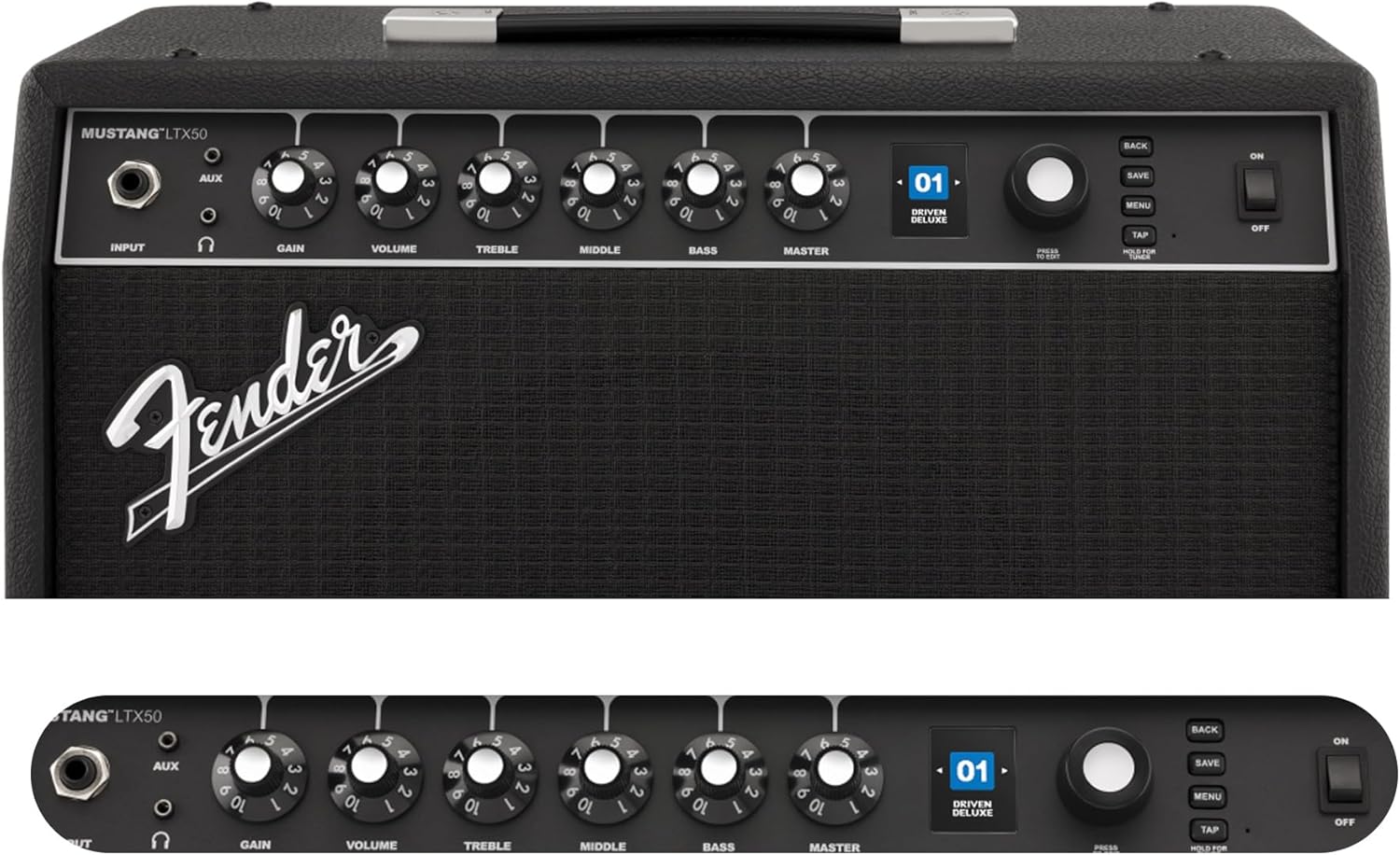
Figure 2: Front Panel Controls of the Mustang LTX50.
Umarnin Aiki
1. Kunnawa / Kashewa
- To power on, ensure all volume controls are set to minimum, then flip the WUTA sauya zuwa wurin ON.
- Don kashe wuta, danna maɓallin wuta WUTA canza zuwa matsayin KASHE.
2. Kewaya Saitattun Saiti
- Yi amfani da LOKACI knob (large rotary knob) to scroll through the 100 available presets (70 factory, 30 user).
- Danna maɓallin LOKACI knob to select a preset.
- The color LCD displays the current preset number and name.
3. Daidaitawa Amp Samfura da Tasiri
- Danna maɓallin MENU button don samun dama ga amplifier's settings.
- Navigate through options like AMP, STOMP, MOD, DELAY, REVERB using the LOKACI.
- Select an option and use the LOKACI to choose different amp samfura ko tasirin.
- Adjust parameters for each effect using the smaller control knobs (GAIN, VOLUME, TREBLE, MIDDLE, BASS, MASTER) or by selecting parameters on the display.
- Latsa ACE to store your customized preset.
4. Using the Built-in Tuner
- Latsa ka riƙe TAP button to activate the chromatic tuner.
- Play a single note on your guitar; the display will show the note and indicate if it is sharp, flat, or in tune.
- Press any button or play for a few seconds to exit tuner mode.
5. Fender Tone 3.0 App Control
- Download the Fender Tone 3.0 app from your device's app store (iOS/Android).
- Kunna Bluetooth akan na'urar tafi da gidanka.
- A kan amplifi, danna MENU button, navigate to "Bluetooth," and select "Pair."
- Select "Mustang LTX50" from your device's Bluetooth settings to connect.
- Use the app to wirelessly create, edit, save, and share presets, and to manage your ampSaitunan lififi.
6. Playing Along with Audio (Bluetooth)
- Once paired via Bluetooth, you can stream audio from your mobile device directly to the ampmai sanyaya wuta.
- Adjust the volume of the streamed audio from your mobile device.
- Alternatively, connect an external audio source to the AUX IN jack on the front panel using a 3.5mm stereo cable.
7. Recording via USB-C
- Connect a USB-C cable from the amplifier's USB-C port to your computer (Mac or PC).
- The amplifier functions as a bidirectional audio interface, allowing direct recording and monitoring.
- Refer to your Digital Audio Workstation (DAW) software's manual for specific setup instructions.
Kulawa
1. Tsaftacewa
- Cire haɗin haɗin amplifier from power before cleaning.
- Yi amfani da busasshiyar kyalle mai laushi don shafe saman saman.
- Don datti mai taurin kai, ɗan damp cloth with mild soap can be used, followed by a dry cloth.
- Avoid using abrasive cleaners, solvents, or waxes, as these can damage the finish.
2. Adana
- Ajiye da amplifier a wuri mai sanyi da bushewa, nesa da hasken rana kai tsaye da yanayin zafi mai tsanani.
- A guji adanawa a wuraren da ke da yawan danshi.
- If storing for extended periods, cover the amplifier to protect it from dust.
3. Safety Warnings (Proposition 65)
This product may contain chemicals known to the State of California to cause cancer, birth defects, or other reproductive harm. For more information, visit www.P65Warnings.ca.gov.
Shirya matsala
Babu Sauti
- Tabbatar da ampAna kunna lifier kuma an haɗa igiyar wutar lantarki cikin aminci.
- Check that your guitar is properly connected to the INPUT jak.
- Tabbatar cewa UBANGIJI volume and individual preset volume controls are not set to zero.
- Test with a different instrument cable and guitar to rule out faulty equipment.
- If using headphones, ensure they are fully plugged into the headphone jack and that the main speaker is not muted.
Distorted or Unwanted Noise
- Duba ƙarar guitar ɗinka da kuma yadda take sarrafa sautinta.
- Rage SAMU saitin kan ampmai sanyaya wuta.
- Ensure your instrument cable is not damaged or poorly shielded.
- Try a different power outlet to rule out electrical interference.
- If using high-gain amp models, some distortion is inherent. Adjust settings accordingly.
Matsalolin Haɗin Bluetooth
- Ensure Bluetooth is enabled on both your mobile device and the ampmai sanyaya wuta.
- Tabbatar da amplifier is in pairing mode (refer to "Fender Tone 3.0 App Control" section).
- Matsar da na'urarka ta hannu kusa da ampmai sanyaya wuta.
- Gwada cire haɗin na'urorin da sake haɗa su.
- Sake kunna duka biyun amplifier and your mobile device.
Amplifier Not Responding
- Zagayowar wutar lantarki amplifier by turning it off, waiting 10 seconds, and turning it back on.
- If the issue persists, a factory reset may be necessary. Consult the Fender support website for instructions on performing a factory reset for the Mustang LTX50.
Ƙayyadaddun bayanai
| Sunan Samfura | MUSTANG LTX50 |
| Lambar Samfura | 2311700000 |
| Alamar | Fender |
| AmpNau'in lifier | Samfuran Dijital |
| Fitar wutar lantarki | 50 Watts |
| Mai magana | 1 x 12" Celestion G12P-80 |
| Amp Samfura | 25 |
| Tasiri | 25 (distortion, overdrive, compression, modulation, reverb, delay, octave, etc.) |
| Saita | 70 factory + 100 user slots |
| Nunawa | Color LCD with onboard chromatic tuner |
| Haɗuwa | Bluetooth audio, USB-C bidirectional audio |
| Abubuwan da aka fitar | XLR line out, Headphone out |
| Taimakon App | Fender Tone 3.0 app (iOS/Android) |
| Kayayyakin Rufe | Karfe |
| Girman Abu (D x W x H) | 22.3"D x 19.9"W x 12.3"H |
| Nauyin Abu | 26.4 fam |
| UPC | 840262259088 |

Figure 3: Rear Panel Connections of the Mustang LTX50.
Bayanin Garanti
The Fender Mustang LTX50 Guitar Combo Amplifier is covered by a Garanti mai iyaka na Shekaru 2. This warranty covers defects in materials and workmanship under normal use. For full terms and conditions, please refer to the warranty documentation included with your product or visit the official Fender website.
Taimako
For further assistance, technical support, or service inquiries regarding your Fender Mustang LTX50 amplifier, please visit the official Fender support website:
You may also find additional resources, FAQs, and software updates on the Fender website.