
1. Gabatarwa
Thank you for choosing the CINMOORE CM-C2U 3K Indoor Security Camera. This manual provides essential information for setting up, operating, and maintaining your camera to ensure optimal performance and security. This camera is designed for indoor use, offering advanced features such as 3K UHD video, AI-powered detection, pan-tilt-zoom functionality, and dual-band Wi-Fi connectivity.
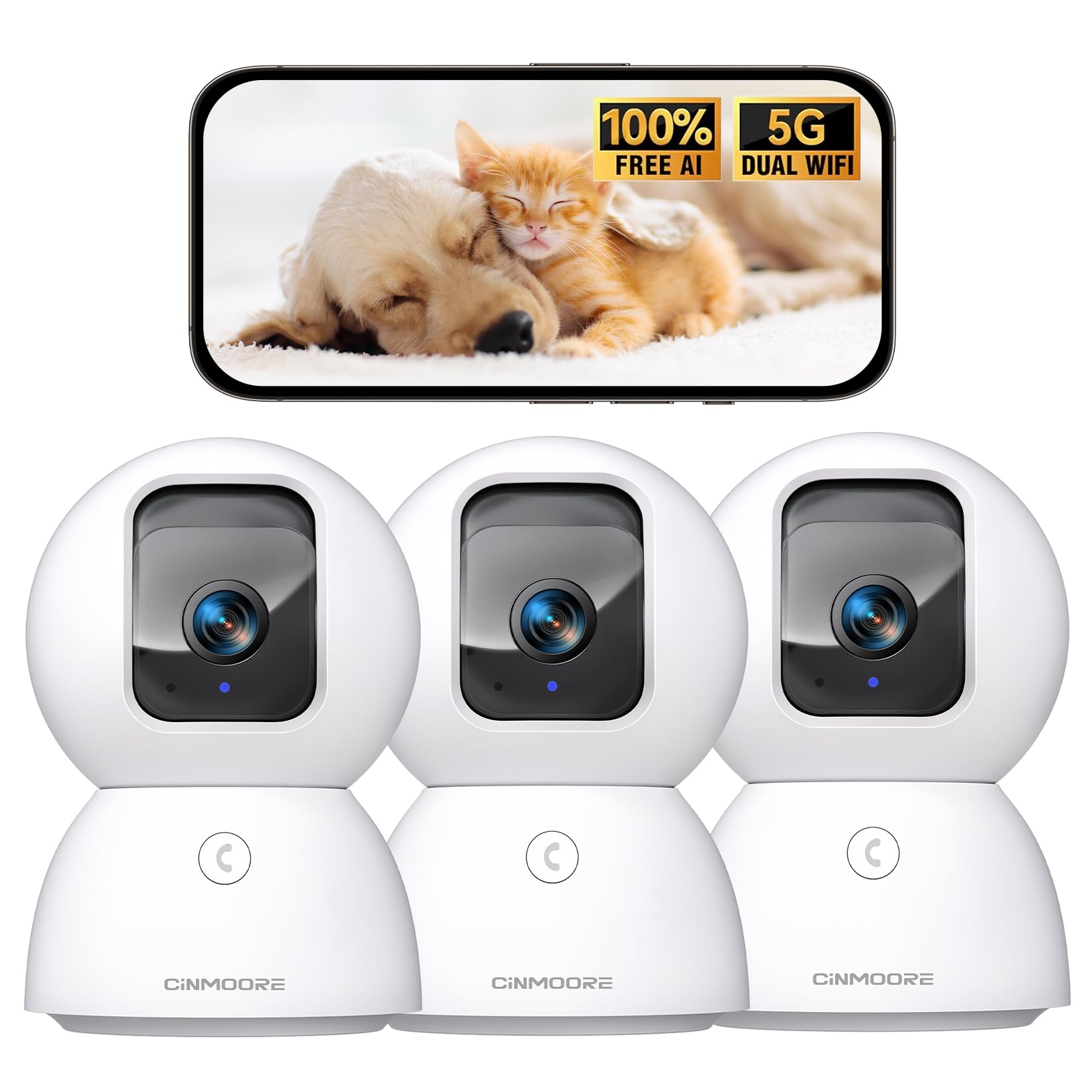
Figure 1: CINMOORE CM-C2U 3K Indoor Security Camera
2. Abin da ke cikin Akwatin
- CINMOORE Security Camera (x3)
- Mounting Bracket Base (x3)
- Adaftar wutar (x3)
- Data Cable (x3)
- Screw Anchors (x3)
- Littafin mai amfani (x1)
3. Saita Umarnin
3.1 Ƙarfin Farko
- Connect the data cable to the camera's power port.
- Toshe adaftan wutar cikin madaidaicin tashar lantarki.
- The camera will power on, and an indicator light will blink, signaling it's ready for setup.
3.2 Zazzagewa da Haɗin App
- Sauke manhajar CINMOORE ta hukuma daga shagon manhajar wayarku (iOS ko Android).
- Ƙirƙiri asusu ko shiga idan kuna da ɗaya.
- Follow the in-app instructions to add your new camera. This typically involves scanning a QR code located on the camera's base.
- Connect the camera to your home Wi-Fi network. The camera supports Dual-Band 2.4GHz/5GHz Wi-Fi 6 for a stable connection.
Video: C2U Indoor Camera 1-minute Setup. This video demonstrates the quick and easy setup process for the CINMOORE C2U Indoor Camera, guiding users through connecting the device to the power supply and linking it to the mobile application.
4. Umarnin Aiki
4.1 Live Video Monitoring
Access the live feed from your camera anytime, anywhere via the CINMOORE app. The 3K UHD resolution provides clear and detailed visuals.

Figure 2: Demonstrates the superior 3K clarity of the camera's video feed compared to 2K resolution, highlighting vivid detail for monitoring.
4.2 Pan-Tilt-Zoom (PTZ) Control
Use the virtual joystick in the app to remotely control the camera's movement. Enjoy a 360° horizontal pan and a 109° vertical tilt to cover every corner of your room. The camera also features AI auto-tracking to follow detected movement.

Figure 3: Illustrates the camera's comprehensive 360° pan and tilt capabilities, along with other key features like 3K Ultra HD, sound/crying alerts, and local facial recognition.
4.3 Sauti Mai Hanya Biyu
Engage in real-time conversations using the full-duplex two-way audio feature. Speak through the app and hear responses from the camera's location. A one-click call button can trigger family alerts.
4.4 Ganowa da Bin diddigin AI
The camera offers free AI detections for facial recognition (stores up to 5 faces locally), person detection, pet detection, baby crying detection, and smoke/gas alarm recognition. Receive instant alerts on your smartphone when activity is detected. Customize detection zones to focus on specific areas.

Figure 4: Highlights the camera's no-subscription local AI detection features, including recognition of up to 5 faces and 6 types of detections (person, pet, motion, noise, loitering, facial) while ensuring 100% privacy.
4.5 Hangen Dare
The 0-Glow Night Vision 2.0 provides clear monitoring in low-light conditions without emitting a visible red glow, ensuring undisturbed sleep for babies and pets. The night vision range is up to 33 feet.

Figure 5: Compares the CINMOORE camera's 0-Glow Night Vision with a traditional camera's red glow, emphasizing safe and undisturbed monitoring for infants and pets.
4.6 Zaɓuɓɓukan Ma'ajiya
Choose between local storage via an SD card (up to 512GB, not included) for 24/7 recording, or optional AWS Cloud storage with bank-level security (30-day free trial available). SD card encryption ensures footage is only viewable within the CINMOORE App.

Figure 6: Details the camera's encrypted and secure storage options, including SD card support (up to 512GB, not included) and optional AWS Cloud Storage with a 30-day free trial.
4.7 Yanayin Sirri
Activate the one-tap privacy mode, which physically covers the camera lens, ensuring your privacy when you are home.
5. Zaɓuɓɓukan hawa
The CINMOORE CM-C2U camera offers flexible mounting options to suit your needs:
- Dutsen tebur: Kawai sanya kyamarar akan kowane wuri mai faɗi kamar tebur, shiryayye, ko tebur.
- Bangon Dutsi: Use the included mounting bracket base and screw anchors to securely attach the camera to a wall.
- Dutsen Rufi: The camera can also be mounted to the ceiling using the provided bracket for an overhead view.
Ensure the camera is positioned to provide the optimal viewing angle for your desired monitoring area.
Video: Setup Guide for IMILAB indoor camera. This video provides a step-by-step guide on how to set up an IMILAB indoor camera, including unboxing, connecting to power, app setup, and mounting options.
6. Ƙayyadaddun bayanai
| Sunan Samfura | CM-C2U |
| Amfanin Cikin Gida/Waje | Cikin gida |
| Ƙimar Ɗaukar Bidiyo | 3K/4MP |
| Ka'idar Haɗuwa | Wi-Fi (Dual-Band 2.4GHz/5GHz Wi-Fi 6) |
| Tushen wutar lantarki | Corded Electric |
| Nau'in Mai Gudanarwa | Amazon Alexa |
| Nau'in hawa | Ceiling Mount / Tabletop Mount / Wall Mount |
| Range Na Dare | 33 Feet (0-Glow) |
| Ma'ajiyar Gida | SD card (up to 512GB, not included) |
| Girma | 3 x 4.5 x 3 inci |
| Nauyin Abu | 2.33 fam |
7. Kulawa
- Tsaftacewa: A hankali shafa ruwan tabarau na kamara da jiki tare da laushi, bushe bushe. Ka guji yin amfani da sinadarai masu tsauri ko kayan shafa.
- Sabunta Firmware: Regularly check the CINMOORE app for available firmware updates to ensure your camera has the latest features and security enhancements.
- Zagayowar Wuta: If the camera experiences connectivity issues, try unplugging it from the power source for 10 seconds and then plugging it back in.
- SD Card management: If using an SD card, periodically review da sarrafa rikodi footage to prevent the card from becoming full.
8. Shirya matsala
- Kamara Ba Haɗawa zuwa Wi-Fi:
- Tabbatar cewa hanyar sadarwar Wi-Fi ɗinku tana da 2.4GHz ko 5GHz.
- Duba cewa an shigar da kalmar sirri ta Wi-Fi daidai.
- Matsar da kyamara kusa da na'ura mai ba da hanya tsakanin hanyoyin sadarwa na Wi-Fi.
- Sake kunna na'ura mai ba da hanya tsakanin hanyoyin sadarwa da kamara.
- Rashin ingancin Bidiyo:
- Duba saurin haɗin Intanet ɗin ku.
- Tabbatar da ruwan tabarau na kamara yana da tsabta.
- Adjust video quality settings in the app if available.
- Babu Faɗakarwar Gano Motsi:
- Tabbatar cewa an kunna gano motsi a cikin saitunan app.
- Adjust motion sensitivity levels.
- Check app notification settings on your smartphone.
- Matsalolin Sauti Mai Hanya Biyu:
- Tabbatar cewa makirufo ɗin wayarka yana kunne ga manhajar.
- Check the volume settings in the app.
- Minimize background noise for clearer communication.
9. Garanti da Tallafawa
The CINMOORE CM-C2U camera comes with a 24-month warranty. For any issues or inquiries, please contact CINMOORE customer support. We offer free replacement for eligible issues, extended warranty options, and professional support to ensure your satisfaction.
For further assistance, refer to the help section within the CINMOORE app or visit our official website.