
1. Gabatarwa
The SENTKENG Y03008 InstaVision 1080P WiFi Camera is an indoor security camera designed for monitoring your home, baby, or pets. It offers 1080P Full HD video, pan and tilt functionality for wide coverage, two-way audio communication, infrared night vision, and intelligent motion detection. This manual provides essential information for setting up, operating, and maintaining your camera.
2. Bayanin Tsaro
- Ensure the camera is used indoors only.
- Yi amfani da adaftar wutar lantarki da kebul kawai.
- Ka kiyaye na'urar daga ruwa, danshi, da matsanancin yanayin zafi.
- Do not attempt to disassemble or repair the camera yourself. Contact support if issues arise.
- Ka kiyaye yara da dabbobin da ba za su iya isa ba.
3. Abubuwan Kunshin
Da fatan za a duba kunshin don abubuwa masu zuwa:
- SENTKENG Y03008 InstaVision 1080P WiFi Camera
- Jagoran Jagora
- Type-C Cajin caji
- Bangon bango
- Dunƙule Kunshin

Image: The camera, Type-C charging cable, wall bracket, screw package, and instruction manual are included in the box.
4. Samfurin Ya Ƙareview
Sanin kanku da manyan abubuwan da ke cikin kyamarar ku:
- Lens na kyamara: Captures 1080P Full HD video.
- Mai magana: Don sadarwar murya ta hanyoyi biyu.
- Storage Card Slot: Insert a microSD card (up to 128GB, not included) for local storage.
- Sake saitin Maɓalli: Ana amfani da shi don sake saita kamara zuwa saitunan masana'anta.
- Tashar Cajin Nau'in C: Haɗa kebul ɗin wuta anan.
Hoto: cikakken bayani view of the camera highlighting the camera lens, speaker, storage card slot, reset key, and Type-C charging port.
5. Jagorar Saita
5.1 Powering On and App Installation
- Kunna Wuta: Connect the camera to a power outlet using the provided Type-C charging cable and power adapter. The camera will power on automatically.
- Download the InstaVision App: Bincika 'InstaVision' in your smartphone's app store (iOS or Android) and download the application.
- Yi rijista/Shiga: Open the InstaVision app and follow the on-screen instructions to register a new account or log in if you already have one.

Image: The camera next to a smartphone displaying the InstaVision app's welcome screen, illustrating the easy connection process.
5.2 Haɗa zuwa Wi-Fi
- Ƙara Na'ura: In the InstaVision app, tap the '+' icon or 'Add Device' to begin the pairing process.
- Select Camera Type: Choose the appropriate camera model from the list.
- Bi umarnin In-App: The app will guide you through connecting the camera to your 2.4GHz Wi-Fi network. Ensure your phone is connected to the same 2.4GHz Wi-Fi network during setup.
- Tabbatarwa: Once connected, the camera's indicator light will change, and the app will confirm successful pairing.
5.3 Zaɓuɓɓukan Shigarwa
The SENTKENG Y03008 camera offers flexible installation:
- Tabletop Mount (Freestanding): Place the camera on any flat surface such as a table, shelf, or desk. Ensure it has a clear view na yankin da kake son saka idanu.
- Hawan Rufi: Use the included wall bracket and screws to mount the camera to the ceiling. After mounting, you may need to adjust the image orientation in the InstaVision app settings.

Hoto: Examples of camera placement, showing both flat surface installation and ceiling mounting options.
6. Umarnin Aiki
6.1 Rayuwa View da sake kunnawa
Once connected, open the InstaVision app to access the live video feed from your camera. You can view real-lokaci footage da review recorded events from anywhere, anytime.
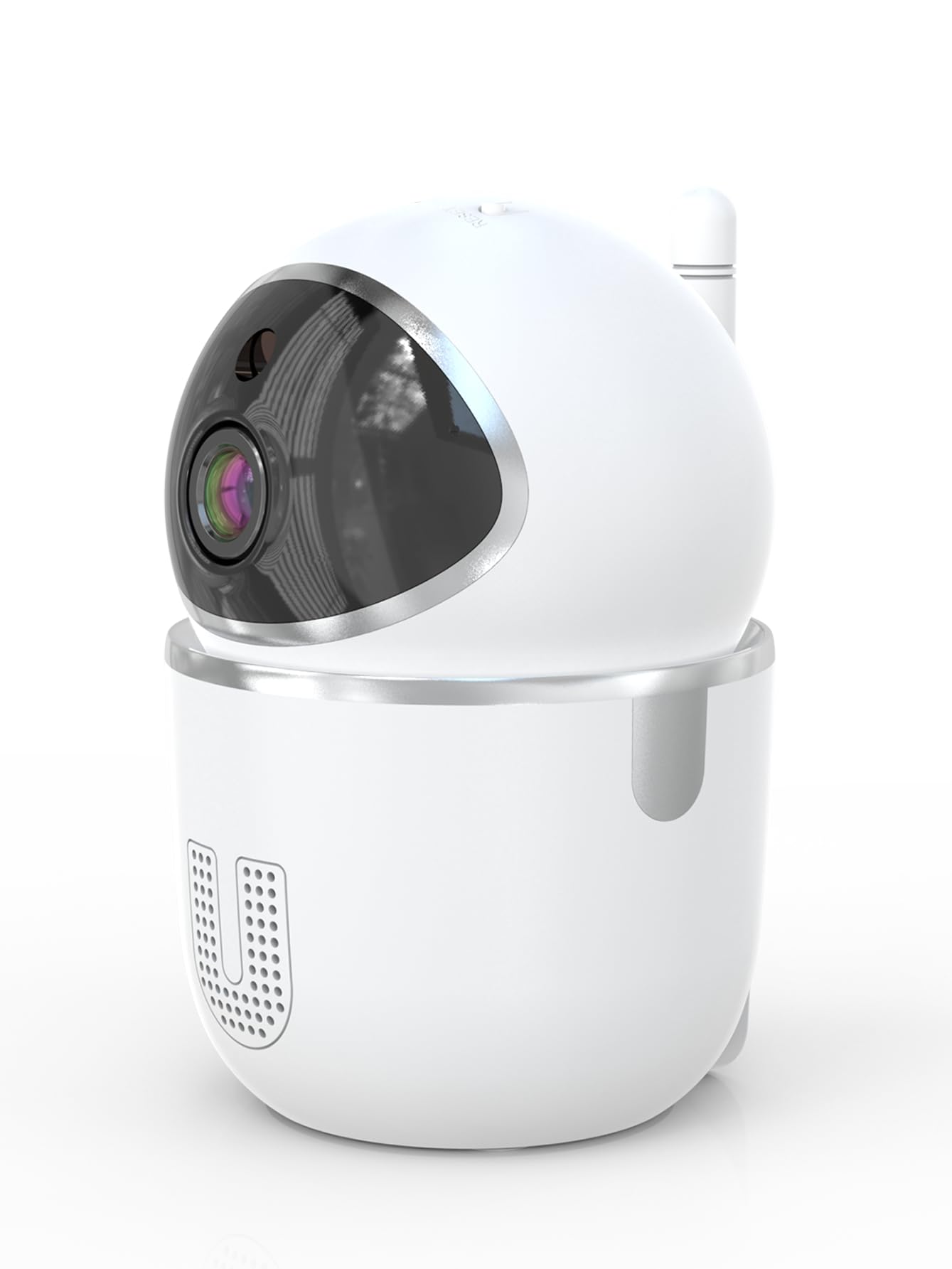
Image: A smartphone displaying the live video feed from the camera, showing a living room scene.
6.2 Sarrafa Pan da Tilt
Sarrafa kyamarar daga nesa viewing angle through the InstaVision app. The camera supports 355° horizontal rotation and 90° vertical tilt, allowing you to cover a wide area with minimal blind spots.

Image: The camera illustrating its pan (355°) and tilt (90°) capabilities, showing the range of motion.
6.3 Sauti Mai Hanya Biyu
The built-in microphone and speaker enable real-time two-way communication. Tap the microphone icon in the app to speak through the camera, and listen to audio from the camera's surroundings.
6.4 Hangen Dare
The camera is equipped with powerful infrared LEDs, providing clear black-and-white video footage in low-light conditions or complete darkness, ensuring 24/7 monitoring.
6.5 Gano Motsi da Faɗakarwa
The camera detects motion and sends instant notifications to your smartphone. You can customize motion detection sensitivity and alert schedules within the InstaVision app.

Image: A smartphone screen showing a list of motion detection events and alerts, indicating human presence.
6.6 Zaɓuɓɓukan Ma'ajiya
- Ma'ajiyar Katin MicroSD: Insert a microSD card (up to 128GB, not included) into the camera's card slot for local recording. The camera will automatically overwrite the oldest footage lokacin da katin ya cika.
- Ma'ajiyar gajimare: An optional cloud service is available via a paid InstaVision app subscription. This provides secure off-site storage for your recordings.

Image: The camera with visual cues indicating support for both local microSD card storage (up to 128GB) and optional cloud storage.
6.7 AI Detection (Subscription)
With a paid InstaVision app subscription, you can access advanced AI-powered features such as recognizing people, pets, and specific human actions. This allows for more precise alerts and faster searching of recorded events.

Image: A smartphone screen demonstrating the contextual AI search feature, allowing users to quickly find specific events like package deliveries or pet movements.
6.8 Multi-User Viewing
Share access to your camera's live feed with family members or trusted individuals through the InstaVision app, allowing multiple users to view the camera simultaneously.

Image: The camera surrounded by multiple smartphones, illustrating the multi-user viewing capability for real-time online monitoring.
7. Kulawa
- Tsaftacewa: Yi amfani da laushi, bushe bushe don tsaftace ruwan tabarau na kamara da jiki. Kada a yi amfani da masu tsabtace ruwa ko iska.
- Sabunta Firmware: Regularly check the InstaVision app for available firmware updates. Keeping your camera's firmware updated ensures optimal performance and security.
- Gudanar da Katin MicroSD: If using a microSD card, periodically check its status in the app. Format the card if necessary to maintain recording quality.
8. Shirya matsala
8.1 Kamara Ba Haɗa zuwa Wi-Fi ba
- Ensure your Wi-Fi network is 2.4GHz. The camera does not support 5GHz Wi-Fi.
- Check that your Wi-Fi password is entered correctly.
- Matsar da kyamara kusa da na'ura mai ba da hanya tsakanin hanyoyin sadarwa na Wi-Fi.
- Sake kunna na'ura mai ba da hanya tsakanin hanyoyin sadarwa da kamara.
- Perform a factory reset on the camera using the reset key and try connecting again.
8.2 No Video Feed
- Tabbatar cewa kyamarar tana kunne kuma an haɗa ta zuwa Wi-Fi.
- Duba haɗin Intanet ɗin ku.
- Restart the InstaVision app.
8.3 Gano Motsi Baya Aiki
- Ensure motion detection is enabled in the InstaVision app settings.
- Daidaita yanayin gano motsi.
- Check the detection zone settings to ensure the desired area is covered.
8.4 Matsalolin Sauti Biyu
- Ensure your phone's microphone is enabled for the InstaVision app.
- Duba saitunan ƙarar a wayarka da kuma cikin manhajar.
- Ensure there are no obstructions blocking the camera's speaker or microphone.
9. Ƙayyadaddun bayanai
| Sunan Samfura | Y03008 InstaVision |
| Amfanin Cikin Gida/Waje | Cikin gida |
| Ƙimar Ɗaukar Bidiyo | 1080p Cikakken HD |
| Matsa / karkatar da Range | 355° Horizontal, 90° Tsaye |
| Fasahar Haɗuwa | Mara waya (Wi-Fi 2.4GHz) |
| Tushen wutar lantarki | Corded Electric |
| Range Na Dare | Mita 8 |
| Zaɓuɓɓukan ajiya | MicroSD card (up to 128GB, not included), Cloud Storage (optional subscription) |
| Siffofin Musamman | 2-Way Audio, PTZ Technology, Motion Detection, AI Detection (subscription) |
| Girman samfur | 3.18 x 2.63 x 4.02 inci |
| Nauyin Abu | 8.5 oz |
10. Garanti da Tallafawa
10.1 Bayanin Garanti
For detailed warranty information, please refer to the documentation included with your purchase or visit the official SENTKENG website. Ajiye shaidar siyan ku don da'awar garanti.
10.2 Tallafin Abokin Ciniki
If you encounter any issues or have questions regarding your SENTKENG Y03008 InstaVision Camera, please contact SENTKENG customer support through the InstaVision app or the official SENTKENG website. Our support team is available to assist you.