Gabatarwa
This manual provides comprehensive instructions for the Generic ET587 Smartwatch. Please read this guide carefully before using your device to ensure proper operation and to maximize its features. Keep this manual for future reference.
1. Saita
1.1 Cajin Na'urar
Before initial use, fully charge your ET587 Smartwatch. Connect the magnetic charging cable to the charging points on the back of the watch and to a USB power source. A full charge takes approximately 2 hours and provides 7-10 days of continuous use.

Image: The smartwatch connected to its magnetic charging cable, displaying charging status.
1.2 Shigar App da Haɗin kai
- Sauke App: Bincika and download the "H Band" application from your smartphone's app store (compatible with Android 5.0+ and iOS 10.0+).
- Kunna Bluetooth: Tabbatar cewa an kunna Bluetooth akan wayoyin ku.
- Haɗa Na'urar: Open the "H Band" app, navigate to the device section, and follow the on-screen instructions to find and pair your ET587 Smartwatch. The watch uses Bluetooth 5.3 for stable and efficient connection.
2. Umarnin Aiki
2.1 Navigation na asali
The ET587 Smartwatch features a 1.96-inch HD touch screen. Navigate through menus and functions by swiping up, down, left, or right on the display. The side button can be used for power on/off and returning to the home screen.

Image: The 1.96-inch HD AMOLED display showcasing vibrant colors and the functional rotating crown.
2.2 Keɓance Fuskokin Kallon
The smartwatch comes with 6 pre-installed watch faces. Through the "H Band" app, you can access over 50 additional watch faces or customize your own using personal photos of family, friends, or pets.
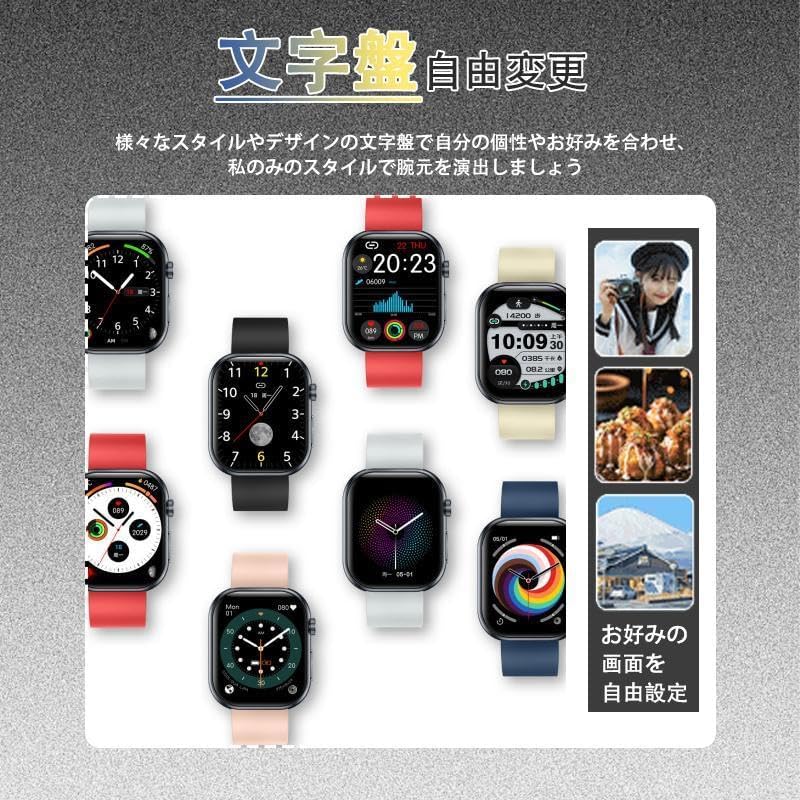
Image: Various customizable watch faces displayed on the smartwatch screen.
2.3 Hanyoyin Sadarwa
- Aikin Kira: After connecting via Bluetooth, the watch supports synchronized mobile communication. You can make and receive calls directly from your wrist using the built-in microphone and speaker. Call history is also saved.
- Sanarwa: Receive vibration alerts for incoming calls, SMS messages, and notifications from apps like Line, Facebook, and Twitter. View message content directly on the watch without needing to take out your phone.
- Mataimakin Murya: The smartwatch supports voice assistant functionality, allowing you to initiate calls or perform other tasks without touching your phone.
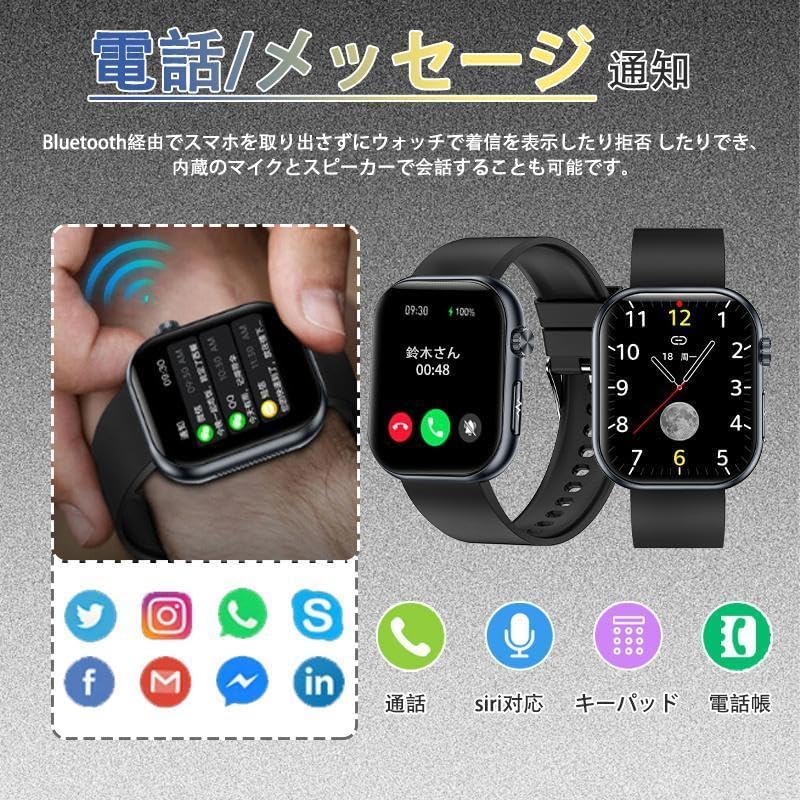
Image: The smartwatch showing an incoming call and various app notification icons.
2.4 Kula da Lafiya
The ET587 Smartwatch offers multiple health tracking functions. Data is stored on the watch and can be synchronized with the "H Band" app for detailed daily analysis.
- Bibiyar Barci: Automatically monitors deep and light sleep durations, providing insights to improve sleep quality.
- Bibiyar Ayyuka: Measures calorie consumption, steps taken (pedometer), and activity levels.
- Vital Signs: Monitors BPM (beats per minute), BG (blood glucose - note: this is likely an estimation and not medical grade), HRV (Heart Rate Variability), and SpO2 (blood oxygen saturation).
- Matakin Damuwa: Provides an estimation of stress levels.
- Bibiyan Zagayowar Hailala: Supports tracking of menstrual cycles.

Image: The smartwatch screen showing detailed sleep monitoring data, including deep and light sleep durations.
2.5 Yanayin Wasanni
The watch supports over 200 sport modes, allowing you to track various physical activities. Real-time data for calorie consumption, heart rate, and exercise duration can be viewed during workouts, making your exercise more efficient.

Image: The smartwatch interface showing multiple sport mode icons and real-time activity data.
2.6 Daily Life Support Functions
- Ikon Kiɗa: Control your smartphone's music playback (play/pause, previous/next track, volume adjustment) directly from the watch.
- Hasashen Yanayi: View yanayin yanayi da hasashen yanayi na yanzu.
- Ikon kyamara: Use the watch as a remote shutter for your smartphone camera.
- Alarm & Timer: Set alarms, use the stopwatch, and timer functions.
- Tunatarwa: Includes sedentary reminders for office workers and water intake reminders.
- Nemo Waya: Locate your paired smartphone by triggering an alert sound.
- Raise-to-Wake: The screen automatically lights up when you raise your wrist.
- Aikin SOS: In emergencies, long-press the designated button to quickly contact pre-set emergency contacts.
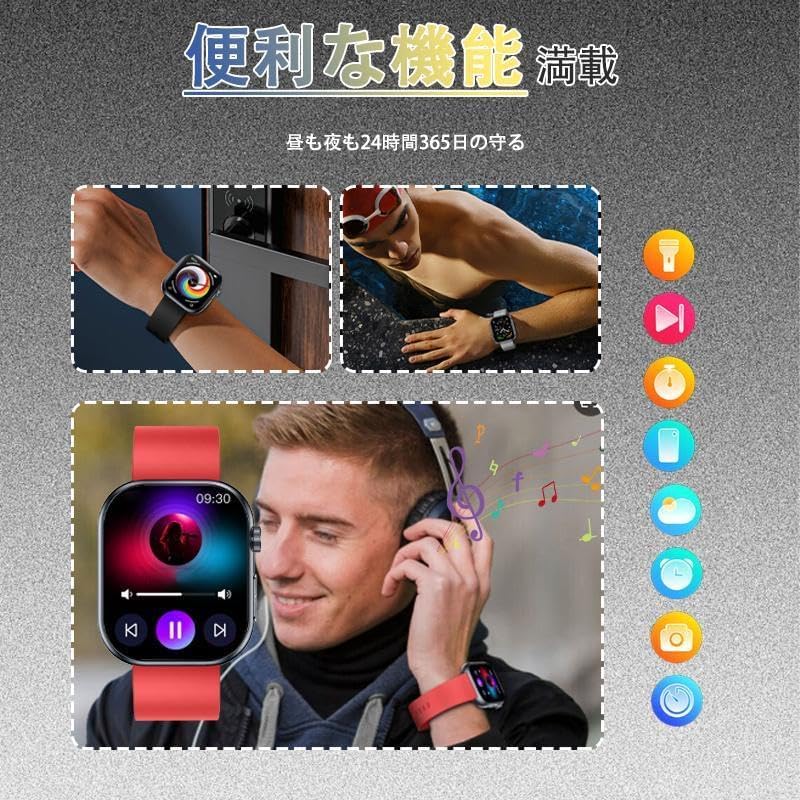
Image: A user controlling music playback via the smartwatch and another user swimming while wearing the watch, highlighting various convenient functions.
3. Kulawa
3.1 Juriya na Ruwa
The ET587 Smartwatch has an IP67 water resistance rating. This means it is protected against dust and can withstand immersion in water up to 1 meter for up to 30 minutes. It is suitable for daily use, such as washing hands or light rain. However, it is not recommended for swimming, diving, or hot showers/saunas, as steam and hot water can compromise the seal.
3.2 Tsaftacewa da Kulawa
To maintain your smartwatch, regularly clean the device and strap with a soft, dry cloth. Avoid using harsh chemicals or abrasive materials. Ensure the charging contacts are clean and dry before charging.
4. Shirya matsala
- Na'urar baya kunna: Ensure the watch is fully charged. Connect it to the charger for at least 10 minutes before attempting to power it on.
- Ba za a iya haɗawa da wayowin komai ba:
- Tabbatar cewa an kunna Bluetooth akan wayoyin ku.
- Make sure the watch is within range of your smartphone.
- Sake kunna duka smartwatch da wayoyin ku.
- Check if the "H Band" app is updated to the latest version.
- If previously paired, try unpairing and re-pairing the device through the app.
- Ba a karɓi sanarwar ba:
- Verify that notifications are enabled in the "H Band" app settings.
- Check your smartphone's notification settings to ensure the app has permission to send notifications.
- Tabbatar an haɗa agogon ta hanyar Bluetooth.
- Bayanan lafiya mara inganci:
- Tabbatar cewa agogon ya yi daidai a wuyan hannunka, ba ya yin sassautawa ko matsewa sosai.
- Tsaftace firikwensin a bayan agogon.
- Note that health data from smartwatches is for reference only and should not be used for medical diagnosis.
- Gajeriyar rayuwar batir:
- Rage hasken allo.
- Disable unnecessary features or frequent monitoring.
- Tabbatar cewa agogon yana da cikakken caji a kowane lokaci.
5. Ƙayyadaddun bayanai
Below are the technical specifications for the Generic ET587 Smartwatch:
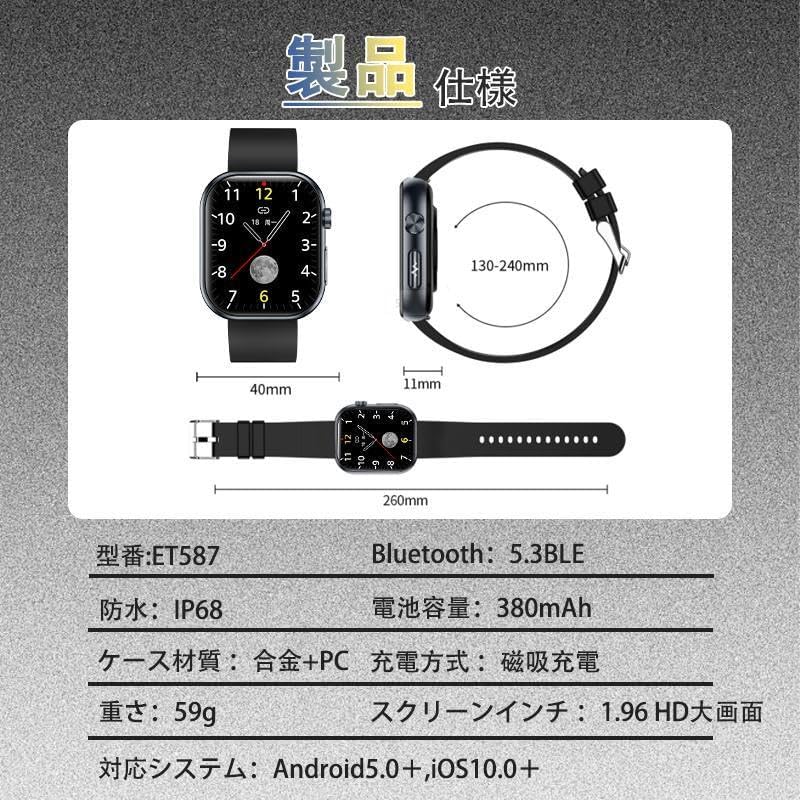
Image: A visual representation of the smartwatch's dimensions and core specifications.
| Siffar | Ƙayyadaddun bayanai |
|---|---|
| Lambar Samfura | ET587 |
| Girman allo | 1.96 inci |
| Nau'in Nuni | AMOLED |
| Sigar Bluetooth | 5.3 BLE |
| Ƙarfin baturi | 380 mAh |
| Hanyar Caji | Cajin Magnetic |
| Resistance Ruwa | IP67 |
| Kayan Harka | Alloy + PC |
| Nauyi | 59g ku |
| OS mai jituwa | Android 5.0+, iOS 10.0+ |
| Haɗe da Na'urorin haɗi | Smartwatch body *1, Strap *1, Charging Cable *1, User Manual *1 |
6. Garanti da Tallafawa
Information regarding product warranty and customer support contact details is not provided in the available product data. Please refer to the packaging or the seller's website for specific warranty terms and support options.