
1. Samfurin Ya Ƙareview
The boAt Airdopes 148 Gen 2 are True Wireless Stereo (TWS) earbuds designed for an immersive audio experience. They feature a long-lasting battery, advanced microphone technology for clear calls, and a low-latency mode for gaming. This manual provides instructions for setting up, operating, and maintaining your earbuds.
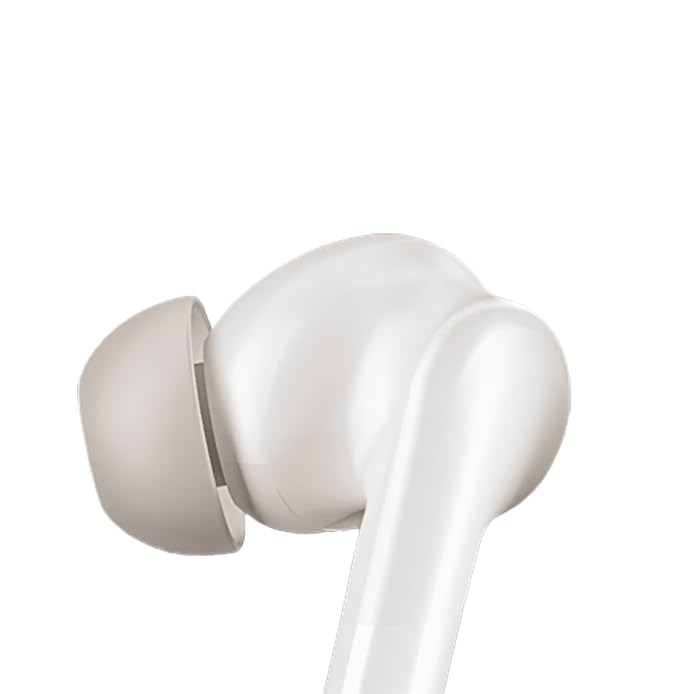
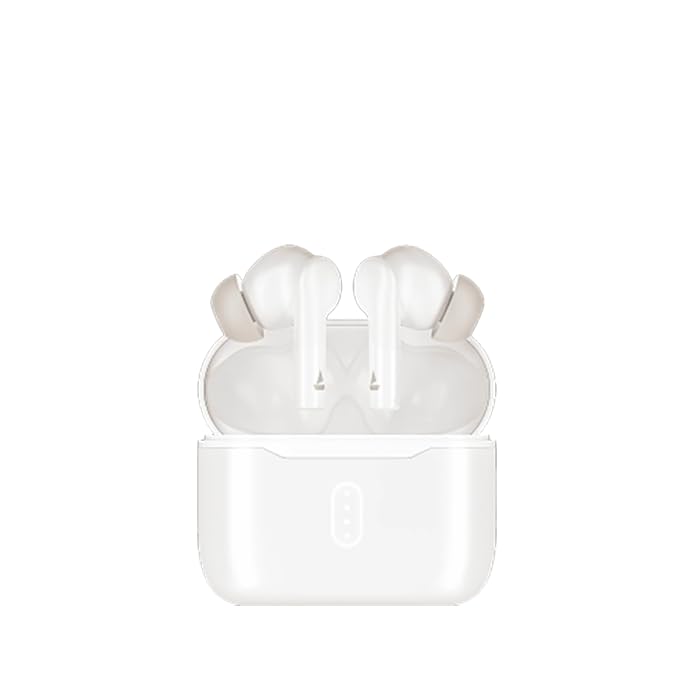
Image: boAt Airdopes 148 Gen 2 earbuds shown with their charging case.
2. Abin da ke cikin Akwatin
Da fatan za a duba abubuwan da ke cikin kunshin don tabbatar da duk abubuwa suna nan:
- boAt Airdopes 148 Gen 2 Earbuds (Left and Right)
- Cajin Cajin
- Kebul na Caji
- Additional Ear Cushions (various sizes)
- Manual mai amfani
3. Saita Umarnin
3.1 Fara Cajin
Kafin amfani da farko, cikakken cajin belun kunne da cajin caji.
- Sanya belun kunne biyu a cikin cajin caji.
- Connect the USB charging cable to the charging port on the case and to a power source.
- The indicator lights on the case will show charging status. Once fully charged, the lights may change or turn off.

Image: The boAt Airdopes 148 Gen 2 charging case with earbuds inserted, illustrating the charging process.
3.2 Pairing with Your Device (Insta Wake N' Pair)
The Airdopes 148 Gen 2 feature Insta Wake N' Pair (IWP) technology for seamless connection.
- Bude murfin akwati na caji. Na'urar kunne za ta kunna ta atomatik kuma ta shigar da yanayin haɗawa.
- Kunna Bluetooth akan wayoyinku ko wata na'urar.
- Bincika "Airdopes 148 Gen 2" in the list of available Bluetooth devices.
- Select it to connect. Once connected, you will hear an audio prompt.
Note: The earbuds will automatically connect to the last paired device when the case lid is opened, if Bluetooth is enabled on the device.

Image: A visual representation of key features including Bluetooth v5.4 and Insta Wake N' Pair technology.
4. Umarnin Aiki
4.1 Gudanar da taɓawa
The Airdopes 148 Gen 2 feature intuitive touch controls on each earbud:
- Kunna/Dakata: Matsa guda ɗaya akan ko wane belun kunne.
- Waƙa ta gaba: Matsa sau biyu akan belun kunne na dama.
- Tafiya ta baya: Matsa sau biyu akan belun kunne na hagu.
- Amsa/Ƙarshen Kira: Matsa guda ɗaya akan ko wane belun kunne.
- Karɓar Kira: Long press (2 seconds) on either earbud.
- Kunna Mataimakin Murya: Matsa sau uku akan ko wane belun kunne.
- BEAST Mode On/Off: Long press (3 seconds) on the right earbud.
- Switch Dual EQs: Long press (3 seconds) on the left earbud.
4.2 Yanayin BEAST (Ƙarancin Latency)
Activate BEAST Mode for an ultra-low latency audio experience, ideal for gaming and video streaming. This minimizes audio delay between your device and the earbuds.
- Don Kunna: Dogon latsa maɓallin kunne na dama na daƙiƙa 3.
- Don kashewa: Long press the right earbud for 3 seconds again.
4.3 Dual EQs
Switch between different sound profiles (e.g., Balanced, Bass) to suit your audio preference.
- To Switch: Long press the left earbud for 3 seconds.
4.4 Mataimakin Murya
Access your device's voice assistant (e.g., Google Assistant, Siri) directly from the earbuds.
- Don Kunna: Matsa sau uku akan ko wane belun kunne.
4.5 Calling with ENx Technology
The earbuds feature Quad Mics with ENx Technology for clear voice calls by cancelling environmental noise.

Image: A user wearing an earbud, highlighting the Quad Mics with ENx Technology for enhanced call clarity.
4.6 Rayuwar Baturi
The Airdopes 148 Gen 2 offer up to 48 hours of total playback time with the charging case. ASAP Charge provides 180 minutes of playback from just 10 minutes of charging.

Image: A graphic illustrating the impressive battery life of up to 48 hours and the fast charging capability.
5. Kulawa
5.1 Tsaftacewa
Tsaftacewa akai-akai yana taimakawa kula da ingancin sauti da tsafta.
- A hankali shafa belun kunne da akwati na caji tare da taushi, bushe, yadi mara laushi.
- Cire tukwici na kunne kuma tsaftace su da sabulu mai laushi da ruwa, sannan a bushe sosai kafin a sake haɗawa.
- Use a cotton swab or a small, soft brush to carefully clean the speaker mesh and charging contacts.
Hoto: Kusanci view of an earbud tip, showing the area that requires regular cleaning.
5.2 Resistance Ruwa (IPX4)
The Airdopes 148 Gen 2 are IPX4 rated, meaning they are resistant to splashes of water and sweat. They are not designed for submersion in water.
- Avoid exposing the earbuds to heavy rain or submerging them in water.
- Dry the earbuds thoroughly if they get wet from sweat or splashes before placing them back in the charging case.
6. Shirya matsala
If you encounter issues with your Airdopes 148 Gen 2, try the following solutions:
- Babu Matsalolin Sauti/Haɗi:
- Tabbatar ana cajin na'urorin kunne.
- Tabbatar cewa an kunna Bluetooth akan na'urarka.
- Forget "Airdopes 148 Gen 2" from your device's Bluetooth list and re-pair.
- Sake kunna na'urar ku.
- Earbud guda ɗaya baya Aiki:
- Sanya belun kunne guda biyu a cikin akwati, rufe murfin, jira na ɗan lokaci, sannan a sake buɗewa.
- Tabbatar ana cajin belun kunne guda biyu.
- Abubuwan Cajin:
- Duba kebul na caji da adaftar.
- Tabbatar cewa na'urorin caji na kunne da akwatin kunne suna da tsabta.
- Karancin Ƙara:
- Daidaita ƙarar sauti akan na'urarka da kuma belun kunne.
- Clean earbud speaker mesh.
7. Ƙayyadaddun bayanai
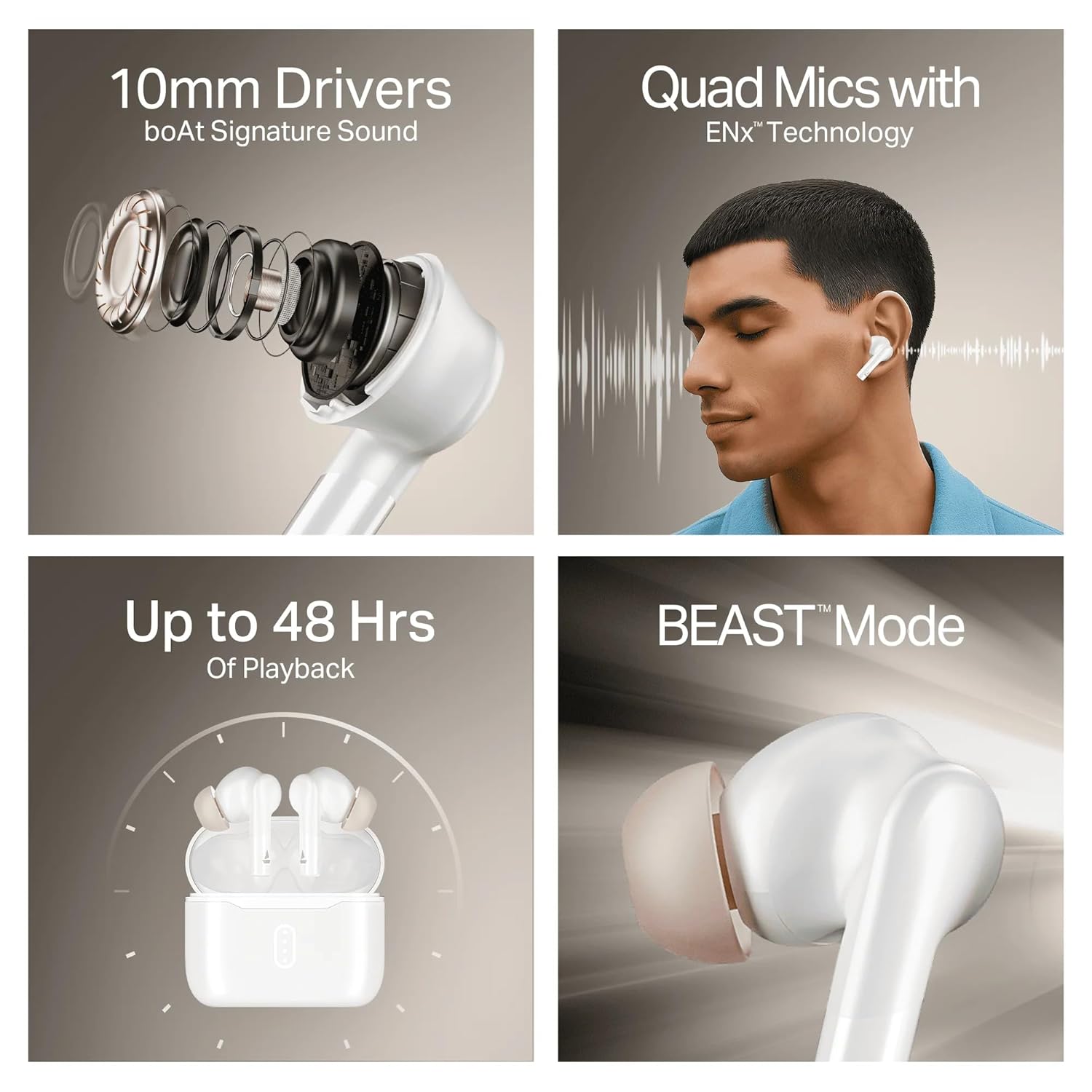
Image: A summary of key specifications and features of the Airdopes 148 Gen 2.
| Siffar | Bayani |
|---|---|
| Sunan Samfura | Airdopes 148 Gen 2 |
| Sigar Bluetooth | 5.4 |
| Lokacin sake kunnawa | Har zuwa awanni 48 (tare da cajin caji) |
| Farashin ASAP | 10 mins charge = 180 mins playback |
| Microphones | Quad Mics with ENx Technology |
| Direbobi | 10mm ku |
| Resistance Ruwa | IPX4 |
| Latency Mode | BEAST Mode (Ultra-low latency) |
| Haɗuwa | Mara waya |
| Nau'in sarrafawa | Taɓa Control |
| Na'urori masu jituwa | Kwamfutocin tafi-da-gidanka, Wayoyin hannu, Allunan hannu |
8. Garanti da Tallafawa
8.1 Bayanin Garanti
The boAt Airdopes 148 Gen 2 comes with a 12 + 3 months manufacturer warranty. Da fatan za a riƙe shaidar siyan ku don da'awar garanti.
8.2 Tallafin Abokin Ciniki
For any support, queries, or warranty claims, please contact boAt customer service:
- Imel: info@imaginemarketingindia.com
- Mai ƙira: Kamfanin Imagine Marketing Ltd