
Gabatarwa
The Roku Hiro 32-inch 720p HD Smart TV offers an integrated Roku streaming experience. This television features an HD display for clear picture quality and speakers with enhanced audio. It supports Bluetooth for private listening with headphones and includes Wi-Fi for internet connectivity. The Roku operating system provides a customizable home screen, access to numerous streaming channels, and automatic updates, making it suitable for various living spaces.
Me ke cikin Akwatin
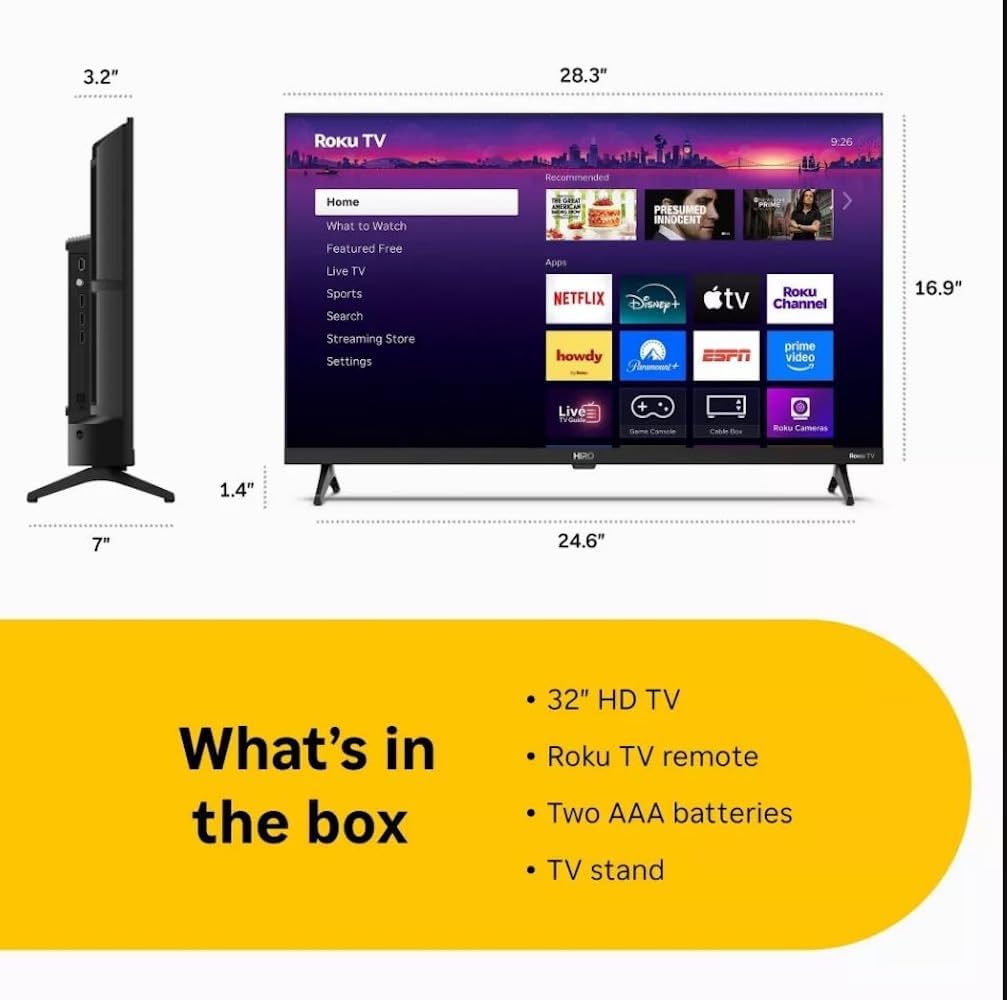
Diagram showing the dimensions of the Roku Hiro 32-inch TV and a list of included accessories: 32-inch HD TV, Roku TV remote, two AAA batteries, and TV stand.
- Hiro 32" 720p HD Smart TV Flat Screen LED Television with Roku TV
- Ikon nesa
- Matsayin TV
- Wutar Wuta
- Jagorar Mai Amfani
Saita
1. Tsaya Shigarwa
Carefully place the TV screen-down on a soft, clean surface to prevent damage. Align the TV stand with the designated slots on the bottom of the TV. Secure the stand using the provided screws. Ensure the stand is firmly attached before proceeding.
2. Haɗa Na'urori

Na baya view of the Roku Hiro TV, showing the input/output ports including USB, HDMI, and antenna connections.
- Ƙarfi: Haɗa kebul ɗin wuta zuwa shigar da wutar TV ɗin sannan zuwa mashin bango.
- HDMI: Connect external devices such as Blu-ray players, game consoles, or cable boxes to the HDMI ports. This TV features 3 HDMI ports.
- USB: Yi amfani da tashar USB don sake kunnawa mai jarida daga kebul na USB.
- Audio na gani: Connect an external sound system using an optical audio cable for enhanced sound.
- Eriya/Cable: Connect an antenna or cable TV feed to the RF input for over-the-air or cable channels.
3. Saitin Farko
After connecting all necessary cables, power on the TV. Follow the on-screen instructions to:
- Zaɓi harshen ku.
- Haɗa zuwa cibiyar sadarwar Wi-Fi ku.
- Kunna asusun Roku naku (ko ƙirƙirar sabo).
- Scan for available channels if an antenna is connected.
Umarnin Aiki
Ayyukan Ikon Nesa

Close-up of the Roku TV remote control, highlighting buttons for TV power, volume, mute, sleep timer, instant replay, options, and app shortcuts.
- Maɓallin Wuta: Yana kunna ko kashe TV.
- Kushin Jagoranci (D-Pad): Yana kewaya menus kuma yana zaɓar abubuwa.
- Ok Button: Yana tabbatar da zaɓuɓɓuka.
- Maballin Gida: Yana komawa allon farko na Roku.
- Maballin Baya: Ya dawo kan allon da ya gabata.
- Ƙarar Ƙarƙashin Ƙaƙwalwar Ƙaƙwalwa: Yana daidaita ƙarar TV.
- Mutuwar Button: Yana kashe sautin TV ko bene.
- Maɓallan Gajerun hanyoyin App: Direct access to popular streaming services (e.g., Netflix, Disney+, Apple TV+, Prime Video).
- Lokacin Barci: Yana saita agogon lokaci don TV ta kashe ta atomatik.
- Sake kunnawa nan take: Jumps back a few seconds in supported content.
- Zabuka: Accesses additional settings or information for the current content.
Navigating the Roku OS

The Roku TV home screen interface, showing recommended content and various streaming applications.
The Roku home screen provides access to all your streaming channels, inputs, and settings. Use the D-Pad on your remote to navigate through the menu options on the left and the app grid on the right. You can customize the order of your channels by highlighting an app, pressing the * (Options) button, and selecting 'Move channel'.
Abubuwan Yawo
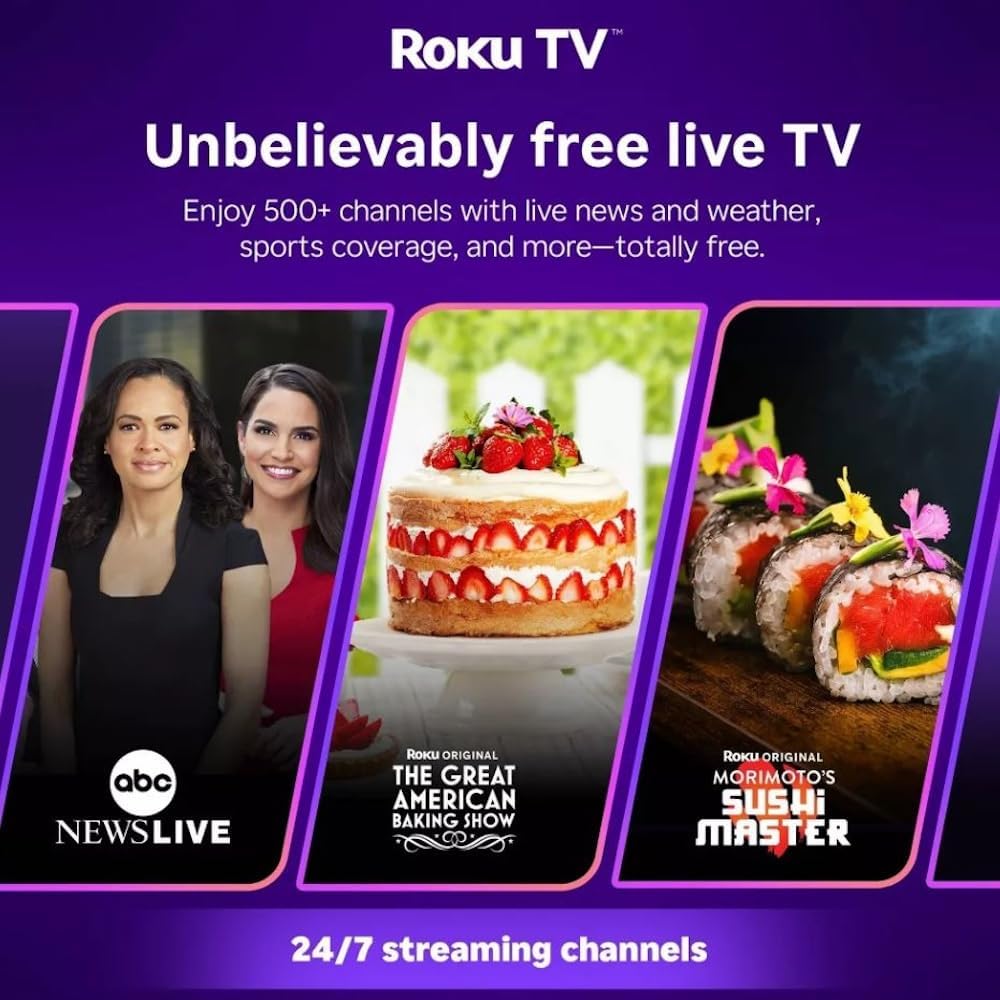
Roku TV interface promoting free live TV channels, featuring examples like ABC News Live, The Great American Baking Show, and Morimoto's Sushi Master.
Access a wide range of streaming services and free content through the Roku Channel Store. The Roku platform offers over 500 free channels, including live television, movies, and news. Use the 'Search' function on the home screen to find specific titles or channels.
Siffofin Sauti

Roku Hiro TV displaying the home screen with various streaming apps, emphasizing enhanced audio quality.
The TV features enhanced audio quality. For private listening, you can pair Bluetooth headphones directly with the TV. Navigate to Settings > Remotes & devices > Bluetooth devices > Pair new device to connect your headphones.
Kulawa
Tsaftace TV
- Koyaushe cire TV ɗin kafin tsaftacewa.
- Yi amfani da laushi mai laushi mara lullube don goge allon da majalisar a hankali.
- Don alamun taurin kai, dampa cikin zane da ruwa ko mai laushi, mai tsabtace allo mara lahani. Kada a fesa mai tsabta kai tsaye akan allon.
- A guji amfani da sinadarai masu ƙarfi, mayukan shafawa, ko kuma abubuwan da ke rage zafi.
Sabunta software
The Roku TV automatically checks for and installs software updates when connected to the internet. To manually check for updates, go to Saituna > Tsari > Sabunta software.
Shirya matsala
| Matsala | Magani |
|---|---|
| Babu iko | Tabbatar cewa kebul ɗin wuta yana haɗe amintacce zuwa duka TV da kanti mai aiki. Gwada wata hanyar fita daban. |
| Babu hoto, amma sauti yana nan | Duba tushen shigarwar. Danna maɓallin shigarwar. Gida button on the remote and select the correct input. Ensure all HDMI cables are securely connected. |
| Babu sauti, amma hoto yana nan | Check the volume level and ensure the TV is not muted. If using external audio, verify connections and settings. |
| Ba za a iya haɗi zuwa Wi-Fi ba | Verify your Wi-Fi password. Restart your router and modem. Go to Saituna > Network > Saita haɗi to reconfigure. |
| Ikon nesa baya aiki | Sauya batura a cikin nesa. Tabbatar cewa babu cikas tsakanin ramut da firikwensin IR na TV. |
Ƙayyadaddun bayanai
| Sunan Samfura | H32C2C4 |
| Girman allo | Inci 32 |
| Nunin Fasaha | LED |
| Ƙaddamarwa | 720p |
| Matsakaicin Sassauta | 60 Hz |
| Tsarin Aiki | Roku OS |
| Fasahar Haɗuwa | Bluetooth, HDMI, Optical Audio, USB, Wi-Fi |
| Jimlar adadin tashoshin jiragen ruwa na HDMI | 3 |
| Jimillar tashoshin jiragen ruwa na USB | 1 |
| Girman samfur (D x W x H) | 3.2"D x 28.3"W x 16.9"H |
| Nauyin Abu | 7.5 fam |
| Voltage | 120V (AC) |
| Nau'in hawa | Dutsen tebur |
| Launi | Baki |
Bayanin Garanti
This Roku Hiro TV is covered by a 90-day Replacement Warranty. Please retain your proof of purchase for any warranty claims. For detailed terms and conditions, refer to the warranty documentation included with your product or visit the official Roku support website.
Taimako
For further assistance, troubleshooting guides, or to contact customer support, please visit the official Roku support website. You can find comprehensive FAQs and contact information there.