
1. Gabatarwa
The Monster TVLink 300 wireless TV headphones are designed to provide a personal audio experience for television viewing. This system includes comfortable over-ear headphones and a transmitter charging base, allowing for clear, synchronized sound without disturbing others. The headphones feature Bluetooth 5.3 for stable connectivity and a long battery life for extended listening sessions.
2. Abubuwan Kunshin
Da fatan za a tabbatar cewa duk abubuwa suna nan a cikin kunshin ku:
- Monster TVLink 300 Wireless Headphones
- Transmitter Charging Base
- Tantancewar Audio Cable
- 3.5mm AUX Audio Cable
- Cable Adaftar RCA
- USB-C Cajin Cable
- Manual mai amfani

Image: Components of the Monster TVLink 300 system, including headphones, charging base, and various audio cables.
3. Samfurin Ya Ƙareview
Familiarize yourself with the main components and controls of your Monster TVLink 300 headphones and transmitter base.
Image: Labeled diagram of the headphones and transmitter base, indicating buttons, ports, and indicator lights.
Wayoyin kunne
- Maɓallin Kunnawa/Kashe: Powers the headphones on or off.
- Maɓallin ƙara ƙara: Increases audio volume. Also functions as 'previous song' in Bluetooth mode.
- Maɓallin saukar ƙara: Decreases audio volume. Also functions as 'next song' in Bluetooth mode.
- Multi-function button (MFB): Controls playback (play/pause), answers/ends calls.
- USB-C tashar caji: For direct charging of headphones.
- Hasken nuni: Yana nuna ƙarfi da matsayin haɗi.
- M: Makirifo na ciki don kira.
Transmitter Charging Base
- USB-C tashar caji: Powers the transmitter base.
- Shigar da gani: Connects to TV via optical cable.
- Aux-in port: Connects to TV via 3.5mm AUX cable.
- LED nuna haske: Shows connection status and charging status.
- Canjin caji: For automatic charging of headphones when placed on the base.
4. Saita Umarnin
Follow these steps to set up your Monster TVLink 300 system:
- Power the Transmitter Base: Connect the USB-C charging cable to the transmitter base and plug the other end into a power adapter (not included) or a USB port on your TV. The LED indicator on the base will light up.
- Haɗa zuwa TV ɗin ku: Zaɓi ɗaya daga cikin waɗannan hanyoyin haɗin sauti:
- Optical (Recommended): Connect the optical audio cable from the transmitter's optical input to your TV's optical audio output (often labeled 'Digital Audio Out' or 'Optical Out'). Ensure your TV's audio output is set to 'PCM' format if necessary.
- AUX: Connect the 3.5mm AUX audio cable from the transmitter's Aux-in port to your TV's 3.5mm audio output (headphone jack).
- RCA: If your TV has RCA audio outputs (red and white ports), use the RCA adapter cable with the 3.5mm AUX cable to connect to the transmitter's Aux-in port.
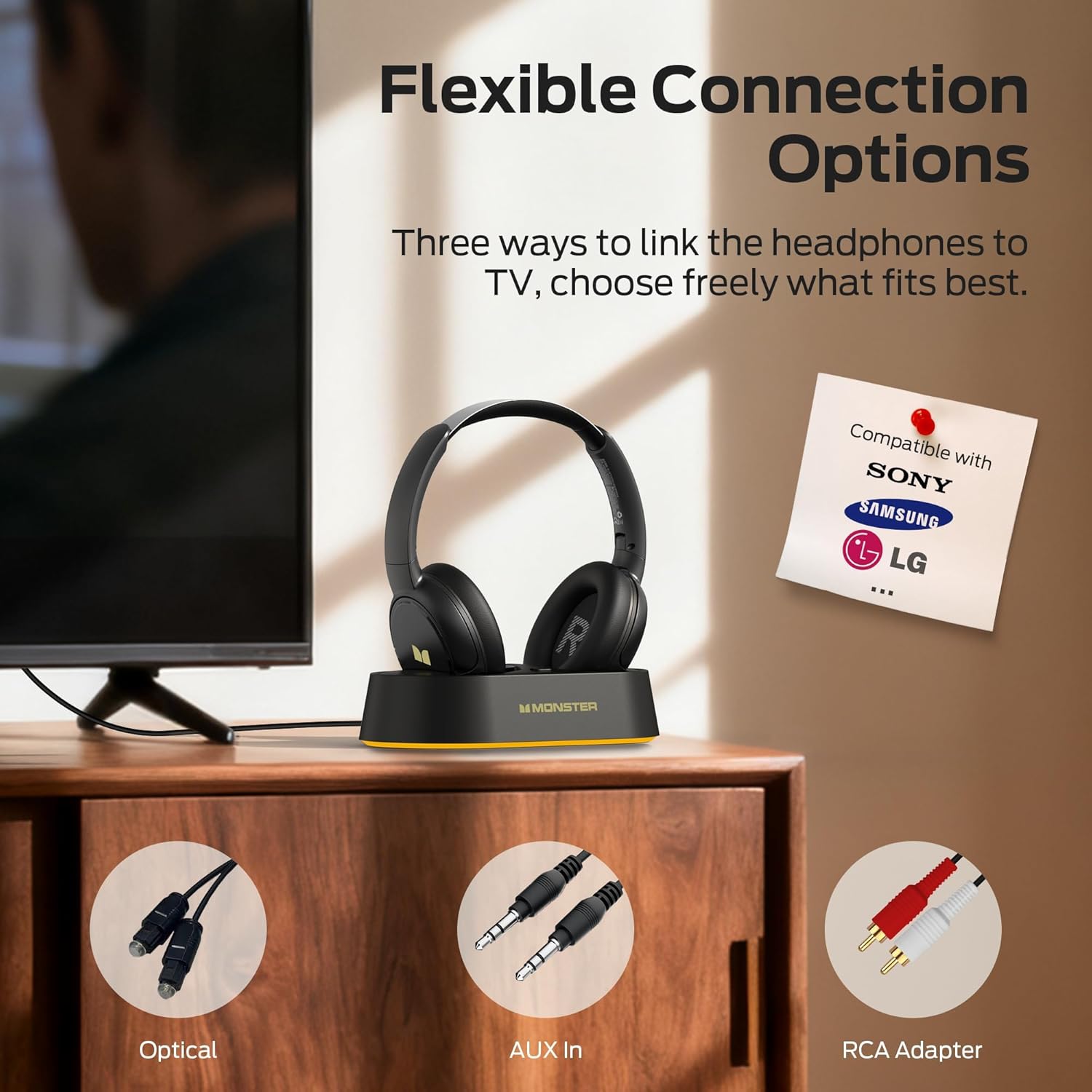
Image: Flexible connection options for the transmitter base, including Optical, AUX, and RCA.
- Cajin belun kunne: Place the headphones onto the transmitter charging base. Ensure the charging contacts align. The headphone indicator light will show charging status. A full charge provides up to 45 hours of playback.
- Belun kunne Masu Ƙarfi: Press and hold the On/Off button on the headphones until the indicator light illuminates. The headphones will automatically connect to the transmitter base.
Once connected, audio from your TV will be transmitted wirelessly to your headphones.
5. Umarnin Aiki
5.1 Basic Aiki
- Kunnawa/Kashewa: Press and hold the On/Off button on the headphones for approximately 3 seconds.
- Sarrafa ƙara: Use the Volume Up (+) and Volume Down (-) buttons on the headphones to adjust the listening volume.
- Haɗin kai ta atomatik: After initial setup, the headphones will automatically connect to the transmitter base when powered on and within range.
5.2 Yin caji
To charge the headphones, simply place them onto the transmitter charging base. The headphones will begin charging automatically. The indicator light on the headphones will show charging status (e.g., red for charging, off or blue for fully charged, refer to specific LED behavior in the quick start guide if available). You can also charge the headphones directly using a USB-C cable connected to their USB-C port.
5.3 Bluetooth Mode (Independent Use)
The headphones can also be used independently via Bluetooth 5.3 with other devices like smartphones or tablets.
- Haɗin kai: With the headphones powered off, press and hold the On/Off button for approximately 5-7 seconds until the indicator light flashes rapidly (indicating pairing mode).
- Haɗa: On your device, enable Bluetooth and select "Monster TVLink 300" from the list of available devices.
- Ikon sake kunnawa: Use the Multi-function button (MFB) for play/pause, and the Volume Up/Down buttons for next/previous track.

Image: The Monster TVLink 300 system demonstrating compatibility with various devices including TV, laptop, and smartphone.
6. Kulawa
Proper care ensures the longevity and performance of your headphones:
- Tsaftacewa: Use a soft, dry cloth to clean the headphones and transmitter base. Do not use abrasive cleaners or solvents.
- Ajiya: When not in use, store the headphones on the charging base or in a cool, dry place. The foldable design allows for compact storage.
- Kulawar Baturi: To maintain battery health, avoid fully discharging the headphones frequently. Charge them regularly, even if not used for extended periods.
- A guji Danshi: Keep the device away from water and excessive humidity.
7. Shirya matsala
Idan kun haɗu da al'amura, koma zuwa mafita gama gari masu zuwa:
| Matsala | Dalili mai yiwuwa | Magani |
|---|---|---|
| Babu sauti daga belun kunne. | Headphones not powered on or not connected. TV audio output settings incorrect. Cables loose or incorrect. | Ensure headphones are powered on and charged. Check that the transmitter base is powered and connected to the TV. Verify TV audio output is set to the correct source (e.g., PCM for optical). Re-seat all audio cables. |
| Audio lag or delay. | Interference or distance from transmitter. | Ensure headphones are within optimal range of the transmitter. Minimize obstacles between headphones and transmitter. |
| Headphones not charging on base. | Improper placement on base. Base not powered. Dirty charging contacts. | Ensure headphones are correctly seated on the base and contacts align. Verify the transmitter base is powered. Clean charging contacts on both headphones and base with a dry cloth. |
| Cannot pair headphones via Bluetooth. | Headphones not in pairing mode. Device Bluetooth off. | Ensure headphones are powered off, then press and hold the On/Off button for 5-7 seconds to enter pairing mode. Verify Bluetooth is enabled on your device. |
8. Ƙayyadaddun bayanai
| Siffar | Daki-daki |
|---|---|
| Sunan Samfura | Monster TVLink 300 |
| Fasahar Haɗuwa | Mara waya (Bluetooth) |
| Sigar Bluetooth | 5.3 |
| Wurin Kunne | Sama Da Kunne |
| Factor Factor | Sama Da Kunne |
| Rayuwar Baturi | Har zuwa Awanni 45 |
| Na'urori masu jituwa | Talabijin |
| Ƙarin Halaye | Mai naɗewa |
| Jackphone na kunne | Babu Jack |
| Launi | Baki |
| Mai ƙira | Dodo |
| Girman Fakiti | 21.3 x 19.8 x 8.4 cm; 680g ku |
9. Garanti da Tallafawa
For warranty information and customer support, please refer to the warranty card included in your product packaging or visit the official Monster website. Ajiye rasidin sayan ku don da'awar garanti.