Gabatarwa
Welcome to the world of Mario Kart DS! This manual provides essential information for setting up, playing, and maintaining your game. Mario Kart DS brings the popular racing series to the Nintendo DS, featuring new items, courses, and multiplayer modes, including online play via Nintendo Wi-Fi Connection.
Saita
1. Saka Katin Wasan
Locate the game card slot on your Nintendo DS system. Insert the Mario Kart DS game card (model NTR-P-AMCJ) firmly until it clicks into place. Ensure the label faces the correct direction, typically towards the back of the DS system.

Image: The Mario Kart DS game cartridge, model NTR-P-AMCJ, ready for insertion into a Nintendo DS system.
2. Starting the Game
Turn on your Nintendo DS system. The game icon for Mario Kart DS should appear on the touch screen. Tap the icon to start the game. If the game does not start, ensure the game card is fully inserted and clean.
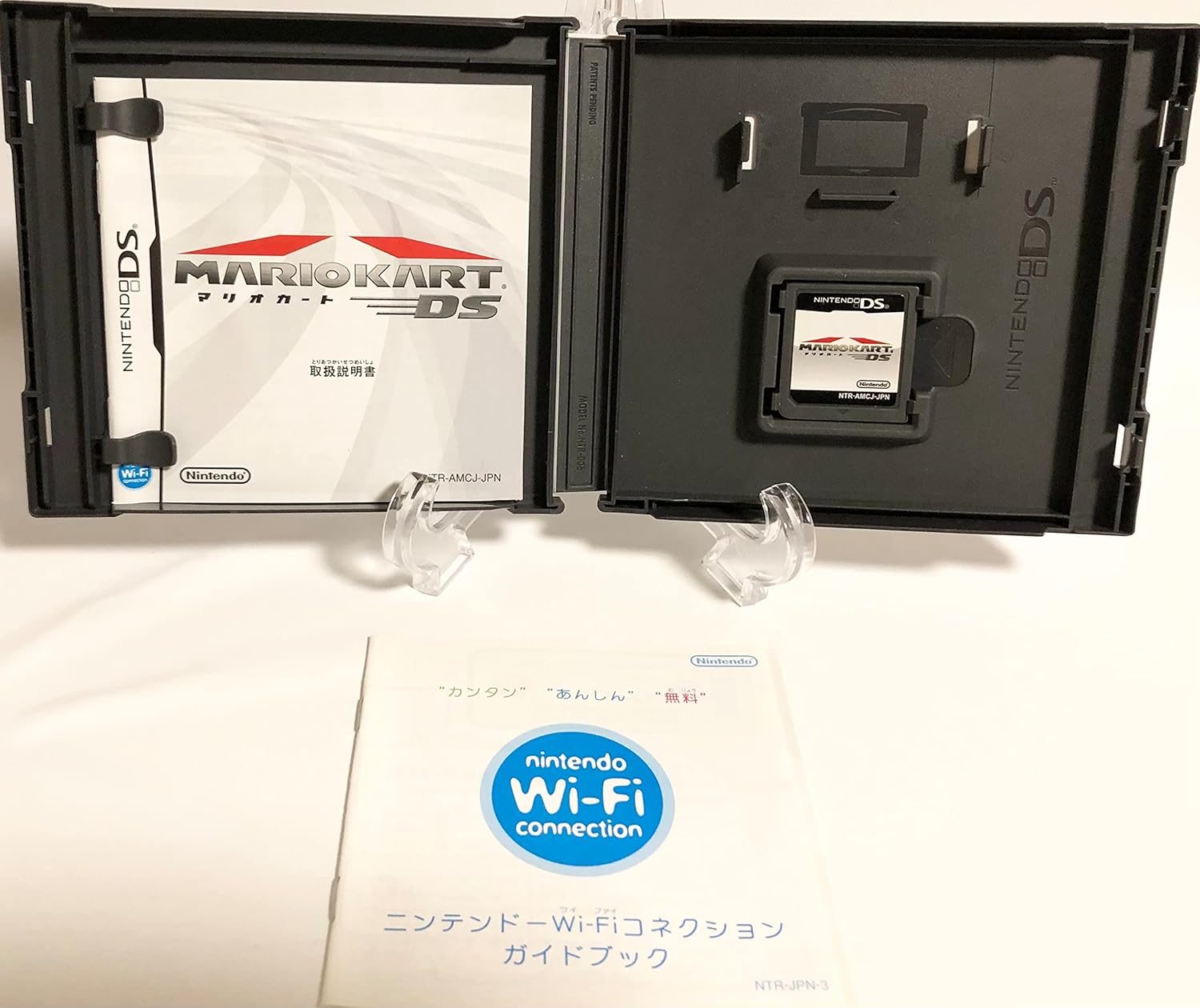
Image: The Mario Kart DS game case, opened to reveal the game manual and the game cartridge.
3. Basic Controls
Mario Kart DS utilizes both the buttons and the touch screen of the Nintendo DS. Refer to the in-game tutorial for detailed control explanations. Key controls include:
- Directional Pad / Control Stick: Steer your kart.
- A Button: Accelerate.
- B Button: Brake / Reverse.
- Maballin Y: Use item.
- L / R Buttons: Drift / Use item (alternative).
- Kariyar tabawa: Navigate menus, view map during gameplay.
Operating: Gameplay Modes
Mario Kart DS offers a variety of gameplay modes for single-player and multiplayer experiences.

Image: The Nintendo DS screens showing the main menu of Mario Kart DS, highlighting various game modes.
1. Single Player Modes
- Grand Prix: Compete in cups against computer-controlled opponents across multiple races.
- Da kuma kabilanci: Customize races with chosen characters, karts, and courses.
- Yaƙi: Engage in item-based combat in dedicated battle arenas.
- Mission Run: Complete specific objectives and challenges to progress.
2. Multiplayer Modes
Mario Kart DS supports up to 8 players locally and up to 4 players worldwide via Nintendo Wi-Fi Connection.
- Local Wireless Play (2-8 players): Connect with nearby Nintendo DS systems for competitive races or battles. Only one game card is required for DS Download Play.
- Nintendo Wi-Fi Connection (Up to 4 players): Race against players from around the world. An internet connection and compatible Wi-Fi access point are required.
3. Sabbin Features
- Sabbin Abubuwa: Gano masu ƙarfi Bullet Bill, which transforms your kart into a speeding missile, and the disruptive Blooper, which splatters ink on opponents' screens.
- Expanded Course Selection: Race on 16 brand new courses and revisit 16 classic courses from previous Mario Kart titles, totaling 32 unique tracks.

Image: The back of the Mario Kart DS game case, detailing new items, course count, and multiplayer options. UPC: 4902370512663
Kulawa
1. Handling the Game Card
Always handle the game card by its edges. Avoid touching the metal connector pins, as oils and dirt can interfere with its functionality. Do not bend, drop, or expose the game card to extreme temperatures or direct sunlight.
2. Cleaning the Game Card
If the game card becomes dirty, gently wipe the metal connector pins with a soft, dry cloth. Do not use liquids or abrasive cleaners. Ensure the card is completely dry before reinserting it into the Nintendo DS system.
3. Adana
Store the game card in its original case or a protective storage case when not in use. Keep it away from dust, moisture, and strong magnetic fields.
Shirya matsala
Game Not Starting
- Ensure the game card is fully inserted into the Nintendo DS slot.
- Clean the game card's metal connector pins as described in the Maintenance section.
- Restart your Nintendo DS system.
Multiplayer Connection Issues
- For local wireless play, ensure all Nintendo DS systems are within close proximity and have sufficient battery life.
- For Nintendo Wi-Fi Connection, verify your internet connection and Wi-Fi access point settings. Consult your Nintendo DS system manual for Wi-Fi setup instructions.
- Ensure all players have the same game version if applicable.
Ƙayyadaddun bayanai
| Lambar Samfur | NTR-P-AMCJ (Also identified as 12995651 237839011) |
| ASIN | B0002FQD7M |
| Ranar Saki | Disamba 8, 2005 |
| Girman samfur | 12.5 x 13.6 x 1.6 cm; 0.28g ku |
| Manufacturer ya katse | A'a |
Garanti da Taimako
For information regarding product warranty, repairs, or technical support, please refer to the official Nintendo website or contact Nintendo customer service in your region. Keep your proof of purchase for any warranty claims.