Gabatarwa
This manual provides detailed instructions for the setup, operation, and maintenance of your Supersonic SC371 Digital Projection Alarm Clock with AM/FM Radio. Please read this manual thoroughly before using the device to ensure proper function and to maximize your user experience.
Bayanin Tsaro
- Kada a bijirar da naúrar zuwa matsanancin yanayin zafi, hasken rana kai tsaye, ƙura, ko zafi.
- Ensure the power adapter is compatible with your local power supply (AC 120V, 60Hz).
- Kada kayi ƙoƙarin ƙwace ko gyara naúrar. Koma duk hidima ga ƙwararrun ma'aikata.
- Ka nisanta naúrar daga ruwa ko wasu ruwaye.
- Use only the specified battery type for backup (9V, not included).
Abubuwan Kunshin
Da fatan za a duba cewa duk abubuwa suna nan a cikin kunshin:
- Supersonic SC371 Digital Projection Alarm Clock with Radio
- Adaftar wutar AC
- Jagorar mai amfani (wannan takaddar)
Samfurin Ƙarsheview
The Supersonic SC371 is a versatile digital alarm clock featuring a clear LED display, built-in time projection, and an integrated AM/FM radio. It includes an alarm with sleep/snooze timers and a 3.5mm audio input for external devices.
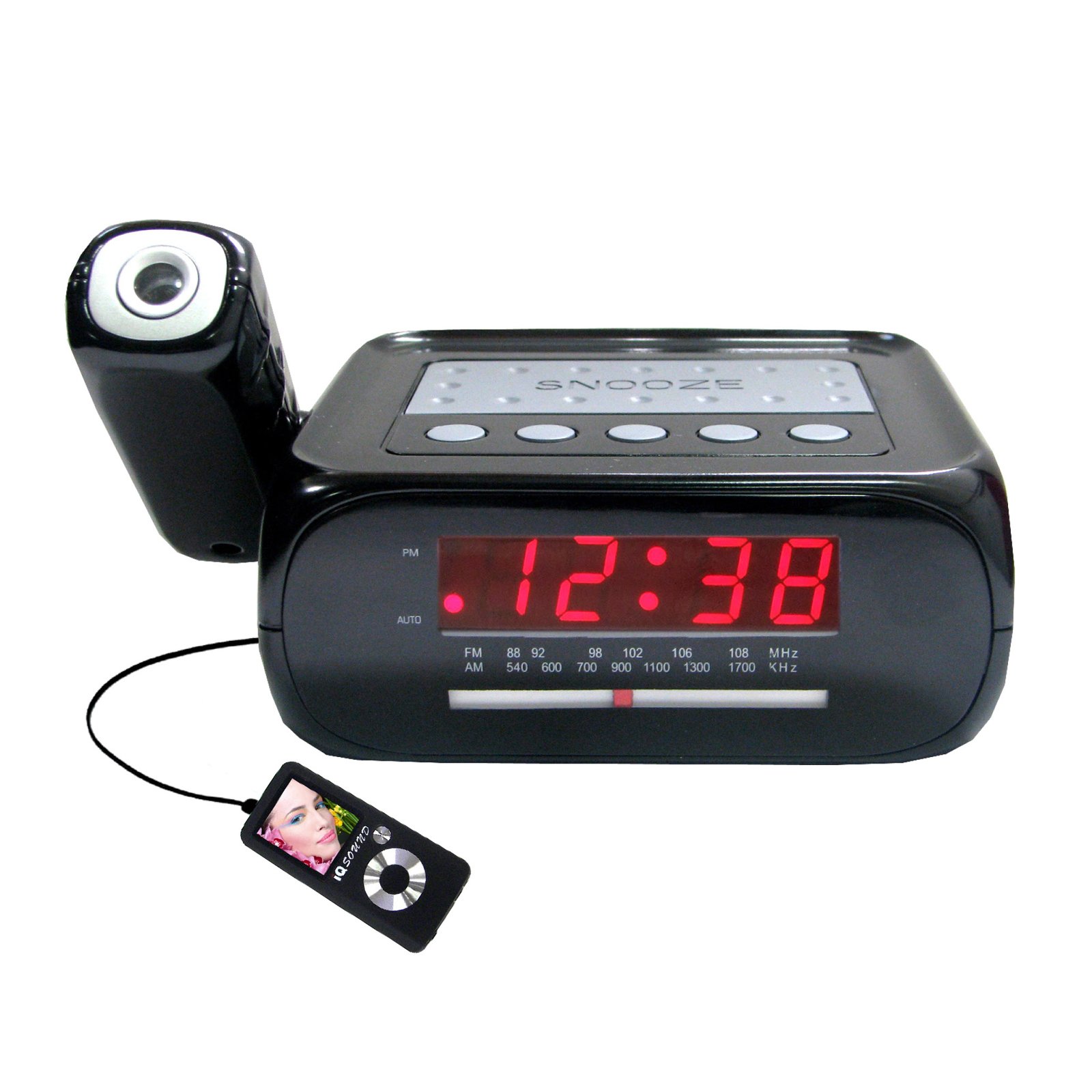
Hoto: Gaba view of the Supersonic SC371 Digital Projection Alarm Clock, showing the LED display and control buttons.
Mabuɗin fasali:
- Digital Clock with LED Display
- Built-in Time Projection
- AM/FM Radio Tuner
- Alarm Clock with Sleep/Snooze Timers
- Wake Up to Music or Buzzer
- 3.5mm Audio Input Jack for Portable Audio Players
Saita
1. Haɗin Wuta
Connect the AC power adapter to the DC IN jack on the back of the unit, then plug the adapter into a standard AC 120V, 60Hz wall outlet. The unit will power on and the LED display will illuminate.
2. Ajiyayyen baturi (Na zaɓi)
For battery backup functionality, insert one 9V battery (not included) into the battery compartment located on the bottom of the unit. This battery will preserve time and alarm settings during a power outage, but the display and projection will not operate.
Umarnin Aiki
Saita Lokaci
- Latsa ka riƙe LOKACI SET button. The hour digits will begin to flash.
- Yi amfani da SAA maballin don daidaita sa'a.
- Yi amfani da MINTI maballin don daidaita minti.
- Latsa LOKACI SET sake don tabbatarwa da fita yanayin saitin lokaci.
Saita Ƙararrawa
- Latsa ka riƙe SATAR MA'AURATA maballin. Lambobin sa'ar ƙararrawa za su yi haske.
- Yi amfani da SAA maɓallin don saita lokacin ƙararrawa da ake so.
- Yi amfani da MINTI maballin don saita minti na ƙararrawa da ake so.
- Latsa SATAR MA'AURATA sake tabbatar da lokacin ƙararrawa.
- Danna maɓallin RANAR ALMAR / KASHE button to activate or deactivate the alarm. An indicator will appear on the display when the alarm is active.
Ayyukan Snooze
Lokacin da ƙararrawa ke sauti, latsa faɗakarwar gajeren barci button to temporarily silence the alarm for approximately 9 minutes. The alarm will sound again after the snooze period.
Aikin Rediyo (AM/FM)
- Danna maɓallin A KASHE/KASHE RADIO maballin kunna rediyo.
- Danna maɓallin BAND maballin don canzawa tsakanin tashoshin AM da FM.
- Yi amfani da TUNING knob or buttons (if available) to select your desired station.
- Daidaita ƙara ta amfani da MURYA dunƙule.
- Don kashe rediyo, danna maɓallin A KASHE/KASHE RADIO button sake.
Hasashen Lokaci
The unit features a built-in projector to display the time on a wall or ceiling. Locate the AIKIN button or switch. Press or slide it to activate the projection. You may be able to adjust the focus and angle of the projection using dedicated controls on the unit.
Amfani da Aux Input
Connect an external audio device (e.g., MP3 player, smartphone) to the 3.5mm Audio Input Jack using a standard 3.5mm audio cable (not included). The unit will automatically switch to AUX mode, allowing you to play audio from your connected device through the clock's speaker.
Kulawa
Tsaftacewa
To clean the unit, gently wipe the surfaces with a soft, dry cloth. Do not use abrasive cleaners, waxes, or solvents, as these can damage the finish. Ensure the unit is unplugged before cleaning.
Madadin Baturi
If the battery backup feature is used, replace the 9V battery annually or when the unit fails to retain settings during a power interruption.
Shirya matsala
| Matsala | Dalili mai yiwuwa | Magani |
|---|---|---|
| Unit baya kunnawa. | Ba a haɗa adaftar wuta ko kuskure. | Ensure the AC adapter is securely plugged into the unit and a working wall outlet. |
| Projection does not work or is dim. | Projection feature not activated; unit too far from surface; projector lens obstructed. | Activate the projection feature. Adjust the unit's distance from the projection surface. Clean the projector lens if necessary. |
| Radio static or poor reception. | Weak signal; antenna not extended. | Faɗaɗa eriyar waya ta FM gaba ɗaya. Sake sanya na'urar don samun ingantaccen karɓa. |
| Ƙararrawa baya yin sauti. | Alarm not set or deactivated; volume too low. | Ensure the alarm is set and activated (check display indicator). Increase the volume. |
Ƙayyadaddun bayanai
| Siffar | Ƙayyadaddun bayanai |
|---|---|
| Lambar Samfura | SC371 |
| Nau'in Nuni | Dijital LED |
| Tushen wutar lantarki | AC 120V, 60Hz (Corded Electric) |
| Ajiyayyen baturi | 1 x 9V (ba a haɗa shi ba) |
| Siffofin Musamman | Alarm, Audio Input, Projection Clock, Radio, Snooze |
| Girma (LxWxH) | 18.52 x 9.42 x 8.71 cm (7.29 x 3.71 x 3.43 inci) |
| Nauyin Abu | 517 g (1.14 lbs) |
| Nau'in hawa | Tabletop |
Garanti da Taimako
Supersonic products are designed for reliability and performance. For warranty information or technical support, please refer to the warranty card included with your purchase or visit the official Supersonic website. Ajiye rasidin siyan ku azaman tabbacin siyan kowane da'awar garanti.


