Gabatarwa
Thank you for choosing the ANSMANN Powerline 5 Pro Charger. This advanced microprocessor-controlled charger is designed for NiMH/NiCd rechargeable batteries, offering multiple charging programs and comprehensive safety features. Please read this manual carefully before using the device to ensure safe and optimal performance.
Umarnin Tsaro
- Use the charger only for NiMH/NiCd rechargeable batteries. Do not attempt to charge primary (non-rechargeable) batteries.
- Kada a bijirar da caja ga ruwan sama ko danshi.
- Kar a sake haɗawa ko gyara caja. Koma duk hidima ga ƙwararrun ma'aikata.
- Tabbatar da samun iska mai kyau yayin caji.
- A kiyaye nesa da yara.
- Guji gajeriyar kewaya lambobin baturin.
- Cire caja daga wutar lantarki lokacin da ba a amfani da shi.
Samfurin Ƙarsheview
The ANSMANN Powerline 5 Pro is a versatile battery charger featuring an LCD display and individual charging slots. It supports various battery sizes and offers multiple operational modes.

Hoto 1: Gaba view of the ANSMANN Powerline 5 Pro Charger, showing the LCD display, control buttons (Current, Display, Mode), and four charging slots for cylindrical batteries, plus a dedicated slot for a 9V E-block battery.
Mabuɗin fasali:
- Aikace-aikace iri-iri: Charges 1-4 NiMH/NiCd batteries of sizes Micro AAA, Mignon AA, Baby C, Mono D, and one 9V E-block battery.
- Fasahar Cajin Hankali: Four charging programs (Charge, Discharge, Refresh, Test) individually adjustable per charging station.
- Babban Tsaro: Features reverse polarity protection, short circuit protection, overcharge protection, and automatic shut-off.
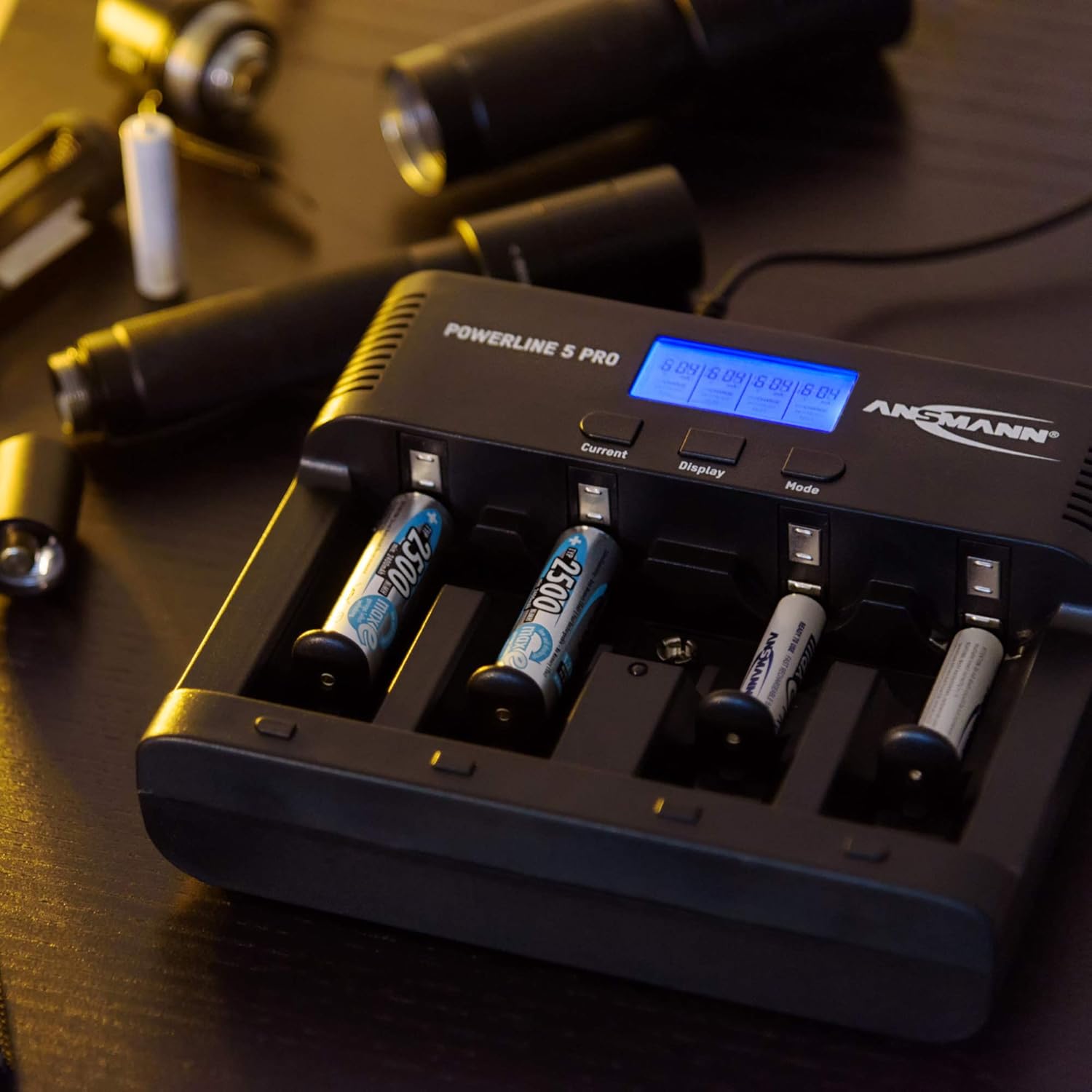
- Easy-to-read Display: Large illuminated LCD shows capacity, voltage, charging/discharging current, and charging time for each slot.
- Amfani mai dacewa: Includes wide-range power supply for worldwide use and a 12V car adapter.
Abubuwan Kunshin
Bayan buɗe kunshin, da fatan za a tabbatar cewa duk abubuwan da aka gyara suna nan kuma basu lalace:
- ANSMANN Powerline 5 Pro Charger Unit
- AC Power Adapter (Wide-range)
- 12V Adaftar Mota
- Jagorar mai amfani (wannan takaddar)
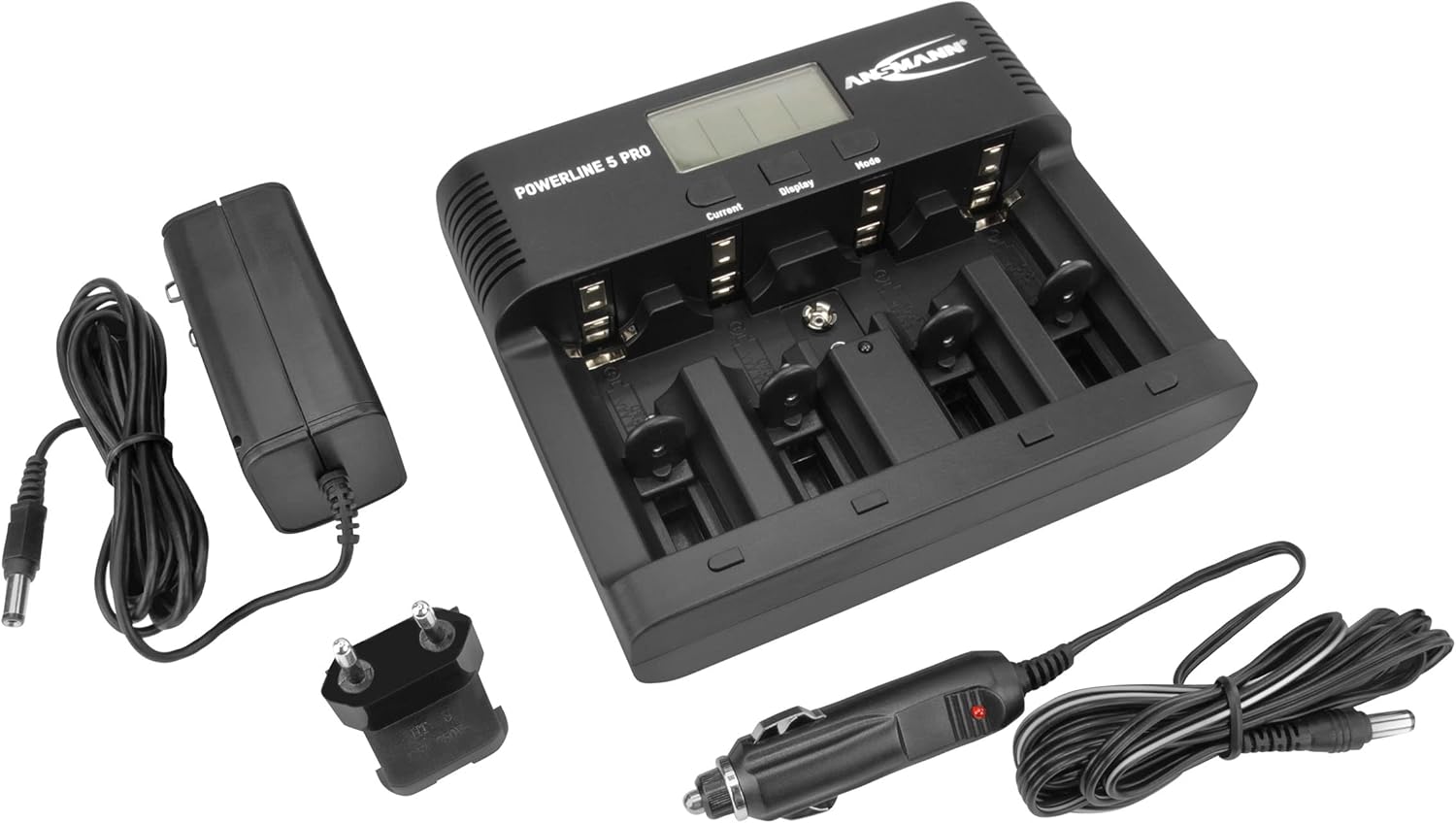
Figure 2: The Powerline 5 Pro charger shown with its included accessories: the AC power adapter and the 12V car adapter.
Saita
Haɗa Kayan Wutar Lantarki:
- Locate the DC 12V 1.5A input port on the rear of the charger.
- Connect the provided AC power adapter or 12V car adapter to this input port.
- Plug the other end of the AC power adapter into a suitable wall outlet, or the car adapter into your vehicle's 12V socket.
- The charger's LCD display will illuminate, indicating it is powered on and ready for use.
Hoto 3: Na baya view of the Powerline 5 Pro charger highlighting the 12V 1.5A DC input port for connecting the power adapter.
Umarnin Aiki
Saka Batura:
The charger supports various battery sizes. Ensure correct polarity when inserting batteries into the charging slots. The 9V E-block battery has a dedicated slot.

Figure 4: Illustration showing the various battery types suitable for the Powerline 5 Pro charger, including Micro AAA, Mignon AA, Baby C, Mono D, and 9V E-Block.
Understanding the Display and Controls:
The LCD display provides real-time information for each charging slot. The three buttons (Current, Display, Mode) allow you to control the charging process.
- Current Button: Adjusts the charging/discharging current.
- Maballin Nuni: Toggles through different display parameters (e.g., voltage, capacity, time).
- Maɓallin Yanayin: Selects the desired operating program (Charge, Discharge, Refresh, Test).

Figure 5: The Powerline 5 Pro charger with batteries inserted, demonstrating the individual monitoring and automatic shutdown features. The LCD shows charging status.
Shirye-shiryen Caji:
Each charging slot can operate independently with its own program.
- Caji: Standard charging mode. Insert battery, select desired current with "Current" button, then press "Mode" to start. The charger automatically detects full charge and switches to trickle charge.
- Fitarwa: Discharges the battery before recharging it. Useful for reducing memory effect in NiCd batteries. Select "Discharge" mode with "Mode" button, then set discharge current with "Current" button. After discharge, the charger will automatically begin charging.
- Sake sabuntawa: Repeatedly discharges and charges the battery to optimize its capacity and rejuvenate older batteries. This process can take several hours or even days depending on battery condition. Select "Refresh" mode with "Mode" button.
- Gwaji: Charges the battery fully, then discharges it to measure its actual capacity, and finally recharges it. This provides an accurate reading of the battery's health. Select "Test" mode with "Mode" button.
To select a program for a specific slot, first select the slot by pressing the "Display" button until the desired slot is highlighted, then use the "Mode" button to cycle through programs. Use the "Current" button to adjust current settings if applicable.
Kulawa
- Clean the charger regularly with a soft, dry cloth. Do not use abrasive cleaners or solvents.
- Ensure the charging contacts are free of dust and debris for optimal connection.
- Ajiye caja a wuri mai sanyi, bushe lokacin da ba a amfani da shi.
- A guji jefar da caja ko kuma sanya ta cikin matsala mai ƙarfi.
Shirya matsala
| Matsala | Dalili mai yiwuwa | Magani |
|---|---|---|
| Caja baya kunnawa. | Babu wutar lantarki; adaftar da ta lalace; haɗin da ba shi da kyau. | Check power outlet; ensure adapter is securely connected to charger and wall/car socket; try a different outlet. |
| Battery not charging (display shows "ERR"). | Incorrect battery type (non-rechargeable); faulty battery; incorrect polarity; poor contact. | Ensure battery is NiMH/NiCd; try a different battery; reinsert battery with correct polarity; clean battery and charger contacts. |
| Charging process takes too long. | High capacity battery; low charging current selected; battery in "Refresh" or "Test" mode. | This is normal for high capacity batteries; increase charging current if possible; "Refresh" and "Test" modes are designed to take longer. |
| Nuni yana da duhu ko kyalkyali. | Rashin wutar lantarki. | Ensure stable power source; try a different outlet or adapter. |
Ƙayyadaddun bayanai
| Siffar | Daki-daki |
|---|---|
| Lambar Samfura | 1001-0018 |
| Nau'in Baturi masu jituwa | NiMH / NiCd (Micro AAA, Mignon AA, Baby C, Mono D, 9V E-block) |
| Shigar da Voltage | 12V DC, 1.5A (via included AC adapter or car adapter) |
| Shirye-shiryen Caji | Charge, Discharge, Refresh, Test |
| Nunawa | LCD tare da hasken baya |
| Siffofin Tsaro | Reverse polarity protection, short circuit protection, overcharge protection, automatic shut-off |
| Girman samfur | 5.59 x 6.67 x 1.56 inci (14.2 x 17.0 x 3.96 cm) |
| Nauyin Abu | 1.21 fam (0.55 kg) |
| Mai ƙira | ANSMAN |

Figure 6: Dimensions of the Powerline 5 Pro charger, indicating a width of 17.0 cm and a height of 14.2 cm.
Garanti da Taimako
ANSMANN products are manufactured with high quality standards. For warranty information and technical support, please refer to the official ANSMANN website ko tuntuɓi sabis na abokin ciniki kai tsaye. Ajiye rasidin siyan ku azaman shaidar siyan.
Don ƙarin taimako, zaku iya ziyartar shafin Ansmann Store on Amazon.


