Gabatarwa
Na gode da siyaasing the Madison FREESOUND-VR40R Vintage Portable Radio. This device combines a classic retro design with modern audio technology, offering versatile listening options. This manual provides detailed instructions on how to set up, operate, and maintain your radio to ensure optimal performance and longevity.
The FREESOUND-VR40R is a portable, USB-rechargeable radio designed for those who appreciate a vintage aesthetic combined with modern audio technologies. It features an analog dial tuner, Bluetooth, USB, AUX, and FM connectivity, bass enhancement, and a convenient dual metal handle for portability.
Umarnin Tsaro
Please read these safety instructions carefully before using the device and keep them for future reference. Incorrect use may result in electric shock, fire, or other hazards.
- Kada a fallasa na'urar ga ruwan sama ko danshi don hana gobara ko girgizar lantarki.
- Kada a bijirar da na'urar zuwa hasken rana kai tsaye ko matsanancin zafi.
- Kar a bude casing. Babu kayan aikin da za a iya amfani da su a ciki. A miƙa duk kayan aikin ga ma'aikata masu ƙwarewa.
- Use only the specified power adapter/charging cable.
- Tsare na'urar daga filaye masu ƙarfi masu ƙarfi.
- Clean the device only with a dry, soft cloth. Do not use liquid cleaners.
- Tabbatar da samun iska mai kyau a kusa da na'urar. Kar a toshe kowane buɗewar samun iska.
Samfurin Ƙarsheview
Familiarize yourself with the components and features of your Madison FREESOUND-VR40R radio.

Hoto 1: Gaba View. Shows the analog dial tuner, speaker grille, Madison logo, and control knobs for volume and source selection.
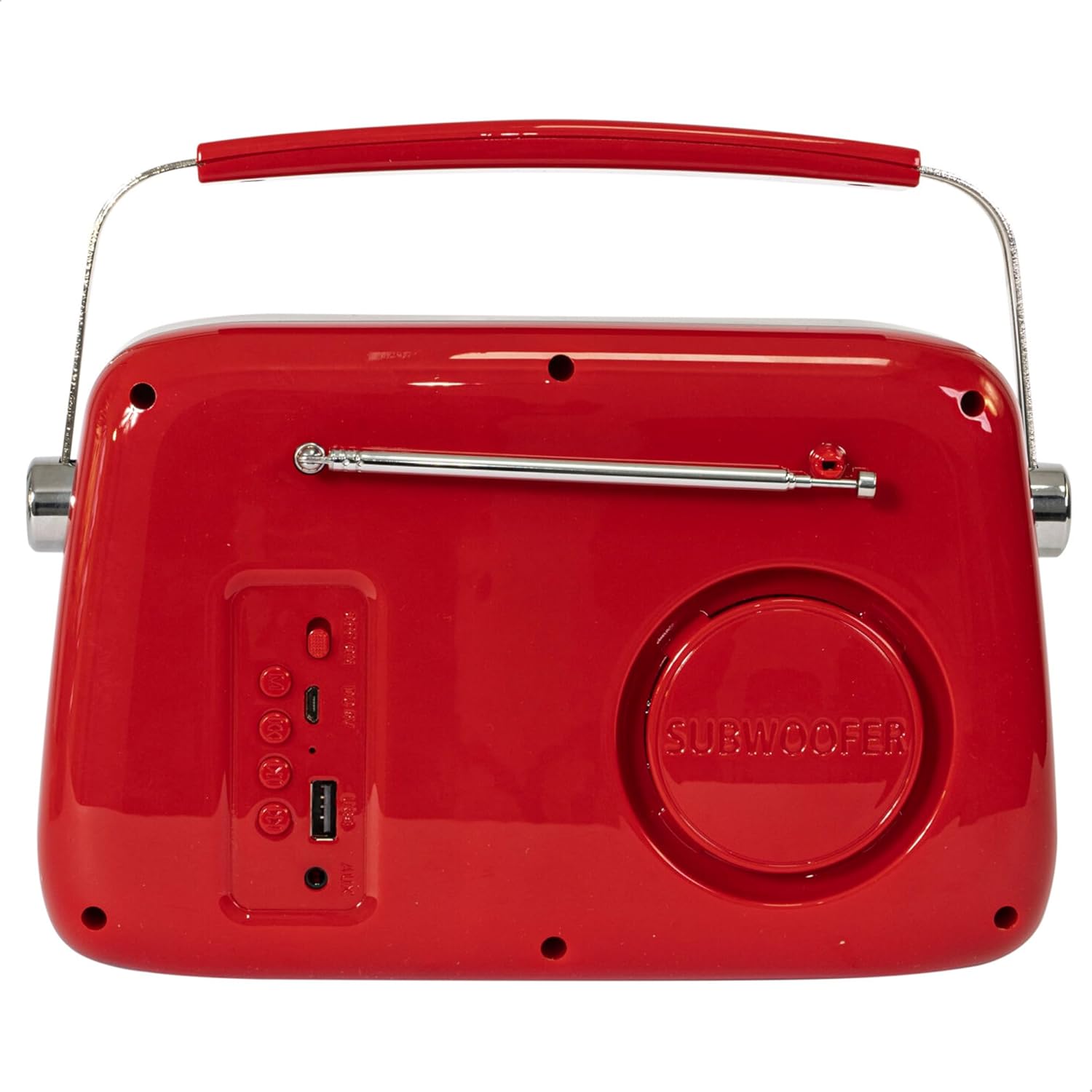
Hoto 2: Na baya View. Displays the subwoofer, USB port, AUX input, and power/mode buttons.
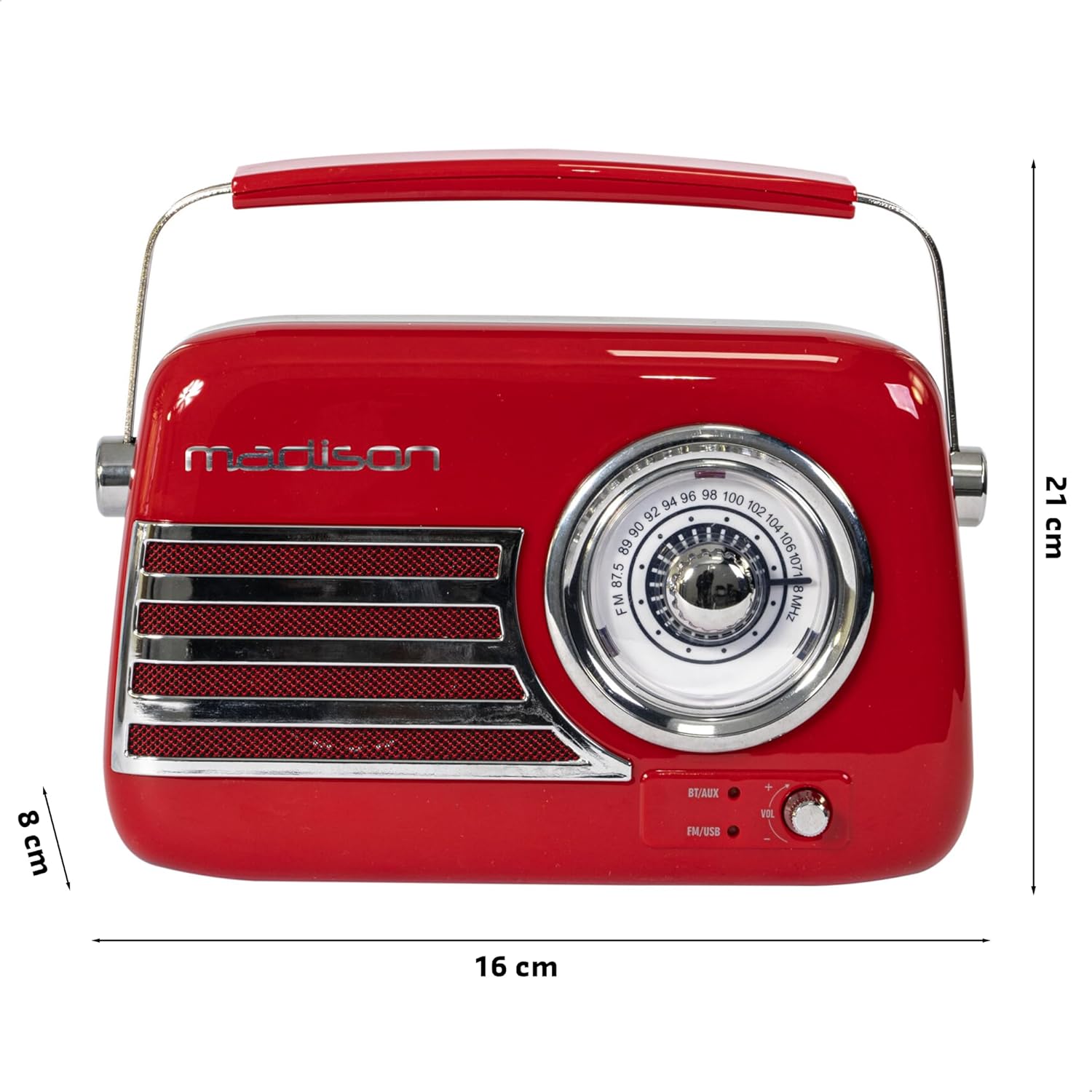
Hoto 3: Girman Samfura. Illustrates the radio's approximate dimensions: 21 cm length, 8 cm width, and 16 cm height.

Hoto 4: Na baya View with Antenna Extended. Shows the telescopic antenna fully extended for improved FM reception.
Mabuɗin fasali:
- Analog Dial Tuner: For classic FM radio tuning.
- Haɗin Bluetooth: Stream audio wirelessly from your smartphone or tablet.
- Sake kunnawa USB: Play music directly from a USB drive.
- Shigar da AUX: Haɗa na'urorin sauti na waje ta hanyar kebul na sauti na 3.5mm.
- Rediyon FM: Enjoy your favorite FM stations with the retractable antenna.
- Inganta Bass: Integrated subwoofer for richer bass sound.
- Baturi Mai Caji: Built-in long-lasting battery for portable use.
- Zane Mai šaukuwa: Lightweight with a dual metal handle for easy carrying.
Saita
Cajin Baturi:
- Locate the USB charging port on the rear of the radio.
- Connect the provided USB charging cable to the radio's USB port.
- Haɗa sauran ƙarshen kebul na USB zuwa adaftar wutar USB mai dacewa (ba a haɗa shi ba) ko tashar USB ta kwamfuta.
- Hasken mai nuna caji zai haskaka. Da zarar an cika caji, hasken na iya canza launi ko kuma ya kashe, ya danganta da samfurin.
- Cikakken caji yawanci yana ɗaukar awanni da yawa.
Ƙarfin Farko A Kunna:
- Ensure the radio is sufficiently charged.
- Press and hold the Power/Mode button (usually located on the rear or front panel) to turn on the radio.
- The front indicator lights will show the currently selected source.
Umarnin Aiki
Sarrafa ƙara:
Juyawa da Ƙarar knob (VOL) on the front panel to adjust the sound level. Turn clockwise to increase volume, counter-clockwise to decrease.
Selecting a Source:
Danna maɓallin Tushen/Yanayin button (often labeled BT/AUX or FM/USB) repeatedly to cycle through the available input modes: Bluetooth, AUX, FM Radio, and USB.
- Yanayin Bluetooth:
- Switch the radio to Bluetooth mode. The Bluetooth indicator light will blink, indicating it's ready for pairing.
- A kan wayoyin hannu ko kwamfutar hannu, kunna Bluetooth kuma bincika samammun na'urori.
- Select "FREESOUND-VR40R" (or similar name) from the list.
- Once paired, the Bluetooth indicator light will become solid, and you can stream audio from your device.
- Yanayin Rediyon FM:
- Switch the radio to FM mode.
- Extend the telescopic antenna fully for optimal reception.
- Juyawa da Tuning Dial on the front panel to manually select your desired FM radio station.
- Yanayin sake kunna USB:
- Saka kebul na USB mai ɗauke da sauti na MP3 files into the USB port on the rear of the radio.
- Switch the radio to USB mode. The radio will automatically begin playing the audio files.
- Use the playback controls (if available, usually on the rear panel) to skip tracks or pause/play.
- Yanayin Shigar da AUX:
- Connect one end of a 3.5mm audio cable (not included) to the AUX input port on the rear of the radio.
- Connect the other end of the cable to the headphone jack or audio output of your external device (e.g., MP3 player, CD player).
- Switch the radio to AUX mode. Audio from your external device will now play through the radio.
Kulawa
Tsaftacewa:
To maintain the appearance and functionality of your radio:
- Wipe the exterior surfaces with a soft, dry, lint-free cloth.
- Kada a yi amfani da masu tsabtace ƙura, kakin zuma, ko kaushi saboda suna iya lalata ƙarshen.
- A guji fesa ruwaye kai tsaye zuwa rediyo.
Ajiya:
If you plan to store the radio for an extended period:
- Cajin cikakken baturin kafin ajiya.
- Ajiye rediyon a wuri mai sanyi da bushewa, nesa da hasken rana kai tsaye da kuma yanayin zafi mai tsanani.
- For optimal battery health, recharge the battery every 3-6 months, even if not in use.
Shirya matsala
| Matsala | Dalili mai yiwuwa | Magani |
|---|---|---|
| Babu wutar lantarki / Rediyo baya kunnawa. | Baturi ya ƙare. | Charge the radio using the provided USB cable. |
| Babu sauti. | Ƙarar ta yi ƙasa sosai ko kuma an yi shiru. An zaɓi tushen da bai dace ba. | Increase the volume. Ensure the correct input source (Bluetooth, FM, USB, AUX) is selected. |
| Mara kyau liyafar FM. | Antenna not extended. Weak signal. | Fully extend the telescopic antenna. Try repositioning the radio for better signal. |
| Na'urar Bluetooth ba zata iya haɗawa ba. | Radio not in pairing mode. Device too far. Bluetooth disabled on source device. | Ensure radio is in Bluetooth pairing mode (blinking light). Move device closer. Enable Bluetooth on your smartphone/tablet. |
| Kunna USB ba ya aiki. | USB drive not inserted correctly. Unsupported file tsari. | Ensure USB drive is fully inserted. Check if audio files suna cikin tsarin MP3. |
Ƙayyadaddun bayanai
| Lambar Samfura: | 10-5567MA |
| Girman Samfura (L x W x H): | 21 x 8 x 16 cm |
| Nauyi: | 635g ku |
| Launi: | Ja |
| Abu: | Filastik |
| Tushen wutar lantarki: | Internal Rechargeable Battery (via USB) |
| Nau'in Baturi: | 1 Lithium-polymer (an haɗa) |
| Haɗin kai: | Bluetooth, USB, Auxiliary (AUX) |
| Makadan Rediyo: | FM |
| Siffofin Musamman: | Telescopic antenna, Analog dial tuner, Bass enhancement |
| Abubuwan da aka haɗa: | Kebul na Caji |
| Mai ƙira: | Lotronic S.A. |
| Ƙasar Asalin: | China |
Garanti da Taimako
For warranty information and customer support, please refer to the warranty card included with your product or visit the official Madison website. Ajiye shaidar siyan ku don kowane da'awar garanti.
For technical assistance or troubleshooting beyond this manual, please contact Madison customer service.
Note: Availability of spare parts is not specified in the product information.


