Gabatarwa
Thank you for choosing the JBL Flip 3 Splashproof Portable Bluetooth Speaker. This manual provides essential information for setting up, operating, and maintaining your speaker to ensure optimal performance and longevity. Please read this manual thoroughly before using your device.
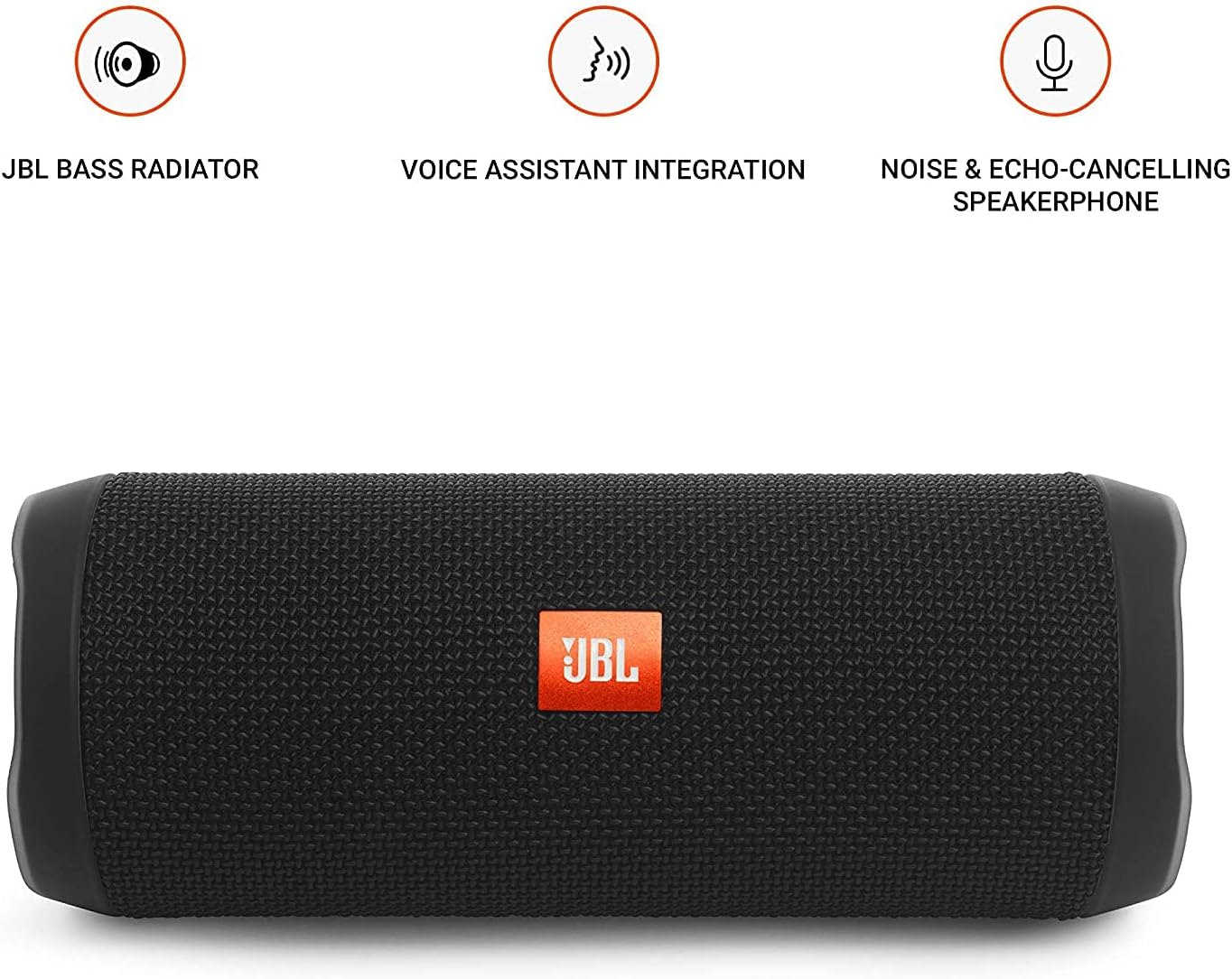
Image: JBL Flip 3 highlighting key features like the bass radiator, voice assistant integration, and noise & echo-cancelling speakerphone.
Me ke cikin Akwatin
- JBL Flip 3 Splashproof Portable Speaker
- USB Charging Cable (orange)
- Jagoran Farawa Mai Sauri (ba a haɗa shi cikin wannan littafin ba)
- Takardar Tsaro (ba a haɗa ta cikin wannan littafin ba)
- Warranty Card (not included in this manual)
Saita
1. Cajin Baturi
Before first use, fully charge your JBL Flip 3 speaker. The built-in 3000mAh Li-ion battery supports up to 10 hours of playtime and takes approximately 3.5 hours to fully charge.
- Locate the charging port on the side of the speaker, usually protected by a rubber flap.
- Connect the orange USB charging cable to the speaker's charging port.
- Haɗa sauran ƙarshen kebul na USB zuwa adaftar wutar USB mai dacewa (ba a haɗa shi ba) ko tashar USB ta kwamfuta.
- The LED indicators on the speaker will illuminate to show the charging status. All five LEDs will be solid white when fully charged.

Image: The JBL Flip 3 speaker connected to a charging cable, with its battery indicator LEDs lit.
2. Kunnawa / Kashewa
- Don kunnawa, danna maɓallin Maɓallin wuta (usually indicated by a circle with a vertical line). The power indicator light will illuminate.
- Don kashe wuta, latsa ka riƙe Maɓallin wuta sake har sai hasken mai nuna alama ya kashe.
Umarnin Aiki
1. Haɗa Bluetooth
The JBL Flip 3 can wirelessly connect up to 3 smartphones or tablets simultaneously.
- Ƙarfi akan lasifikar JBL Flip 3.
- Danna maɓallin Maɓallin Bluetooth (usually indicated by the Bluetooth logo) on the speaker. The Bluetooth indicator light will flash, indicating it's in pairing mode.
- On your smartphone or tablet, go to the Bluetooth settings and select "JBL Flip 3" from the list of available devices.
- Once connected, the Bluetooth indicator light will turn solid.
- To connect additional devices, repeat steps 2-3. The speaker will automatically switch between connected devices when music is played.
2. Sake kunna kiɗan
- Kunna/Dakata: Danna maɓallin Maɓallin Kunna/Dakata (usually indicated by a triangle or two vertical bars).
- Sarrafa ƙara: Yi amfani da Ƙara girma (+) kuma Volume Down (-) buttons on the speaker or your connected device.
- Tsallake Waƙa: Danna sau biyu Maɓallin Kunna/Dakata don tsallakewa zuwa waƙa ta gaba.
3. Aikin Lasifika
The JBL Flip 3 features a noise and echo-cancelling speakerphone for clear calls.
- Amsa/Ƙarshen Kira: Danna maɓallin Maɓallin waya (usually indicated by a phone icon) to answer an incoming call or end an ongoing call.
- Karɓar Kira: Latsa ka riƙe Maɓallin waya Don kar rejectar kira mai shigowa.
4. JBL Haɗa
Amplify your listening experience by wirelessly connecting multiple JBL Connect enabled speakers together.
- Ensure both JBL Connect enabled speakers are powered on.
- Danna maɓallin JBL Connect button (usually indicated by an hourglass or infinity symbol) on both speakers.
- The speakers will automatically connect to each other. Once connected, they will play audio in sync.

Image: The JBL Flip 3 speaker shown vertically, highlighting its compact and portable design.
Kulawa
Tsaftacewa
The JBL Flip 3 is splashproof, meaning it can withstand splashes and light rain. You can clean it with running tap water. Important: Do not submerge the speaker in water. Ensure the rubber flap covering the ports is securely closed before cleaning or exposing to water.
Kula da baturi
- To prolong battery life, fully charge the speaker at least once every 3 months.
- Avoid exposing the speaker to extreme temperatures (hot or cold) as this can affect battery performance.
Shirya matsala
| Matsala | Magani mai yiwuwa |
|---|---|
| Kakakin ba ya kunna wuta. | Tabbatar da cajin baturi. Haɗa lasifikar zuwa tushen wuta ta amfani da kebul na USB. |
| Babu sauti daga mai magana. | Duba matakin ƙara akan lasifikar da na'urar da aka haɗa. Tabbatar cewa an haɗa lasifikar da kyau ta Bluetooth. |
| Bluetooth connection fails or is unstable. | Move the speaker closer to your device. Ensure no other devices are interfering with the Bluetooth signal. Try unpairing and re-pairing the speaker. |
| JBL Connect ba ya aiki. | Ensure both speakers are JBL Connect enabled and are within range. Press the JBL Connect button on both speakers simultaneously. |
If you encounter issues not listed here, please refer to the official JBL support webshafin yanar gizo ko tuntuɓi sabis na abokin ciniki don ƙarin taimako.
Ƙayyadaddun bayanai
- Sunan Samfura: JBLFLIP3BLK
- Alamar: JBL
- Girma (H x W x D): 7.5 x 4.5 x 3.9 inci
- Nauyin Abu: 16 ounce (1 laban)
- Abu: Fabric
- Nau'in Kakakin: Waje
- Fasahar Haɗuwa: Bluetooth, Wireless
- Fasahar Sadarwa mara waya: Bluetooth
- Yankin Bluetooth: Mita 10
- Tushen wutar lantarki: Ana Karfin Batir
- Nau'in Baturi: Ana buƙatar baturin lithium polymer 1
- Ƙarfin baturi: 3000mAh
- Lokacin wasa: Har zuwa awanni 10
- Lokacin Caji: 3.5 Awanni
- Matsakaicin Ƙarfin Fitar da Kakakin: 16 Watts
- Martanin Mitar: 20 KHz (Note: This is likely the upper limit, typical range is broader)
- Alamar siginar-zuwa-Noise Ratio: 80db ku
- Tashin hankali: 4 ohms
- Yanayin fitarwa na sauti: Sitiriyo
- Siffa ta Musamman: Built-in Microphone, Echo-certified
- Matsayin Juriya na Ruwa: Water Resistant (Splashproof, do not submerge)
- Na'urori masu jituwa: Smartphone, Tablet
- Abubuwan Amfani: For Smartphones or Tablets, outdoor activities, parties, travel, portable usage
Garanti da Taimako
JBL Flip 3 ya zo tare da a Garanti mai iyaka. For detailed warranty information, please refer to the warranty card included with your product or visit the official JBL website.
For technical support, troubleshooting, or service inquiries, please visit the Tallafin JBL Website ko tuntuɓi sabis na abokin ciniki kai tsaye.


