1. Gabatarwa
This manual provides detailed instructions for the setup, operation, and maintenance of your Marathon Digital Desktop Clock, Model CL030050BK. This compact and versatile digital clock is designed for use on a desk or nightstand, offering time, date, day of the week, and temperature displays, along with a dual alarm function and a button-activated backlight.
2. Samfurin Ya Ƙareview

Hoto 2.1: Gaba view of the Marathon Digital Desktop Clock CL030050BK, showing its large digital display with time, date, day, and temperature.
2.1 Maɓalli Maɓalli
- Large, High-Quality Display: Enhanced contrast for clear legibility.
- Nightowl Super Glow Backlight: Button-activated, gentle blue backlight that illuminates for approximately 10 seconds.
- Ayyukan Ƙararrawa Biyu: Separate alarm settings for weekdays (Monday-Friday) and weekends (Saturday-Sunday).
- Maɓallin ƙaranci: Conveniently located for temporary alarm suspension.
- Hanyoyin Nuni da yawa: Time in 12 or 24-hour format, temperature in Fahrenheit or Celsius.
- Multilingual Day of Week: Displays the day of the week in seven languages: English, Dutch, French, Spanish, Italian, Danish, and German.
- Ƙirƙirar Ƙira da Ƙira: Ideal for desktop, nightstand, or travel.
Abubuwan Kunshin 2.2
- 1 x Marathon Digital Desktop Clock CL030050BK
- 3 x AAA Baturi (an haɗa)
- 1 x Manhajar mai amfani
3. Saita
3.1 Shigar da Baturi
- Nemo murfin ɗakin baturi a bayan agogo.
- Zamar da murfin zuwa ƙasa don buɗe ɗakin.
- Insert 3 new AAA batteries, ensuring the correct polarity (+ and -) as indicated inside the compartment.
- Maye gurbin murfin batir ta zamewa sama har sai ya danna wurin.
3.2 Ƙarfin Farko Kunna
Upon successful battery installation, the clock display will activate, typically showing a default time and date. It is recommended to perform a reset after battery installation to ensure optimal performance.
3.3 Resetting the Clock
To reset the clock, use a thin, pointed object (like a paperclip) to press the recessed Sake saitin button located on the back of the unit. This will clear all settings and return the clock to its factory defaults.
4. Umarnin Aiki
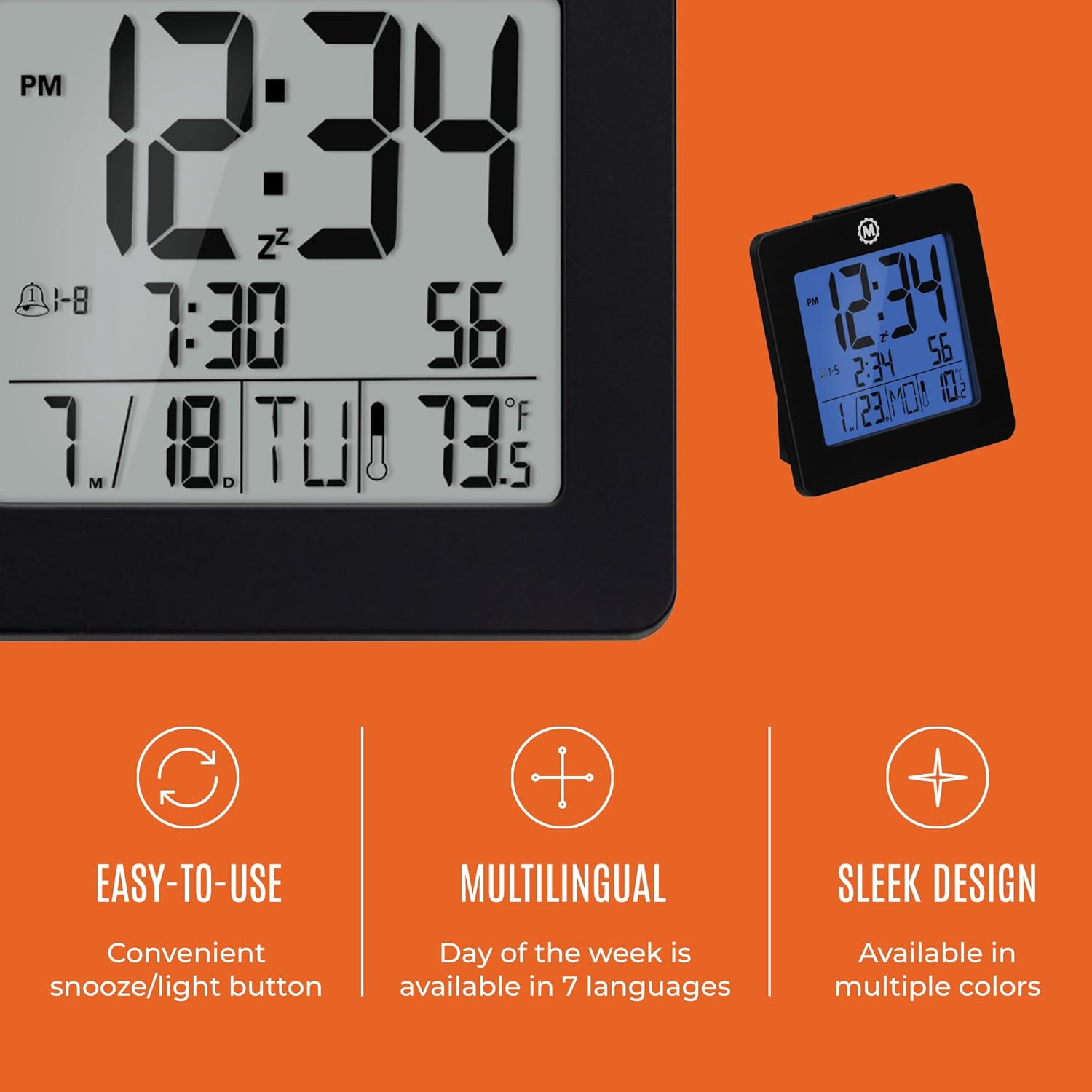
Hoto 4.1: Samaview of key features and design elements.
4.1 Ayyukan Maɓalli
The clock features several buttons on the back for configuration:
- kwatance: Toggles between Time, Alarm, and Timer display modes.
- SAITA: Enters setting mode for the currently displayed mode (Time, Alarm, Timer).
- UP / 12/24: In setting mode, increases the value. In time display mode, toggles between 12-hour and 24-hour format.
- DOWN / °C/°F: In setting mode, decreases the value. In time display mode, toggles between Celsius and Fahrenheit temperature units.
- LIGHT / SNOOZE: Activates the backlight for 10 seconds. When the alarm sounds, press to activate snooze.
- SATI: Resets the clock to factory defaults (requires a pointed object).
4.2 Saita Lokaci da Kwanan Wata
- Danna maɓallin MODE button until the time is displayed.
- Latsa ka riƙe SET button for approximately 3 seconds until the year flashes.
- Yi amfani da UP or KASA maɓalli don daidaita shekara.
- Latsa SET to confirm and move to the month setting.
- Repeat steps 3 and 4 to set the month, day, 12/24-hour format, hour, and minute.
- After setting the minutes, press SET to exit time/date setting mode.
4.3 Setting the Day of Week Language
While in time display mode, repeatedly press the UP or KASA button to cycle through the 7 available languages for the day of the week display (English, Dutch, French, Spanish, Italian, Danish, German).
4.4 Setting the Temperature Unit
A lokacin da kake cikin yanayin nuna lokaci, danna maɓallin DOWN / °C/°F button to toggle the temperature display between Celsius (°C) and Fahrenheit (°F).
4.5 Setting the Dual Alarm
- Danna maɓallin MODE button until the alarm time is displayed (indicated by an alarm icon).
- Latsa ka riƙe SET button for approximately 3 seconds until the alarm hour flashes.
- Yi amfani da UP or KASA maɓalli don daidaita sa'ar ƙararrawa.
- Latsa SET to confirm and move to the alarm minute setting.
- Repeat steps 3 and 4 to set the alarm minute.
- After setting the minutes, press SET to select the alarm type: Weekday (1-5) or Weekend (6-7). Use UP or KASA don zaɓar.
- Latsa SET to confirm and exit alarm setting mode.
- To activate/deactivate the alarm, press the UP button while in alarm display mode. An alarm icon will appear/disappear on the screen.
4.6 Using the Snooze and Backlight
Danna babban HASKE / TSAYA button on the top of the clock to activate the blue backlight. The backlight will remain illuminated for approximately 10 seconds. If the alarm is sounding, pressing this button will activate the snooze function, temporarily silencing the alarm for a short period before it sounds again.
5. Kulawa
- Tsaftacewa: Wipe the clock with a soft, dry cloth. Avoid using abrasive cleaners or solvents.
- Madadin Baturi: Replace all 3 AAA batteries when the display becomes dim or the clock functions erratically. Always replace with new batteries of the same type.
- Ajiya: Idan adana agogon na tsawon lokaci, cire batura don hana yaɗuwa.
6. Shirya matsala
| Matsala | Dalili mai yiwuwa | Magani |
|---|---|---|
| Nuni ba komai bane ko duhu. | Ƙananan batura ko matattu. | Sauya dukkan batura 3 na AAA. |
| Incorrect time/date displayed. | Settings were not saved or incorrect. | Perform a reset and re-enter time/date settings as per Section 4.2. |
| Ƙararrawa baya yin sauti. | Ba a kunna ƙararrawa ko saita ba daidai ba. | Ensure the alarm is activated (alarm icon visible) and the alarm time is correctly set (Section 4.5). |
| Hasken baya baya aiki. | Low batteries or button malfunction. | Replace batteries. If the issue persists, contact customer support. |
7. Ƙayyadaddun bayanai
- Lambar Samfura: CL030050BK
- Alamar: Marathon
- Nau'in Nuni: Dijital
- Launi: Baki
- Girman samfur: 3.7"W x 3.7"H
- Nauyin Abu: 5.6 oz
- Tushen wutar lantarki: Battery Powered (3 x AAA batteries included)
- Abu: Filastik
- Nau'in hawa: Tabletop
- Siffa ta Musamman: Button-activated backlight, dual alarm, temperature display, multilingual day of week.
8. Garanti da Tallafawa
8.1 Bayanin Garanti
This Marathon Digital Desktop Clock CL030050BK comes with a Garanti na shekaru 1 from the date of purchase. This warranty covers manufacturing defects and workmanship under normal use. It does not cover damage caused by misuse, accidents, unauthorized modifications, or normal wear and tear.
8.2 Tallafin Abokin Ciniki
For technical assistance, troubleshooting, or warranty claims, please visit the official Marathon website or contact their customer service department. Please have your model number and proof of purchase ready when contacting support.


