1. Gabatarwa
The Turtle Beach Stealth 700 is a premium wireless gaming headset designed for an immersive audio experience on PlayStation 5 and PlayStation 4 consoles. This manual provides essential information on setting up, operating, and maintaining your headset, ensuring optimal performance and longevity.

Figure 1: Turtle Beach Stealth 700 Wireless Gaming Headset
2. Abin da ke cikin Akwatin
Upon unboxing your Turtle Beach Stealth 700 headset, please ensure all the following components are present:
- Turtle Beach Stealth 700 Wireless Gaming Headset
- Mara waya ta USB Transmitter
- USB-C Cajin Cable
- Jagoran Fara Mai Sauri / Takardu
Bidiyo 1: Haɓaka samfurview and unboxing of the Turtle Beach Stealth 700 headset.
3. Samfurin Ya Ƙareview
Familiarize yourself with the physical components and controls of your Stealth 700 headset.
3.1 Kayan Aikin Na'urar Kai

Figure 2: User wearing the Stealth 700 headset, demonstrating its over-ear design.
- Daidaitaccen Ƙwallon Kaya: Features a synthetic leather-wrapped headband for comfort.
- Kushin Kunnuwa: Premium synthetic leather-wrapped ear cushions with ProSpecs glasses-friendly design to relieve pressure.
- 50mm Over-Ear Speakers: Deliver immersive surround sound and chat audio.
- High-Sensitivity Flip-Up Mic: Integrated microphone that mutes when flipped up.
3.2 Gudanarwa
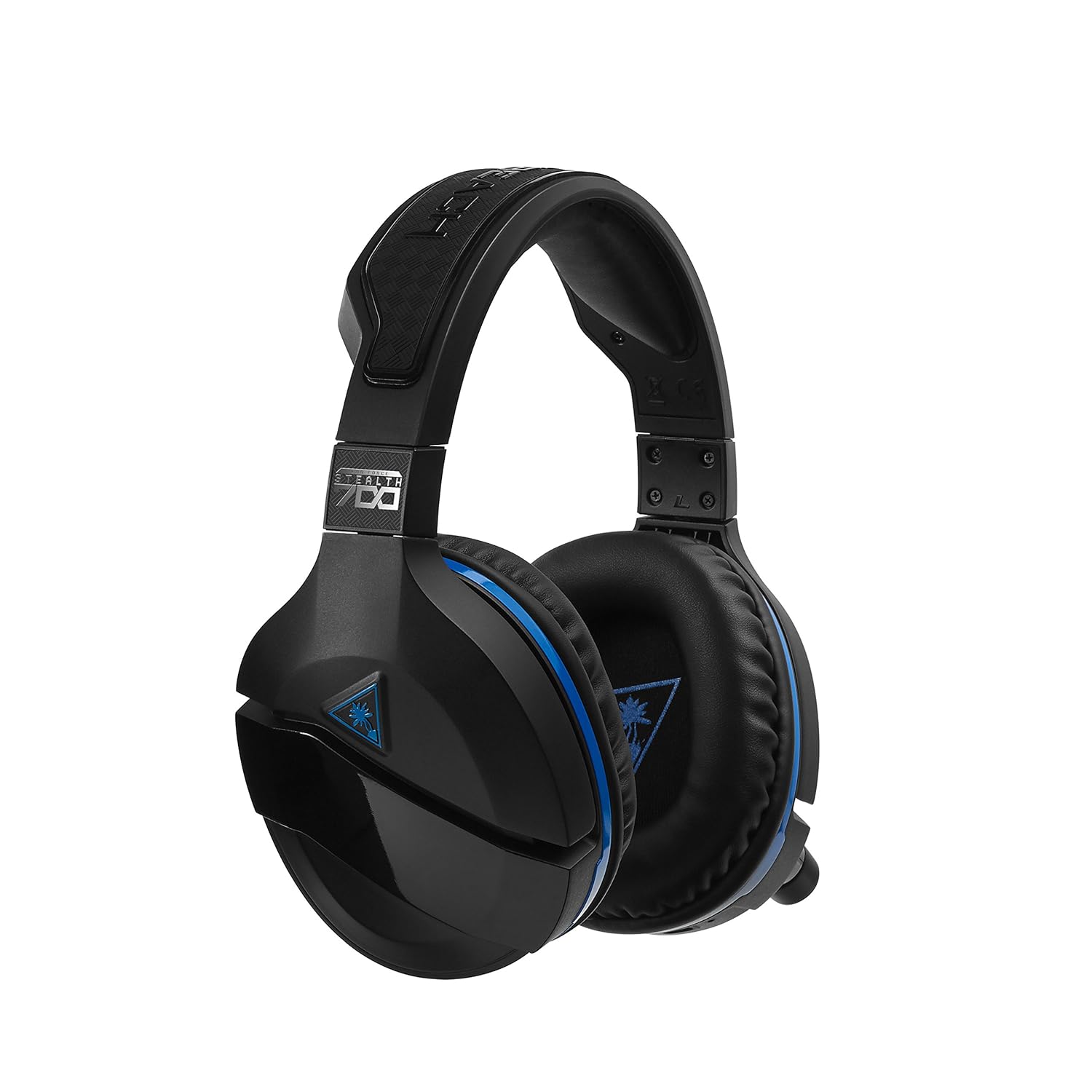
Figure 3: Right earcup controls and microphone in the down position.
- Maɓallin Wuta: Turns the headset on/off.
- Maballin Bluetooth: Yana fara haɗa haɗin Bluetooth.
- Game Volume Dial: Adjusts the overall game audio volume.
- Chat Volume Dial: Adjusts the chat audio volume independently.
- Mic Monitoring Dial: Adjusts the level of your own voice heard in the headset.
- Superhuman Hearing Button: Activates/deactivates the Superhuman Hearing sound setting.
- Maɓallin Yanayin: Cycles through DTS surround sound modes and audio presets.

Figure 4: Microphone in the flipped-up (muted) position.
4. Saita Umarnin
Follow these steps to set up your Turtle Beach Stealth 700 headset with your PlayStation console.
4.1 Fara Cajin
- Connect the USB-C Charging Cable to the headset and a USB power source.
- Charge the headset fully before first use (approximately 5 hours). The LED indicator will change when fully charged.
4.2 Connecting to PlayStation (Wireless)
- Plug the Wireless USB Transmitter into an available USB port on your PlayStation console.
- Power on your Stealth 700 headset by pressing and holding the Power Button until the LED illuminates.
- The headset and transmitter should automatically pair. A solid LED on both indicates a successful connection.
- On your PlayStation, navigate to Saituna> Na'urori> Na'urorin Sauti.
- Saita Na'urar shigarwa ku Na'urar kai ta USB (Turtle Beach Stealth 700).
- Saita Na'urar fitarwa ku Na'urar kai ta USB (Turtle Beach Stealth 700).
- Saita Fitarwa zuwa belun kunne ku Duk Sauti.
- Adjust your volume levels as desired.
4.3 Bluetooth Pairing (for Mobile Devices)
The Stealth 700 supports Bluetooth connectivity for calls, music, and the Turtle Beach Audio Hub app while gaming.
- With the headset powered on, press and hold the Maballin Bluetooth until the headset announces "Bluetooth Pairing" and the LED flashes blue.
- On your mobile device, go to Bluetooth settings and select "Stealth 700" from the list of available devices.
- The headset will announce "Bluetooth Paired" when the connection is successful.
5. Umarnin Aiki
5.1 Basic Audio Control
- Girman Wasan: Use the upper dial on the left earcup to adjust game audio.
- Chat Volume: Use the lower dial on the left earcup to adjust chat audio.
5.2 Amfani da Makirufo
- To Unmute: Flip the microphone down.
- Don yin shiru: Flip the microphone up. The headset will provide an audible cue.
- Variable Mic Monitoring: Adjust the lower dial to control how much of your own voice you hear in the headset.
5.3 Soke Noise Mai Aiki (ANC)
The Stealth 700 features active noise-cancellation to minimize external distractions.
- To Activate/Deactivate: Press the Power Button briefly while the headset is on. The headset will announce the status.
5.4 Superhuman Hearing
This exclusive Turtle Beach sound setting enhances critical in-game sounds like footsteps and weapon reloads.
- To Activate/Deactivate: Press the dedicated Superhuman Hearing button on the left earcup.
5.5 Audio Presets and DTS Surround Sound
Cycle through different audio presets and DTS surround sound modes for an optimized listening experience.
- To Cycle: Danna maɓallin Maɓallin Yanayin to switch between available presets (e.g., Bass Boost) and DTS Headphone:X 7.1 surround sound options.
6. Turtle Beach Audio Hub App
The Turtle Beach Audio Hub app (available for iOS and Android) allows you to customize various settings of your Stealth 700 headset via Bluetooth.
- Daidaita matakan saka idanu na mic.
- Select DTS surround sound modes.
- Choose from various audio presets, including Bass Boost.
- Enable/disable Dynamic Chat Boost.
- Sarrafa haɗin Bluetooth.
7. Kulawa
Kulawa mai kyau yana tabbatar da tsawon rai da kuma aikin belun kunne.
- Tsaftacewa: Yi amfani da taushi, damp cloth to clean the headset. Avoid harsh chemicals.
- Ajiya: Ajiye na'urar kai a wuri mai sanyi, busasshiyar nesa da hasken rana kai tsaye da matsanancin zafi.
- Kulawar Baturi: Don ingantacciyar rayuwar batir, kauce wa cikar cajin baturin akai-akai. Yi caji akai-akai.
8. Shirya matsala
If you encounter issues with your Stealth 700 headset, try the following solutions:
8.1 No Audio / Disconnection
- Ensure the headset is fully charged and powered on.
- Verify the Wireless USB Transmitter is securely plugged into the console.
- Check PlayStation audio settings (Settings > Devices > Audio Devices) to ensure the headset is selected as input/output.
- Try re-pairing the headset and transmitter by powering both off and on.
8.2 Makirifo Ba Ya Aiki
- Ensure the microphone is flipped down to unmute.
- Check PlayStation audio settings to confirm the headset is selected as the input device.
- Adjust the Mic Monitoring dial to ensure it's not set to zero.
- Gwada makirufo ta amfani da wata manhaja ko na'ura idan zai yiwu.
Matsalolin Haɗa Bluetooth 8.3
- Ensure the headset is in Bluetooth pairing mode (LED flashing blue).
- Forget the "Stealth 700" device from your mobile device's Bluetooth settings and try pairing again.
- Tabbatar babu wasu na'urorin Bluetooth da ke katse haɗin.
9. Ƙayyadaddun bayanai
| Siffar | Daki-daki |
|---|---|
| Lambar Samfura | Saukewa: TBS-3770-01 |
| Haɗuwa | Wireless (USB Transmitter), Bluetooth |
| Na'urori masu jituwa | PlayStation 5, PlayStation 4 |
| Nau'in Direba Audio | Direba mai ƙarfi |
| Girman Kakakin | 50mm ku |
| Rayuwar Baturi | Har zuwa Awanni 10 |
| Lokacin Caji | Kimanin Awanni 5 |
| Sigar Bluetooth | 5.0 |
| Bluetooth Range | Mita 10 |
| Siffofin Musamman | DTS Headphone:X 7.1 Surround Sound, Active Noise Cancellation, Superhuman Hearing, ProSpecs Glasses Friendly Design, Dynamic Chat Boost, Variable Mic Monitoring |
| Kayan abu | Faux Leather (ear cushions, headband) |
| Nauyin Abu | 1.6 fam |
10. Garanti da Tallafawa
For detailed warranty information, product registration, and further technical support, please visit the official Turtle Beach websaiti a www.turtlebeach.com. You can also find FAQs and additional resources there.


