Gabatarwa
This manual provides essential instructions for the safe operation, setup, and maintenance of your Protocol Director HD Foldable Drone. Please read this manual thoroughly before operating the drone to ensure proper function and to prevent damage or injury.
The Protocol Director HD is a foldable drone equipped with a live streaming HD camera, designed for capturing aerial video and photos. It features an intuitive 2.4 GHz remote control, an altitude sensor for stable flight, and a free downloadable app for enhanced camera control and flight path drawing.
Kariyar Tsaro
- Kullum ana amfani da jirgin sama mara matuki a wurare masu budewa, ba tare da wani shinge ba, nesa da mutane, dabbobi, da kuma cikas.
- Do not operate near airports, restricted airspace, or sensitive facilities.
- Maintain a safe distance from power lines, trees, and water bodies.
- Ensure all propellers are securely attached and undamaged before each flight.
- Kada ku tashi a cikin iska mai ƙarfi ko yanayi mara kyau.
- Keep fingers and hair away from rotating propellers.
- Adult supervision is recommended for users under 18 years of age. Recommended age for operation is 14 years and up.
- Only use original Protocol replacement parts and accessories.
- Kada ku yi ƙoƙarin gyara jirgin sama mara matuki ko abubuwan da ke cikinsa.
- Turn off the drone and remote control when not in use.
Abubuwan Kunshin
Tabbatar cewa duk abubuwa suna nan a cikin kunshin:
- Protocol Director HD Foldable Drone with Camera
- Remote Control with Phone Mount
- Kebul na Caji
- 2 x Drone Batteries
- Jakar Tafiya
- Manual Umarni (wannan takarda)
- Spare Parts: Blades, Screwdriver

Image: The Protocol Director HD Foldable Drone, showcasing its compact design with propellers extended and camera visible at the front.
Saita
1. Cajin Batirin Drone
- Insert one of the drone batteries into the USB charging cable.
- Connect the USB charging cable to a USB power source (e.g., computer USB port, USB wall adapter).
- The charging indicator light on the USB cable will illuminate during charging and turn off when fully charged.
- Caji yawanci yana ɗaukar kimanin mintuna 60-90. Kada a yi caji fiye da kima.
2. Shigar da Batura masu sarrafawa
- Bude sashin baturi a bayan ramut.
- Saka batura 4 na AA (ba a haɗa su ba), tabbatar da daidaiton polarity (+/-).
- Rufe sashin baturin amintacce.

Image: The drone's remote control with a smartphone securely mounted, displaying a live feed from the drone's camera.
3. Buɗe Jirgin Marasa Matuƙa
- Gently unfold each of the four rotor arms until they click into place.
- Ensure all arms are fully extended and locked before flight.
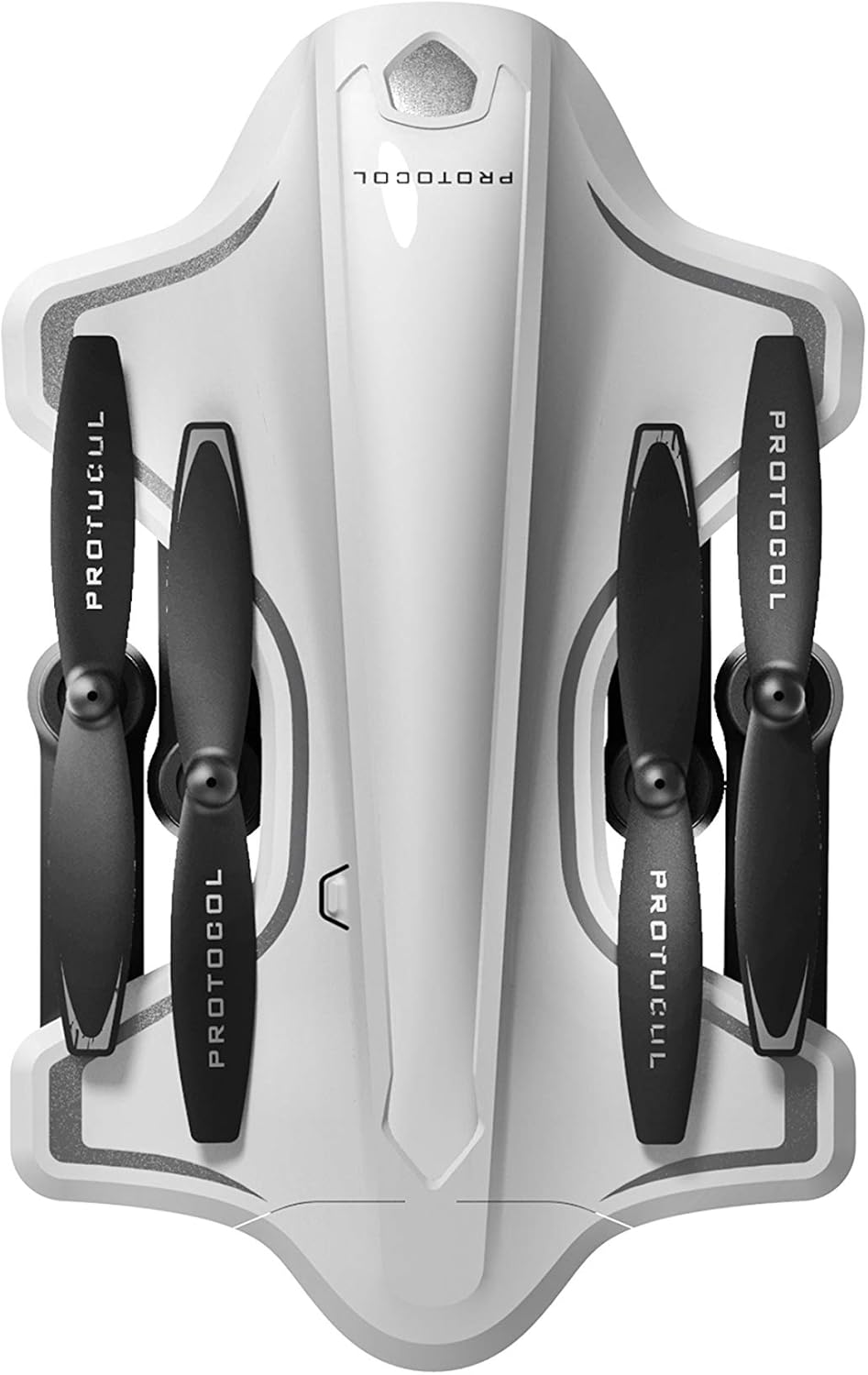
Image: The Protocol Director HD Foldable Drone in its compact, folded configuration, ready for transport.
4. Shigar da Batirin Drone
- Nemo sashin baturi akan jirgin mara matuki.
- Insert the fully charged drone battery, ensuring it is securely seated.
- Rufe murfin ɗakin baturi.
5. Downloading the App (Optional for Camera Features)
- Bincika the "Protocol Director HD" app in your smartphone's app store (iOS or Android).
- Download and install the free application.
- Mount your smartphone onto the remote control's phone mount.
Umarnin Aiki
1. Kunnawa da Haɗawa
- Sanya drone a kan lebur, matakin saman.
- Turn on the drone by pressing the power button. The drone's lights will flash.
- Kunna ramut.
- Tura joystick na hagu (maƙulli) har zuwa sama, sannan ƙasa. Fitilun jirgin sama mara matuƙi za su yi ƙarfi, wanda ke nuna nasarar haɗin kai.
2. Calibrating the Gyroscope
After pairing, it is recommended to calibrate the gyroscope for stable flight:
- With the drone on a flat surface, push both joysticks down and to the right simultaneously for a few seconds.
- The drone's lights will flash rapidly and then become solid, indicating calibration is complete.
3. Basic Control Control
The Protocol Director HD features auto launch, hover, and land functions due to its altitude sensor.
- Auto Launch: Press the dedicated auto launch button on the remote. The drone will ascend to a stable hovering altitude.
- Throttle (Left Joystick):
- Push up: Increase altitude
- Push down: Decrease altitude
- Push left/right: Rotate drone left/right (yaw)
- Directional Control (Right Joystick):
- Push up: Fly forward
- Push down: Fly backward
- Push left: Fly left (strafe)
- Push right: Fly right (strafe)
- Auto Land: Press the dedicated auto land button. The drone will slowly descend and land.
- Zaɓin Sauri: Use the speed button on the remote to cycle through three selectable speeds (low, medium, high).
4. Camera and App Features
Connect your smartphone to the drone's Wi-Fi network (usually named "Protocol_Drone_XXXXXX") to access live streaming and advanced camera functions via the app.
- Yawo Kai Tsaye: View the drone's camera feed in real-time on your smartphone.
- Rikodin Bidiyo: Initiate and stop video recording (480p resolution) through the app.
- Ɗaukar Hoto: Take still images through the app.
- Multiple Camera Angles: The app supports three different camera angles (Aerial, POV, Selfie) for varied content creation.
- Rikodin Sauti: The app allows for audio recording alongside video.
- Draw Your Own Flight Path: Utilize the app's feature to draw a flight path on your screen, and the drone will follow it.
- VR Capability: The app is VR capable; VR goggles are sold separately.
Kulawa
- Duban Falo: Regularly check propellers for cracks, bends, or damage. Replace any damaged propellers using the provided spare parts and screwdriver.
- Tsaftacewa: Use a soft, dry cloth to clean the drone and remote control. Avoid using liquids or harsh chemicals.
- Kulawar Baturi:
- Kar a yi cajin baturi.
- Ajiye batura a wuri mai sanyi, busasshen wuri.
- Remove batteries from the drone and remote control during long periods of non-use.
- Ajiya: Fold the drone arms for compact storage in the provided travel bag when not in use. Store in a cool, dry environment.
Shirya matsala
| Matsala | Dalili mai yiwuwa | Magani |
|---|---|---|
| Drone baya kunnawa. | Ba a cajin baturi ko shigar da kuskure ba. | Tabbatar an cika cajin baturi kuma an shigar da shi daidai. |
| Ikon nesa baya kunnawa. | AA batteries are dead or incorrectly installed. | Replace AA batteries, checking polarity. |
| Drone and remote do not pair. | Pairing sequence not followed correctly. | Ensure drone is on, then remote. Push left joystick up then down completely. |
| Drone yana yawo a lokacin jirgin. | Gyroscope needs calibration; uneven surface at launch. | Land the drone, place on a flat surface, and recalibrate the gyroscope (both joysticks down and right). |
| One propeller does not spin. | Propeller damaged or motor issue. | Check for obstructions. Replace damaged propeller. If issue persists, contact support. |
| No live video feed on smartphone. | Not connected to drone's Wi-Fi; app not open. | Ensure smartphone is connected to the drone's Wi-Fi network and the app is running. |
Ƙayyadaddun bayanai
| Alamar | Yarjejeniya |
| Sunan Samfura | Director HD |
| Lambar Samfura | 6182-7RCHA |
| Ensionsaƙarai (A fakaice) | Approximately 4.75 inches (length) |
| Girma (Extended) | Approximately 9 inches (length, including blades) |
| Nauyi | 0.94 Kilogram (940g) |
| Ƙwararriyar Kamara | 480p (Video Capture) |
| Haɗuwa | Wi-Fi (for app control and live streaming), 2.4 GHz (for remote control) |
| Tsayawa | 6-axis motion-sensitive auto stabilizers, Altitude sensor |
| Yanayin Sauri | Three selectable speeds |
| Batirin Drone | Rechargeable (2 included) |
| Batir Mai Ikon Nesa | 4 x AA baturi (ba a haɗa su ba) |
| Kayan abu | Plastic (Crash-resistant) |
| Shawarar Shekaru | shekaru 14 da sama |
Garanti da Taimako
For warranty information, technical support, or to purchase replacement parts, please visit the official Protocol website ko tuntuɓi sashen sabis na abokin ciniki. Ajiye rasidin siyan ku azaman shaidar siyan.
Website: www.protocolny.com (Fitample link, ainihin hanyar haɗi na iya bambanta)
Tuntuɓar: Refer to the Protocol website for contact details, including phone numbers or email support.


