Gabatarwa
Thank you for choosing the NEDIS Wi-Fi Smart Fan Heater. This manual provides essential information for the safe and efficient operation of your new device. Please read these instructions carefully before use and retain them for future reference. Proper use and maintenance will ensure optimal performance and longevity of the product.
Umarnin Tsaro
Don rage haɗarin gobara, girgiza wutar lantarki, ko rauni, koyaushe bi waɗannan matakan tsaro na asali:
- Karanta duk umarnin kafin amfani da wannan hita.
- Kada a yi amfani da wannan injin dumama a wurin wanka, shawa, ko wurin iyo.
- Do not cover the heater. Covering the heater can cause overheating and fire.
- Keep combustible materials such as furniture, pillows, bedding, papers, clothes, and curtains at least 1 meter (3 feet) from the front of the heater and keep them away from the sides and rear.
- Koyaushe cire injin huta lokacin da ba a amfani da shi.
- Kada ayi aiki da kowane hita da lalatacciyar igiya ko toshewa ko bayan matsalar matsalar hita, an sauke ta, ko lalace ta kowace hanya.
- Kar a yi igiya a ƙarƙashin kafet. Kada a rufe igiya tare da tagulla, masu gudu, ko sutura iri ɗaya. Shirya igiya nesa da wurin zirga-zirga da kuma inda ba za a tatse ta ba.
- Yana da matukar taka tsantsan lokacin da duk wani hita ke amfani da shi ko kusa da yara ko marasa aiki da kuma duk lokacin da aka bar na'urar tana aiki ba tare da kulawa ba.
- This heater is equipped with a tip-over protection switch that automatically shuts off the heater if it is accidentally knocked over.
- Tabbatar an sanya na'urar dumama a kan barga mai daidaitacce.
- Don amfanin cikin gida kawai.
Samfurin Ƙarsheview
Familiarize yourself with the main components of your NEDIS Wi-Fi Smart Fan Heater.
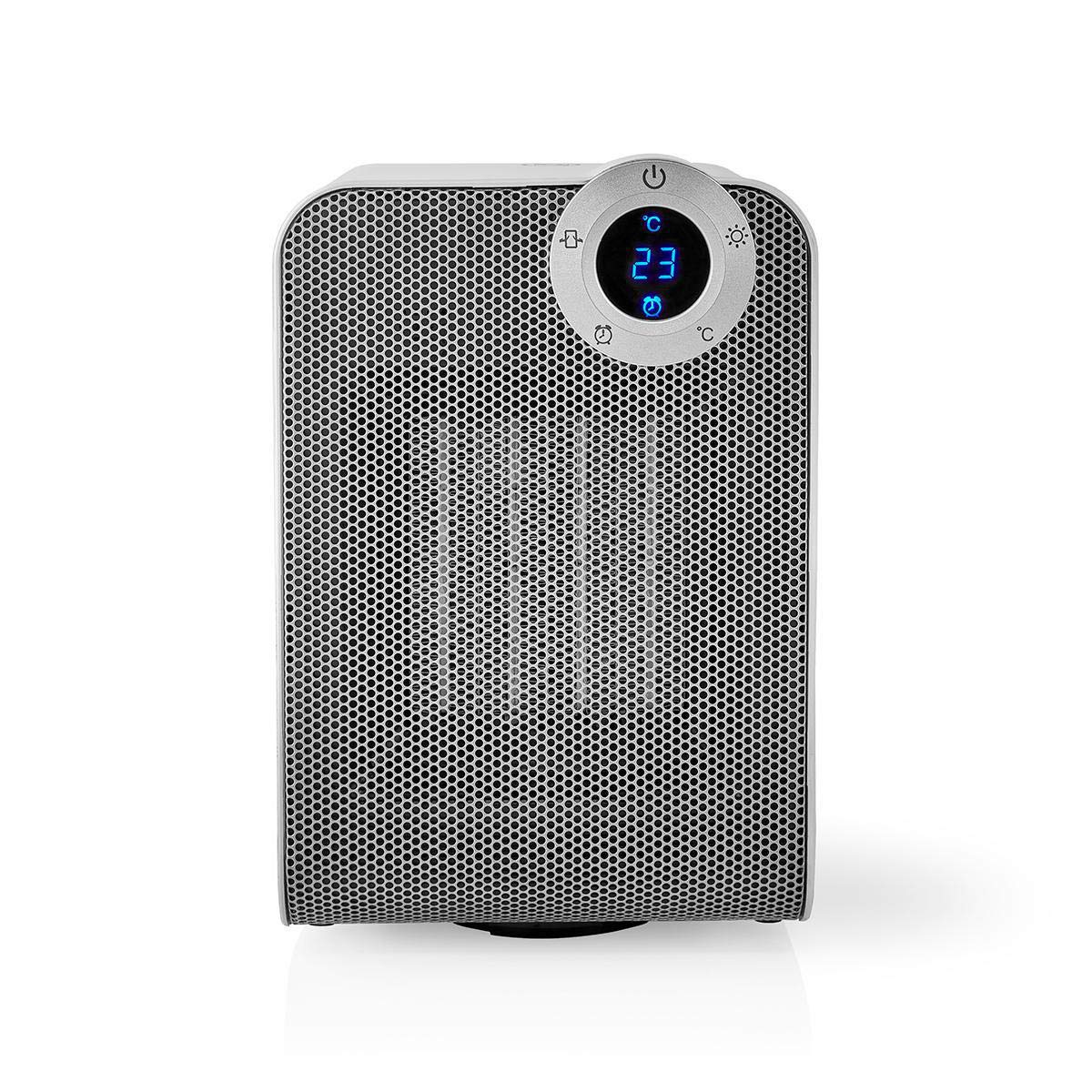
The front panel features a digital display that shows the current temperature and settings. Surrounding the display are touch-sensitive buttons for power, mode selection, oscillation, and timer functions.

The rear of the heater includes the main power switch (often a rocker switch) and the air intake grille. Ensure this area is not obstructed for proper airflow.

The compact design of the heater allows for easy placement in various indoor settings.
Saita
Ana kwashe kaya
- A hankali a cire hita daga cikin marufinsa.
- Bincika duk wani lalacewa yayin wucewa. Idan lalacewa, kar a yi aiki kuma tuntuɓi tallafin abokin ciniki.
- A ajiye marufin don ajiya ko jigilar kaya nan gaba.
Wuri
- Sanya hita a kan m, matakin saman.
- Ensure there is at least 1 meter (3 feet) of clear space around the heater to allow for proper air circulation and to prevent fire hazards.
- Do not place the heater near curtains, drapes, or other loose fabrics that could block the air intake or outlet.
- Ensure the power cord is not pinched or placed under heavy objects.
Ƙarfin Farko Kunnawa
- Plug the heater into a suitable electrical outlet (220-240V AC, 50/60Hz).
- Flip the main power switch on the back of the unit to the 'ON' position.
- The digital display on the front will illuminate, indicating the heater is in standby mode.
Wi-Fi Connection & App Setup
The NEDIS Wi-Fi Smart Fan Heater can be controlled via the Nedis SmartLife app, offering advanced features and remote control.
- Sauke da Nedis SmartLife app daga App Store (iOS) ko Google Play Store (Android).
- Yi rijista don sabon asusu ko shiga idan kuna da ɗaya.
- Tabbatar cewa wayoyinku sun haɗa zuwa cibiyar sadarwar Wi-Fi 2.4 GHz.
- A cikin manhajar, danna alamar '+' don ƙara sabuwar na'ura.
- Follow the on-screen instructions in the app to connect your heater to your Wi-Fi network. This usually involves putting the heater into pairing mode (refer to the app for specific instructions, often by pressing and holding a button on the heater).
- Once connected, you can control the heater from anywhere using the app.
Umarnin Aiki
Gudanar da Manual
The heater can be operated directly using the touch buttons on the front panel:
- Maɓallin Wuta: Danna don kunna hita ko kashe ta.
- Maɓallin Yanayin: Cycle through heating modes (e.g., High Heat 1800W, Low Heat 900W, Fan Only).
- Daidaita Zazzabi: Use the '+' and '-' buttons (or similar) to set the desired temperature. The heater will operate at 1800W for rapid heating and automatically switch to 900W once the set temperature is approached.
- Maballin Oscillation: Press to activate or deactivate the horizontal oscillation feature, distributing heat across a wider area.
- Maɓallin lokaci: Set a timer for the heater to automatically turn off after a specified duration.
SmartLife App Control
Once connected to the Nedis SmartLife app, you can access advanced control features:
- Remote Power On/Off: Control the heater from anywhere.
- Daidaita Zazzabi: Precisely set and monitor the room temperature.
- Zaɓin Yanayin: Choose between different heating levels or fan-only mode.
- Gudanar da Oscillation: Kunna ko kashe fasalin oscillation.
- Tsaraitawa: Create custom heating schedules for different times of the day or week.
- Aikin Mai ƙidayar lokaci: Set a countdown timer for automatic shutdown.
Ikon murya
The heater supports voice control through popular smart assistants. To enable this, link your Nedis SmartLife account with your preferred voice assistant (Google Home or Amazon Alexa) via their respective apps. Once linked, you can use voice commands such as:
- "Hey Google, turn on the heater."
- "Alexa, set the heater to 22 degrees."
- "Hey Google, turn off the heater."
Kulawa
Tsaftacewa
Regular cleaning helps maintain the heater's efficiency and extends its lifespan.
- Koyaushe cire na'urar dumama kuma bar shi ya yi sanyi gaba daya kafin tsaftacewa.
- Shafa saman waje da taushi, damp zane. Kada a yi amfani da masu tsabtace abrasive ko sauran ƙarfi.
- Use a vacuum cleaner with a brush attachment to remove dust from the air intake and outlet grilles.
- Tabbatar cewa babu ruwa ya shiga ciki na hita.
Adana
Lokacin da ba a amfani da shi na dogon lokaci:
- Unplug the heater and clean it as described above.
- Store the heater in its original packaging or a suitable box to protect it from dust and damage.
- Keep it in a cool, dry place, away from direct sunlight and moisture.
Shirya matsala
Idan kun sami matsala tare da hita, koma zuwa matsalolin gama gari da mafita:
| Matsala | Dalili mai yiwuwa | Magani |
|---|---|---|
| Mai zafi baya kunna. | No power, main switch off, tip-over switch activated. | Check power outlet, ensure main switch is ON, place heater upright on a stable surface. |
| Babu fitowar zafi. | Incorrect mode, thermostat setting too low. | Select a heating mode (High/Low), increase the thermostat setting above the current room temperature. |
| Haɗin Wi-Fi ya gaza. | Incorrect Wi-Fi password, 5GHz network, distance from router. | Verify Wi-Fi password, ensure you are on a 2.4GHz network, move heater closer to the router, try re-pairing. |
| Mai zafi yana kashe ba zato ba tsammani. | Overheating protection, tip-over protection, timer activated. | Ensure heater is not covered, clear obstructions, place upright, check timer settings. Allow to cool before restarting. |
Ƙayyadaddun bayanai
| Siffar | Ƙayyadaddun bayanai |
|---|---|
| Lambar Samfura | WIFIFNH20CWT |
| Tushen wutar lantarki | Corded Electric |
| Fitar wutar lantarki | 1800W (Babba), 900W (Ƙasashe) |
| Hanyar dumama | Taro |
| Girma (L x W x H) | 16.5 x 14.5 x 25 cm |
| Nauyin Abu | 1.8 kg |
| Launi | Fari / Azurfa |
| Siffofin Musamman | On/Off Timer, Oscillation, Tip-over Protection, Thermostat, Wi-Fi, App Control, Voice Control (Alexa, Google Home) |
| Nau'in Shigarwa | Dutsen |
| An Shawarar Amfani | Indoor, Home, Study Room |
| Ana Bukata Batura | A'a |
Garanti da Taimako
Your NEDIS Wi-Fi Smart Fan Heater is covered by a manufacturer's warranty. Please refer to the warranty card included with your purchase for specific terms and conditions, including the warranty period and coverage details.
For technical support, troubleshooting assistance, or warranty claims, please contact NEDIS customer service. Contact information can typically be found on the product packaging, the NEDIS website, ko rasidin sayan ku.