Gabatarwa
This manual provides essential information for the setup, operation, and maintenance of your OREI Sony UBP-X800M2 Region Free 4K UHD Blu-ray Player. This player is designed for worldwide use, supporting all Blu-ray disc zones (A/B/C) and DVD regions (0-8), with a built-in NTSC↔PAL 4K HD converter. Enjoy stunning 4K UHD visuals, high-resolution audio including Dolby Atmos and DTS:X, and seamless access to streaming services via Wi-Fi or Ethernet.

Hoto 1: Gaba view of the OREI Sony UBP-X800M2 4K UHD Blu-ray Player.
Saita
1. Cire kaya da Sanyawa
- A hankali cire duk abubuwan da aka gyara daga marufi.
- Place the player on a stable, level surface with adequate ventilation.
- Ensure no objects block the ventilation openings.
2. Haɗa zuwa TV ɗin ku
Connect the player to your TV using an HDMI cable for optimal 4K UHD video and audio.
- Connect one end of an HDMI cable to the HDMI FITA port on the rear of the Blu-ray player.
- Haɗa sauran ƙarshen kebul na HDMI zuwa shigarwar HDMI akan TV ɗin ku.
- If using an audio receiver, connect the player's HDMI OUT to the receiver's HDMI IN, then the receiver's HDMI OUT to the TV's HDMI IN.

Figure 2: Rear panel connections, showing HDMI, LAN, and audio outputs.
3. Haɗin Wuta
- Connect the AC power cord to the player's power input and then to a suitable electrical outlet.
4. Network Connection (Optional)
For streaming services and firmware updates, connect the player to your home network.
- Haɗin Waya: Connect an Ethernet cable from the player's LAN (100) port to your router or modem.
- Haɗin Mara waya: Navigate to the network settings in the player's menu to connect to your Wi-Fi network.
5. Region Changing Instructions
This player supports all DVD regions (0-8) automatically. Blu-ray regions (A, B, C) are changed manually using the remote control.
- Turn the player ON kuma OPEN THE DISC TRAY.
- Once the tray is completely open, press the corresponding colored button on the remote to select the desired Blu-ray region:
- Yanki A: Danna maɓallin KWATIN JAWARA kan remote.
- Yanki B: Danna maɓallin BLUE BUTTON kan remote.
- Yanki C: Danna maɓallin RED BUTTON kan remote.
- Yanzu za ka iya saka faifanka a cikin tire sannan ka rufe tire ɗin.

Figure 3: Remote control with colored buttons for region selection.
Umarnin Aiki
1. Disc Playback
The player supports a wide range of disc formats, including 4K UHD Blu-ray, standard Blu-ray, Blu-ray 3D, DVD, CD, and Super Audio CD (SACD).
- Danna maɓallin BUDE/RUFE button on the player or remote to open the disc tray.
- Place the disc gently onto the tray with the label side facing up.
- Danna maɓallin BUDE/RUFE button sake don rufe tire.
- The player will automatically begin playback or display a disc menu.

Hoto 4: Gaba view of the player with the disc tray open, ready for disc insertion.
2. Ayyukan Yawo
Access popular streaming services like Netflix and YouTube directly from the player's home menu.
- Ensure the player is connected to the internet (Wi-Fi or Ethernet).
- From the home screen, select the desired streaming application.
- Log in with your account credentials to begin streaming.
3. Kunna Media na USB
Kunna kafofin watsa labarai files (audio, video, photos) from a USB storage device.
- Insert your USB device into the front USB port.
- Select the USB option from the player's home menu to browse and play your media.
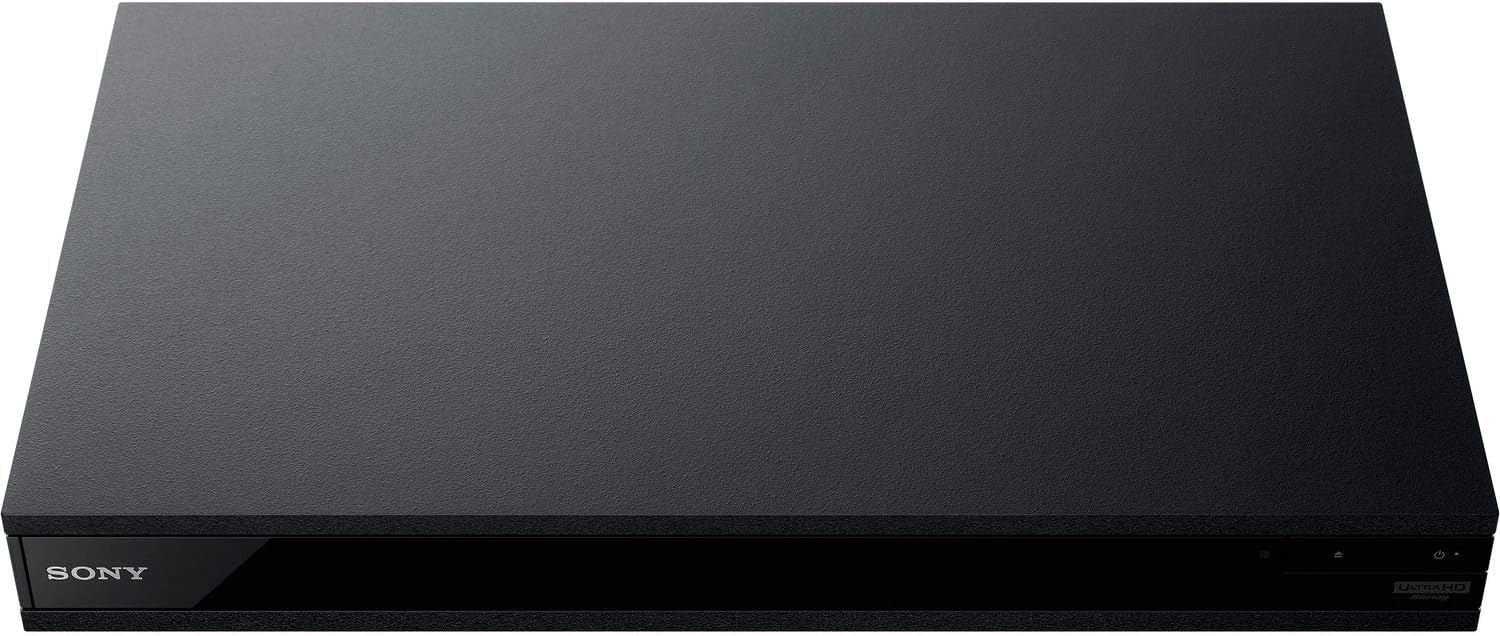
Hoto 5: Gaba view of the player with a USB drive inserted into the front port.
Kulawa
1. Cleaning the Player
- Wipe the exterior of the player with a soft, dry cloth.
- Kada a yi amfani da masu tsaftacewa, kakin zuma, ko kaushi.
- Ensure ventilation openings remain clear of dust and debris.
2. Kula da Faifan
- Handle discs by their edges to avoid fingerprints and scratches.
- Tsaftace fayafai tare da taushi, yadi mara lint, shafa daga tsakiya zuwa waje.
- Store discs in their cases away from direct sunlight and extreme temperatures.
3. Sabuntawar Firmware
Firmware updates can be done via the internet to ensure optimal performance and access to the latest features.
- Go to the home menu, then setup menu, and then to Software Update.
- Click on "Update Via Internet". If a new firmware is available, the player will automatically update.
- KAR KA turn off the player while it is updating.
- KAR KA perform firmware updates by USB unless instructed by OREI support.
Shirya matsala
Batutuwan gama gari
- Babu Hoto/Sauti:
- Check all HDMI and audio cable connections.
- Tabbatar cewa an saita shigarwar TV ɗin zuwa tashar HDMI daidai.
- Verify the player is powered on.
- Faifan Ba Ya Kunnawa:
- Tabbatar cewa diski ɗin ya kasance mai tsabta kuma ba shi da tabo.
- Tabbatar an saka faifan daidai (lakabi gefe sama).
- For Blu-ray discs, confirm the player's region setting matches the disc's region (refer to "Region Changing Instructions" in the Setup section).
- Open the tray again and leave the disc in the tray. Once fully open, press the color button to select the region. Then close the tray.
- Region Code Error Message:
If you put in a disc before changing regions, you may get an error message indicating the wrong region. The player remembers this message. To remove that error, you need to reset the player.
- Danna maɓallin GIDA button on the remote with no disc inside to go to the home screen.
- Yi amfani da maɓallan kibiya akan na'urar sarrafawa don zuwa kusurwar sama ta dama inda aka rubuta Saita kuma danna SHIGA.
- Gungura ƙasa zuwa Sake saitin a ƙasan menu.
- Zaɓi Sake saitin zuwa tsoffin saitunan masana'anta.
- Gungura ƙasa kuma zaɓi DUK TSARI kuma danna SHIGA -> Latsa Fara Shigar -> Close SHIGA.
- Kashe ɗan wasan sannan sake kunnawa bayan daƙiƙa 30.
- Select Language English and then select quick start mode OFF. You may need to activate network settings again.
- If you prefer not to connect the player to the internet, you may press the GIDA button and go to the home screen. Now start from step 1 under "Region Changing Instructions" to change regions.
Ƙayyadaddun bayanai
| Alamar | OREI |
| Sunan Samfura | Sony X800M2 (UBP-X800M2) |
| Girman samfur | 19 x 14.1 x 3.8 inci |
| Nauyin Abu | 8.82 fam (4000 Grams) |
| Nau'in Mai jarida | Blu-Ray Disc, DVD, 4K UHD Blu-ray, Blu-ray 3D, CD, Super Audio CD |
| Ƙaddamarwa | 3840x2160 (4K UHD) |
| Fasahar Haɗuwa | Ethernet, HDMI, USB, Wi-Fi |
| Nau'in Haɗawa | HDMI |
| Yanayin Fitarwa na Audio | Surround (Dolby Atmos, DTS:X, High-Resolution Audio) |
| Launi | Baki |
| Baturi | Ana buƙatar batura 2 AAA (don nesa) |
| Siffa ta Musamman | Region Free (Blu-ray Zones A/B/C, DVD Regions 0-8), Built-in NTSC↔PAL 4K HD Converter |
Garanti da Taimako
Bayanin Garanti
For specific warranty details, please refer to the warranty card included with your product or visit the official OREI website. Ajiye rasidin siyan ku azaman shaidar siyan.
Tallafin Abokin Ciniki
If you encounter any issues or have questions regarding your OREI Sony UBP-X800M2 Blu-ray Player, please contact OREI customer support.
- Taimako kan layi: Ziyarci OREI Store on Amazon don FAQs da albarkatun tallafi.
- Taimakon Fasaha: Contact OREI directly for technical support. (Specific contact details not provided in source data, please refer to product packaging or official websaiti).


